/ Various Category / Morgan Page EMP Toolbox
Waves

Morgan Page EMP Toolbox

4.0 (1 Reviews)
$79.99 $599.00

86% off until Dec 07

Waves Morgan Page EMP Toolbox
Into the Mix with DJ/Remixer/Producer Morgan Page gallery thumbnail
Dance Music Mixing Tips with Morgan Page gallery thumbnail
Buy Now
Product information

Morgan Page EMP Toolbox
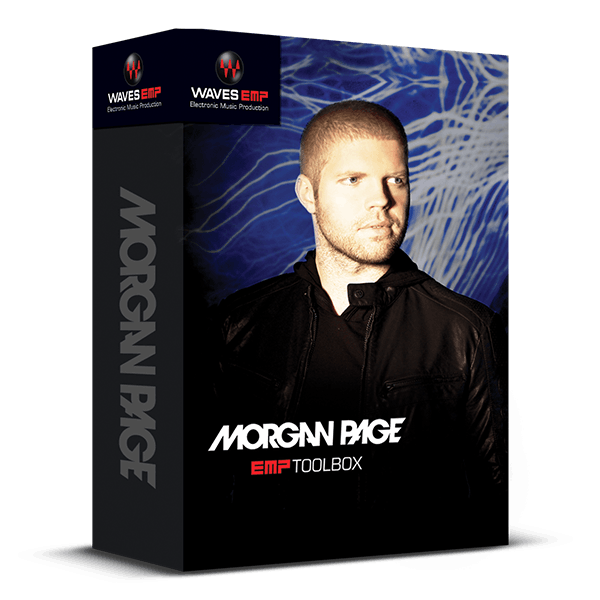
9 Plugins for Electronic Music Production Picked by Remix Master Morgan Page


Grammy®-nominated Morgan Page is renowned for transforming hits from pop icons like Katy Perry, Madonna, The Police, Stevie Nicks, and Adam Lambert into electrifying dance floor anthems. His secret weapon: the plugins in this exclusive toolbox.

From enhancing and perfecting the all-important vocal to adding special effects that elevate a track to new heights, this carefully curated collection offers both creative inspiration and technical precision.

Included plugins:

  • H-Delay Hybrid Delay
  • H-EQ Hybrid Equalizer
  • L3-LL Multimaximizer
  • Maserati VX1
  • NLS Non-Linear Summer
  • SoundShifter
  • TrueVerb
  • Vocal Rider

Features

  • Ride vocal levels automatically with Vocal Rider
  • Enhance vocals with Maserati VX1’s two different contours
  • Create rich reverb ambience with TrueVerb
  • Transpose sounds for wild sound effects with SoundShifter
  • Add beat-enhancing rhythmic effects with H-Delay
  • Choose EQ, from vintage analog to modern digital, with H-EQ
  • Use NLS Non-Linear Summer for the true sound of analog mixing
  • Crush levels and radiate power with two flavors of Maximizers

System Requirements

Mac

  • macOS Monterey 12, Ventura 13, Sonoma 14, Sequoia 15
  • VST / AU / AAX

PC

  • Windows 10+
  • VST / AAX
Installation Instructions

1. Head to https://www.waves.com/create-account

2. Enter your email and choose a password to create an account (if you already have a Waves account, choose Log in, enter your details and head to Step 5) > click 'Submit'

3. Open your email inbox > click the activation link in the email from Waves

4. Click 'Log in here' > Log in to your Waves account

5. Click 'Register New Products'

6. Enter the Serial Number found in your Plugin Boutique user account > click 'Submit'

7. Click download in your Plugin Boutique user account or head to https://www.waves.com/downloads/central > download the Waves Central app for your operating system

8. Install Waves Central > Open Waves Central

9. Click 'Log in' > enter your log in details

10. Click the 'Install Products' tab

11. Tick the blue dot on all products you wish to install or click the top dot to install all products > click 'Install & Activate'

12. Click 'OK'

13. Open your DAW > open the Waves plugin

Your Waves plugins are installed and ready to use, enjoy!

Plugin Boutique Rewards

Discover the most rewarding loyalty programme among all plugin retailers.

  • Free Loopmasters Samplepacks
  • Discounts on products and courses
  • Extra Virtual Cash claimed immediately at checkout
Find out more

Follow us:

X (Twitter) Facebook YouTube Instagram
Logo Logo

Plugin Boutique Limited, Part of the Beatport Group LLC.

Copyright © 2011-2025 Plugin Boutique. All rights reserved










