/ Various Category / Power Pack
Waves

Power Pack

$69.99 $199.00

64% off until Dec 07

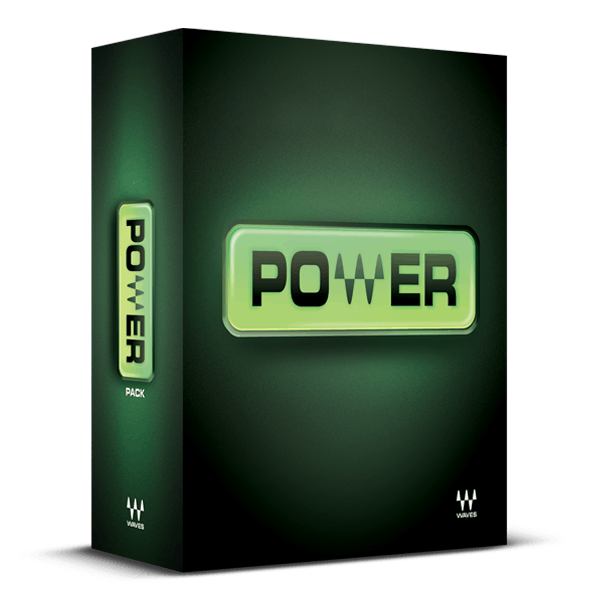
Waves Power Pack
Waves Power Pack
Waves Power Pack
Mixing Music with Waves Power Pack & GTR3 gallery thumbnail
Buy Now
Product information

Power Pack

Start Your Plugin Journey with these Waves Favorites

These plugins are often hailed as essential tools by engineers and producers alike—dive in and experience why Waves is a top choice among professionals. This robust package covers all the essentials: dynamics, ambience, maximization, delay, equalization, stereo imaging, de-essing, and beyond.

Whether you're refining your mix or perfecting your master, these plugins serve as the cornerstone of a versatile signal processing arsenal, offering impeccable sound quality, adaptable features, and intuitive operation.

Included plugins:

  • C1 Compressor
  • DeEsser
  • Doubler
  • IR-L Convolution Reverb
  • L1 Ultramaximizer
  • Q10 Equalizer
  • Renaissance Axx
  • S1 Stereo Imager
  • SuperTap
  • TrueVerb

Features

  • Q10 10-band paragraphic equalizer offers sophisticated tone-shaping
  • Compress, expand, gate, and equalize with the C1 Compressor
  • Renaissance Axxe optimizes dynamics for guitar, bass, keys
  • Tame vocal sibilance problems with the DeEsser
  • Choose convolution and/or algorithmic reverb for ambience
  • Give masters punch and definition with the L1 Maximizer
  • Enhance stereo separation and imaging with the S1 Stereo Imager
  • SuperTap Delay and Doubler add echoes and multiply parts

System Requirements

Mac

  • macOS Monterey 12, Ventura 13, Sonoma 14, Sequoia 15
  • VST / AU / AAX

PC

  • Windows 10+
  • VST / AAX
Installation Instructions

1. Head to https://www.waves.com/create-account

2. Enter your email and choose a password to create an account (if you already have a Waves account, choose Log in, enter your details and head to Step 5) > click 'Submit'

3. Open your email inbox > click the activation link in the email from Waves

4. Click 'Log in here' > Log in to your Waves account

5. Click 'Register New Products'

6. Enter the Serial Number found in your Plugin Boutique user account > click 'Submit'

7. Click download in your Plugin Boutique user account or head to https://www.waves.com/downloads/central > download the Waves Central app for your operating system

8. Install Waves Central > Open Waves Central

9. Click 'Log in' > enter your log in details

10. Click the 'Install Products' tab

11. Tick the blue dot on all products you wish to install or click the top dot to install all products > click 'Install & Activate'

12. Click 'OK'

13. Open your DAW > open the Waves plugin

Your Waves plugins are installed and ready to use, enjoy!

Plugin Boutique Rewards

Discover the most rewarding loyalty programme among all plugin retailers.

  • Free Loopmasters Samplepacks
  • Discounts on products and courses
  • Extra Virtual Cash claimed immediately at checkout
Find out more

Follow us:

X (Twitter) Facebook YouTube Instagram
Logo Logo

Plugin Boutique Limited, Part of the Beatport Group LLC.

Copyright © 2011-2025 Plugin Boutique. All rights reserved