


 Log In
Free gifts available with your purchase
Product information
Signature Series Bass and Drums

Let the Pros Optimize Your Bass and Drum Sound
Today's hip hop, dance, and rock music place unprecedented emphasis on the sound of bass and drums. Now, legendary engineers Chris Lord-Alge, Eddie Kramer, Jack Joseph Puig, and Tony Maserati bring their chart-topping expertise to help you lay the perfect foundation for your mix.
These super-engineers have crafted iconic bass and drum sounds for a diverse range of artists, from Bowie and Beyoncé to Post Malone and Foo Fighters, and from Led Zeppelin to John Mayer. Now, let them work their magic for your music.
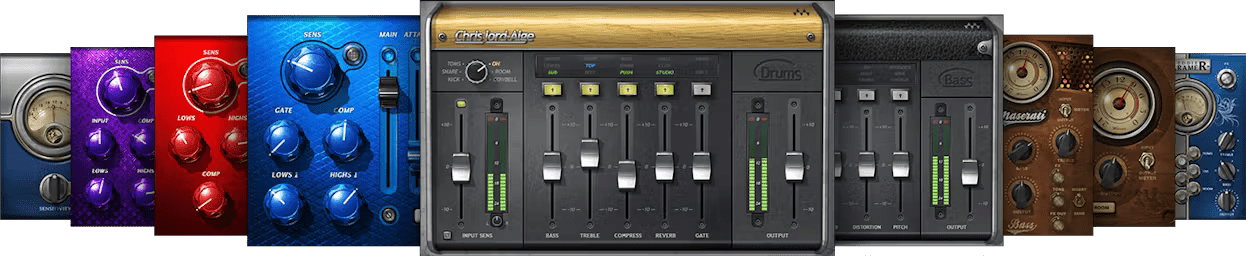
Included plugins:
- CLA Bass
- CLA Drums
- Eddie Kramer Bass Channel
- Eddie Kramer Drum Channel
- JJP Bass
- JJP Cymbals & Percussion
- JJP Drums
- Maserati B72
- Maserati DRM
Features
- 9 plugins created in collaboration with these renowned engineers
- Each multieffects represents a custom, personal effects chain
- Choose the vibe, from classic 60s to cutting-edge hip hop
- Tweak sounds in seconds with carefully curated parameters
- Drum plugins are ideal for multi-output drum instruments
- Accurate metering for each plugin simplifies gain staging
- Mix and match different plugins for different drum tracks
- Improve workflow by loading complete effects chains
System Requirements
Mac
- macOS Monterey 12, Ventura 13, Sonoma 14, Sequoia 15
- VST / AU / AAX
PC
- Windows 10+
- VST / AAX
Installation Instructions














