Log In

Free gifts available with your purchase
The LANDR Ultimate Bundle is a complete collection of essential tools for music production, offering advanced solutions for mastering, sound design, and vocal processing. With features like mastering plugins, creative composition tools, and vocal tuning software, this bundle provides everything you need to create professional-grade music. Best of all, it offers lifetime ownership of these powerful tools, making it a valuable and cost-effective option for serious creators looking to enhance their workflow and elevate their sound.
Bundle Contents
- LANDR Mastering Plugin PRO
- LANDR FX Suite
- LANDR Guitar
- LANDR Chromatic
- LANDR Composer
- LANDR Synth X
- Synchro Arts VocAlign Pro
- Synchro Arts RePitch 2 Standard
- Synchro Arts Revoice Pro
Perpetual Ownership
Lifetime access to premium production tools with a one-time purchase, giving you full ownership and eliminating recurring fees
Cost-Effective Access to Premium Tools
Professional-level plugins and tools at a fraction of the cost of buying them individually, making it a highly affordable way to upgrade your production capabilities
Versatile Creative Toolkit
Complete toolkit for sound design, vocal tuning, and mastering, combined with creative tools for composition
LANDR Mastering Plugin PRO
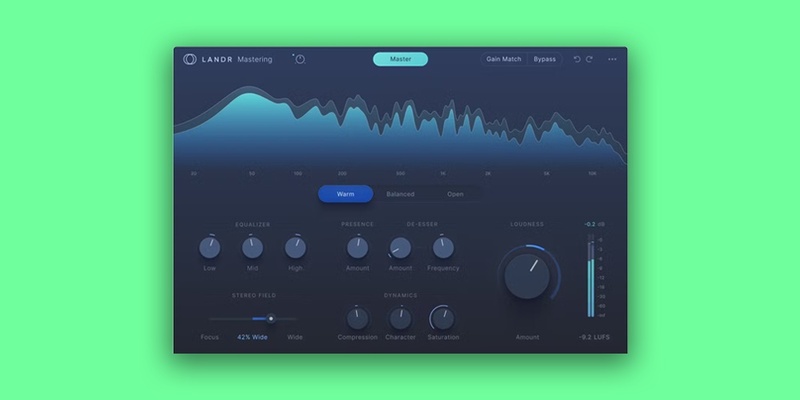
10 Years of AI Innovation Now in Your DAW
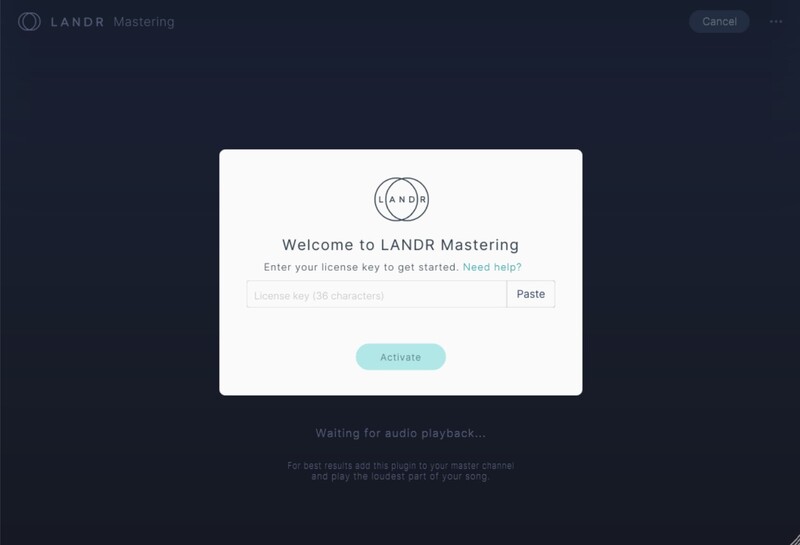
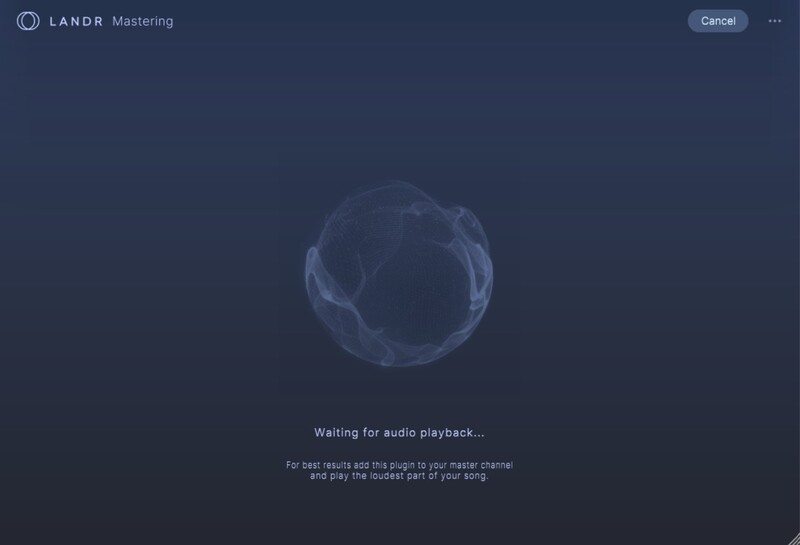
The LANDR Mastering Plugin PRO gives you fast, pro-level AI masters while you work in your DAW and make revisions without disrupting your workflow. The LANDR Mastering Plugin PRO runs in real time on your mix bus to let you always hear how your mix affects the master.
LANDR’s AI technology analyzes your track and delivers three uniquely conceived professional masters. Beyond simple Presets, each master is sculpted to your specific track. Release songs using the AI master as is, or use advanced controls that empower you to personalize the master even further.
Revise your AI-powered master through intuitive controls that include EQ, Compression, Saturation, Loudness, Presence, and a De-Esser.
The LANDR Mastering Plugin PRO delivers masters that play well in any environment – from iPhone speakers to headphones, PAs, or studio monitors.
Trusted by music industry heavyweights
LANDR is the only AI mastering service that is used by top audio engineers to produce pristine, release-ready masters for major labels and artists such as Lady Gaga, Gwen Stefani, Snoop Dogg, Seal and more.
Fast, simple AI mastering
Now everyone has the power to create pro-level mastered versions of their tracks. LANDR Mastering Plugin integrates with any major DAW to deliver fast, reliable AI mastering results you can trust every time.
A workflow game-changer
Real-time processing in the plugin lets you hear your mastered sound as you perfect your mix. Avoid time-consuming bounces out of the DAW and revise track versions on-the-fly.
Features
- OVER 10 YEARS of AI MASTERING TECHNOLOGY – Refined by a decade of research and innovation using actual mastering engineers
- SOUNDS GREAT EVERYWHERE – Exceptional audio quality in any listening environment
- PERSONALIZED MASTERING – Audio processing that adapts to the unique characteristics of your track
- FAST AI ANALYSIS – Make great masters in less time
- REALTIME PROCESSING – Hear the effect of on-the-fly mix adjustments to your masters
- SPECTRAL DISPLAY – VIsualize frequency changes between the original track and master
- MASTERING STYLE – Choose from Warm, Balanced or Open masters to match your track
- EQ – Control the amount of high, mid and low-frequency energy on your master.
- COMPRESSION – Adjust the overall dynamic range of your track and bring up low-level elements
- STEREO FIELD – Increase width for more space or focus on central elements like kick, snare, and vocals
- LOUDNESS – Control overall loudness and use the LUFS Meter to target a desired loudness
- SATURATION – Thicken your track with more harmonics as found with tube and transformer gear
- PRESENCE – Control the amount of presence in the critical vocal range
- DE-ESSER – Further target any problem frequencies in your master
Learn more about LANDR Mastering Plugin PRO.
LANDR FX Suite
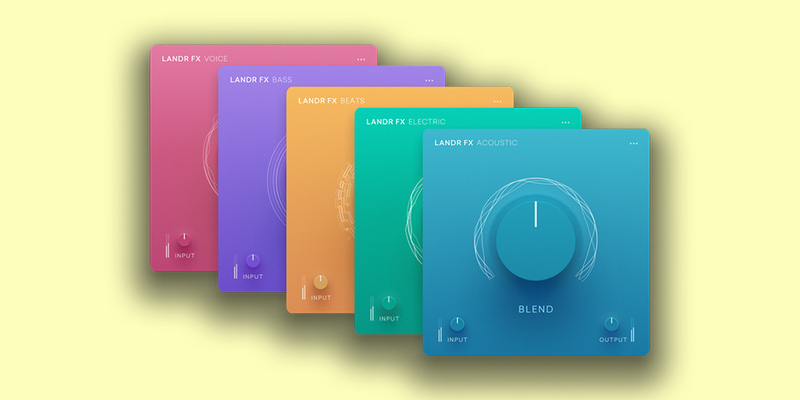
The LANDR FX Suite includes 5 single-dial multi-fx plugins, each designed to add color, character & effects to a particular audio source or group. The full suite includes 5 individual plugins: Voice, Beats, Bass, Electric, and Acoustic. A single dial is used to either intensify or attenuate a blend of effects designed to add character to the instrument/source. Each plugin has 40-50 presets to choose from, each with their own intensity & blend of effects.
Conquer Choice Paralysis
Stop spending too much time stacking, tweaking, and guessing what your music needs. Each plugin is loaded with professionally designed, distinct presets that instantly inspire and sound great out of the box.
Feel confident in the mix
There’s no experience required when using LANDR FX. Just load up the plugin, choose a preset, and blend it in. Each plugin is made for a specific sound source, and contains presets for the most common applications, but can also be used for risk-free experimentation.
Simple, inviting, effective
LANDR FX helps you get to the right sound fast, so you can speed up your workflow and finish more music you can be proud of.
No more endless tweaking, guesswork, or advanced audio engineering skills needed. The single-dial & precision presets make this suite simple, effective and easy-to-use.
No more using tons of plugins and wasting time to achieve the right sound. LANDR FX provides you with multiple FX in one—all blended with a single dial.
Contains:
- LANDR FX Voice
- LANDR FX Bass
- LANDR FX Beats
- LANDR FX Electric
- LANDR FX Acoustic
Learn more about LANDR FX Suite.
LANDR Guitar
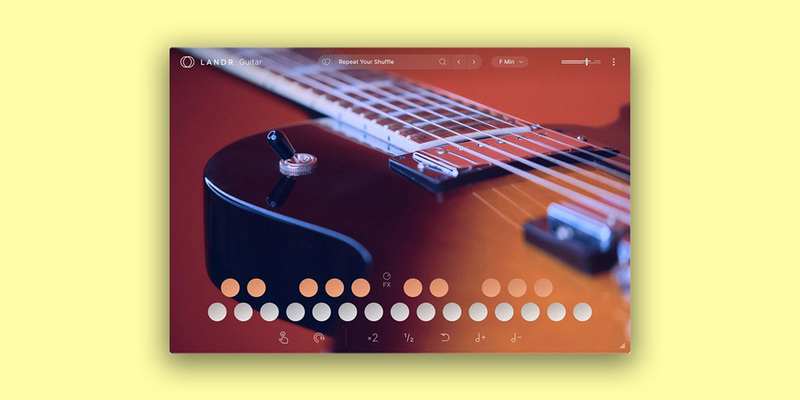
Weave guitar riffs recorded by world-class guitarists into your music with this intuitive virtual guitar instrument. Curated loops, embellishments, and effects accommodate a broad range of genres and playing styles and enable you to easily discover and arrange the perfect guitar flourishes for your track.
A guitar plugin for every creative stage
- Get inspired
Browse the sets and sounds to spark fresh ideas for a new track
- Build out ideas
Layer and play sounds in real-time to bring your track to life quickly
- Add finishing touches
Add short licks or riffs to add that final ear candy to tracks
Get genre defying range
Access a diverse array of sets packed with guitar loops recorded by world-class guitarists. Get inspired by sounds from 8 distinct styles, including:
- SLATE (Rock (folk/rock)
- STEEL (Hard Distortion)
- SKYLINE (Global/Dub/Urban)
- GOLD (Pop/Mainstage)
- GLIMMER (Ambient/spectral)
- SPIRIT (Funk/Soul/Jazz)
- SLIDE (Blues)
- SOLAR (Latin)
Build complex tracks quickly
Play multiple complimentary guitar loops once – every set automatically matches your project's tempo and key so you never have to worry about sounds meshing seamlessly. Composition and arrangement are possible without any music theory or guitar knowledge required.
Create something unique
Make every set your own using a custom effects pedalboard that let you shape tone, drive, movement, echo, and space. Go a step further and experiment with modifier keys that can be applied to any sound to change hold and sync functions in addition to play direction, speed, and octave.
LANDR Chromatic
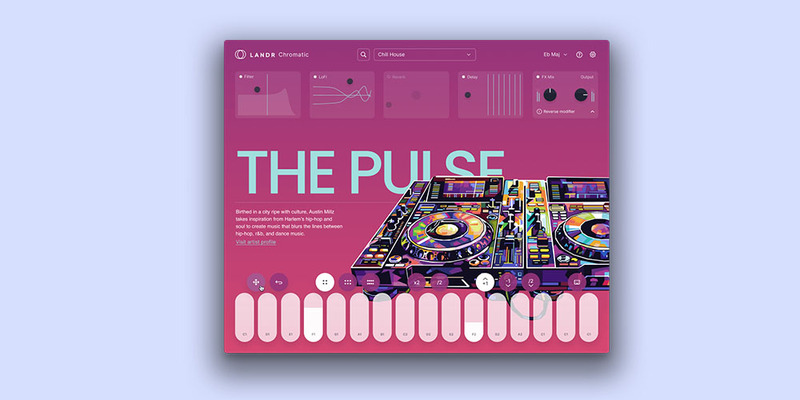
Craft stunning, unique compositions or add a touch of flair to your existing tracks with this intuitive loop-based virtual instrument that guides you to your ideal sound with sets made by professional producers. Perfect for beginners and pros alike.
Unique sets of sounds created by pro producers
Discover and browse playable sets from your favorite creators and up-and-coming artists and producers.
Lightning fast creations
Sketch ideas in a heartbeat with inspiring sets and creative effects that make it fun and easy to mix and compose.
Professionally produced sounds
Get studio-quality results every time you create with loop sets designed to help you develop your style and channel your creativity into breathtaking music.
LANDR Composer
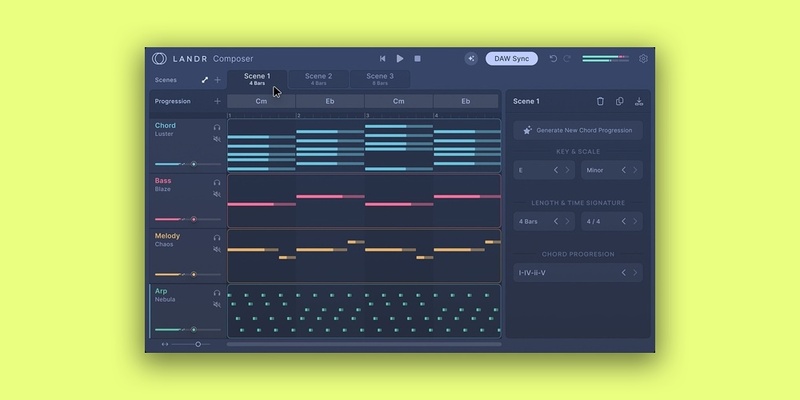
Break down creative barriers and speed up your workflow with AI-powered chord progressions, melodies, basslines, and arpeggios—designed for music creators of any skill level.
Generate Stunning Ideas
Unlock AI-powered composition assistance with 1 intuitive plugin that aligns unique sounds to your personal music style.
Effortless Chord Creation
Generate complex chord progressions and individual chords with ease—no music theory knowledge required.
Smart MIDI Generation
Automatically create unique and inspiring MIDI performances for chords, basslines, melodies, and arpeggios.
Seamless Workflow Integration
Sync with your DAW, utilize the piano roll for precise MIDI editing, and drag MIDI patterns directly into your project.
Ignite Fresh Inspiration
Take your music in new directions and unlock inspiration with a creative assistant that provides the perfect starting point or enhances your work-in-progress.
Accelerate Your Creative Process
Focus on creativity, not technical barriers, with an AI tool that helps you create chord progressions, arpeggios, melodies, and basslines faster.
Features
- Assistive Chord Generation: Automatically create and tweak complex chord progressions and individual chords.
- Preset Sounds and MIDI Editing: Utilize stock sounds and edit MIDI with a piano roll for precise control.
- Assistive MIDI Generation: Generate unique chord, bass, melody, and arpeggio performances with customizable modifiers like polyphony and humanization.
- Scenes and Song Mode: Organize multiple musical ideas and arrange them into a full composition.
- Chord Progression Guide: Edit, move, and refine chords to perfect your harmonic sequences.
- Sync to DAW: Integrate seamlessly with your DAW for real-time adjustments.
- Preset Sounds and MIDI Editing: Utilize stock sounds and edit MIDI with a piano roll for precise control.
- Drag-and-Drop Integration: Easily drag MIDI patterns into your DAW.
Learn more about LANDR Composer
VocAlign 6 Pro
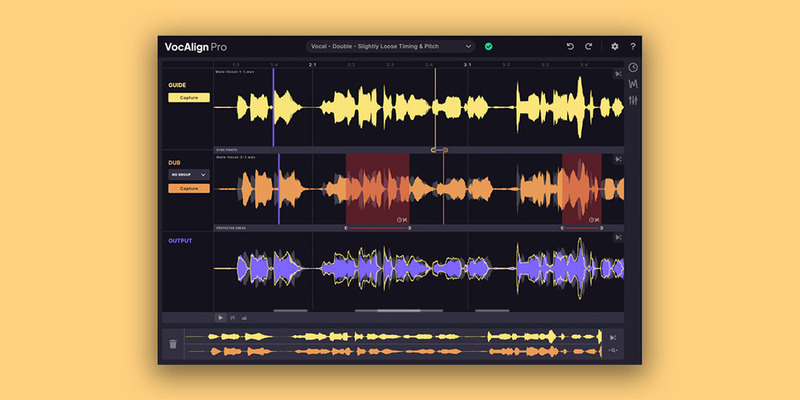
Get Tight Vocals Fast
The industry standard plugin for aligning audio, VocAlign™ takes two separate vocal performances and effortlessly aligns their timing and pitch instantly.
Don't waste time manually tightening vocals and get pro-sounding results.
- Time Saving
- Professional Results
- Flexible Alignment
Work smarter, better, faster, stronger with the world’s number one alignment plugin, removing the need to manually align vocals, get superior sounding vocal mixes and focus on what’s more important.
VocAlign's Promise
For music creators and audio professionals who need accurate and high-quality alignment of vocal performances, VocAlign effortlessly matches the timing and pitch of multiple audio tracks in seconds.
Unlike using native DAW editing tools for aligning vocals by hand, VocAlign saves countless hours of manual work by offering an automated and assistive solution, freeing up valuable studio time for more creative tasks.
Features
- Tightness Control
- SmartAlign
- Alignment Preset
- Arm Capture All
- ARA-compatible (including Pro Tools)
- Undo / Redo
- 2 activations per licence
- Resizable GUI
Plus Pro Edition Exclusive Features:
- Pitch Alignment
- SmartPitch
- Process Groups
- Formant Shifting
- Transpose Shift
- Sync Points & Protected Area
- SynchroLink connection to RePitch
Learn more about VocAlign 6 Pro
RePitch 2 Standard
The pro’s choice for pitch correction
Get perfectly tuned vocals that don’t sound processed or artificial. Flaws and imperfections can be removed without compromising the feel or vibe of the performance.
Faster, smoother vocal tuning to a whole new groove
RePitch 2 brings a modernized UI, a smoother workflow, and powerful new tools that make vocal editing faster, more transparent, and more musical. Tune vocals with unmatched transparency, snap performances to the groove with SmartAttack, and edit multiple tracks side by side in one unified view — all designed to keep you focused on creativity, not corrections.
What’s new in RePitch 2 Standard?
SmartAttack
RePitch 2 Standard introduces SmartAttack, a breakthrough tool that intelligently detects and aligns vocal phrasing to the grid—without sacrificing the natural character of the performance. It automatically adjusts note starts for tighter timing, making it easier than ever to achieve polished, professional results while keeping vocals feeling authentic and expressive.
Multi-track Editing
Edit multiple vocal takes side by side in a single unified view. Multi-track editing lets you visualize harmonies, doubles, and stacks all at once, making it simple to align timing, pitch, and expression across performances. Perfect for vocal producers and engineers working with layered arrangements, this update speeds up editing and improves consistency across tracks.
Floating toolbar
RePitch 2 Elements introduces a new floating toolbar that keeps all your essential tuning tools just a click away. Designed for speed and flexibility, it lets users access pitch, timing, and correction controls from anywhere in the workspace—streamlining the creative flow from start to finish.
Improved note editing
Editing has never been smoother. RePitch 2 Elements now offers more fluid note control—making it easy to move, resize, or delete notes with precision. Enhanced snapping and visual feedback help artists make faster, more musical decisions during tuning sessions.
Reimagined interface
The updated interface delivers a modernized look with improved clarity and visual contrast. Users can better visualize pitch curves and transitions, while the cleaner layout minimizes distractions and enhances focus during editing.
Faster navigation and hotkeys
Efficiency takes a leap forward with new hotkeys and navigation improvements.Producers / engineers can zoom, scroll, and adjust notes faster than ever, cutting down on repetitive actions and making RePitch 2 Elements a more responsive, production-ready tool for professionals.
Learn more about RePitch 2 Standard
Revoice Pro 5
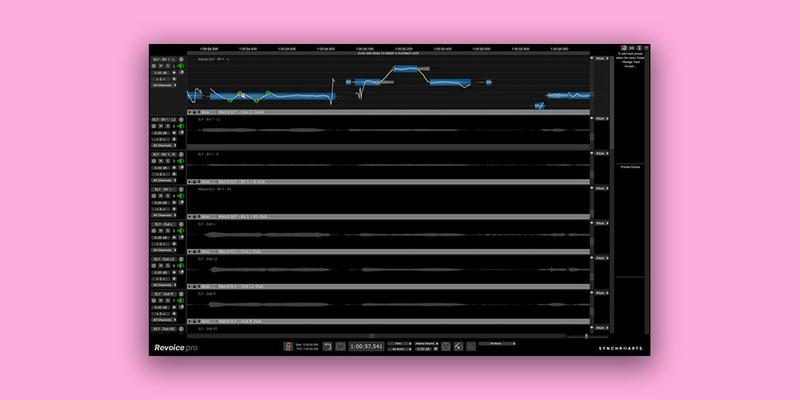
The Ultimate Vocal Production Studio
Revoice Pro 5 is your comprehensive solution for vocal editing. It streamlines your workflow, allowing more time to focus on creative aspects. Match vocal characteristics effortlessly and fine-tune your vocals with surgical precision.
What's New in Revoice Pro 5?
Jam-Packed With The Latest Pitch Editing Technology
Advanced pitch correction tools – including the Shaper Tool (with Smart Shape Points) and Control Points – enable you to have precise, professionally-tuned vocals fast.
Time-Saving Feature Smartpitch
SmartPitch intelligently understands when to match your doubles and harmonies, and crucially when to maintain them. A game-changing feature if you work with lots of doubles and harmonies!
Lightning-Fast Integration With Your DAW
Improved connection to your DAW makes Revoice Pro 5 a breeze to process your vocals – with the ability to utilize the processing power of Revoice without leaving your DAW.
Features
- NEW! Enhanced Pitch / Time / Level Editing: Advanced pitch correction tools for precise, professionally-tuned vocals fast
- NEW! Shaper Tool: Shape Points on your pitch or level curve to get ultimate control over your pitch correction – and now are automatically added!
- NEW! SmartPitch: SmartPitch intelligently understands when to match the pitch of your vocal performances, and crucially when not to
- SmartAlign: SmartAlign decides which section of the guide track your dubs should be aligned with – no pre-editing needed!
- Automatic Matching: Automatically transfer pitch, timing, vibrato and volume inflections from one audio track to another
- Vibrato Editing: Augment or diminish the length and speed of the vibrato naturally without affecting other vocals
- Process Groups: Allow multiple processes to be grouped together so all parameters can be adjusted via a single panel
- De-Esser: Level display for pitched and unpitched notes that allows you to control sibilance for a clean vocal mix
- Formant Shifting: Shift the formants of your performance to change its timbre without affecting the pitch
Learn more about Revoice Pro 5.
LANDR Synth X
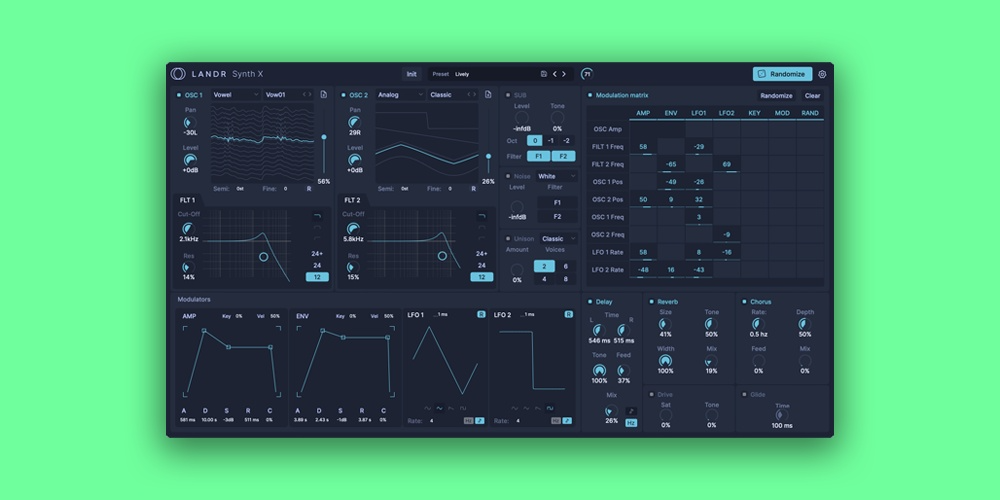
LANDR Synth X is a powerful software synthesizer designed to empower musicians and producers with the tools they need to craft unique and expressive sounds. Combining advanced sound design features with a user-friendly interface, LANDR Synth X makes it easy to create dynamic tones that stand out in any mix. Whether you're a seasoned sound designer or new to synthesis, this versatile synth offers endless creative possibilities.
Effortless Sound Creation
Craft rich, dynamic sounds with minimal effort, even if you're new to synthesis
Unique Sounds, One Click Away
Effortlessly generate new and unique sounds with a single click, sparking creativity and fresh ideas
Import Your Sounds, Create Your Signature
Transform any sound into a custom wavetable, unlocking limitless possibilities for unique, personalized sound design
Features
- Upgraded Sound Engine
- Wavetable Import
- Randomization Function
- Extensive Modulation Matrix
- Built-in High-Quality FX
- Intuitive GUI
- Extensive Presets and Wavetables
Learn more about LANDR Synth X
Mac
- macOS 10.14 or higher
- Intel Processors or Apple Silicon (M Series) Processor
- AU, VST3, or AAX 64-bit host
Windows
- Windows 10 or higher
- Intel or AMD Processor
- VST3, or AAX 64-bit host