


Buy Minimal Audio Advent Bundle, get a free gift with purchase:
Current
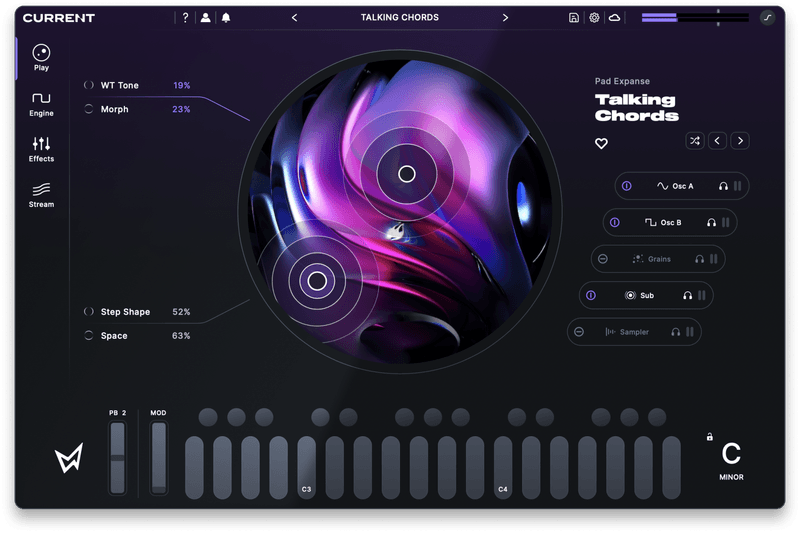
A powerful synthesizer and sound platform built for endless hours of inspiration.
Features
-
Play View
- Easy-to-use entry point for playing presets.
- Control four macros with a dual XY pad.
-
Synth Engine
- Two spectral wavetable oscillators with 40+ warp effects.
- Granular sampler with 250+ grains.
- Additive sub oscillator tuned for low-end.
- Multi-mode sampler with time-stretching.
- Dual morphing filters with 50+ modes.
- Flexible FM/AM routing with feedback.
- Mixer panel with solo and routing options.
-
MIDI Effects
- Arpeggiator with 40+ melodic and rhythmic modes.
- Flexible chord generator with 30+ chord presets.
- Route chords into the arpeggiator, or vice versa.
-
Modulation System
- Envelopes, LFOs, curve sequencers, envelope followers, and macros.
- Nine swappable modulator slots with copy and paste.
- Drag-and-drop system with connection highlighting.
- Integrated modulation matrix popup.
- MPE and standard keyboard modulation sources.
-
Effects Rack
- Nine premium effects.
- Nine freely loadable effect slots.
- Effect copy and paste.
- Individual effect and full rack sub-presets.
-
Presets and Content
- All licenses include 400+ presets, 170+ wavetables, and 800+ samples.
- Download new expansion packs directly from the Stream.
- Search by tag and preview everything in the Stream.
Learn more about Current
Rift 2.0
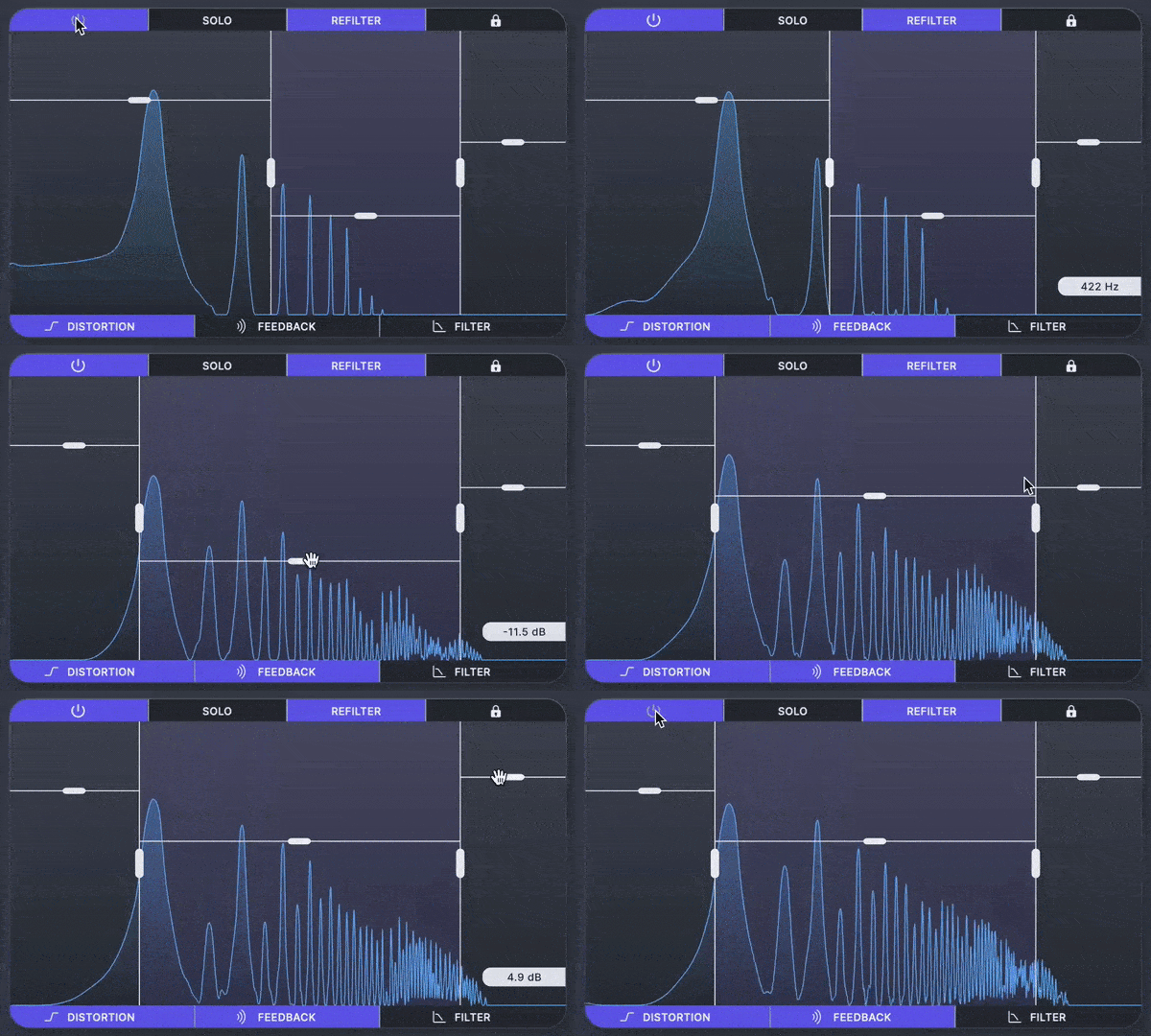
Cutting-Edge Hybrid Distortion
Minimal Audio has packed even more into their flagship product. Introducing an all-new experience with dark mode and multiband features.
A New Type Of Distortion Is Here
Rift's groundbreaking effects, extensive modulation, and all-around musical mindset put sought-after sounds at your fingertips.
Flexible Multi-Band Effects
Send any combination of distortion, feedback, and filtering through the multi-band crossover to keep the effect exactly where you want.
Features
- 400+ presets with deep macro control
- Easy-to-use Play View and extensive Advanced View
- A ground-breaking multi-polar distortion engine
- 30 distortion types and up to 6 stages of processing
- Physical modelling feedback and delay
- State-of-the-art morphing filters
- Flexible multi-band effects routing
- Powerful modulation sequencing
- Pitch snapping, transposition, and MIDI tracking
- Beautifully designed dark and light UI modes
- Intelligent randomization for endless preset variation
- In-app tooltips make learning Rift a breeze
- High-quality oversampling
- CPU-optimized algorithms and more
Learn more about Rift 2.0
Evoke
Hypermodern vocal effect
UNLOCK YOUR SIGNATURE VOCAL SOUND
Evoke goes beyond traditional pitch correction and vocoding with vocal resynthesis — a purpose-built approach for modern, distinctive, and emotionally resonant tracks.
Features
- Vocal Resynthesis Engine: Transform your sounds with vocal resynthesis, letting you manipulate a voice’s core features and reconstruct an entirely new signal in real time.
- Multiple Character Modes: Access 15 distinct character modes to quickly explore resynthesis profiles — from natural choral effects to futuristic voices and textural tones like liquid or static.
- Multi-Voice Harmonization: Use up to four harmony voices to create scale-aware harmonies with per-voice level and pan controls for precise mixing and spatialization.
- Pitch Correction & Hard-Tune: Dial in everything from natural pitch tracking to aggressive hard-tuning. Enable synthetic glide for portamento-style slides found on synthesizers.
- Flexible Effects Rack: Choose from eight studio-grade effects and load them into twelve freely assignable slots in the dedicated Effects View — ideal for mix-ready presets and creative sound design.
- Deep Modulation System: Modulate any parameter via drag-and-drop, or dive into the modulation matrix for deeper control. Sources include macros, LFOs, curve sequencers, and envelope followers.
- Spectrum Filter & Freeze: Sculpt the resynthesized signal with a spectral filter for precise tone shaping, or freeze it to sustain vowels, build evolving drones, and trigger futuristic glitch effects.
- 350+ Preset Library: Explore over 350 presets organized into eight stylized preset packs, covering use cases such as lead vocals and harmonization — each with powerful macro controls.
- Instant Setup: Simply add Evoke to a track, set your scale, and start creating. No complex routing is required — although MIDI and sidechain modes are available for deeper control.
- MIDI & Sidechain Modes: Use external MIDI for scale/note control and sidechain audio for vocoder-style processing to integrate Evoke more deeply into your projects.
Learn more about Evoke
Mac
- macOS 10.9 and higher, including native Apple silicon
- 64-bit AAX, AU, VST2, and/or VST3 format
Windows
- Windows 10 and higher.
- 64-bit AAX, VST2, and/or VST3 format
Important Note: Minimal Audio - Rift is used as an example.
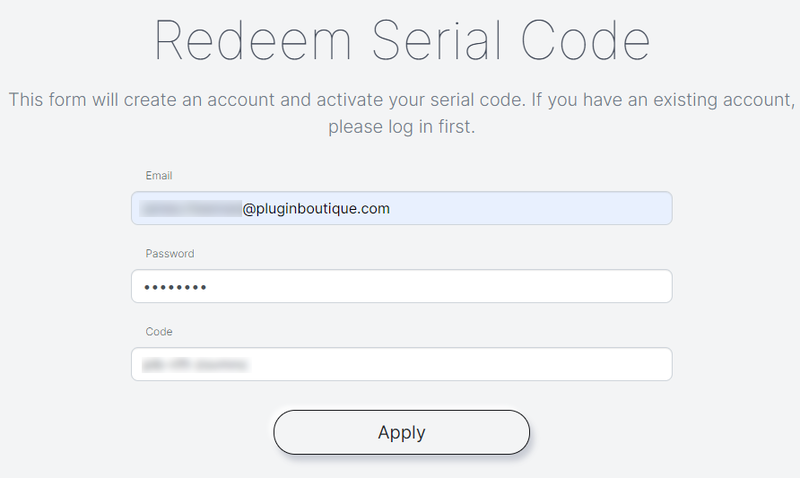
Serial Code Redemption
1. Visit https://www.minimal.audio/activations/new
2. Enter email address & password into the corresponding areas.
N.B if you do not already have a Minimal Audio account then you can still use this form to create one.
3. Enter redemption code, which is available within your Plugin Boutique User Account > Click the 'Apply' Button.
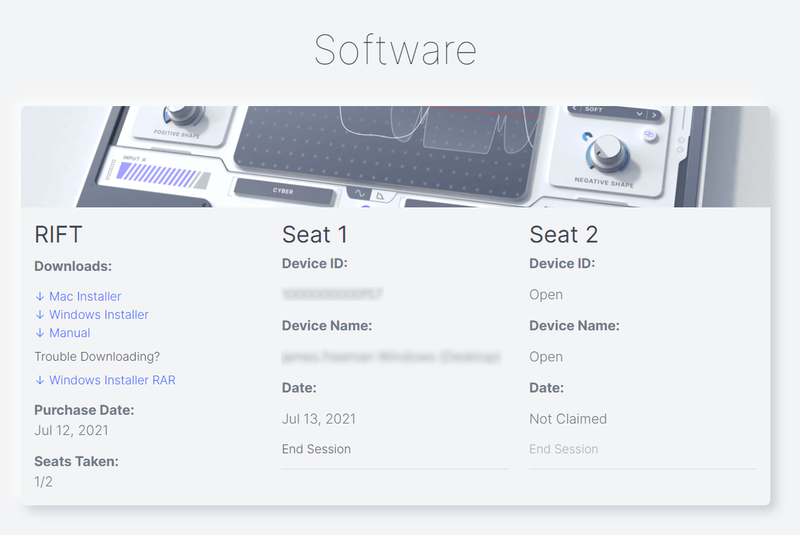
4. Scroll down to 'Software' and locate the 'Downloads' section > Click to download the correct installer file.
Windows Installation & Activation
1. Open the installer .exe file and allow the app to make changes to your device.
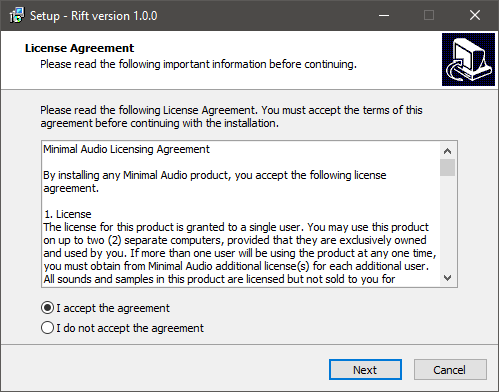
2. Select 'I accept the agreement' > Click 'Next'.
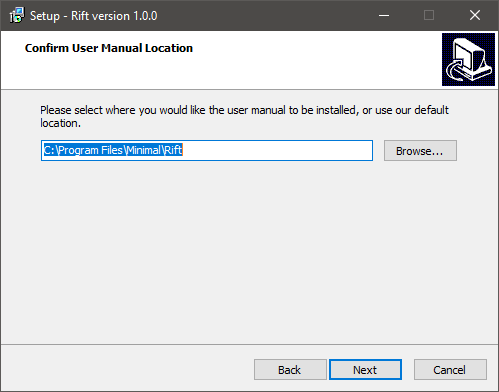
3. Confirm the location of the User Manual > Click 'Next'.
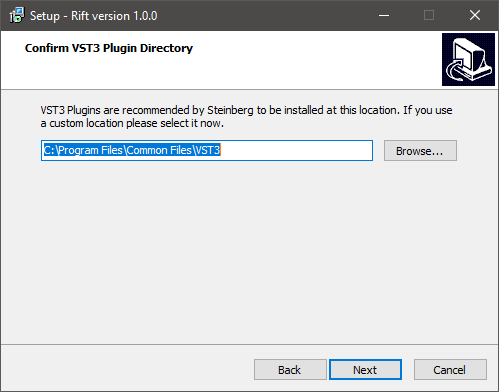
4. Confirm the location of your VST3 Plugin Directory > Click 'Next'.
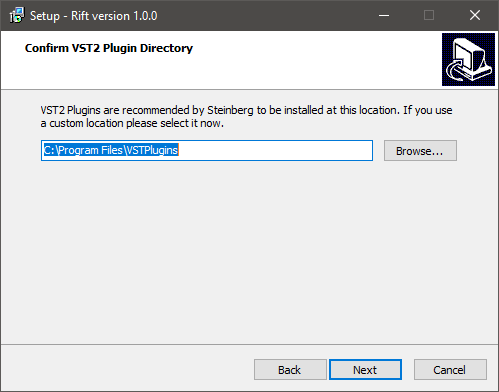
5. Confirm the location of your VST2 Plugin Directory > Click 'Next'.
6. Select components to be installed > Click 'Next'.
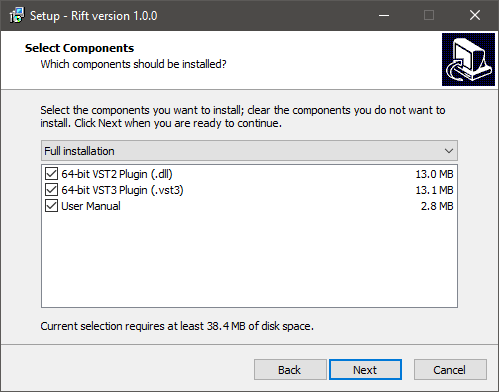
7. Click 'Install'.
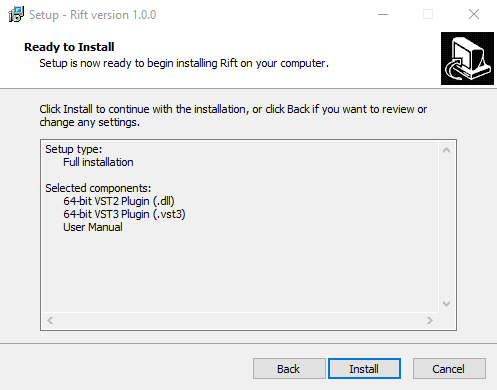
8. Click 'Finish'.
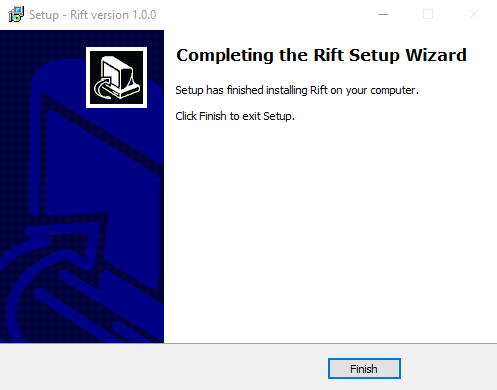
9. Open the plugin inside of your DAW. If the is not showing, rescan your list of plugins in your DAW.
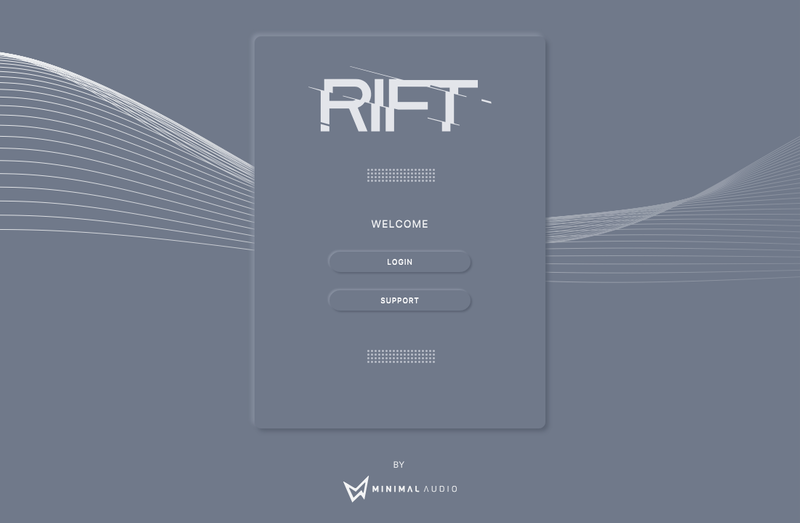
10. Click 'Login' > Enter the details of your Minimal Audio account > Click 'Submit'.
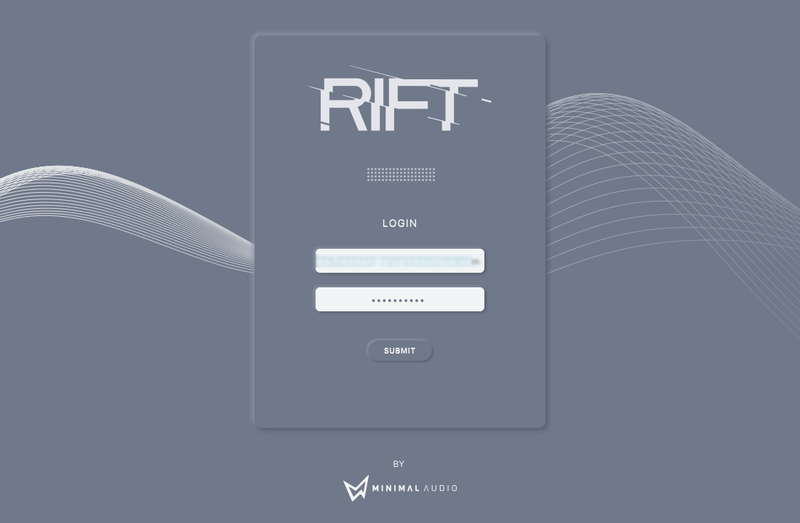
Your software is now activated and ready to use inside of your DAW!
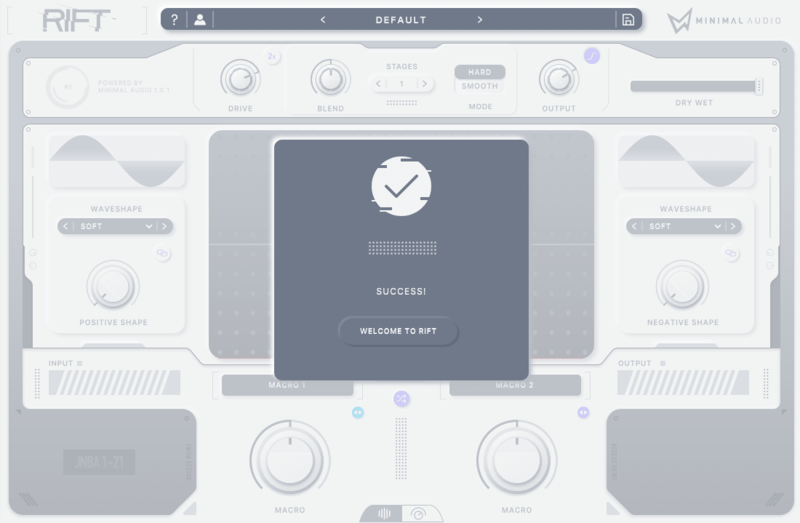
Mac Installation & Activation
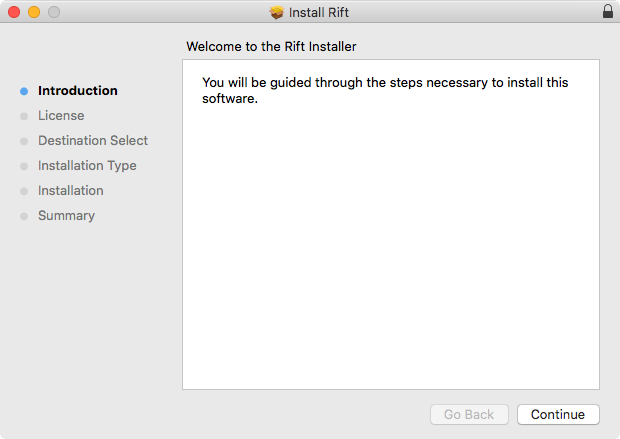
1. Open the installer .pkg file > Click 'Continue'.
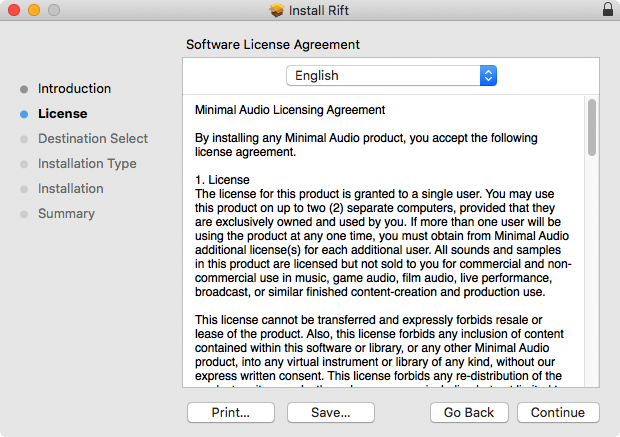
2. Read the software Licence Agreement > Click 'Continue'.
3. Select the disk location you wish to install software on > Click 'Continue'.
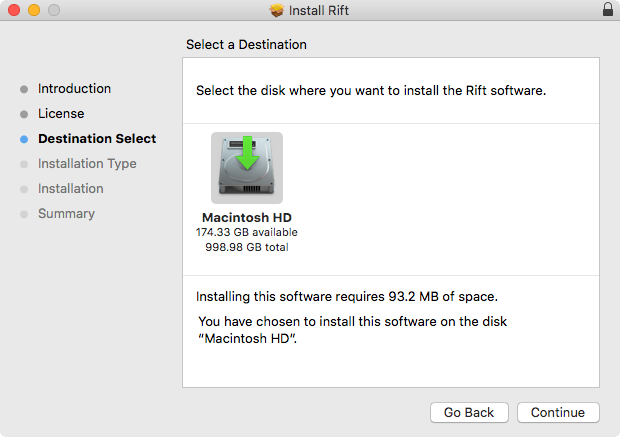
4. Click 'Install' > Enter system password.
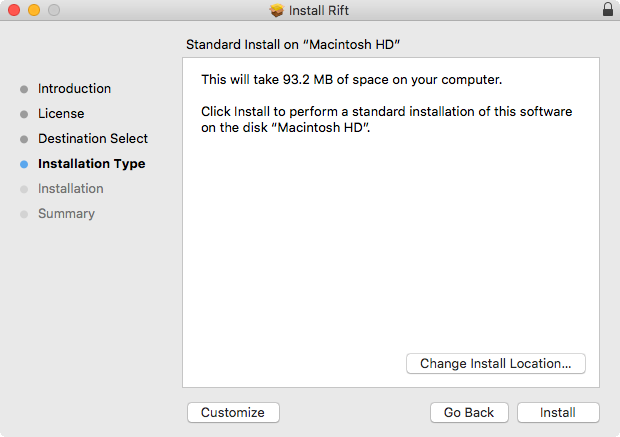
5. The software has now been installed > Click 'Close'.
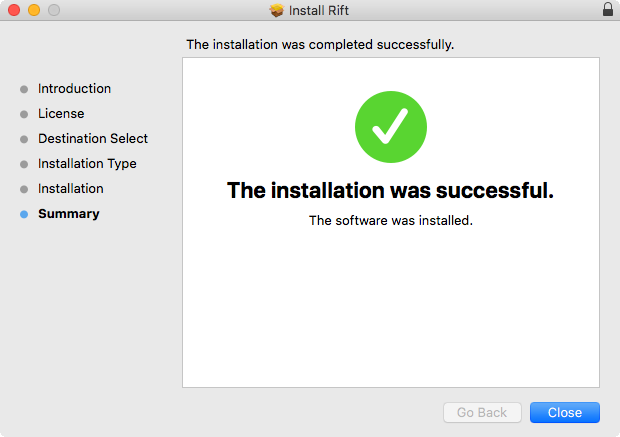
6. Open the plugin inside of your DAW. If it is not showing, rescan your list of plugins in your DAW.
7. Click 'Login' > Enter the details of your Minimal Audio account > Click 'Submit'.
Your software is now activated and ready to use inside of your DAW!


