


 Log In

Free gifts available with your purchase

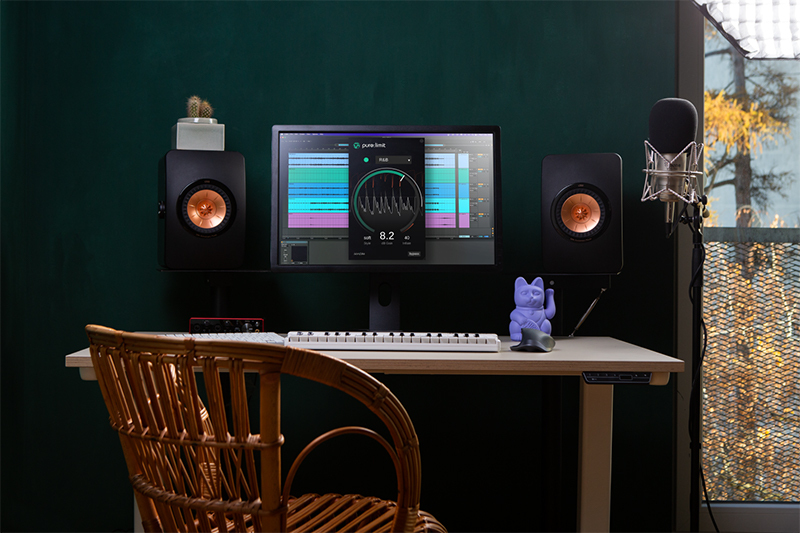
A Limiter for Plug-In Creators
With pure:limit, sonible has developed a new limiter for users who want to achieve the best possible sound without having to tweak too many complex parameters. Although this AI-powered plug-in is compact on the outside, it packs a powerful punch within. pure:limit effortlessly tames peaks, balances dynamics and finds the right level for a mix – all at the touch of a single button.
pure:limit ensures that the level and dynamics of every mix are in the sweet spot before any track leaves the creator’s studio. No matter whether the audio material features soulful vocals, bass-heavy samples, distorted guitars or a smooth podcast voice – the right amount of limiting is essential for any track to sound great on all speaker systems. In every scenario, pure:limit delivers.
Maximum impact without any of the guesswork
Sometimes maintaining a smooth workflow requires a tool that delivers straightforward results. With its automatic parametrization, broad range of genre-based profiles and instant replay, sonible's new limiter plug-in takes hassle-free, efficient limiting to the next level.
pure:limit is the right tool for creators who want to put the finishing touches on their mix without delving into parametric details. This limiter features a clean interface design that interactively visualizes the limited audio signal. Additionally, pure:limit offers two effective sound-shaping tools: to enhance the desired vibe, the “style selector” lets the user determine how forcefully the limiter should hit the signal, and the “inflate parameter” offers the option to create a richer, more vibrant sound.
Features
- Automatic parametrization for high-quality results
- AI-powered processing and genre-based profiles
- Sound-shaping features – style selector and inflate parameter
- User-centred, clean interface design
Important note: pure:limit licenses received as a part of a transaction giveaway cannot be transferred to a PACE iLok account.
System Requirements
Mac
- macOS 10.12+ (M1 Apple Silicon supported) (64-bit only)
- RAM - at least 4 GB (recommended)
- CPU - at least Intel DualCore i5 (recommended)
- Plugin Formats - AU, VST2, VST3, AAX, MultiRack Native
- Supported Sample Rates - 44.1 kHz to 192 kHz
PC
- Windows 10+ (64-bit only)
- RAM - at least 4 GB (recommended)
- CPU - at least Intel DualCore i5 (recommended)
- Plugin Formats - VST2, VST3, AAX, MultiRack Native
- Supported Sample Rates - 44.1 kHz to 192 kHz
Compatible DAWs:
- Logic Pro
- Ableton Live
- Pro Tools 11+
- Reaper
- Cubase
- Nuendo
- FL Studio
- Studio One
Reviews Summary
While it aims to provide a helpful overview, it may not capture every perspective or detail. We encourage you to read individual reviews to make an informed decision.
This limiter is highly regarded for its simplicity, straightforward interface, and extreme ease of use, making it a great, no-nonsense tool for beginners or fast workflows. However, some experienced users find it lacks advanced features, and a few reviewers raised concerns about its sound quality compared to competitors and high CPU usage.


