Buy Quasar, get a free gift with purchase:
Explore The Universe
Quasar will expand your understanding of the true beauty of sound with a massive collection of all-new textures and pads for music, film and games. A rich selection of sounds in this instrument will allow you to create a unique atmosphere, as well as give the right mood to your music. Feel the depth and variety of a whole universe of sounds with our new instrument Quasar!
What is Muze Evo Engine?
Muze Evo is a completely new sound engine created by Muze's team of programmers and sound designers based on hundreds of your comments and feedback to satisfy the most demanding taste of professional musicians. The performance & flexibility of the instruments based on the new engine will surpass all previous products and set a new standard in the industry.
Interface
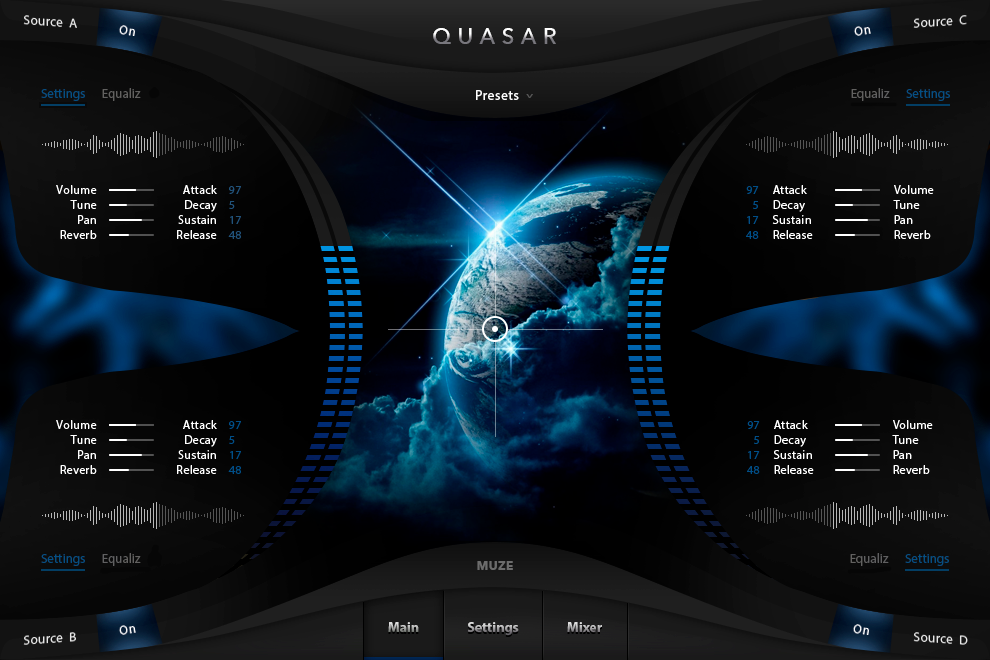
Fully customizable, discover the instrument and make it yours, thanks to the easy-to-use UI and to the big amount of settings.
Features
- 6480 Samples
- 216 Presets: Textures and Pads
- 3.7 GB library size (losslessly compressed).
- 14 Built-in Effects: Compressor, Delays, Reverb, Limiter, Cabinet, Gainer, Rotator, Stereo Panner, Chorus, Phaser, Flanger, 3 and 5-Band EQ & more
- Full set of effects in the settings for total customization
- Powerful Layering Engine with Sound Browser and Fx
- Sampled with Analog & Digital equipment
System Requirements
Mac
- Minimum – 8GB RAM / Mac OS X 10.7 or later / 7200 RPM or faster HDD.
- Recommended – 16GB RAM or more / Mac OS X 10.7 or later / SSD (Solid State Drive).
PC
- Minimum – 8GB RAM / Windows 7 or later / Sound card with ASIO drivers / 7200 RPM or faster HDD.
- Recommended – 16GB RAM / Windows 7 or later / Sound card with ASIO drivers / SSD (Solid State Drive).
Please Note: This product requires the FULL version of Kontakt and is NOT compatible with the free Kontakt Player.

![]()
Please Note: Muze - Aquamarine is used as an example.
Important Note: This software requires the Full Version of Native Instruments Kontakt to be installed on your system.
Mac Installation
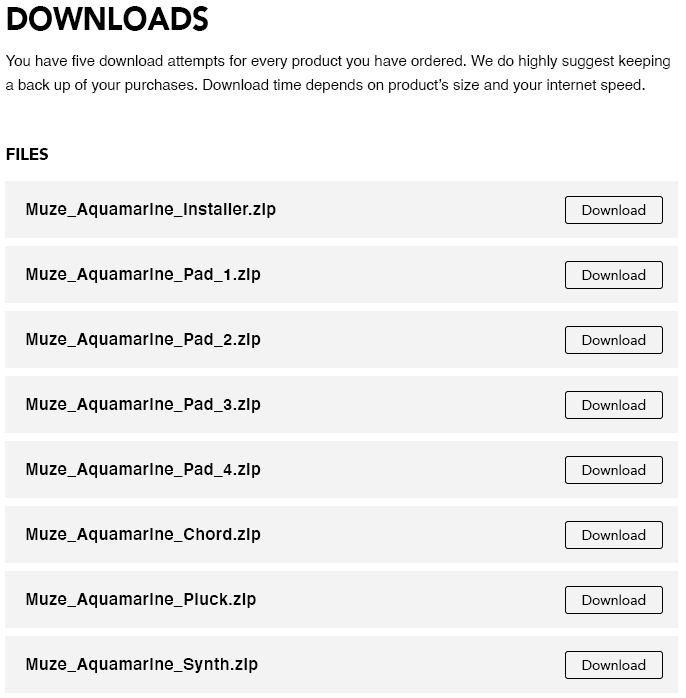
1. Click the blue 'Download' within your Plugin Boutique User Account > Click 'Download' on all of the folders from the Muze download page.
2. Once the downloads are complete, unzip all of the folders.
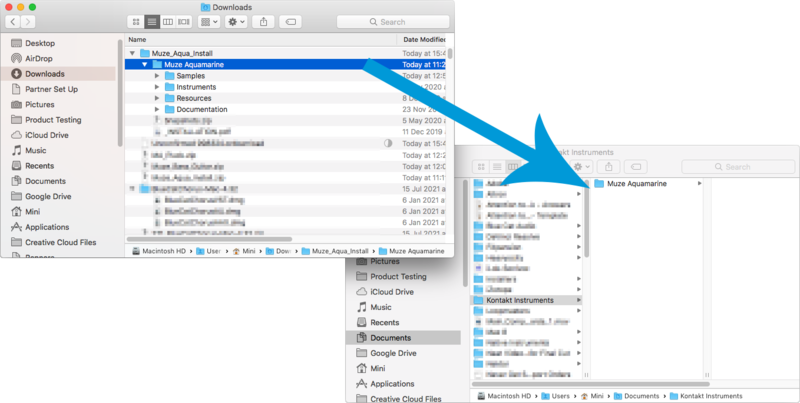
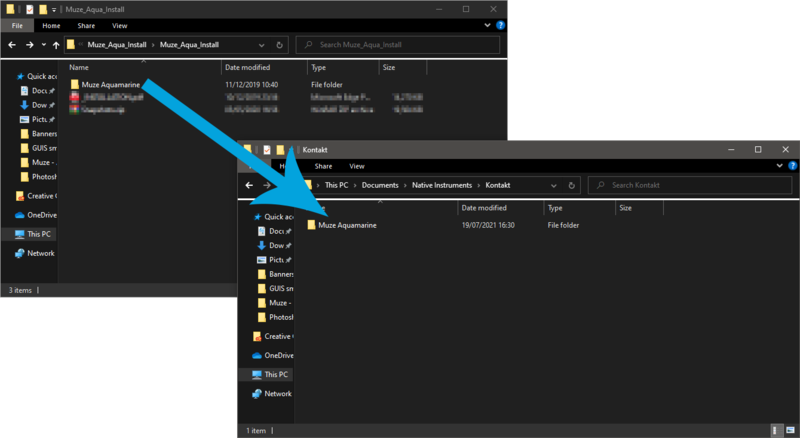
3. Move the 'Muze Aquamarine' folder (located within 'Muze_Aqua_Install') to where you store your Kontakt Instrument files.
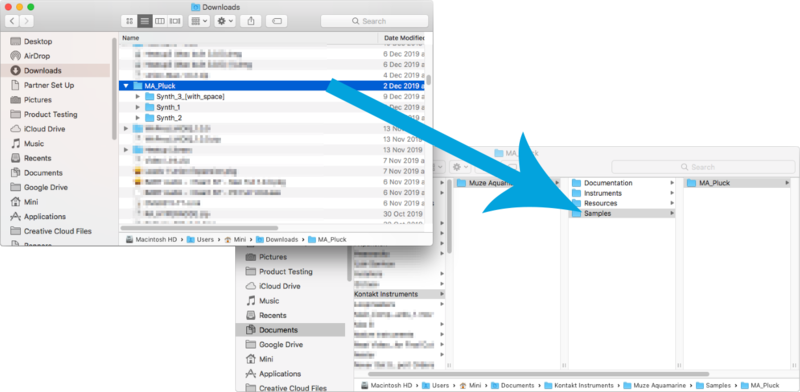
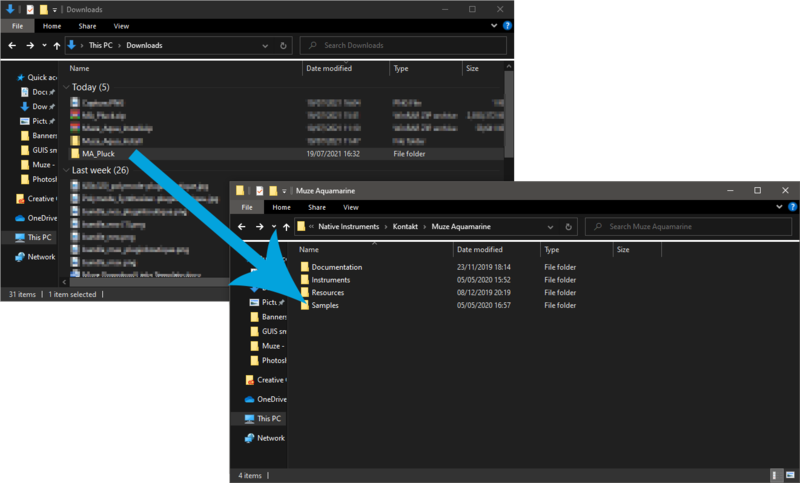
4. Move the unzipped instrument folders (located within all 'MA_xxxx' folders) to 'Muze Aquamarine/Samples'.
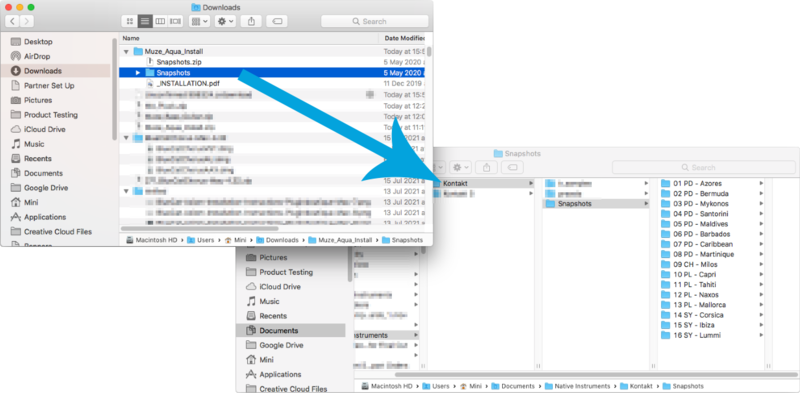
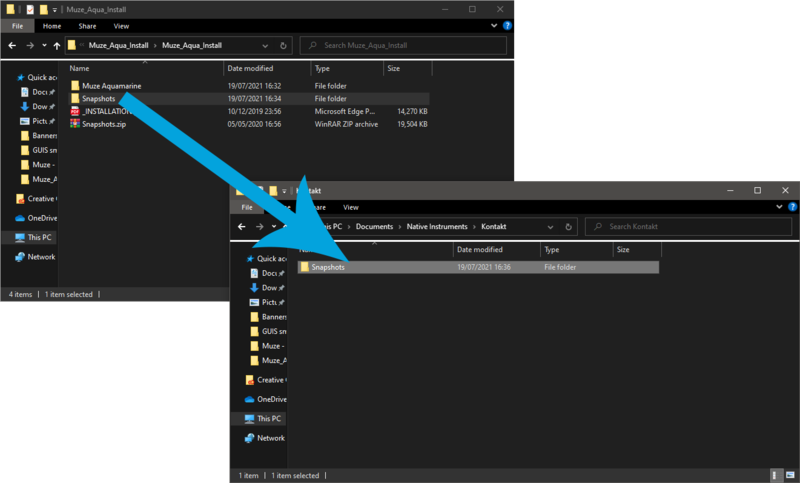
5. Unzip the 'Snapshots.zip' (located within 'Muze_Aqua_Install') file and move to, 'Users/*your username*/Documents/Native Instruments/Kontakt/'.
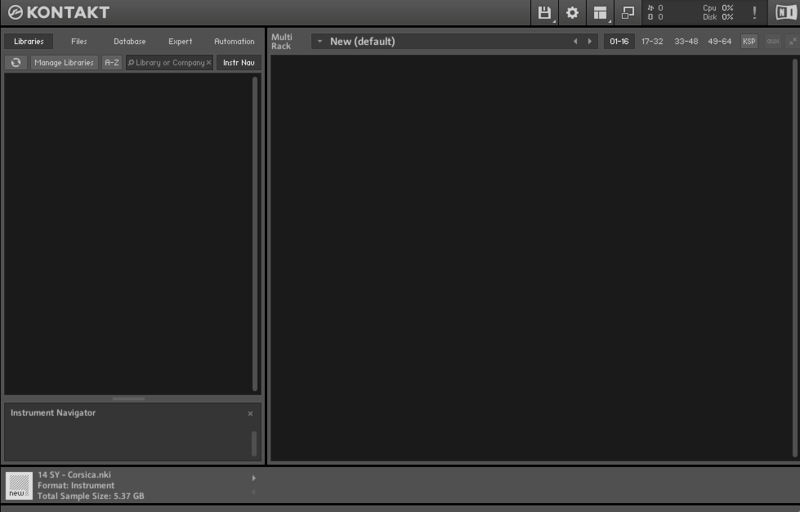
6. Open Kontakt, either as a standalone application or as a plugin within your DAW.
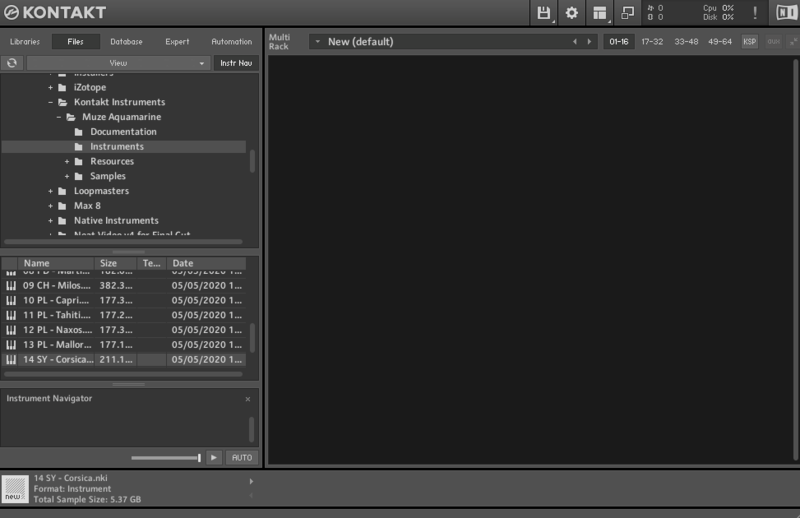
7. Click the 'Files' tab at the top of Kontakt > Navigate to the location of 'Muze Aquamarine' folder from step 2 of the installation instructions > Click 'Muze Aquamarine', followed by 'Instruments'.
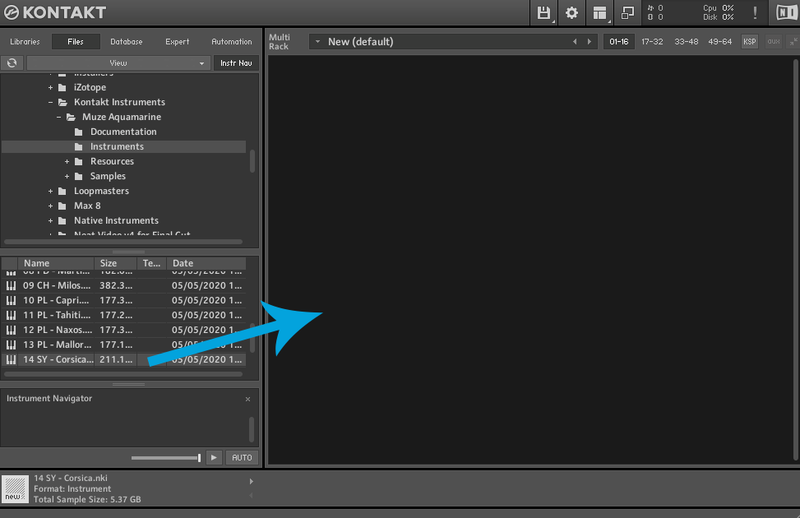
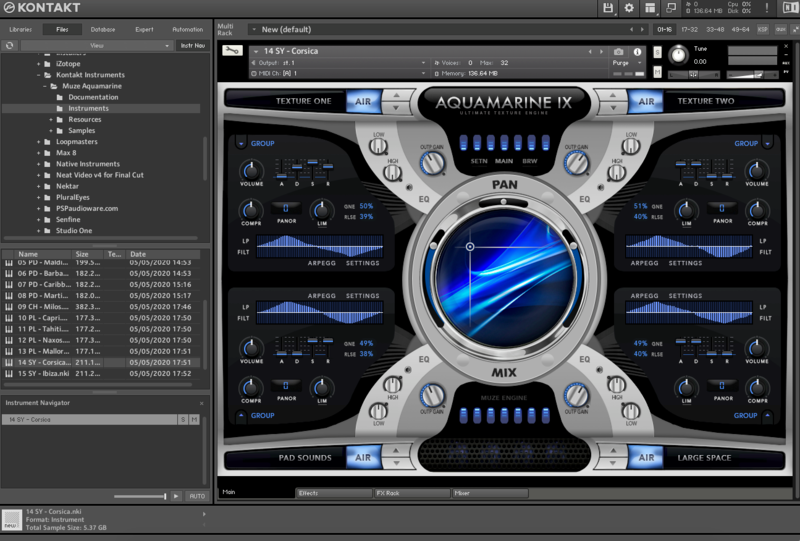
8. Click and drag any .nki file from the left-hand window of Kontakt into the main window of Kontakt to load up a patch.

Your software is now installed and ready to use.

Windows Installation
1. Click the blue 'Download' within your Plugin Boutique User Account > Click 'Download' on all of the folders from the Muze download page.
2. Once the downloads are complete, unzip all of the folders.
3. Move the 'Muze Aquamarine' folder (located within 'Muze_Aqua_Install') to where you store your Kontakt Instrument files.
4. Move the unzipped instrument folders (located within all 'MA_xxxx' folders) to 'Muze Aquamarine/Samples'.
5. Unzip the 'Snapshots.zip' (located within 'Muze_Aqua_Install') file and move to, 'C:\Users\*your username*\Documents\Native Instruments\Kontakt'.
6. Open Kontakt, either as a standalone application or as a plugin within your DAW.
7. Click the 'Files' tab at the top of Kontakt > Navigate to the location of 'Muze Aquamarine' folder from step 2 of the installation instructions > Click 'Muze Aquamarine', followed by 'Instruments'.
8. Click and drag any .nki file from the left-hand window of Kontakt into the main window of Kontakt to load up a patch.
Your software is now installed and ready to use.