


 Log In

Free gifts available with your purchase
Twinned Algorithmic Softsynth
MiniFreak V is an experimental virtual instrument fusing digital voices with modeled analog filters, spontaneous modulation, and playing sequencing, unleashing endless sweet spots between familiar and unheard, order and chaos, beauty and beast. Set your wildest sonic creations free.
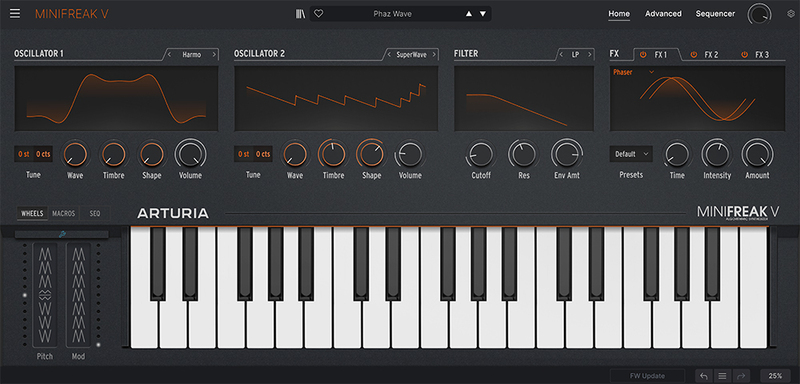
An accessible softsynth that delivers quick results.
Accessible, inspiring, chaotic sounds are always only seconds away thanks to MiniFreak V’s simplified control layout, giving you essential control over your sound engines, filters, modulation, and expression. When you need to delve deeper, advanced controls are ready and waiting - but for now, you can sit back, relax, and enjoy the mayhem.
Full hybrid synthesizer power, directly in your DAW
Bridging the gap between hardware and software doesn’t just mean getting the best of both worlds. Surpass hardware limitations by firing up multiple instances in your DAW, automating parameters, and having total flexibility over the ‘Freak’s sound without committing to audio. Enjoy a softsynth that has the tactility of a hardware instrument, the rich hybrid response of digital engines and analog filters, and the expressive features of a polyphonic performance keyboard.
MiniFreak V goes further in every sense - so too can your sound.
A Freak of all trades
Tap into the mad inner workings of a hybrid virtual instrument that does it all. Skull-rattling FM bass; shimmering cinematic brass pads; bit-crushed white noise mechanisms; cavernous wavetable leads. MiniFreak isn’t just digital engines, modeled analog filters, stereo FX, deep modulation, and expressive sequencing. It’s every sound you’ve ever wanted - and some you’ve never heard before.
Capture the experimental spirit, untamed sonic character, and uncharted sound design depth of a wild hybrid polysynth right in your DAW, and dare to sound different.
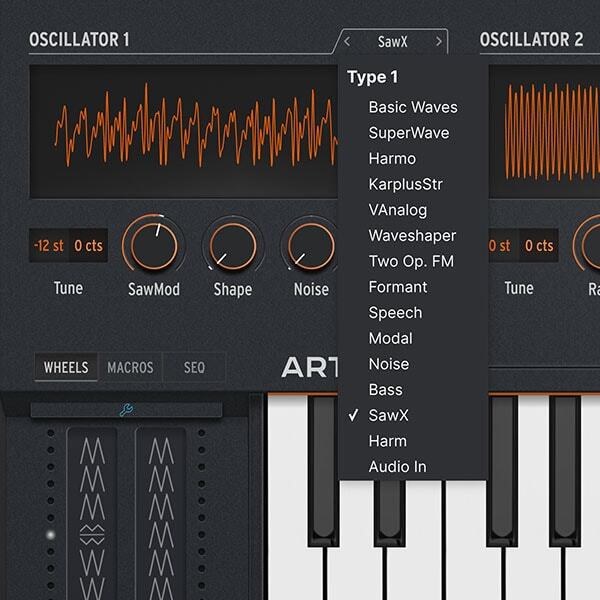
Dual Sound Engines
Start with two sound generators, including every mode from MiniFreak itself, and combine them in whatever fashion you see fit. Stack, blend, or process one engine with the other with gloriously wild results.
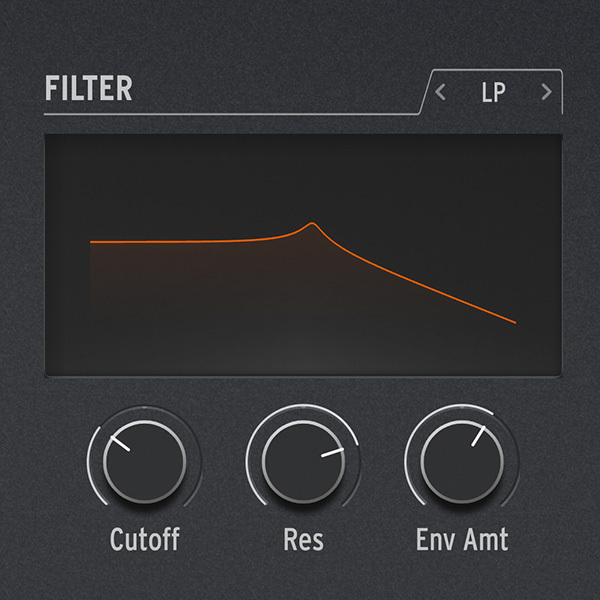
Analog Response
Arturia modeled MiniFreak's polyphonic multimode filters in extreme detail, to truly bring the fusion of digital and analog to life in your DAW. Capture the crunch, savor the warmth, and embrace the scream.
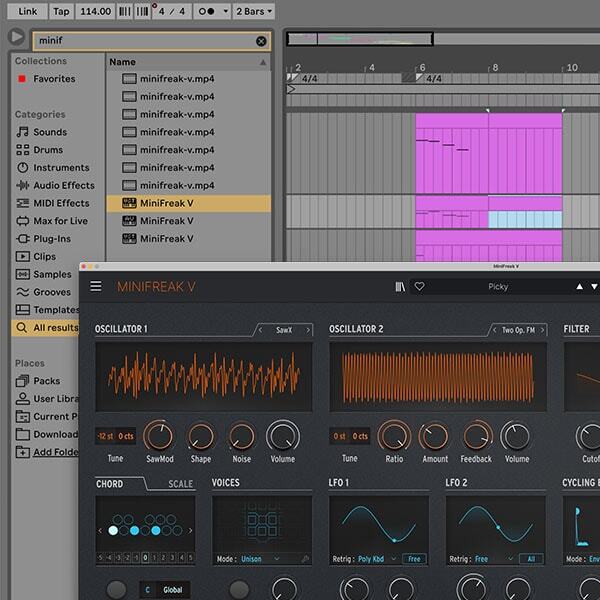
Express yourself
MiniFreak is an instrument designed to be played; it's only fair that its software counterpart matches that. Sequence & automate expression in your DAW for a seamless & expressive workflow.
Mind-bending modulation
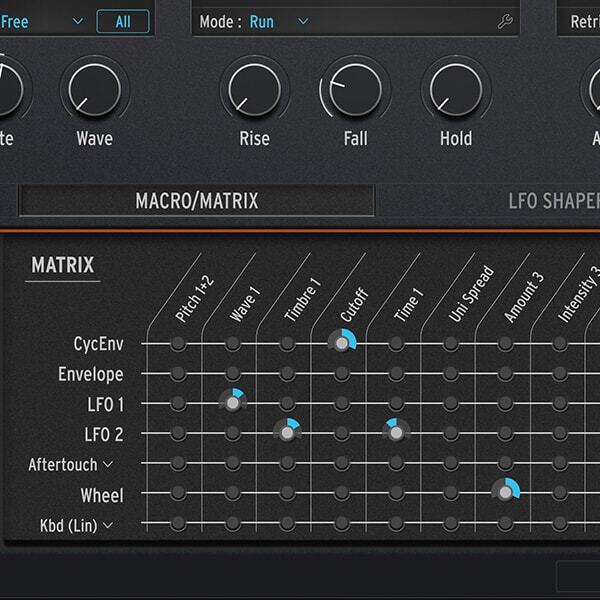
Unlock MiniFreak V's advanced panel to open the like-for-like modulation matrix, letting you rewire and create connections between its parameters. Tap into any aspect of MiniFreak V's sound and make it your own.
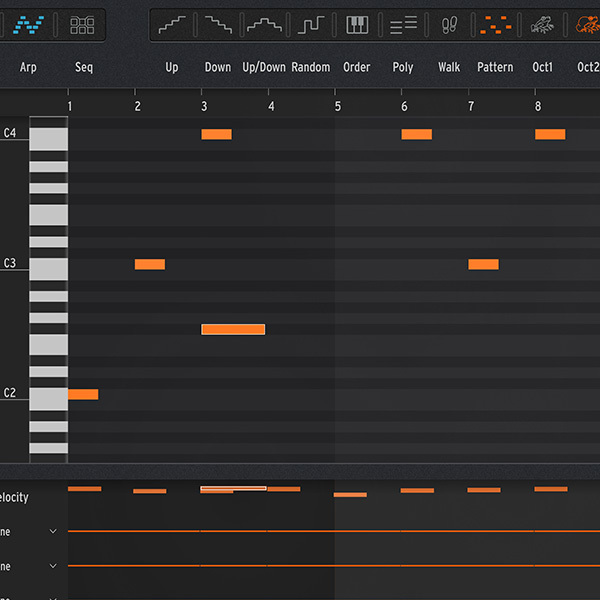
Seq & Arp combined
Blur the lines between sequencing & arpeggiation with this intuitive, powerful, and sometimes unpredictable feature, putting playful melodies, patterns, and rhythmic ideas at your fingertips.
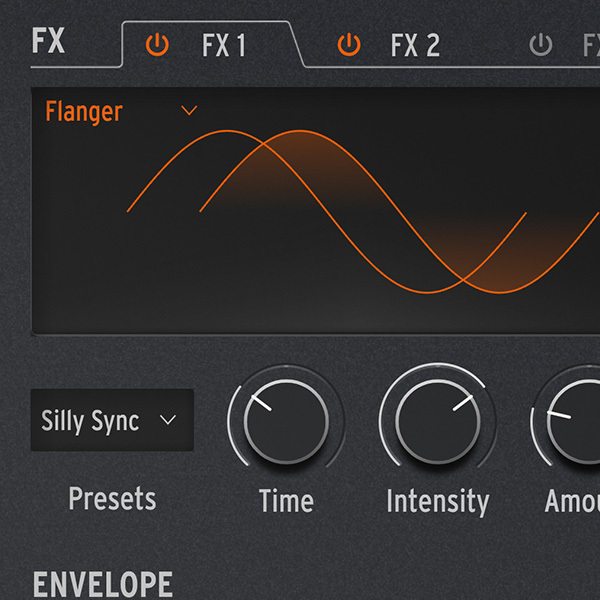
Stereo perfection
Just like its hardware relative, MiniFreak V features 3 FX slots with 10 FX to choose from, so you can embellish and color your sound with any combination of rich, delicate, or explosive FX in full stereo.
Main Features
- 6-voice polyphonic hybrid softsynth, identical to MiniFreak
- Virtual Instrument playable in a DAW (Live, FL Studio, Logic Pro etc.) or standalone.
- Can be synced to MiniFreak hardware for seamless control
- 2 sound Engines with 22 oscillator modes in total
- 1 envelope per voice
- 1 cycling envelope per voice
- 2 LFOs per voice
- Modeled polyphonic analog filters and VCAs
- 3 digital FX slots in insert or send mode, with 10 FX to choose from
- User-customizable LFO curves
- Mod Matrix with 7 sources and dozens of potential destinations
- 64-step sequencer
- 4 lanes of assignable automated modulation sequencing
- Flexible Arpeggiator
- Performance Arpeggiator controls including Ratchet, Octave Randomize, and more
- 256 factory presets
System Requirements
- Works in Standalone, VST, AAX, Audio Unit, NKS (64-bit DAWs only).
Mac
- Mac OS 10.13+
- 4 GB RAM
- 4 cores CPU, 3.4 GHz (4.0 GHz Turbo-boost) or Apple Silicon CPU
- 3GB free hard disk space
- OpenGL 2.0 compatible GPU
Windows
- Win 10+ (64bit)
- 4 GB RAM
- 4 cores CPU, 3.4 GHz (4.0 GHz Turbo-boost)
- 3GB free hard disk space
- OpenGL 2.0 compatible GPU
- ARM processors not supported on Windows
Protection
- All Arturia software is protected by the Arturia Software Center.


