/ Expansion Packs / HALO-2 Expansion: MONO-SYNTH
DHPlugins

HALO-2 Expansion: MONO-SYNTH

4.8 (40 Reviews)
$15.00
DH Plugins HALO Expansion: MONO-SYNTH
HALO: Mono Synth Expansion Demo gallery thumbnail
Buy Now
Product information

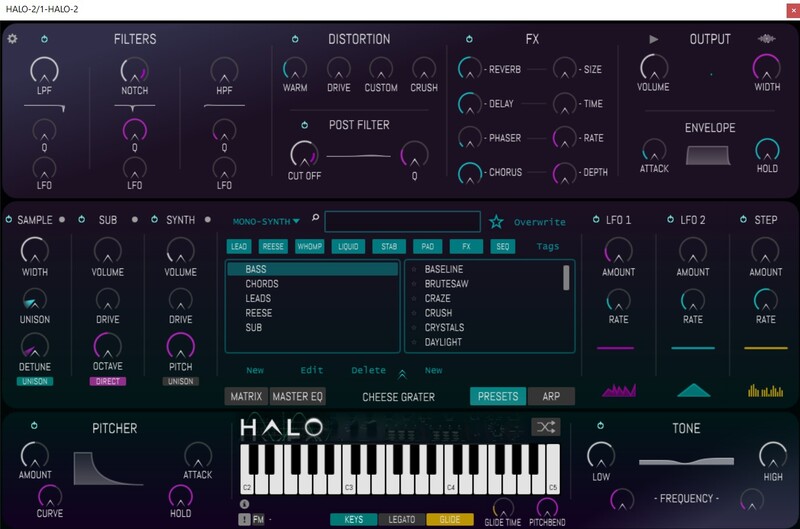
Featuring 80 brand new presets and 54 Sample Banks created from the legendary Dreadbox EREBUS 3, Novation BASS STATION II and Arturia MICROBRUTE mono synths, comprising of fearsome Reeses, lush Leads and Pads, Chord combinations, Subs and Stabs…  Pure analogue goodness!

The MONO-SYNTH pack is easily the most versatile of the Expansion range and is the largest pack, covering a wide spectrum of sounds, with many hours spent fine tuning the original patches on analog synths before warming the signal up via hardware tubes and transistors, and finally applying the digital finishing touches.

Features

  • 80 Presets
  • 54 Sample Banks

System Requirements

  • Requires the full version of HALO
Installation Instructions
Windows

1. Download the installation pack from within your Plugin Boutique User Account, and unzip the contents.

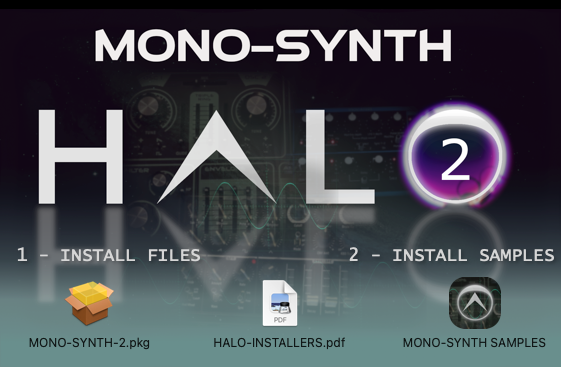
2. Launch the 'MONO-SYNTH 2' installer.

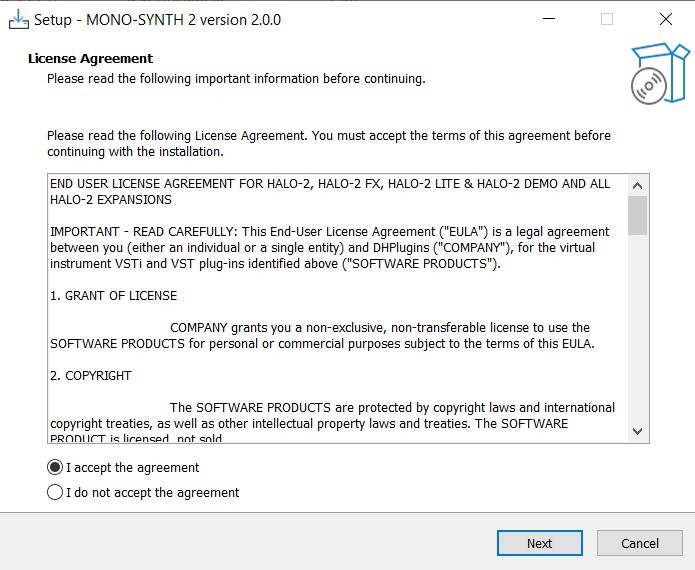
3. Select 'I accept the agreement', then click 'Next'.

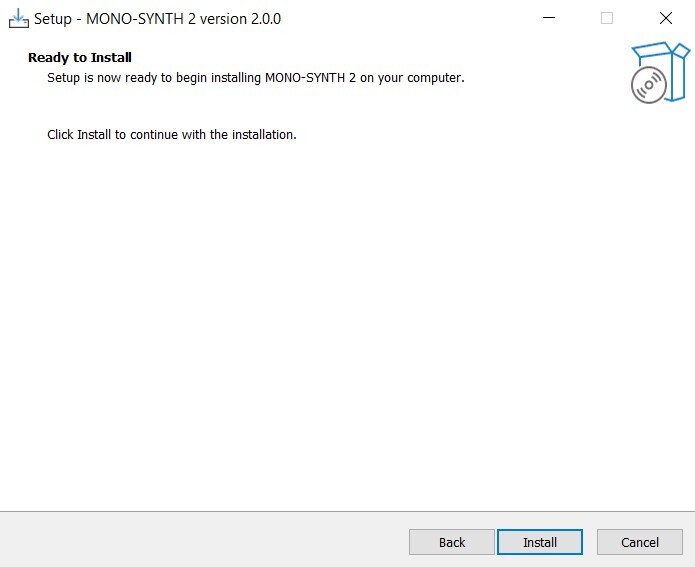
4. Click 'Install'.

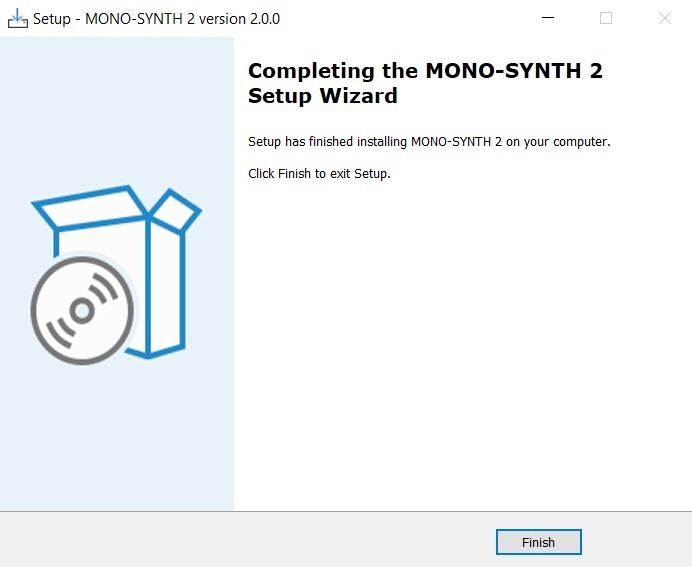
5. Once installation is complete, click 'Finish'.

6. Launch the 'MONO-SYNTH 2 SAMPLES' installer from within your downloaded installation package.

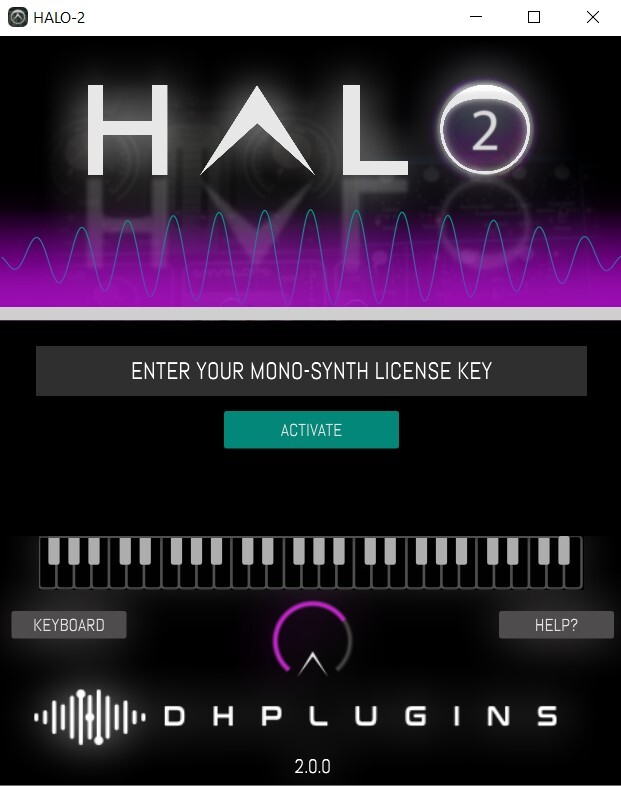
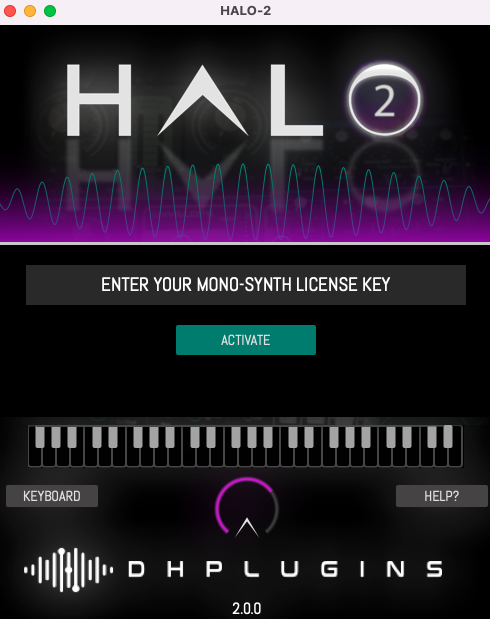
7. Enter the license key from within your Plugin Boutique User Account, and click 'Activate'.

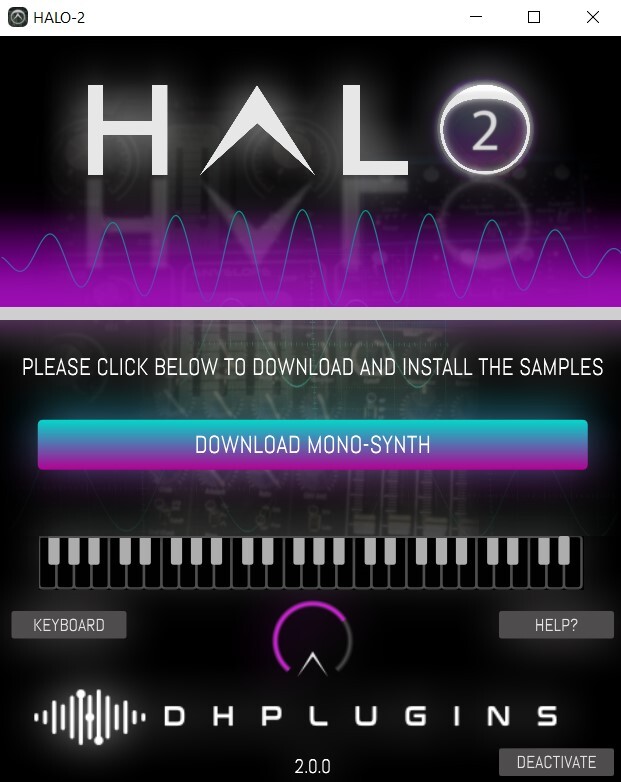
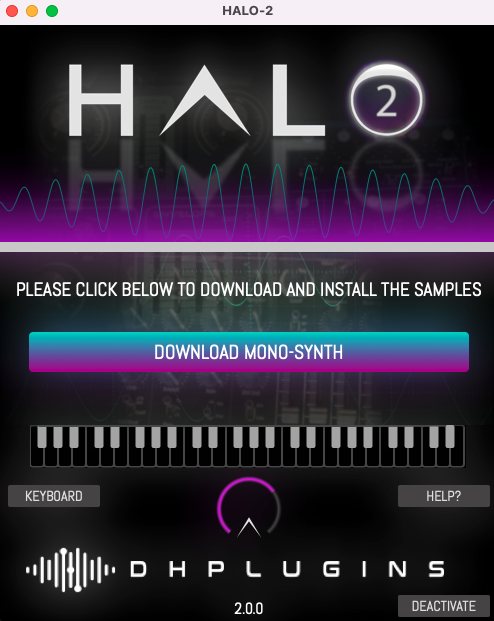
8. Click 'Download Mono-Synth'.

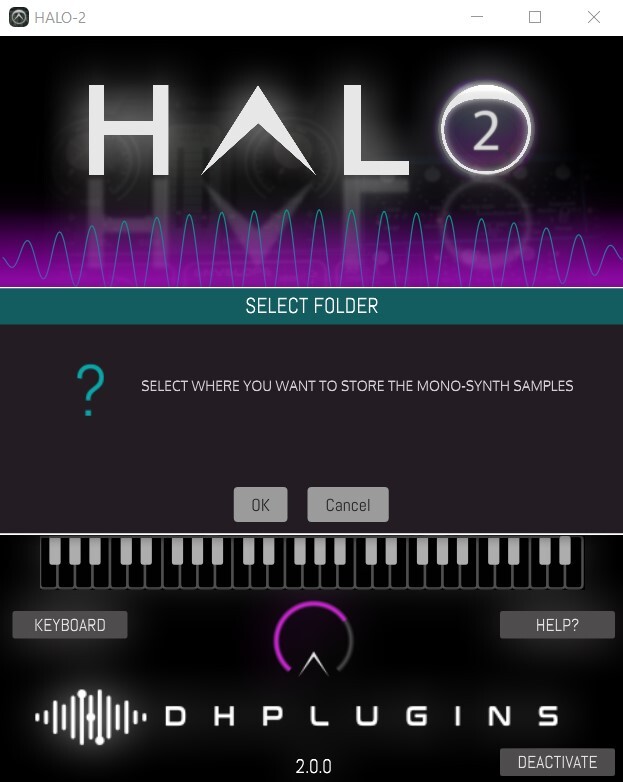
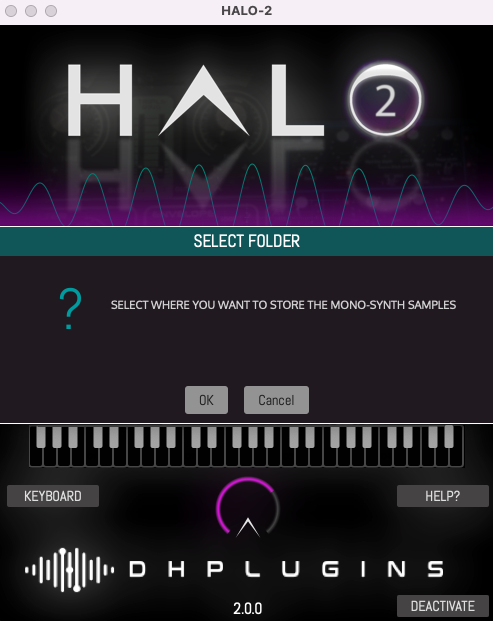
9. Click 'OK', and select a download location for your samples.

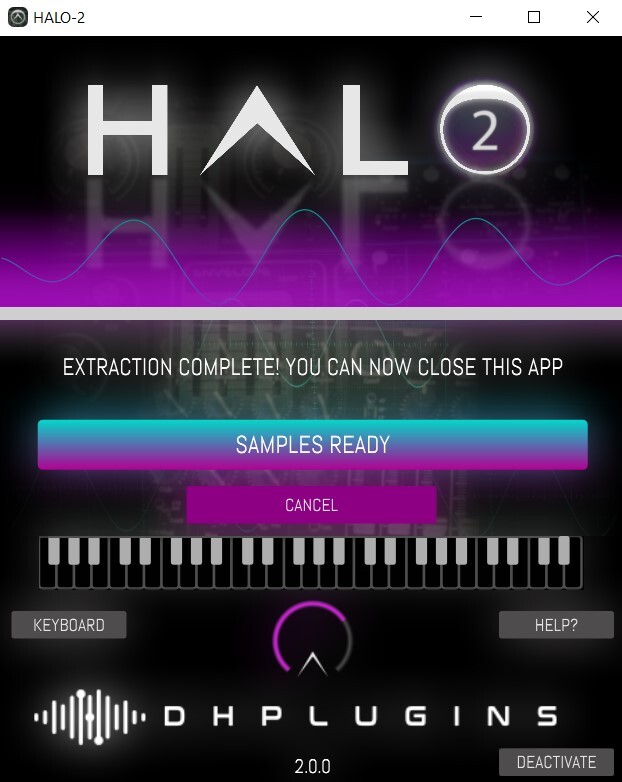
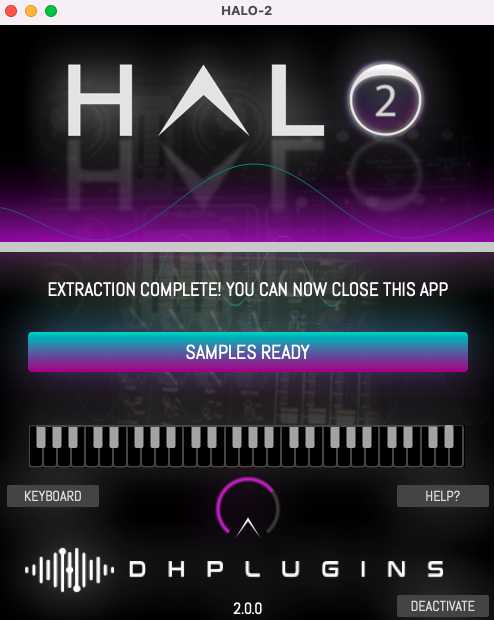
10. Once installation is complete, close the window (do not click 'Cancel').

11. You're ready to go! Launch HALO-2 within your DAW, and navigate to your newly activated expansion pack.

Mac

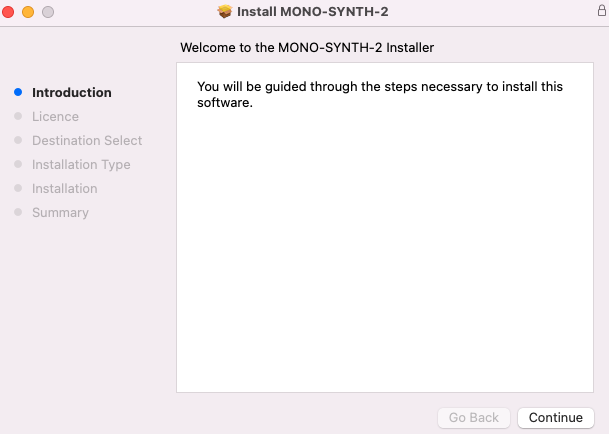
1. Download the installation pack from within your Plugin Boutique User Account, and unzip the contents.

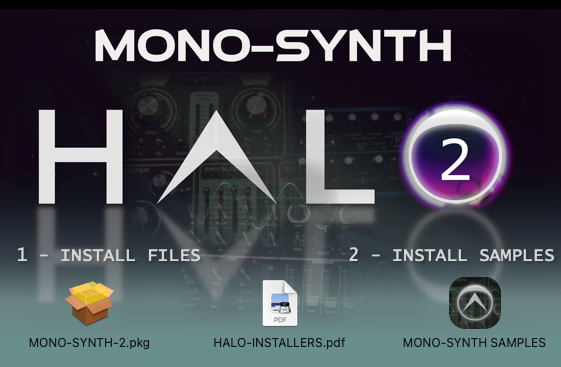
2. Launch the 'MONO-SYNTH 2' installer.

3. Double click on 'MONO-SYNTH-2.pkg'.

4. Click 'Continue'.

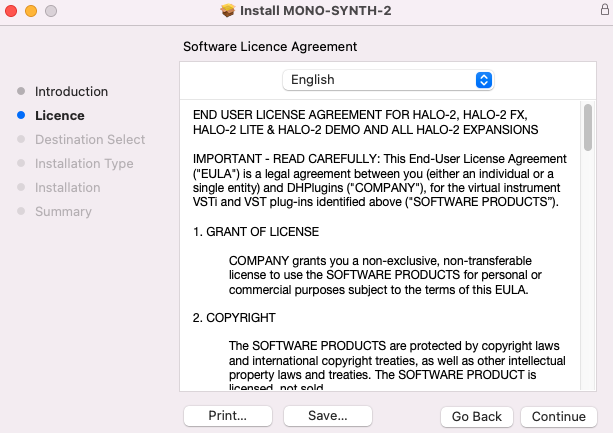
5. Click 'Continue'.

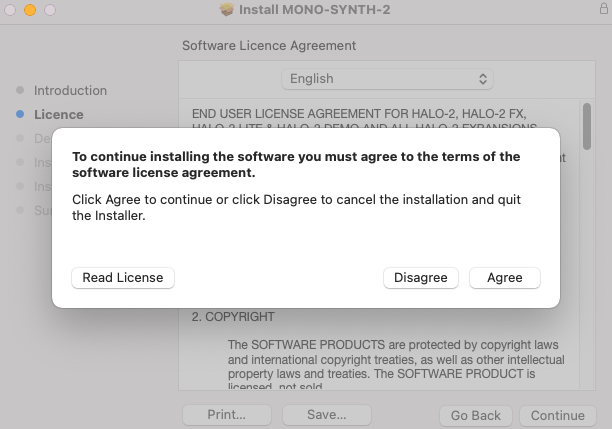
6. Click 'Agree'.

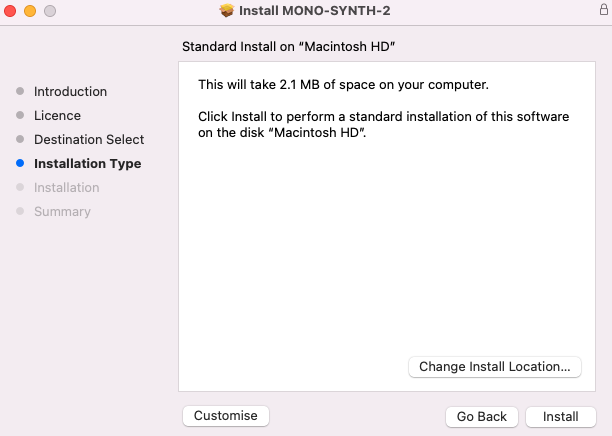
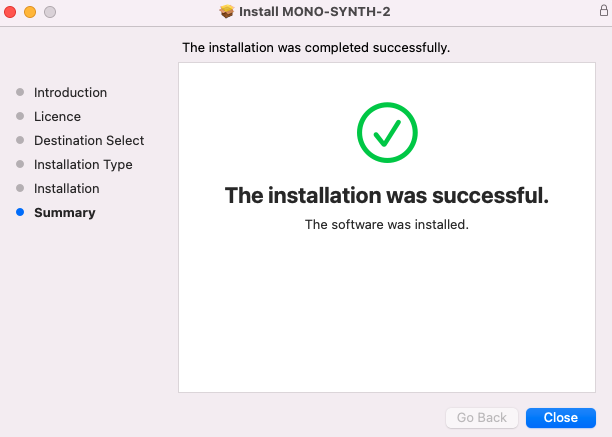
7. Click 'Install'.

8. Click 'Close'.

9. Return to the installer and launch 'MONO-SYNTH SAMPLES'.

10. Enter the license key from within your Plugin Boutique User Account, and click 'Activate'.

11. Click 'Download Mono-Synth'.

12. Click 'OK'.

13. Once installation is completed, close the window.

14. You're ready to go! Launch HALO-2 within your DAW, and navigate to your newly activated expansion pack.

Bundle & Save

HALO-2 + Expansions Bundle
$89.00
$149.00 (40% off)
HALO-2 Expansions Bundle
$45.00
$49.00 (8% off)
HALO-2 Expansions: Analog Bundle
$25.00

Plugin Boutique Rewards

Discover the most rewarding loyalty programme among all plugin retailers.

  • Free Loopmasters Samplepacks
  • Discounts on products and courses
  • Extra Virtual Cash claimed immediately at checkout
Find out more

Follow us:

X (Twitter) Facebook YouTube Instagram
Logo Logo

Plugin Boutique Limited, Part of the Beatport Group LLC.

Copyright © 2011-2025 Plugin Boutique. All rights reserved