


 Log In

Free gifts available with your purchase

Enter The Matrix
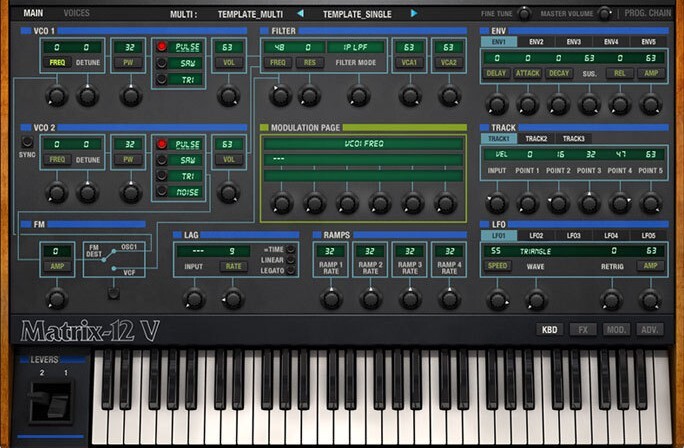
The massively powerful Oberheim Matrix-12 has been resurrected at last. Using our TAE™ modeling technology, we are able to recapture this beast of a synthesizer and bring it to you.
The Matrix 12 was the first programmable analog synthesizer that took the best features of a preset voice path and modular flexibility. This bold combination made it a force of nature and something that had not been seen before. It also had a 15 mode filter system that enabled it to have sounds that had never been heard before.
Making the Model
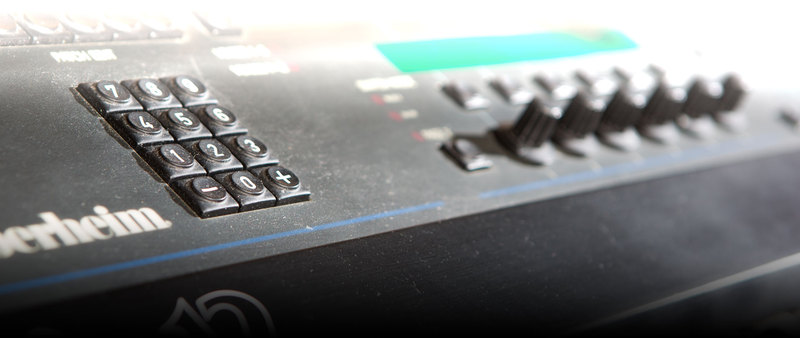
Every point in the signal path is important when modeling the sound of such a revered instrument.
So to establish the proper foundation, we perfectly recreated the tonal characteristics of the original 2 oscillators and their waveforms in Matrix-12 V. And it was equally critical to capture every nuance of its 15 filter modes, so we kept at it until they had been modeled perfectly!
Another factor in defining the complex sound of the Matrix-12 was the amazing number of modulation sources and destinations it provided. This was a level of sophistication previously only available in a fully modular system.
So to complete the emulation we modeled these capabilities also, even surpassing them. With a nearly endless number of possible modulation routings in Matrix-12 V you can create sounds with highly organic qualities not found in other synthesizers.
50 Shades of Sound
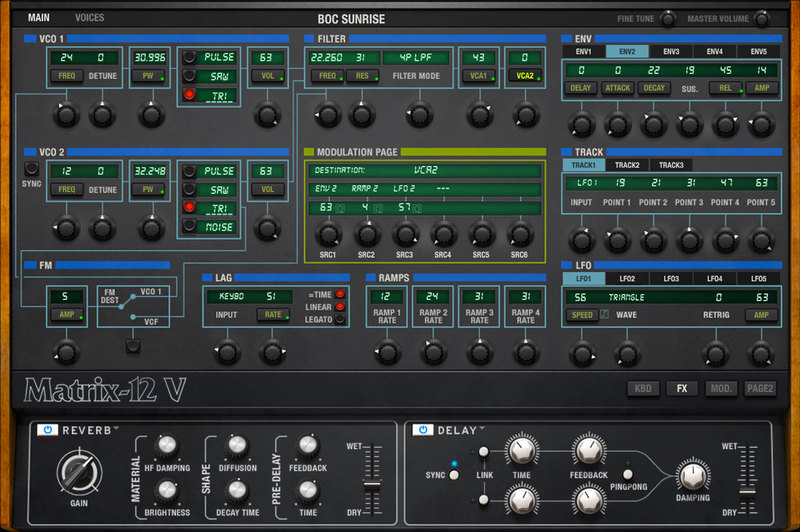
A true chamelion of a synthesizer. With its 15 filter modes you can create everything you need from the thin and airy to the brash and bold.
The Power of Perfection
While the Matrix-12 was amazing in itself, we pushed it further by adding a new effects chain for further processing of the sound.
We also expanded the maximum number of modulation routings from 20 to 40, giving you even more creative freedom. Add to this the ability to control all the parameters via MIDI, and now you can do automations in a DAW or manually that could never be done before.
Main Features
- Two oscillators, each offering triangle, sawtooth and variable-width pulse wave with PWM.
- Oscillator 2 also function as a white noise generator.
- Oscillator 1 or the Filter can be frequency modulated.
- Single filter with 15 modes: 4 Low Pass, 3 High Pass, 2 Band Pass modes, Notch and Phase Shift plus four additional "combo" filter modes.
- Ultra-powerful modulation matrix with 27 sources and 47 destinations.
- Sources include 5 envelopes, 5 LFOs, 4 Ramp, 3 Track generators, Velocity, Pressure, Keyboard follow, and more.
- Two insert effect slots with six studio-grade effects available.
- 12 voices of polyphony like the original instrument
- Multitimbral
- Works in Standalone, VST, VST3, AU, AAX.
Arturia Software Center
ASC is the central software that elegantly manages all your Arturia software licenses. It activates your licenses and synchronizes them across multiple devices (you get five instances with each instrument license). ASC also notifies you of updates and downloads them. You can even easily learn about new products, download demos versions and purchase the full products. Simple.
Included in V Collection
This instrument is also part of the V Collection 5 -your complete dream line-up of the legendary synths, organs, pianos and more that made keyboard history. They’re modeled with the most advanced technologies for authentic realism, and enhanced with new creative options. Whether you use it as DAW plugins in the studio or standalone at gigs, V Collection 5 puts the greatest keys of all time at your fingertips for instant inspiration.
TAE® Powered
TAE® "True Analog Emulation" is Arturia's exclusive technology that accurately reproduces the defining sonic qualities of analog synthesizers. It recreates the characteristics of analog oscillators in amazing detail, transparency and clarity, as well as the exact properties of the analog filters that give each classic instrument its unique sound. Soft clipping adds even more punch and presence. TAE® is primarily what makes our virtual instruments indistinguishable from the originals.
Preset Browser
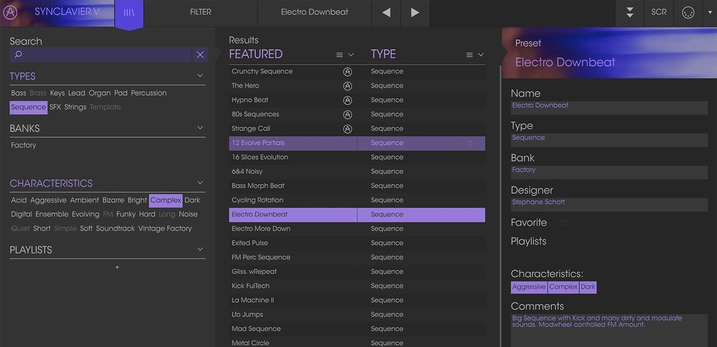
Our redesigned preset browser lets you quickly find just the sound you’re looking for.
Search by name or simply select the appropriate tags to dial in on the exact sonic character you’re looking for. You can mark and recall your own favorites, enter comments, and set up playlists. There’s never been a more intuitive way to manage your library of designer and personal presets.
Resizable GUI
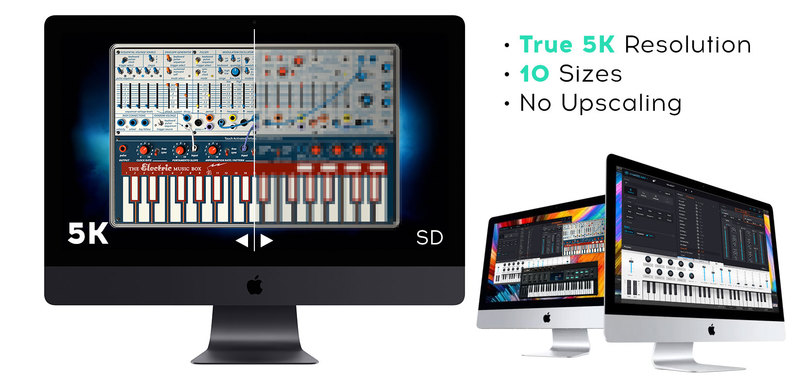
The user interfaces for all your Arturia instruments are now resizable, making it easy to work with any High Resolution screen, UHD or Retina.
You can decide whether you want to fill the screen with awesome graphic reproductions of classic instrument goodness, scale the window down when you’re working in a DAW and screen real estate is at a premium, or even zoom for detailed work.
System Requirements
- Works in Standalone, VST, AAX, Audio Unit, NKS (64-bit DAWs only).
Mac
- Mac OS 10.13+
- 4 GB RAM
- 4 cores CPU, 3.4 GHz (4.0 GHz Turbo-boost) or Apple Silicon CPU
- 3GB free hard disk space
- OpenGL 2.0 compatible GPU
Windows
- Win 10+ (64bit)
- 4 GB RAM
- 4 cores CPU, 3.4 GHz (4.0 GHz Turbo-boost)
- 3GB free hard disk space
- OpenGL 2.0 compatible GPU
- ARM processors not supported on Windows
Protection
All Arturia software is protected by the Arturia Software Center.
Awards


Jason Miles (Producer/Composer)
Jason Miles is an American jazz composer, producer, arranger, and keyboardist. Throughout his career, Miles has worked with trumpeter Miles Davis, bassist Marcus Miller, and singer Luther Vandross, as well as maintaining a successful solo career.
'Arturia continues to excel in making vintage synthesizers available as soft synths. Their latest Matrix 12 is a dream come true.'
Sasha (DJ/Producer)
Sasha is a Welsh DJ, record producer and Grammy Award nominee. He was voted World No. 1 DJ in 2000 in a poll conducted by DJ Magazine. He is a four-time International Dance Music Awards winner and four-time DJ Awards winner.
'With the Matrix 12 , Arturia has faithfully recreated a classic machine. Excellent sounds and great functionality! I look forward to adding these to list of Arturia products already featured in my studio set up.'


