


 Log In
.jpg)
Free gifts available with your purchase
Product information
Dorrough Stereo
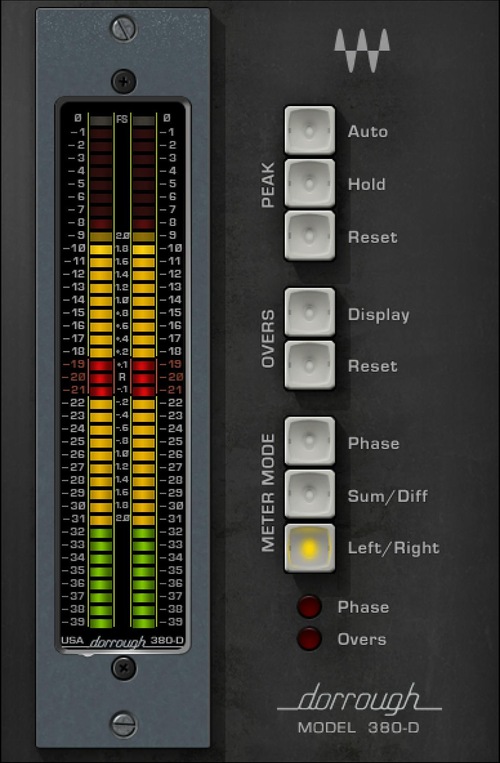
No Guesswork—Just Pure Precision
Whether for recording, broadcast, or motion pictures, you need metering that tells the truth about audio levels. This isn’t just about detecting peak and overs to prevent distortion, but about the average levels that help define the emotional responses to which listeners and moviegoers react.
Now, Waves has modeled Dorrough’s patented Ballistic process—the result of a 20-year quest to perfect the science of audio measurement—and created the world’s most precise software meters.
Features
- Developed in close association with Dorrough Electronics
- Delivers super-fast peak metering, with the behavior of analog meters
- Models Dorrough’s 3 most popular loudness meters
- Duplicates the visual behavior of industry-standard hardware
- Mono and stereo meters with 3 sizes and 3 styles
- Sum/Diff mode warns of energy drops when summed to mono
- “Overs” LED lights when more than 3 samples exceed 0 dBFS
- 3 meter modes: Left/Right, Sum/Difference, and Phase
- 3 peak modes: hold for 3 seconds, infinite hold, or peak reset
- Choose reference levels when working with analog devices
System Requirements
Mac
- macOS Monterey 12, Ventura 13, Sonoma 14, Sequoia 15
- VST / AU / AAX
PC
- Windows 10+
- VST / AAX
Installation Instructions














