Log In

Save $78.00 compared to buying products individually
Free gifts available with your purchase
Benn Jordan’s complete Lunacy toolkit: BEAM, Taps & Portals, along with every Benn collab in one pack. Design delays, bend feedback, sculpt space, and explore CUBE with Canopies. Big sound, small price.
- Taps plugin (VST3/AU/AAX) + Taps in BEAM (up to 3 nodes)
- Portals in BEAM (up to 3 nodes) with Gate/Delay/Feedback and smart feedback compensation
- Tape: wow, flutter, drop, dust for analog color
- Taps editor: up to 8 taps with individual pitch + advanced spacing/pitch modes
- CUBE Mini + Canopies: curated motion sources and evolving sound design
- Preset power: Parallax pack + 300+ global, 200+ node, 200+ IRs
- Designed with Benn Jordan for forward-thinking sound
Bundle includes
Taps & Portals
Taps & Portals are two new Lunacy effects designed in collaboration with Benn Jordan for creative delay and feedback design.
Transform a simple echo into a whole new world of sound from clean, classic repeats to surreal, kaleidoscopic delay patterns with Taps.
Use Portals to build custom feedback systems within Lunacy’s multi-effects engine, BEAM, and bend space, time, and logic.
Features
- Taps plugin: Use Taps as an audio plugin in VST, AU, and AAX formats compatible with all major DAWs.
- Taps in BEAM: For BEAM owners, access the Taps effect inside BEAM with the ability to use up to 3 Taps nodes in serial or parallel.
- 50 Taps presets: Work faster with a collection of presets crafted by leading sound designers, including Benn Jordan himself.
- Parallax preset pack: 50 new presets that combine the power of Taps & Portals with the entire BEAM ecosystem, featuring some of the most mind-bending sounds yet.
- Portals in BEAM: For BEAM owners, access the Portals effect inside BEAM with the ability to use up to 3 Portals nodes in serial or parallel.
- Time and feedback: Set highly flexible free-running or tempo synced delays with the Time, Taps, and Feedback controls. Use Divide and Multiply to set a wide range of taps. Use the Freeze button to hold your feedback in place.
- Taps editor: Individually edit the pitch of up to 8 taps, and use the complex spacing and pitch knobs to shape your entire delay.
- Tape controls: Add authentic analog quality to your Taps delay with wow, drop, flutter, and dust.
- Smart feedback compensation: Go wild without worry. The smart feedback compensation system will ensure your levels stay reasonable, even at 100% feedback.
- Gating and delay controls: Use the Gate, Delay, and Feedback controls to create rhythmic evolving motion in your Portals feedback systems.
- Designed with Benn Jordan: Crafted with Benn Jordan to capture his commitment to innovative and forward-thinking sound design.
Learn more about Taps & Portals
Canopies (CUBE Expansion)

Unearthed Woods and Metals
Canopies is a new CUBE expansion for our Artist Collection, resonating with the glow of a warm hearth, deep within the forest.
From the imagination of acclaimed artist and producer Benn Jordan (aka The Flashbulb), Canopies delivers a curated collection of tactile plucks, earthy hybrid tones, and luminous electronic flourishes.
Conjuring images of fog-blanketed woodlands and firefly-lit treescapes, Canopies is perfect for genre-defying productions with hybrid textures hinting at an ancient future.
Features
- 15 Sound Sources: Earthy, wooden acoustic instruments–guitars, vihuelas, kalimbas, and more–with a range of experimental articulations, strikes, and plucks. Enhanced with minimal synthesizer textures, meticulously recorded with multiple dynamic layers.
- 50 Presets: An intriguing assortment of presets embodying Benn Jordan’s signature sonic palette and aesthetic, using cutting-edge sound design techniques that strike the perfect balance between organic and electronic.
Learn more about Canopies (CUBE Expansion)
CUBE Mini
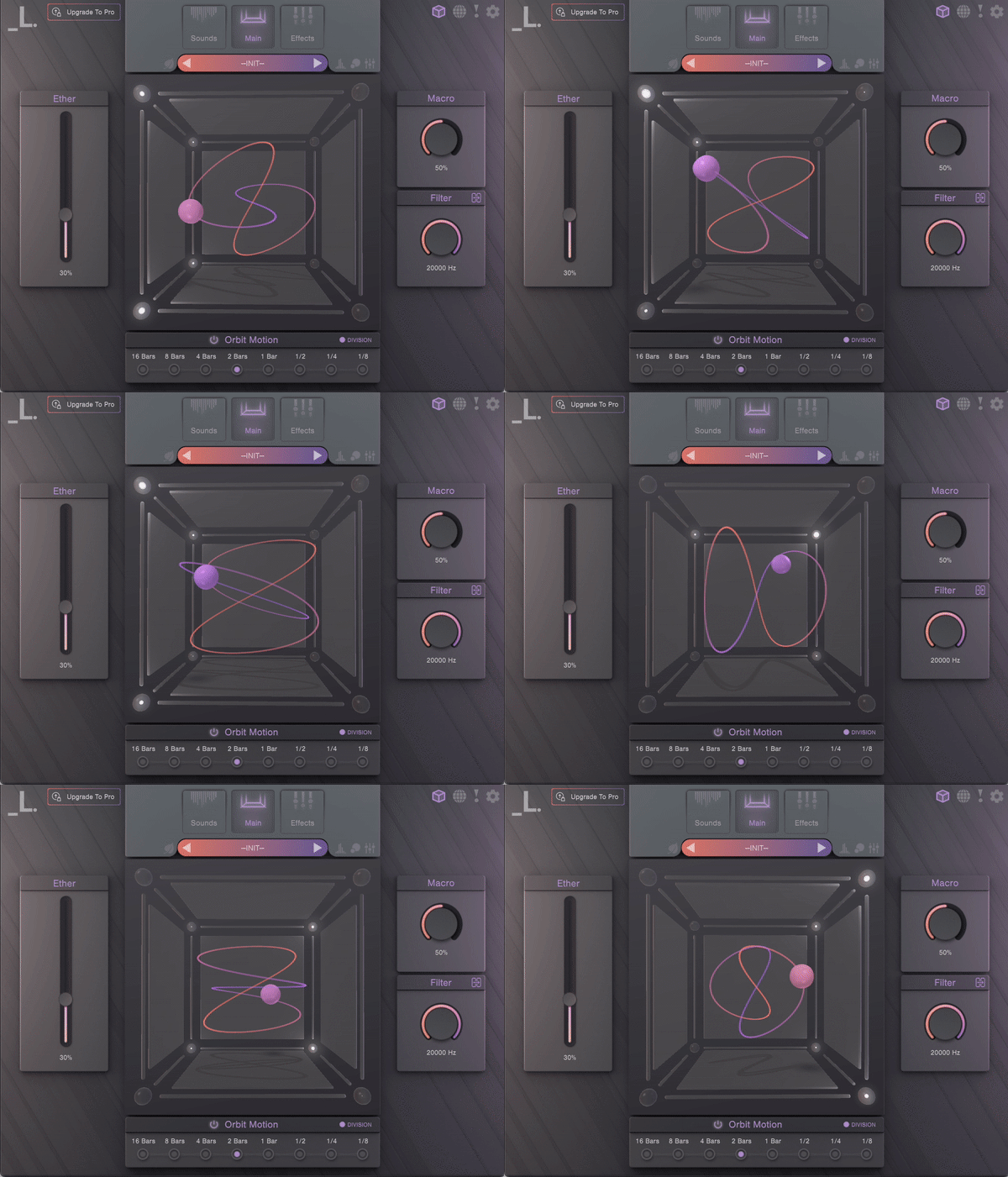
3D Sample Morphing at Your Fingertips
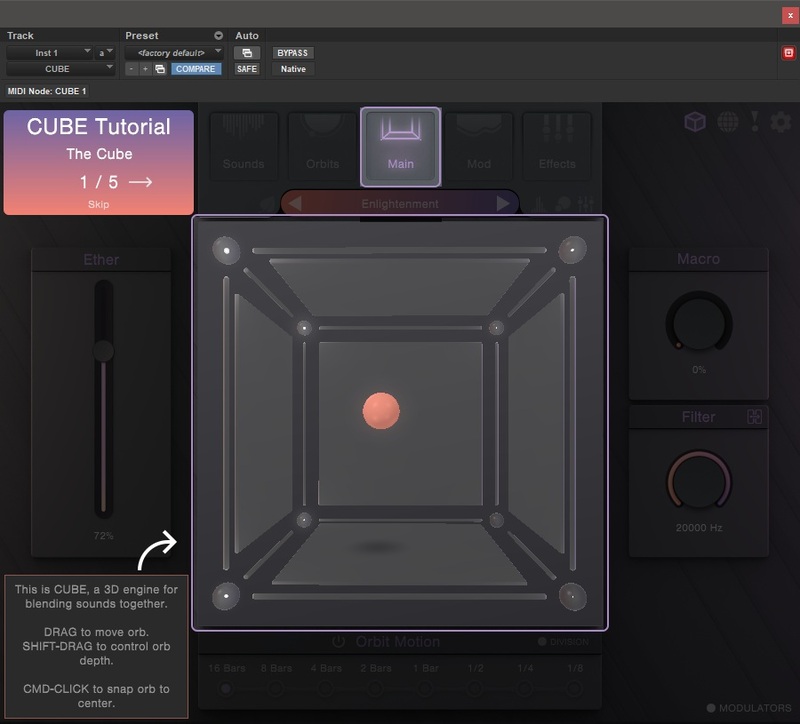
CUBE Mini is a game-changing sampler and vector synth plugin for immediate sonic inspiration. Using the same award-winning engine and seamless 3D interface that powers CUBE, Mini unlocks 35 expertly-crafted sampled instruments, 120 hype-worthy presets, and a curated set of essential sound design tools, all perfectly suited for modern electronic, hip hop, pop, and genre-bending tracks.
Features
- 35 sound sources - an eclectic mix of multi-sampled instruments, featuring wild analogue synths, lush pads, crisp percussion hits, vivid strings, intimate keys, and more
- 120 stunning presets - painstakingly crafted by Lunacy’s collective of expert sound designers, using cutting-edge processing techniques
- 8 robust sample editors - each with an arpeggiator, filters, envelopes, step sequencers, reverse, monophonic, glide, pan, and tuning
- 13 FX Modules - filters, visual EQ, saturation, waveshaping distortion, bitcrusher, compressor, chorus, phaser, delay, algorithmic reverb, convolution reverb, limiter
- Expandable content - broaden CUBE’s palette even further with Air for hybrid winds, Threads for experimental strings, and Rumble for massive synth bass and percussion.
- Randomization - create unique new patches with a simple click of a button
- Eco-Mode - a special CPU saving feature that minimizes RAM usage and CPU load
Learn more about CUBE Mini
BEAM 2.0
Creative Effects Playground
BEAM is a modular effects playground filled with a growing collection of cutting-edge effects to transform your sounds. Use any Lunacy effect directly in BEAM to sparkle your keys, spice up your vocals, reshape your drums, and launch your synths into outer space.
Features
- 300+ Global Presets: Crafted by leading sound designers from across the globe, including designs from Venus Theory, J.Views, Dash Glitch, Databroth, Alckemy Neuro, and more.
- 200+ Impulse Responses: A collection of impulse responses ranging from otherworldly halls to synthetic textures. Wrap your sound in metal chains or a vast ambient space.
- 150+ Node Presets: Dial sounds in fast with dedicated sub-preset browsers for effect nodes and modulators.
- 4 Standalone Effects: Every module in BEAM can be used as a standalone plugin. BEAM automatically includes access to 4 of our standalone effects: Grains, Space, Filter, and Haze
- Deep Modulation: Harness 3 LFOs and a Macro control with a dedicated LFO preset browser and shape editor.
- Intelligent Preset Designer: Generate new presets from scratch with the click of a button using a proprietary probability cluster algorithm.
- Expanding Ecosystem: Easily power up BEAM with additional effects and preset packs. Any Lunacy effect can be loaded in the BEAM engine.
Learn more about BEAM 2.0
- macOS 10.15+ (AU/VST3/AAX; Apple Silicon recommended)
- Windows 10+ (VST3/AAX)
- 8 GB RAM required (16 GB recommended)
- ~250 MB disk
- Stable internet for download/activation
- Compatible with all major DAWs.