


 Log In

Free gifts available with your purchase
Octavox
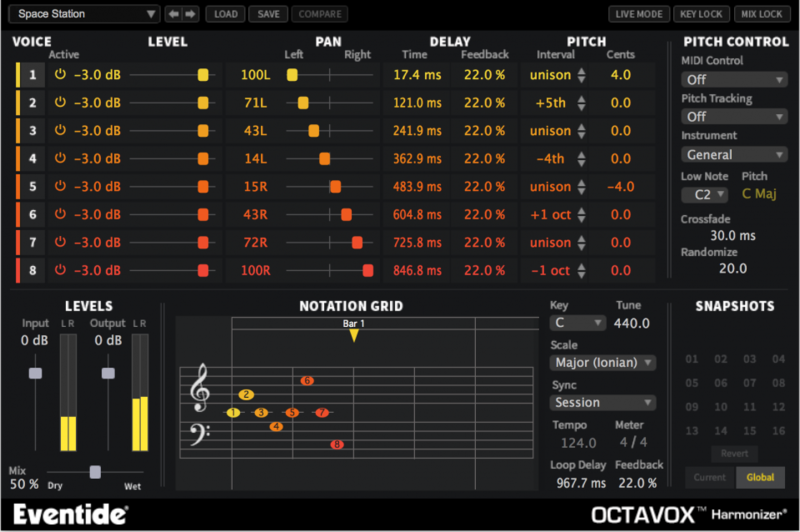
Instant Inspiration
Level up your composition skills with Octavox's unique time-based diatonic harmonizer technology. Octavox is an inspiring tool that takes any incoming tones—even drums—and outputs up to eight voices based on the chosen key and timing interval. Based on technology from our flagship H8000 hardware effects processor, Octavox will take your melodies and ideas to new heights. Stack harmonies, widen instruments and create innovative rhythmic sequences. Whether you are an electronic musician, singer/songwriter or guitarist, Octavox has got you covered with more than 70 presets to boost your creativity and productivity.
Taming the Octopus
Octavox controls have been designed in the most intuitive way, allowing you to quickly adjust parameters or type in values. Each of the eight voices can be independently manipulated by level, panning, delay time with feedback, and pitch, including the type of musical interval. The effect can even be sync’d to your DAW tempo for killer, melodic, rhythmic delays. Octavox has also been updated with expanded MIDI functionality. Each voice interval can be set via MIDI note, voice shift amount by MIDI Pitch Bend, and “Randomize” by MIDI Modulation Wheel.
Features
Is it Live?
Octavox has always allowed you set harmony intervals and reproduce voices in the key and scale you're singing in. Now new MIDI functionality allows you to change these intervals on the fly allowing you to add moving harmonies to your performance or recording.
8 Voices
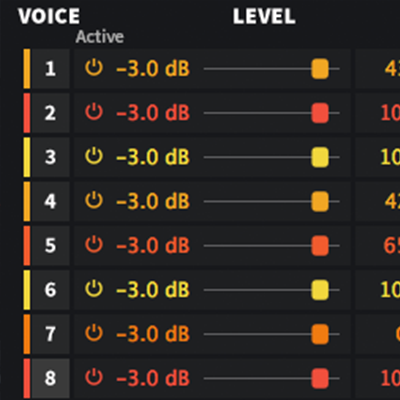
8-voice diatonic pitch shifter based on technology from Eventide’s flagship H8000 effects processor with panning, delay, detune, and feedback to create beautiful harmonies and sequences.
Randomize function randomizes an amount of micro pitch shift resulting in simulation of natural character for each of the 8 voices.
70+ Presets
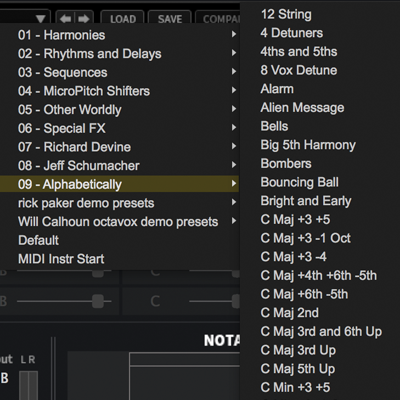
Whether you are an electronic musician, singer / songwriter, or guitarist, Octavox has got you covered with more than 70 presets to boost your creativity with unheard melodies and rhythms. Great on monophonic synths, guitar, and vocals.
Diatonic Pitch Shifter
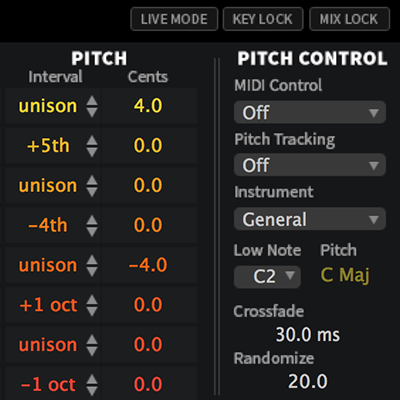
New pitch-tracking "off" mode allows it to shine on polyphonic and rhythmic sounds. MixLock keeps the wet/dry mix of the effect static as you scroll through presets or user-defined snapshots. Key Lock does the same for the Key and Scale.
Select Key and Scale
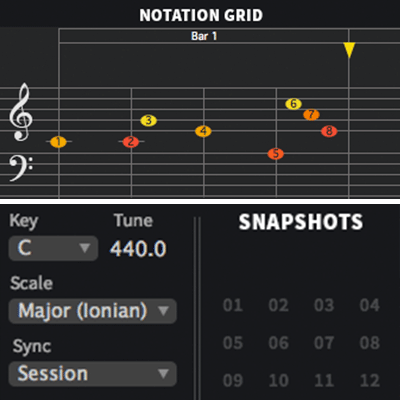
Unique Notation Grid presents pitches on a traditional music staff with a quantized grid for placing notes over time allowing for a more musical programming experience. Color and brightness indicate pan and level for each voice.
Countless Applications
Engineers / Producers
Thicken the sound of existing instruments in your mix. Create unique harmonies and chorus effects on vocals. Morph drums into exciting new patterns. Widen the stereo image or create ping pong delays.
Transpose instruments or add custom arpeggios. Add new rhythmic textures to guitars and other instruments. Create momentum and bring new life to drums and stringed instruments.
Save Snapshots to quickly load, save and even automate up to 32 of your favorite Octavox scenes.
Sound Designers
Create popular staircase pitch effects. Build trailing melodies that follow your scale of choice.
Use the function generator to create timed rhythmic delays that sync to tempo. Use extreme settings to exploit video game style sounds.
Remixers
Morph existing melodies into newly pitched rhythmic sequences. Construct new chords from monophonic instruments.
Create new drum patterns using tempo sync’d delays. Play loops through Octavox and manipulate them in real time via MIDI by using Gated MIDI mode which only passes audio through when notes are played.
Singer / Songwriters
Input a monophonic instrument and with MixLock enabled, click through the presets to discover new approaches to your ideas.
Add depth to vocals and enhance your performance. Widen instruments to enhance your productions.
Artists Using UltraChannel
Andre Kelman

(Beastie Boys, Phoenix, Gogol Bordello, Cat Power)
System Requirements
Windows
- Windows 10 and later (Windows 11 supported) (64-bit only)
- AAX, VST2, VST3
Mac
- macOS 10.14 and later (Intel / Apple Silicon supported) (64-bit only)
- AAX, AU, VST2, VST3
Important Notes:
- Eventide tests their desktop plugins in Ableton Live, Cubase, FL Studio, Logic Pro, Pro Tools, and Studio One (However, their plugins should work with any compatible host.)
- No iLok dongle is required to run this software - only a FREE iLok account/Manager is required for authorisation.
Tape Op
Tape Op - the Creative Music Recording Magazine.
"I thought it would be interesting to compare the plug-ins to the hardware they emulate. To be honest, I was not expecting them to be that close in sound, but I was in for a surprise...I was kind of blown away at how alike they sounded after trying several different settings on each processor."
Gearspace.com
The world's best pro audio and music production community & discussion forum.
"Our favourite application for Octavox is on the lead vocal track, as it can quickly change a mono vocal into a massive stereo vocal...a lacklustre mono vocal will begin to seep into the outer bounds of the stereo field, inducing a three-dimensional-like quality."


