


 Log In

Free gifts available with your purchase
Helper Series 2 Bundle
Helper plugins are designed to be superb mixing tools which are vital to bringing your music mixing game to the next level. It doesn’t matter that you use it on individual channels or groups or the master channel, it guarantees to bring good results to your music.
Give your music an opportunity to stand out from the rest with these simple-to-use, versatile plug-ins as W.A Production have carefully designed them to ensure that they are worth it and bring magical results to your song.

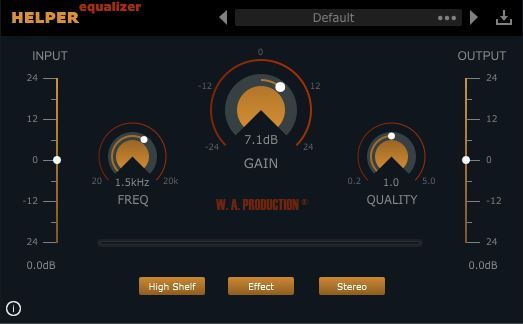
Helper Equalizer 2 is a unique and versatile equalizer plug-in that contains special features with excellent workflow and a simple-to-use user interface. Unlike any other equalizer plug-in, you’ll get to play with 5 different EQ shapes to shape your sound better.
Features
- Intuitive user interface
- 5 different EQ shapes
- 5 different channel modes
- 10 Factory presets
- Responsive & CPU friendly
New in Version 2
- New GUI
- Presets manager
- Catalina compatible
- Pro Tools / AAX compatible
- Minor Bug Fixes

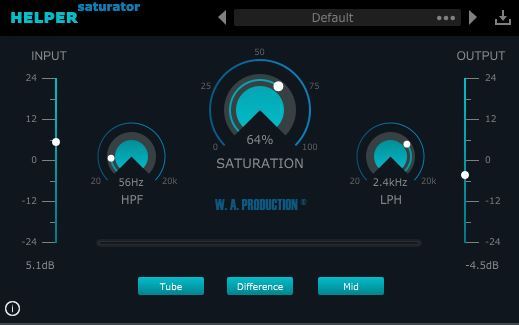
Helper Saturator 2 is an audio effect VST plugin professionally designed to apply saturation to the audio signal. Helper Saturator 2 is not just a simple saturation plug-in, it also comes with 2 filter features, 2 types of saturation modules and ability to be able to process 5 different types of audio signal.
Features
- Analog Saturation
- Simple user interface (stylish & easy to use)
- Clean filter modules
- 10 Factory presets
- Responsive & CPU friendly
New in Version 2
- New GUI
- Presets manager
- Catalina compatible
- Pro Tools / AAX compatible
- Minor Bug Fixes

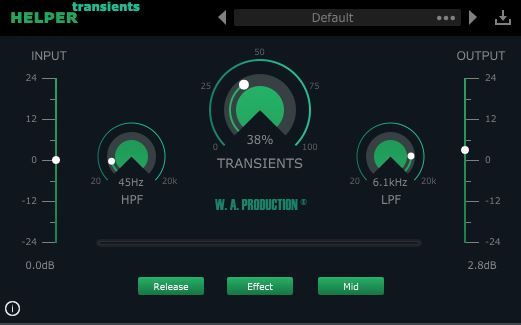
Being able to control the shape of the sounds is extremely useful for musicians when they are mixing their music. But Helper Transients 2 is much more than an ordinary transient shaper plug-in because it can process 5 different kinds of audio signal from the audio source itself.
Features
- Attack (amount of amplification or attenuation of the transient)
- Sustain (amount of amplification or attenuation of the sustained sound)
- Clean processing
- 10 Factory presets
- Responsive & CPU friendly
New in Version 2
- New GUI
- Presets manager
- Catalina compatible
- Pro Tools / AAX compatible
- Minor Bug Fixes
System Requirements
Mac
- macOS 10.13 and later (64-bit only)
Formats:
- Audio Units (AU)
- VST
- VST3
- AAX
Windows
- Windows 8 and later (32 / 64-bit)
Formats:
- VST
- VST3
- AAX
Important Note: AAX format requires Pro Tools 11 or higher.
Important Note for Mac Apple Silicon users: Before purchasing, please review the current compatibility status of this plugin on your system here.


