


 Log In

Free gifts available with your purchase


The Creative MIDI Sequencer
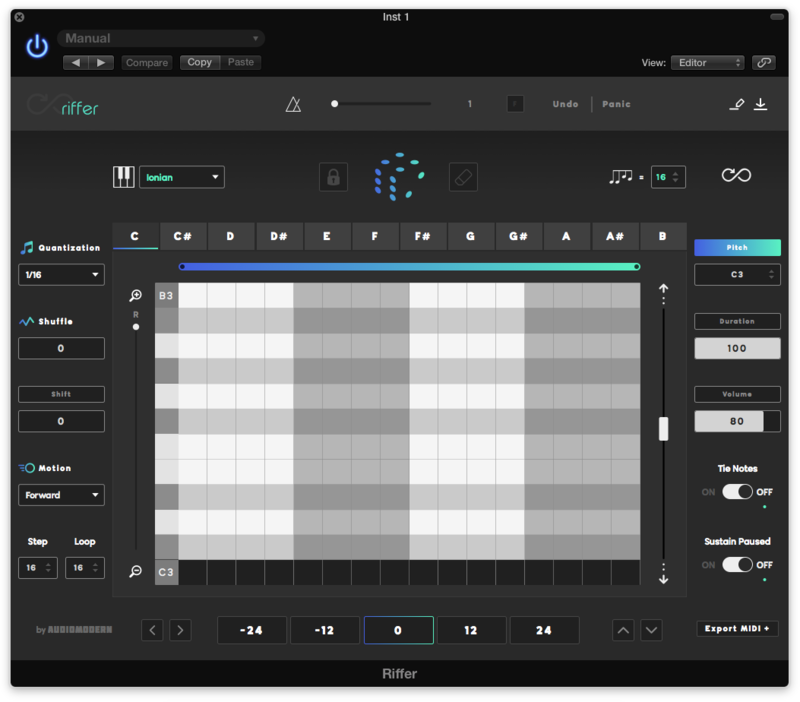
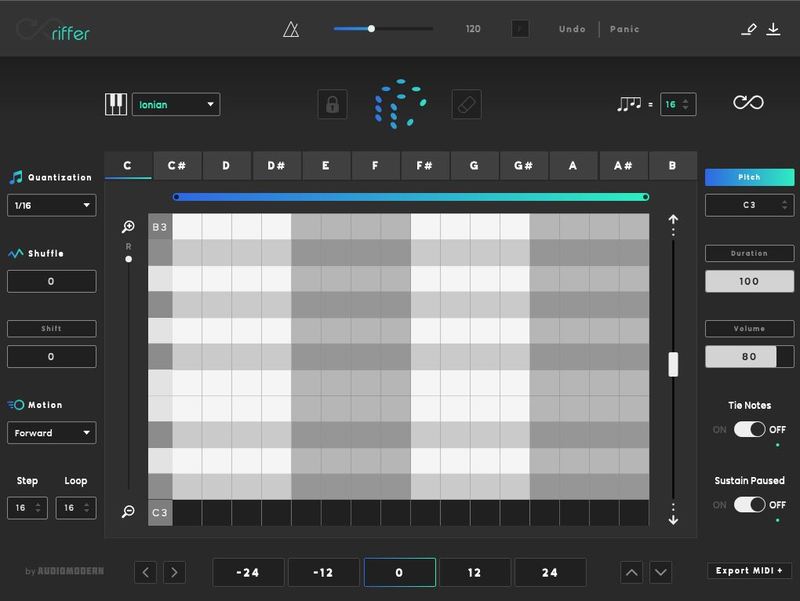
Riffer is a smart MIDI tool that generates musical riffs & sequences by combining pitch, duration, velocity & density. Built for your sounds, software & hardware. Turn them into something of your own or let it run endlessly using the infinity mode.
Quick-fire Ideas
You can choose from 50+ scales, pattern complexity, steps, start and endpoints, set pitch, transpose, motion, measures and many more...
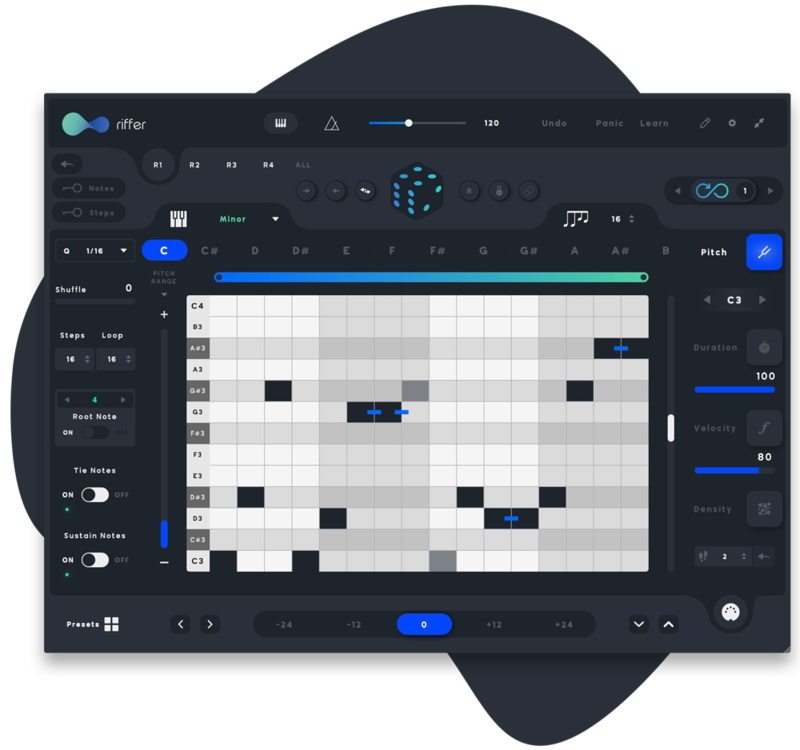
A Swiss army knife for MIDI
Introduced in 2015 and by receiving regular updates, Riffer is endlessly generating unique riffs for more than 35,000 users proving its value as the best and most feature-rich generative MIDI Sequencer on the market.
Advanced MIDI Connectivity
Designed to 'feed' anything that accepts MIDI, both Software & Hardware.
MIDI Input
Trigger it with your Keyboard or via any MIDI Input.
Amazing Experience
Discover new ways of composing riffs & musical patterns.
Powerful Design
Lightweight plugin designed to run on any system or device.
Available for Any Device
VST/VST3/AU/AAX Plugin for Windows & Mac
Riffs Made Only for You
No two patterns will ever be the same, they're your own.
Features
- Generate random riffs
- Everything is synced to your host tempo
- 53 scales included from western to eastern
- Create & save your own scales
- Choose the number of notes generated
- Set the number of root notes based on a chosen scale
- Generate pattern pitch, duration & volume per note
- Tile or sustain paused notes
- Lock individual notes or whole steps
- Quick-export MIDI patterns
- Quick transpose whole pattern
- Quick load preset section
- Choose quantization settings
- Shuffle & Shift mode
- Advanced Infinity mode
- Set sequence range & motion settings
- Set range for pitch, duration and velocity
- Save & load your own patterns
- Send MIDI to any device, software & hardware
- Advanced MIDI CC/Mapping editor
- No two patterns will ever be the same
- The only plugin available of its kind!
- Resizable GUI
- Supports Apple silicon M1 devices
New Features for v3.0
- Polyphonic Mode / Multi-Riff Engine
- Density Function
- MIDI Input/Performance Mode
- MIDI Learn
- Share presets across devices (Desktop/iOS)
- Performance improvements
System Requirements
- macOS 10.12 or higher (64-bit only, M1 supported)
- Windows 7 or higher (32-bit & 64-bit)
- 4GB of RAM required
- At least 50 MB of free drive space
- Comes in VST / VST3 / AU / AAX
- Reliable internet connection for download delivery and product activation
- Allows for activation on three (3) computers per serial code

Sound On Sound
Sound On Sound is the world's biggest and best audio recording & music technology magazine.
"Riffer will pull you back from the creative brink; it will enliven your bottom end; it will pull melodies out of the ether and step-sequence a smile across your face."
Gear News
The latest equipment news & rumours for guitars, recording and synths.
"Riffer takes the boring old piano roll and stuffs it full of probability and possibility in the best MIDI sequencer your DAW doesn’t have."
Plugin Boutique Staff Picks - Thomas Audiomodern have a reputation for building top-quality Kontakt Libraries, presets, sample packs and Max for Live devices and now with RIFFER, they introduce their first ever VST/AU plugin to the world. Developed as a MIDI sequencer plugin, RIFFER genera...
Read More
Reviews Summary
While it aims to provide a helpful overview, it may not capture every perspective or detail. We encourage you to read individual reviews to make an informed decision.
Overall, reviewers praise Riffer as a helpful tool and creative kickstarter for breaking through artist's block and generating fast melody, riff, and bassline ideas. While many users appreciate its randomization features and convenient MIDI drag-and-drop workflow, several reviewers note that the interface can feel somewhat clunky or unintuitive, and the generated sequences often require manual editing and fine-tuning to fit a final track.


