


Buy PSP Classics Modular Collection, get a free gift with purchase:
Important Note: Cherry Audio Voltage Modular is required in order to use this software.
PSP Classics Modular Collection classic effects modules based on our extensive experience in developing high-quality bread and butter effects and processor plug-ins:
- PSP Spring - three classic spring reverb emulations;
- PSP Plate - three classic plate reverb emulations;
- PSP Space - three classic room reverb emulations;
- PSP Delay - digital delay with tape modulation and pingpong features;
- PSP Chorus - four voice stereo chorus;
- PSP Flanger - stereo flanger with manual control.
- PSP Rotary - an emulation of a classic mechanical modulation effect created by a rotating speakers' horn and drum.
System Requirements
- Cherry Audio Voltage Modular is required in order to use this software.
Mac
Registration
Note: Voltage Modular Core 2 + Electro Drums have been used as an example.
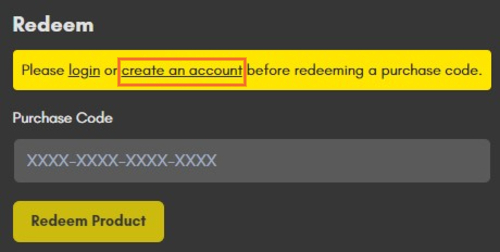
1. Visit https://store.cherryaudio.com/redeem?ref=PluginBoutique > click ‘create an account’ to register your product. (If you already have a Cherry Audio account, simply click ‘login’).
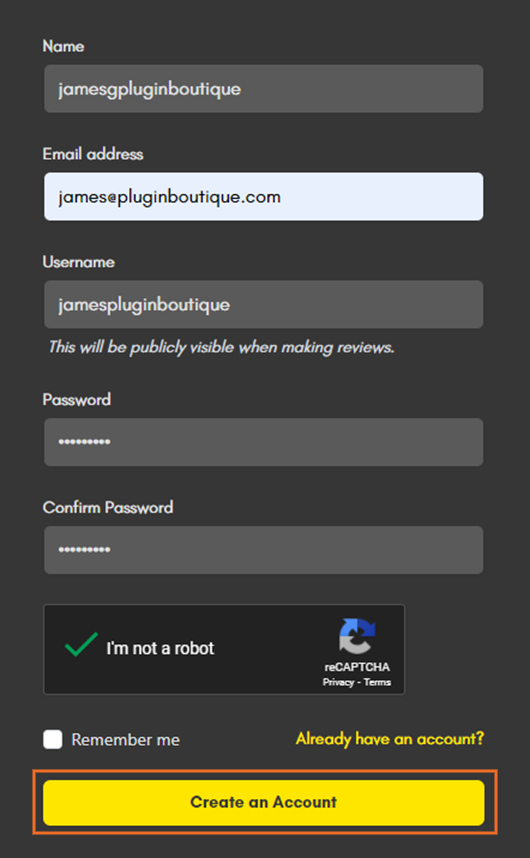
2. Enter your details and click the 'I'm not a robot’ reCAPTCHA > click 'Create an Account'.
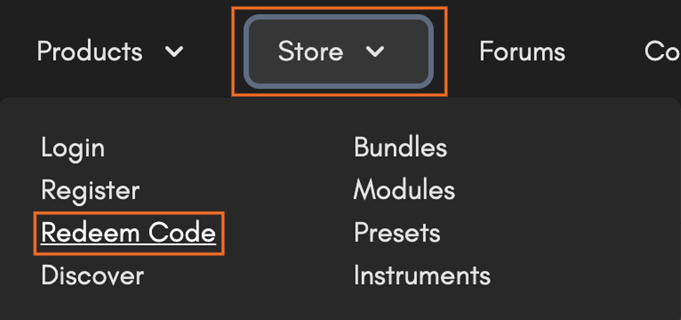
3. Once logged in click ‘Store’ on the top toolbar and then ‘Redeem Code’.
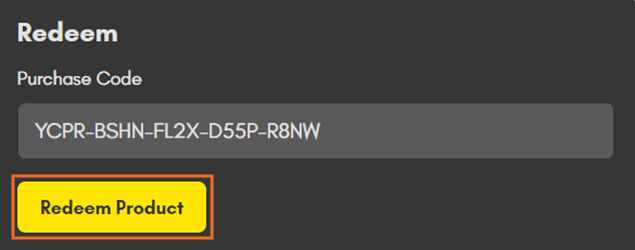
4. Enter the serial number from your Plugin Boutique account > click 'Redeem Product'.
Installation
1. Choose the correct Mac format for your systen (Intel or M1) > click 'Download'.

2. Open the downloaded .pkg installer > Click 'Continue'.

3. Read through the Software License Agreements > Click 'Continue'.

4. Click 'Agree'.

5. Select your installation destination > Click 'Continue'.

6. Choose the plugin formats you want to install > click 'Continue'.

6. Click 'Install'.

7. Click 'Close' to complete the installation process.

Activation
1. Open your installed product and enter your Cherry Audio registered Email and Password > Click 'Login'.
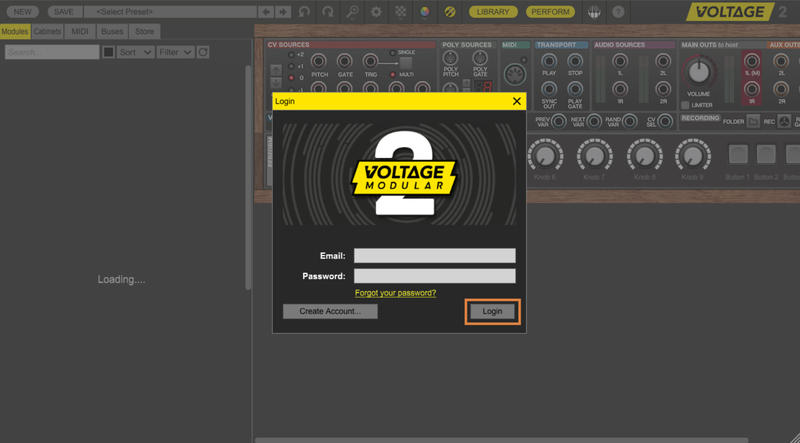
Your software is now activated and ready to use!

Windows
Registration
Note: Voltage Modular Core 2 + Electro Drums have been used as the example.
1. Visit https://store.cherryaudio.com/redeem?ref=PluginBoutique > click ‘create an account’ to register your product. (If you already have a Cherry Audio account, simply click ‘login’).
2. Enter your details and click the 'I'm not a robot’ reCAPTCHA > click 'Create an Account'.
3. Once logged in click ‘Store’ on the top toolbar and then ‘Redeem Code’.
4. Enter the serial number from your Plugin Boutique account > click 'Redeem Product'.
Installation
1. Choose the Windows format > click 'Download'.

2. Open the downloaded .exe installer > Click 'Next'.

3. Select 'I Agree to the Terms of this License Agreement' > Click 'Next'.

4. Choose the plugin formats you want to install > click 'Next'.

5. Click 'Next'.

6. Click 'Finish' to complete the installation process.

Activation
1. Open your installed product and enter your Cherry Audio registered Email and Password > Click 'Login'.
Your software is now activated and ready to use!


