


 Log In

Free gifts available with your purchase
Fat Broadcast Sound
The Arturia TUBE-STA gives you a stunning recreation of the stalwart, valve-driven compressor that was the all-American workhorse of early broadcast and recording studios. With simple controls, dynamic performance, and gorgeous vintage tone, you can now own a piece of history as a software effect in your DAW.
Entering production in the ‘50s, the original Gates® compressor featured quirky non-linear attack and release that were very forgiving with almost any input. Its simple controls and fantastic, harmonically rich sound made it a favourite with radio and studio engineers, and now thanks to the power of Arturia’s exclusive TAE® modelling technology, it’s destined to become a favourite of yours, too. Analyzed, mapped out, and reborn as a software plugin, and powered up with new features that make this golden-age compressor a must-have for the modern producer.
A boutique signal processor with a golden touch, the original STA-Level was well known for the intimacy, air, and subtle saturation it gave to any audio it treated. As it moved from TV and radio studios to more music-focused studios in the 60s and 70s, word got around that it had a killer sound on bass and vocals; having this awesome ability to transform weak bottom-end into fat, harmonically rich bass, and bringing voices to life. All this at the turn of one knob. Its simplicity was certainly part of its appeal, and while Comp TUBE-STA has been given a few modern touches, Arturia’s engineers have been faithful to the original, powerfully simple design.
If you want tube-tone and that magic vintage gear warmth to liven up your audio, Comp TUBE-STA could be exactly what you’re looking for.
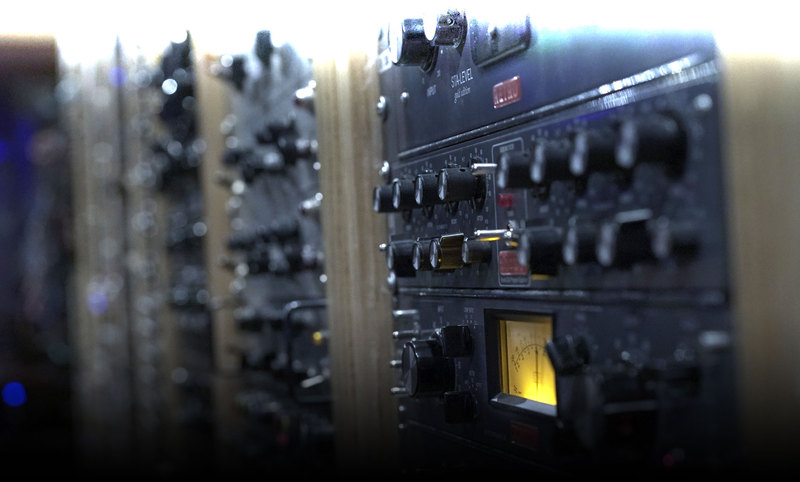
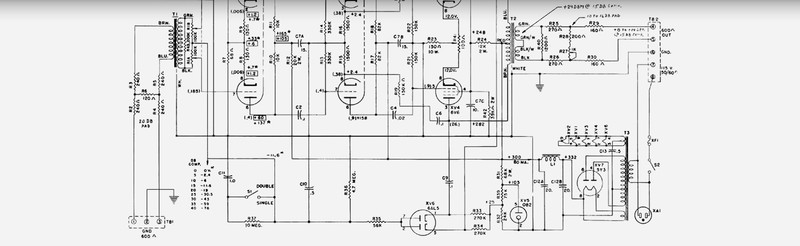
Through painstaking analysis of a 1950s original, Arturia’s audio engineers and developers were able to “measure the magic” on a component level. Using the same modelling technology behind the award-winning, celebrated V Collection synth compendium, the compressor was reborn as a software plugin, ready to treat your audio with that authentic vintage touch.
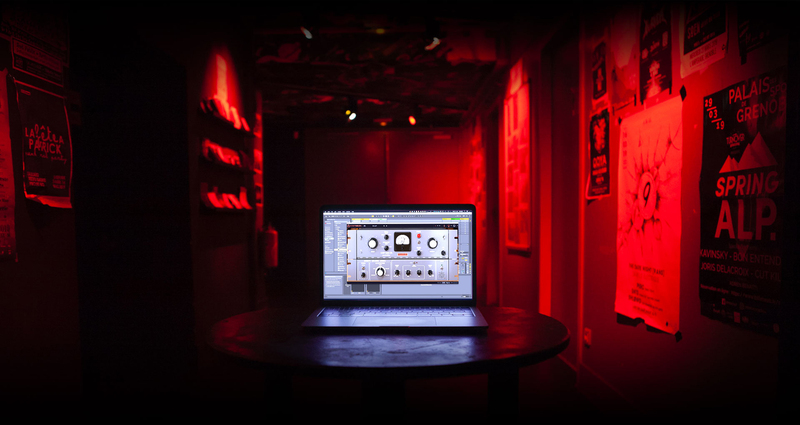
Retro Americana with a modern French accent
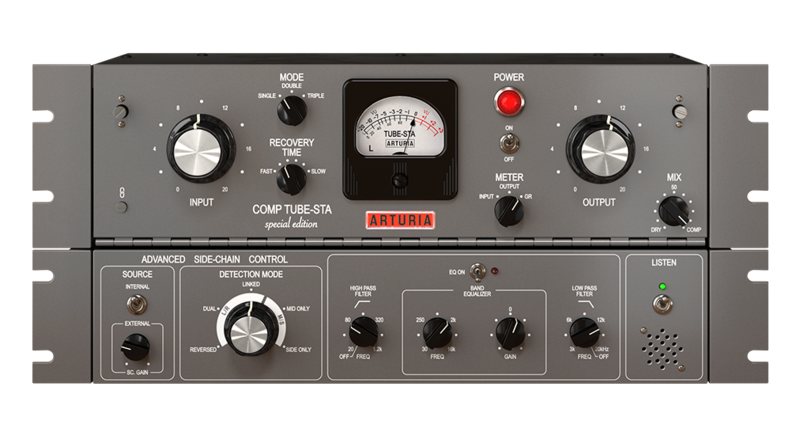
There’s no replacing that iconic tone of a driven vacuum tube, but in the modern era of pristine digital audio and sleek DAWs, that time-honoured sound is often forgotten. Because Comp TUBE-STA has been reworked as a software plugin, Arturia’s engineers were also able to integrate some contemporary features that make this compressor the best of both worlds: a simple, no-nonsense, great-sounding compressor that you can use with modern setups and techniques. The top panel of the interface gives you access to all of the original controls. You can click to expand the plugin to and access its advanced, new features.
New Features
Input-output Link
Rather than the now-standard “threshold” parameter, the original hardware compressor made you crank the input to engage the effect. This will obviously give you volume boosts and alter levels in your mix, but you can simply hit the “link” button to keep volume levelled as you boost the input, so you get compressed sound with steady volume.
New York, New York
One of the oldest recording studio tricks was to split a signal's path in two, leave one dry, heavily compress the other, and then mix the two signals back together. It became known as "New York" compression, or parallel compression. Arturia has simplified the process, and have included a "Mix" knob so you easily get the same effect.
Advanced Sidechain Control
“Shame compressors from the ‘50s weren’t set up for side-chaining” you cry, but don’t worry, Arturia has got you covered. The advanced panel gives you access to contemporary sidechain controls with SSL-style EQ, as well as mid-side processing so you can carve exactly the sound you want to control the compressor.
Can’t wait to try it out on your own music? You can do it right now. Comp TUBE-STA is available as a time-limited trial. Load it up, and explore this reborn legend for yourself.
Half a century of hit-making tone, right in your DAW
Push hard for that saturated, soft-clipping sound that cuts through any mix; get the tonal balance just right at the input stage; add vintage analogue warmth in your mastering chain; use the in-built mid/side processing to enhance your whole mix.
Compatible with all major DAWs, now you too can enjoy the harmonic push, subtle overtones, and tone-shaping power of the most iconic studio gear ever made.
Main Features
- Virtual recreation of famed classic tube compressor
- Original tube electronic path accurately modelled, using Arturia’s state-of-the-art TAE® analogue modelling
- Original Single, Double and Triple modes
- Original variable Recovery parameter
- Additional Arturia's creative side-chain features:
- External side-chain source to trigger the compressor to an external source
- 5 creative detection mode, including M/S processing
- Advanced Side-chain EQ
- Monitor Side-chain signal directly
- Dry/wet Mix knob for parallel compression
- Input-Output gain link switch
- Switchable Analog VU meter with 3 calibrations mode (-18dBFs, -12dBS, -8 dBFs)
- Analog clipping LED indicator
- Comprehensive set of presets
- A/B comparison setting
- Integrated tutorials and unique dynamic preset tips
- Resizable window
- State-of-the-art TAE® analogue modelling
System Requirements
- Works in Standalone, VST, AAX, Audio Unit, NKS (64-bit DAWs only).
Mac
- Mac OS 10.13+
- 4 GB RAM
- 4 cores CPU, 3.4 GHz (4.0 GHz Turbo-boost) or Apple Silicon CPU
- 1GB free hard disk space
- OpenGL 2.0 compatible GPU
Windows
- Win 10+ (64bit)
- 4 GB RAM
- 4 cores CPU, 3.4 GHz (4.0 GHz Turbo-boost)
- 1GB free hard disk space
- OpenGL 2.0 compatible GPU
- ARM processors not supported on Windows
Protection
All Arturia software is protected by the Arturia Software Center.


