Buy Zampler Expansion: Ethnic Pads, get a free gift with purchase:
This collection of 32 patches excels in atmospheric sounds in a broader sense, comprising bells, choirs, cymbals, flutes, chimes or strings and much more.
Beat pushed these sounds to their limit and injected a heavy dose of electro to give the sounds enough bite to cut through modern EDM productions. With the Zampler workstation's flexible filter and modulation options, you can easily create unexpected sound textures from the sample material.
System Requirements
- 1.7 GB available disk space
- Zampler 1.0.2+
Important Note: This software requires a copy of Zampler 1.0.2+ or higher. You can download Zampler for free HERE.
Note: Zampler Expansion: Toraiz AS-1 is used as the example.
Mac
1. Download the .zip folder from within your User Account, and double-click it to reveal its contents.
2. Save the main folder entitled 'Toraiz AS-1' to a computer location of choice, e.g documents or to an external hard drive.
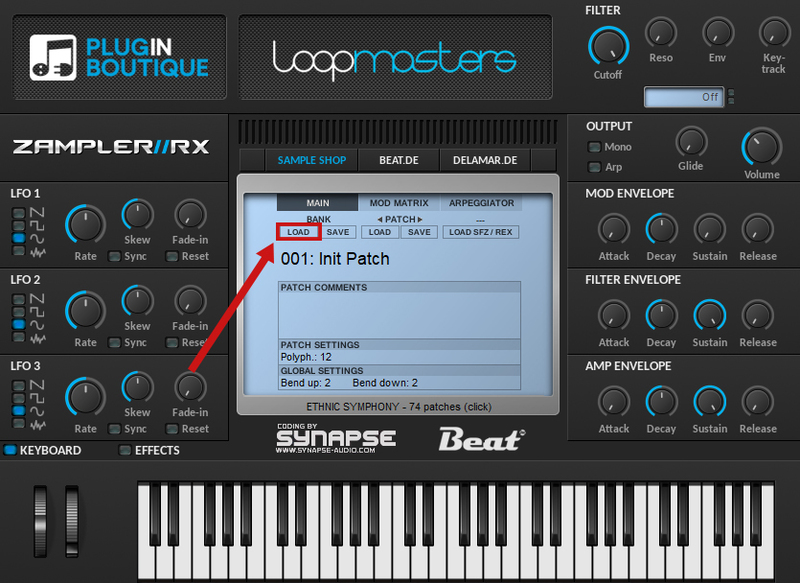
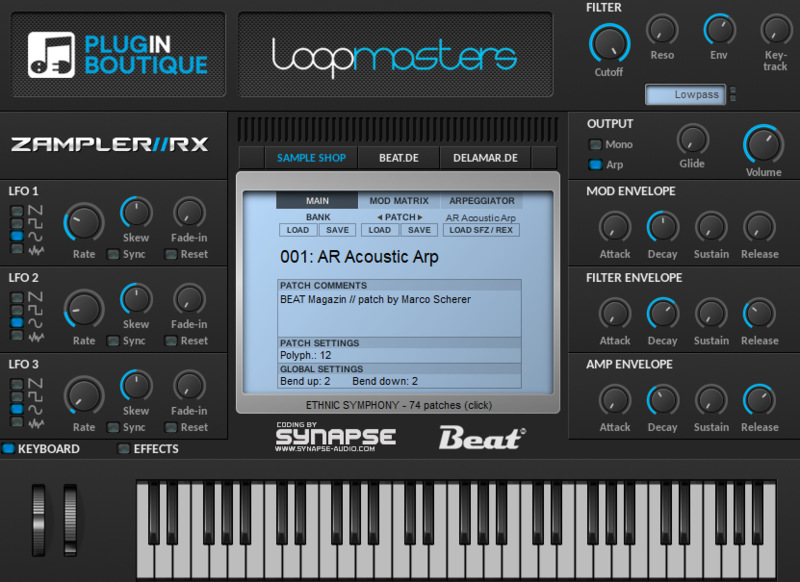
3. Open Zampler within your DAW > Go to 'Bank' and click 'Load'.

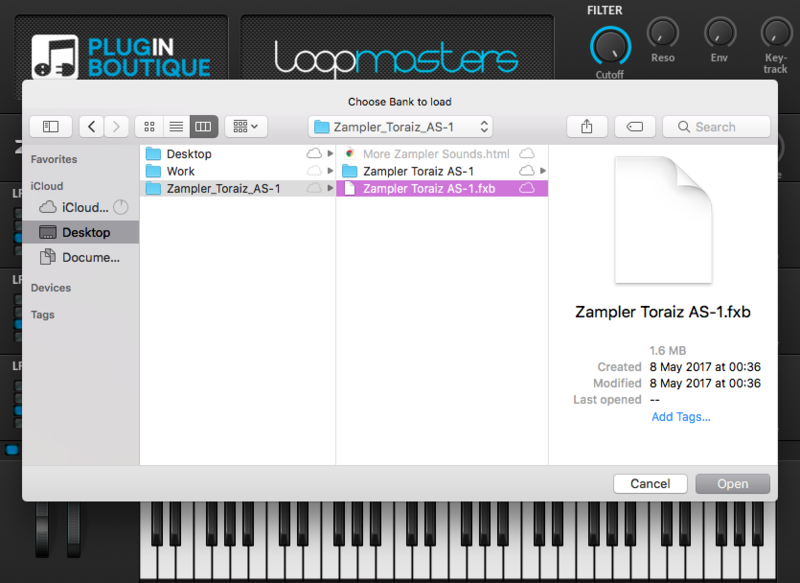
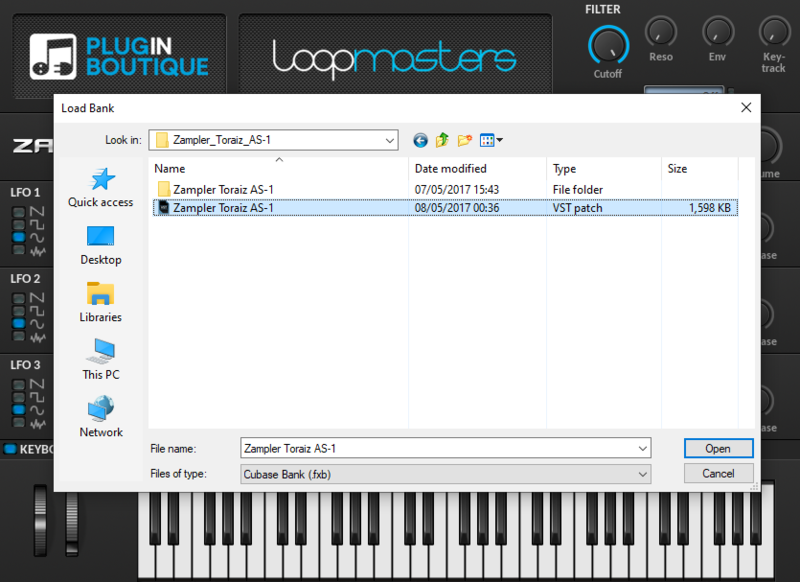
4. Find the .fxb file inside of the download folder > Click 'Open'.

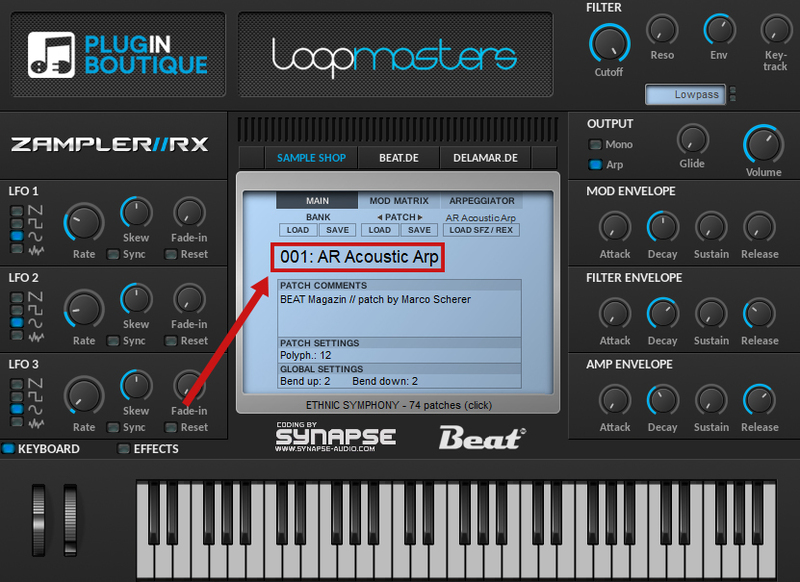
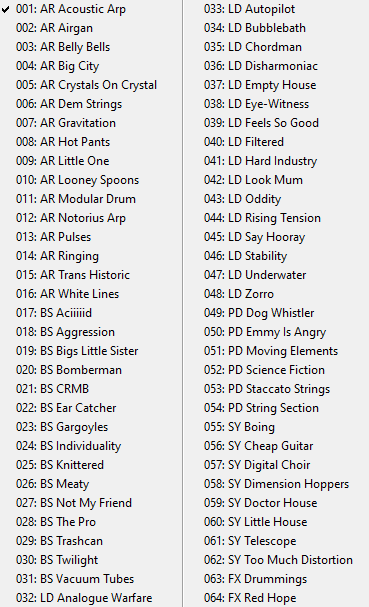
5. The Zampler patches can now be found by clicking on the patch name.


Your patch is now loaded and ready to use within Zampler.

Windows
1. Download the .zip folder from within your User Account, and double-click it to reveal its contents.
2. Save the main folder entitled 'Toraiz AS-1' to a computer location of choice, e.g documents or to an external hard drive.
3. Open Zampler within your DAW > Go to 'Bank' and click 'Load'.

4. Find the .fxb file inside of the download folder > Click 'Open'.

5. The Zampler patches can now be found by clicking on the patch name.


Your patch is now loaded and ready to use within Zampler.