Buy Zampler Expansion: Patched Grand, get a free gift with purchase:
Pianos sound like pianos do. Well, as long as you don't open them up and start messing around with what you find inside. Of course, Beat did exactly that, and what makes most pianists angry made Beat's sound designer Marco Scherer very happy. For this soundbank Beat took a Yamaha C3 Grand Piano and gave it some friendly torment, which resulted in 30 very unique patches, usable for songs, tracks and scores. Have fun!
System Requirements
- 1.8 GB available disk space
- Zampler 1.0.2+
Important Note: This software requires a copy of Zampler 1.0.2+ or higher. You can download Zampler for free HERE.
Note: Zampler Expansion: Toraiz AS-1 is used as the example.
Mac
1. Download the .zip folder from within your User Account, and double-click it to reveal its contents.
2. Save the main folder entitled 'Toraiz AS-1' to a computer location of choice, e.g documents or to an external hard drive.
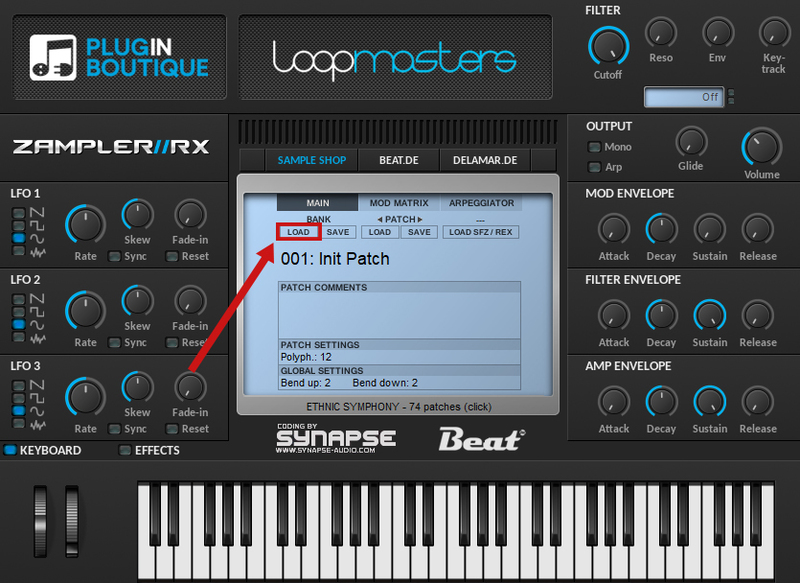
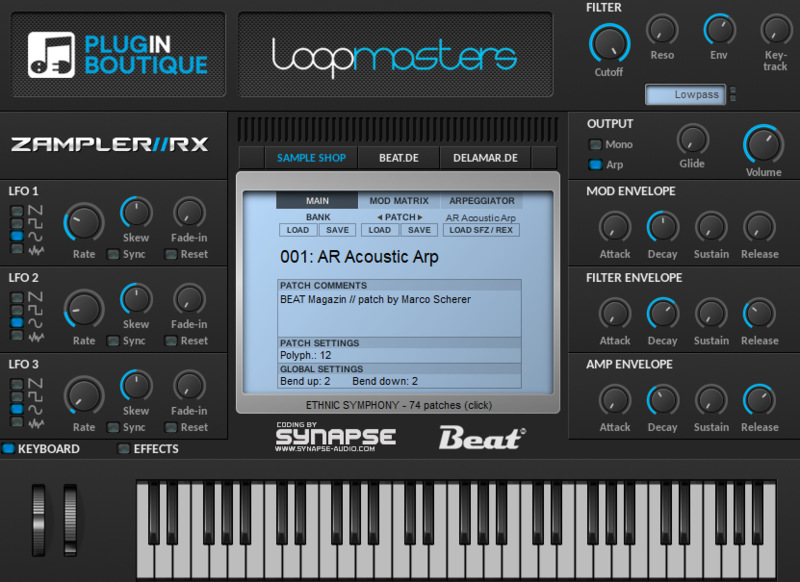
3. Open Zampler within your DAW > Go to 'Bank' and click 'Load'.

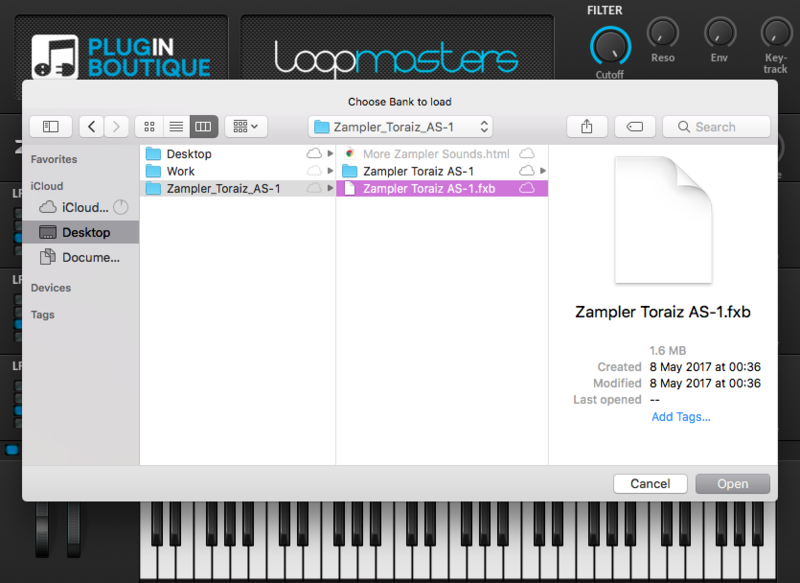
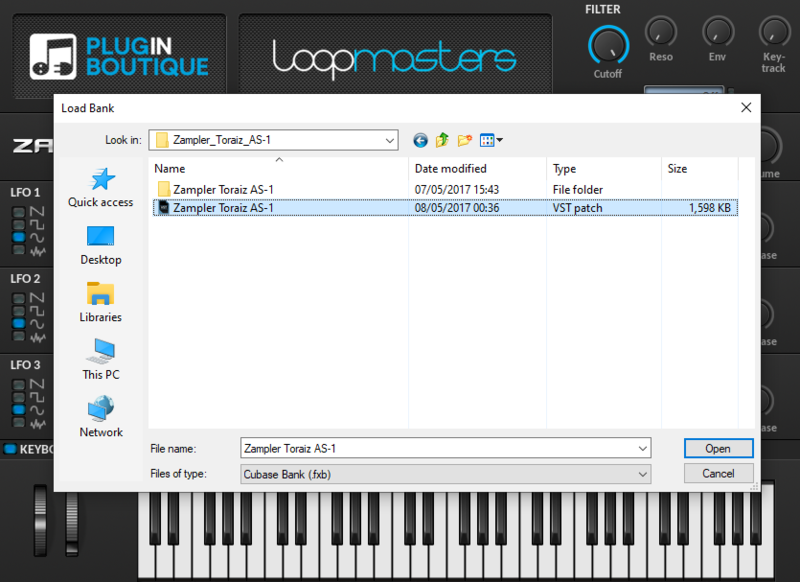
4. Find the .fxb file inside of the download folder > Click 'Open'.

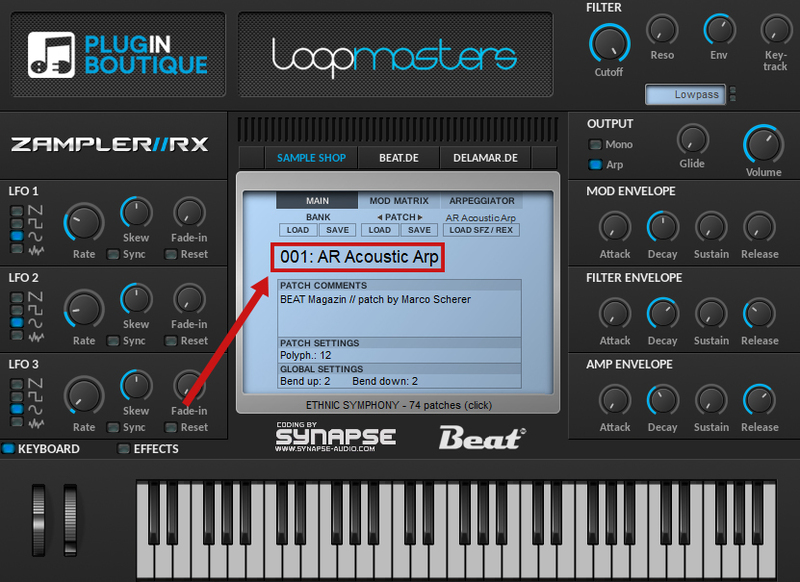
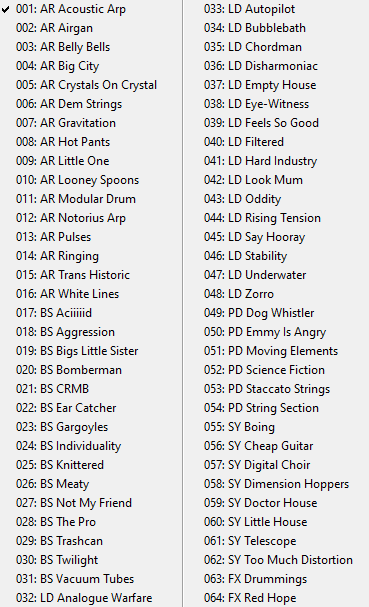
5. The Zampler patches can now be found by clicking on the patch name.


Your patch is now loaded and ready to use within Zampler.

Windows
1. Download the .zip folder from within your User Account, and double-click it to reveal its contents.
2. Save the main folder entitled 'Toraiz AS-1' to a computer location of choice, e.g documents or to an external hard drive.
3. Open Zampler within your DAW > Go to 'Bank' and click 'Load'.

4. Find the .fxb file inside of the download folder > Click 'Open'.

5. The Zampler patches can now be found by clicking on the patch name.


Your patch is now loaded and ready to use within Zampler.