


 Log In

Free gifts available with your purchase
Instant Stereo Shimmer
Beautifully smooth analogue chorus and rich stereo enhancement at the touch of a button. Simple operation, mesmerising results, inspired by a prestigious studio classic. An effect so essential, you’ll wonder how you ever mixed without it.
Chorus DIMENSION-D has been painstakingly modeled after one of the most sought-after effects units of all time, the Roland Dimension D - championed by everyone from Kate Bush to Stevie Ray Vaughan. Now you too can bathe your mix in that same warm, spacious texture that’s earned legendary status in studios worldwide.
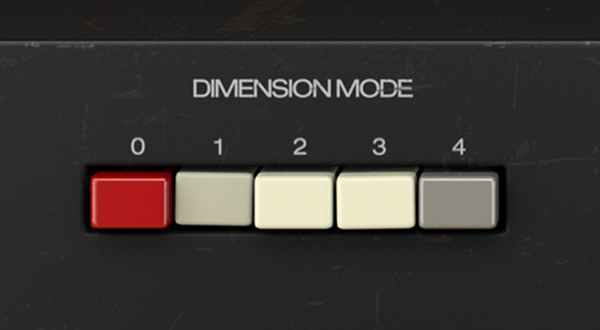
4-Button Operation
Explore different combinations of the 4 buttons for rate and depth variations. Beautiful, immediate chorus for every application.
Spacial Enhancer
Widen your vocals, enrich your keys and stretch your guitar parts across the stereo field. Space is the aim of the game.
BBD Warmth
Chorus DIMENSION-D features authentic bucket-brigade device circuitry replication for stunning warmth and subtle saturation.
Advanced Controls
Tweak the LFO shape, BBD compression, and stereo width beyond the capabilities of the original unit - make it your own.
The Chorus that Changed the Game
The original Dimension D, introduced in the late '70s, offered an ultra-simple solution to the problem of spaciousness in a mix. For many producers, however, it transcended its original purpose.
Chorus adds subtle swirls and slow pitch modulation for a range of rich moving textures - but the Dimension became a go-to sonic sweetener. Something that simply made things sound broader, warmer and better-suited to a rich stereo mix.
This was thanks to the synergy between the BBD architecture, delicate compression, expansion & filtering, and a unique stereo wet/dry crossmix. Each feature has been carefully reconstructed in plugin form, component by component, for your virtual studio.
Beauty In Simplicity
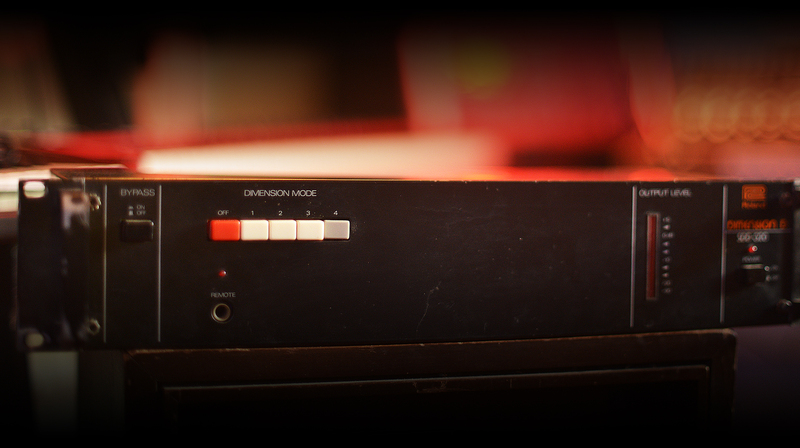
Undoubtedly one of the standout features of Chorus DIMENSION-D is the simple 4-mode operation. No menu-diving, no in-depth parameter tweaking.
Modes 1-3 offer fixed variations on modulation rate and depth. Mode 4 can then be used in conjunction with 1-3 for increased wet signal level. Instant analogue chorus, from soft shimmer to animated waviness.
Choose from a selection of 8 curated presets for a taste of the iconic sounds that put this effect on the map.
A Touch of Colour
The idea behind the chorus effect is simple; the pitch of your signal is modulated by an LFO and mixed in with your dry sound. Chorus DIMENSION-D represents a unique take on this concept, not only altering the stereo spread of the modulated/dry signals, but colouring the sound in its own distinct way.
A common and much-loved side effect of BBD circuitry is the warm, smooth character of the output signal. In addition, a built-in compressor/expander feature discretely alters the saturation and dynamic response of your sound. This emulation simply wouldn’t be the same without these subtleties - so Arturia incorporated them into the process from day one.
This is no ordinary transparent chorus - this is the sonic spark you’ve been looking for.
Multi-dimensional
While Chorus DIMENSION-D’s beauty lies in its simple operation, Arturia have added a few optional enhancements. Make this legendary modulation effect your own...
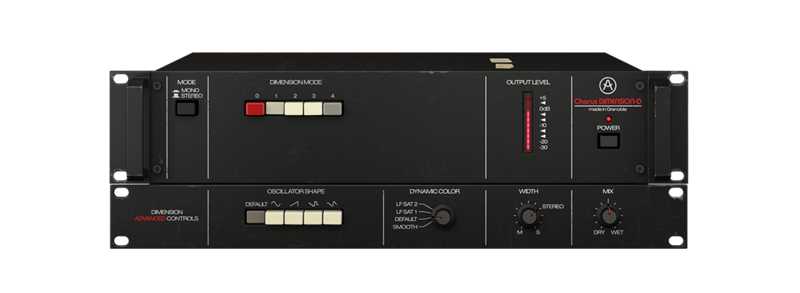
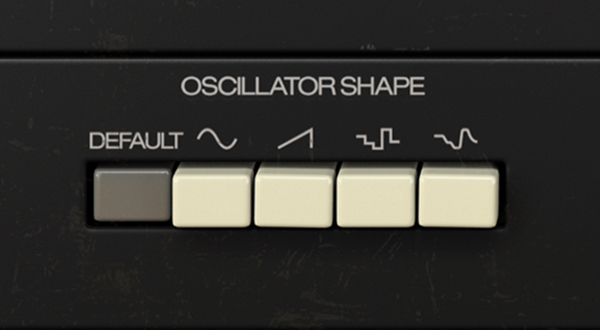
- Oscillator Shape: Choose from 5 LFO shapes for unique stereo movement; triangle (default), sine, ramp, sample & hold, and sample & glide. Perfect for adding movement to static pads or backing vocals.
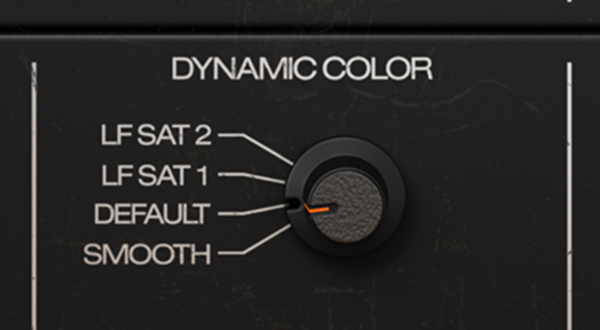
- Dynamic Colour: Manipulate the unique compressor/expander algorithm for subtle variations in attack, decay and grit on the output signal. Try it on a punchy drum loop or popping guitar line to hear the fine changes in saturation and dynamics.
- Plugin Modes: Operate Chorus DIMENSION-D in mono, mono to stereo, or full stereo mode - make it as simple, authentic, or comprehensive as you want.
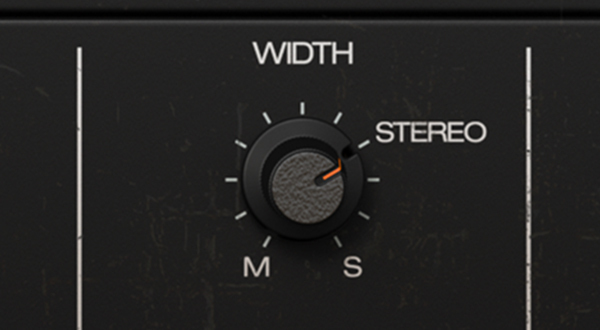
- Stereo Width: Shrink the stereo spread or stretch it beyond 100% with the Width control, which cuts or boosts the left/right levels. Crank it to the max for head-spinning immersion.
- Wet/Dry Mix: A familiar control for modulation and ambient effects, added for you to adapt Chorus DIMENSION-D to your own creative needs.
Animate your DAW with Colourful Modulation
Whether you're going for psychedelic sound design, warm analogue response, or straight-up stereo richness, this modulation FX will fit seamlessly into any setup or mix. These plugins are designed to integrate with all major DAWs, on both Windows and macOS.
Features
- Instant, easy to use classic chorus with 4 modes and enhanced controls.
- Ultra-simple 4-button operation.
- Perfectly emulated BBD response for coveted warm sound.
- Replicated analogue compression, filtering and expansion detail.
- Mono and stereo plugin modes.
- Arturia's advanced features enhancing the original unit:
- Choose from 4 additional oscillator (LFO) shapes.
- Dynamic Colour control subtly tweaks the saturation and tonal response.
- Stereo Width parameter gives you more control over the left/right crossmix.
- Emulated Send Mode and dry/wet mix control options.
- A selection of 8 curated presets for instant iconic modulation sounds.
System Requirements
- Works in VST, AAX, Audio Unit, NKS (64-bit DAWs only).
Mac
- Mac OS 10.13+
- 4 GB RAM
- 4 cores CPU, 3.4 GHz (4.0 GHz Turbo-boost) or Apple Silicon CPU
- 1GB free hard disk space
- OpenGL 2.0 compatible GPU
Windows
- Win 10+ (64bit)
- 4 GB RAM
- 4 cores CPU, 3.4 GHz (4.0 GHz Turbo-boost)
- 1GB free hard disk space
- OpenGL 2.0 compatible GPU
- ARM processors not supported on Windows
Protection
All Arturia software is protected by the Arturia Software Center.
Max Mitchell
Keyboardist / Producer
"The subtle widening of the Dimension D has always been one of my favourite effects, and Arturia nailed it"
Cecil Bartlett
Producer / Mixer / Engineer | PJ Harvey / Alanis Morrisette
"Dimemsion D Chorus, what more can I say. It sounds like the real deal with the added bonus of having a wet dry control. Absolute winner."
Jacob Wilkinson-Smith
Producer / Recording Engineer | Travis Scott
"A perfect combination is the CS80 V with the Chorus Dimension D "Glitchy Vibe" preset on top. It's put's a modern twist on a classic synth."


