


 Log In

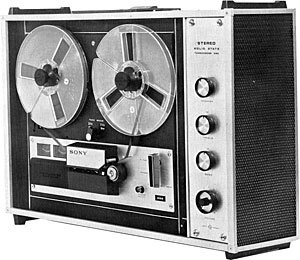
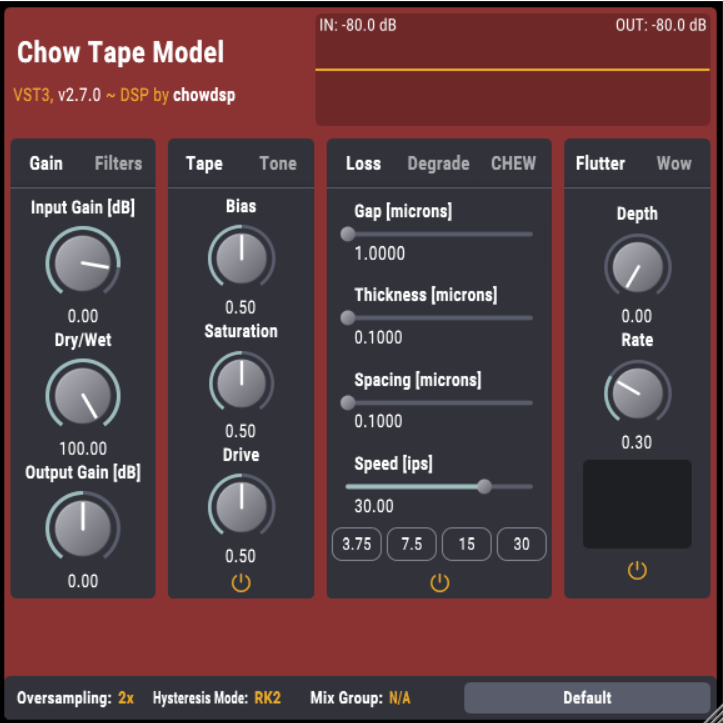
CHOW Tape Model is an analog tape machine physical model originally based on the Sony TC-260, implemented as an audio plugin. The physical model was described in a paper presented at the 2019 DAFx conference. This work began as part of a class project for Music 420 at Stanford University (CCRMA).
As well as a tool for mixing engineers and producers, CHOW Tape Model is a research project on developing physics-based models of analog tape emulation.
CHOW Tape is currently available in the following plugin formats:
- VST
- VST3
- AU
- LV2
- Standalone plugin
System Requirements
Mac
- macOS 10.12 Sierra or newer (Intel / M1 Apple Silicon supported)
- Minimum 4 GB of RAM
- VST-compatible or AU-compatible plugin host
Windows
- Windows 7 or newer
- Minimum 4 GB of RAM
- VST-compatible plugin host

Reviews Summary
While it aims to provide a helpful overview, it may not capture every perspective or detail. We encourage you to read individual reviews to make an informed decision.
This free tape emulation plugin is highly praised for adding warmth, color, and fullness to mixes, vocals, and LoFi beats, with many users noting it outperforms paid alternatives. While the majority of reviewers find it easy to use and effective, some minor criticisms include subpar presets and a slightly clunky interface.


