/ Synth Presets / Diva Expansion Pack: Lo-Fi Dreams
Plugin Boutique Presets

Diva Expansion Pack: Lo-Fi Dreams

4.7 (440 Reviews)
$5.00 $19.00

73% off until Dec 08

Main Image
Main Image
Diva Expansion Pack: Lo-Fi Dreams - Square
Diva Expansion Pack: Lo-Fi Dreams - Main
Buy Now
Product information

Plugin Boutique presents Diva Expansion Pack: Lo-Fi Dreams

Diva Expansion Pack: Lo-Fi Dreams contains 64 expertly crafted presets to allow you to create unique, expressive and colourful shades of lo-fi music.

From the deepest regions of outer bass to the twinkling heights of bell heaven, this masterfully realised preset collection has all you need to create nostalgia-filled lo-fi.

Dreamy, sun-drenched psychedelia with stoned synths, woozy pads and quirky leads combine with sounds that might as well have been recorded in nature - organic and alive. This diverse selection of sounds will fit perfectly in chillwave, indietronica, electronica and anything else where some of that elusive extra vibe is needed.

Features

  • 8 Arps
  • 7 Bells
  • 8 Basses
  • 4 Drums
  • 4 FX
  • 7 Keys
  • 7 Leads
  • 9 Pads
  • 4 Plucks
  • 6 Synths

System Requirements

Installation Instructions

Please Note: AZS Transitions Vol.1 is used as an example.

Mac

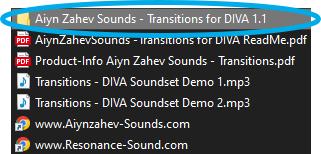
1. Download the preset pack from within your Plugin Boutique User Account > double-click the .zip file to extract the contents.

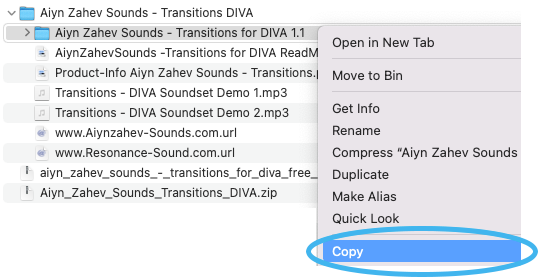
2. Locate the extracted folder that contains the .h2p files > Right-click the folder and click 'Copy'.

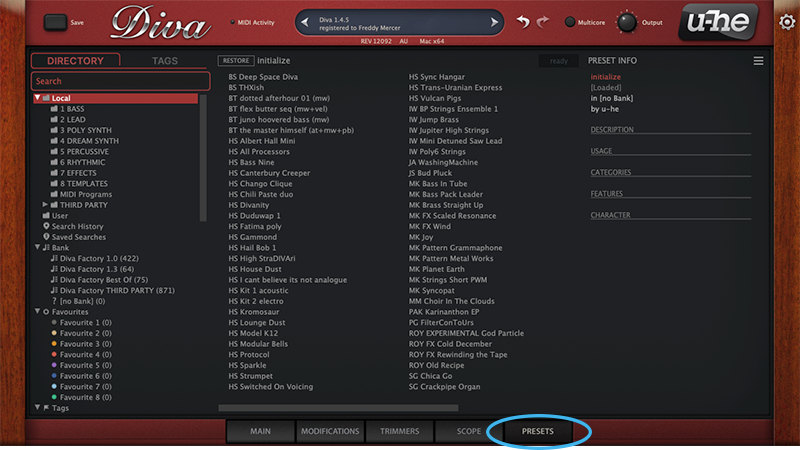
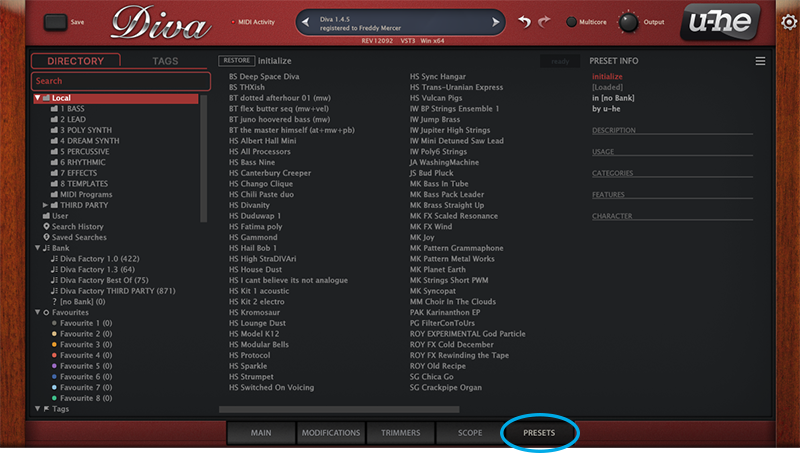
3. Open your DAW > Launch DIVA > Click the 'PRESETS' tab.

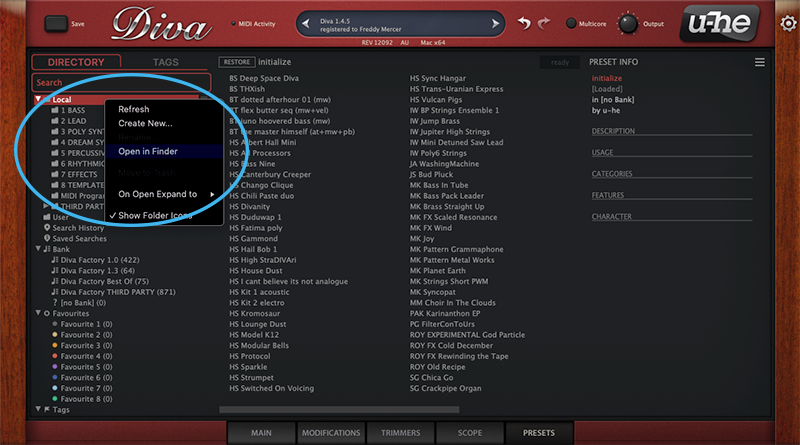
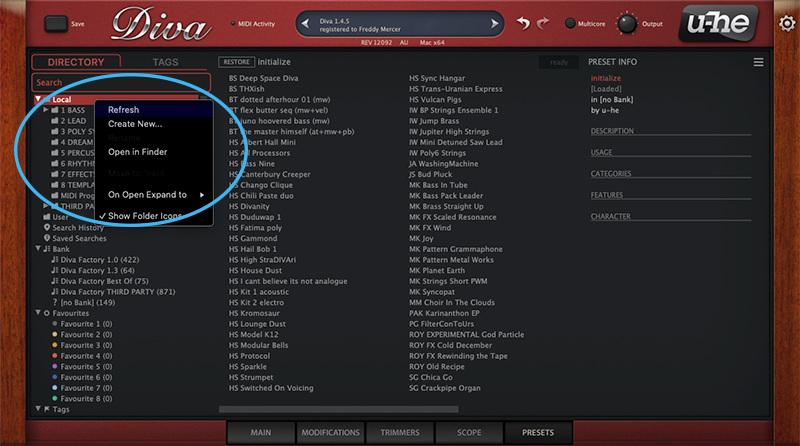
4. Navigate to 'Local' > Right-click the folder > Click 'Open in finder'.

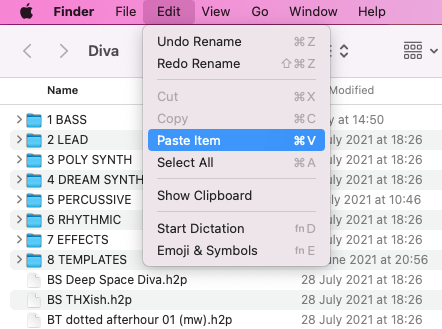
5. The presets folder will be automatically opened > Click 'Edit' from the toolbar > Select 'Paste Item'.

6. Navigate back to DIVA > Right-click 'Local' > Select 'Refresh'.

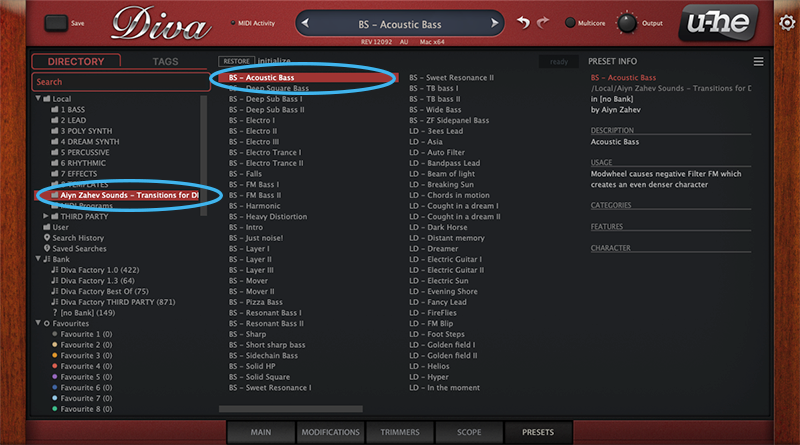
7. The preset pack is now installed > Select the preset pack folder from the left-hand menu > Select your desired patch.

Your presets are now installed and ready to use.

Windows

1. Download the preset pack from within your Plugin Boutique User Account > double-click the .zip file to extract the contents.

2. Locate the extracted folder that contains the .h2p files > Right-click the folder and click 'Copy'.

3. Open your DAW > Launch DIVA > Click the 'PRESETS' tab.

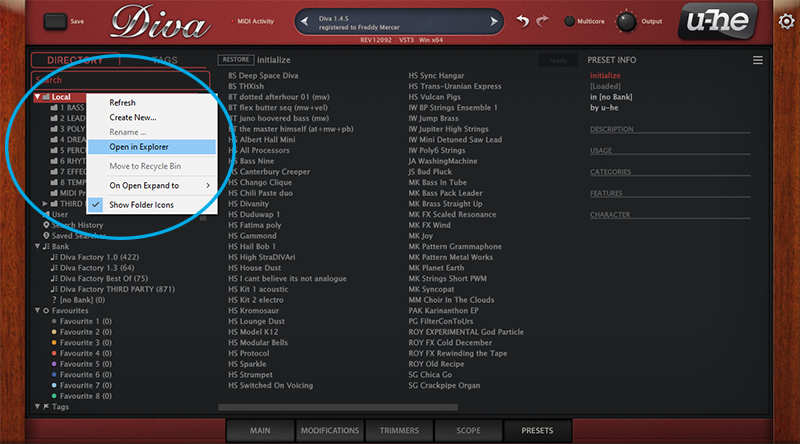
4. Navigate to 'Local' > Right-click the folder > Click 'Open in explorer'.

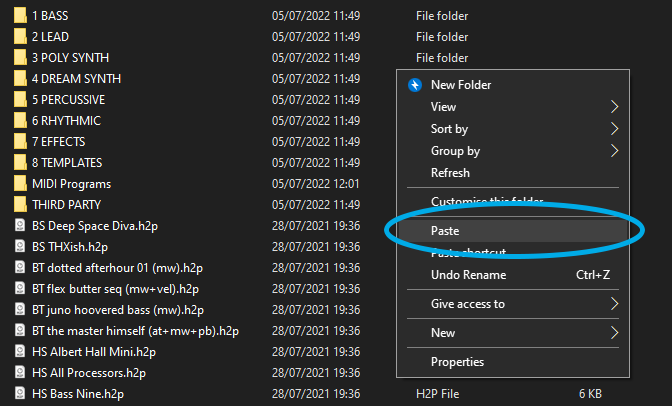
5. The presets folder will be automatically opened > Right-click and select 'Paste'.

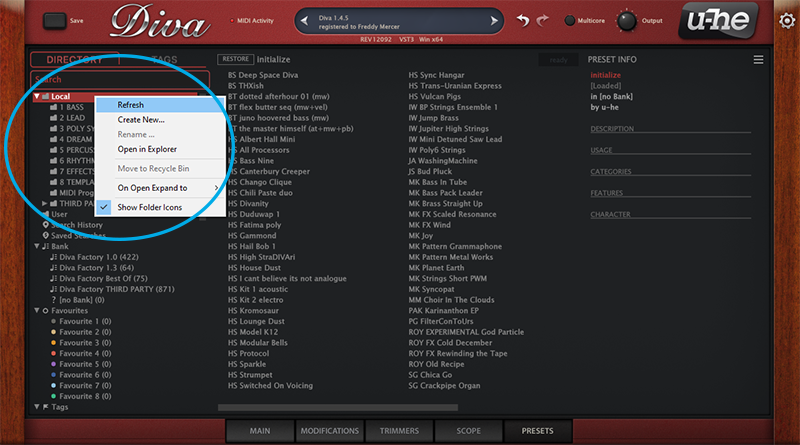
6. Navigate back to DIVA > Right-click 'Local' > Select 'Refresh'.

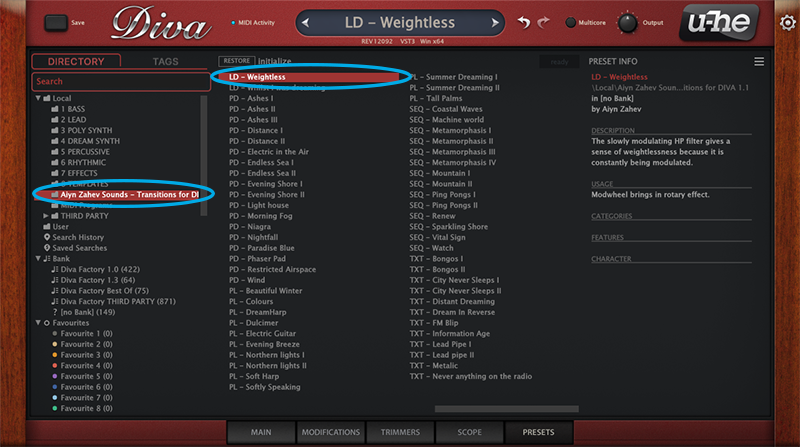
7. The preset pack is now installed > Select the preset pack folder from the left-hand menu > Select your desired patch.

Your presets are now installed and ready to use.

Bundle & Save

Diva Expansions Bundle
$12.00
$39.00 (69% off)
u-he Diva + Expansions Bundle
$188.99

Plugin Boutique Rewards

Discover the most rewarding loyalty programme among all plugin retailers.

  • Free Loopmasters Samplepacks
  • Discounts on products and courses
  • Extra Virtual Cash claimed immediately at checkout
Find out more

Follow us:

X (Twitter) Facebook YouTube Instagram
Logo Logo

Plugin Boutique Limited, Part of the Beatport Group LLC.

Copyright © 2011-2025 Plugin Boutique. All rights reserved