/ Filter / Rift Filter Lite
Minimal Audio

Rift Filter Lite

4.5 (2971 Reviews)
$14.50 $29.00

50% off until Dec 07

Minimal Audio Rift Filter Lite - UI
Rift Filter Lite - by Minimal Audio gallery thumbnail
Minimal Audio Rift Filter Lite - UI 2
Buy Now
Product information

Next-Gen Morphing Filter

Powerful. Minimal. Compact.

Experience a whole new approach to filter design. Choose from 24 state-of-the art filters and manipulate them like never before. Explore new types of morphing, vowel, phaser, peaking filters, and more.
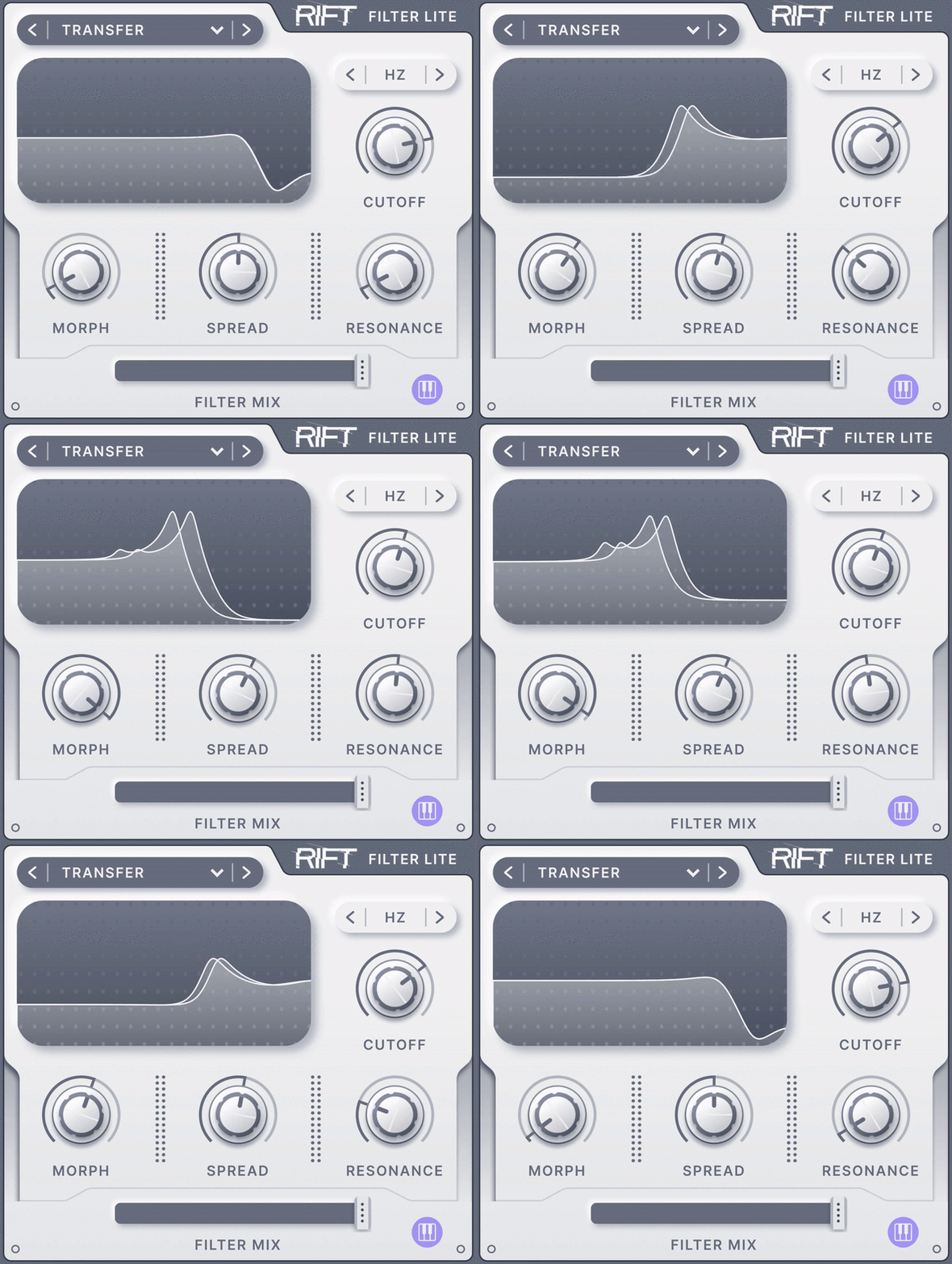
Transform your sounds with precision.

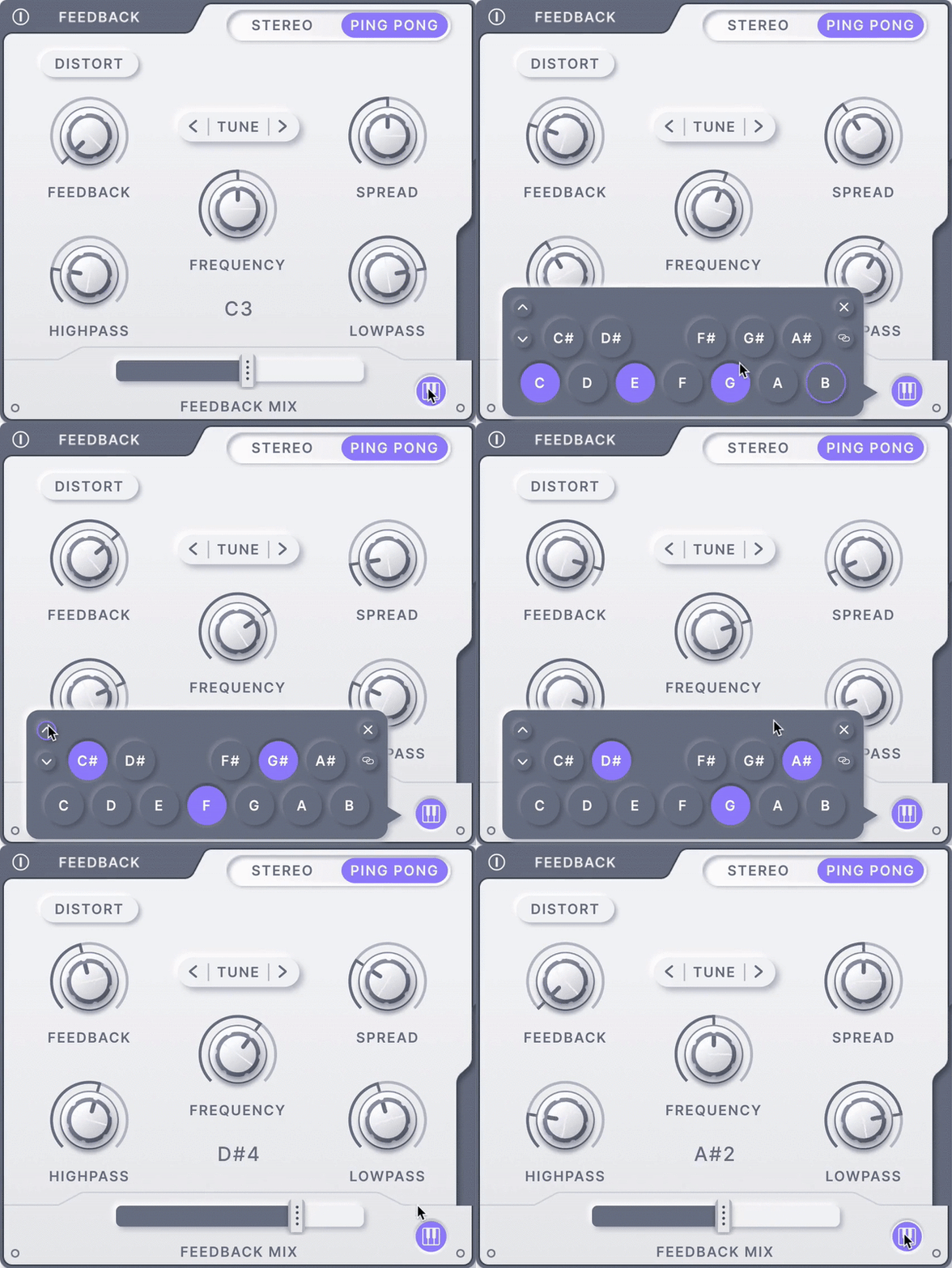
Sculpt jaw-dropping movement with morph and stereo spread controls. Intuitive pitch snapping, transposition, and MIDI tracking make Rift Filter Lite the most flexible filter on the market.
Features

  • 24 unique filter types, including morphing, vowel, phaser, and more
  • Incredible morph control over filter shapes
  • Create huge stereo effects with stereo spread control
  • Set the filter’s cutoff to key track along to incoming MIDI notes
  • Create musical resonance effects with easy-to-use pitch snapping
  • See your filter in stereo with crystal-clear visual feedback.
  • Get the perfect balance with global dry wet control
  • Low CPU and a beautiful interface 

System Requirements

  • AU, VST, VST3 and AAX (64-bit only)
  • macOS 10.9 or higher
  • Windows 10

Note: An internet connection is required for activation.
Installation Instructions

Important Note: Minimal Audio - Rift is used as an example.

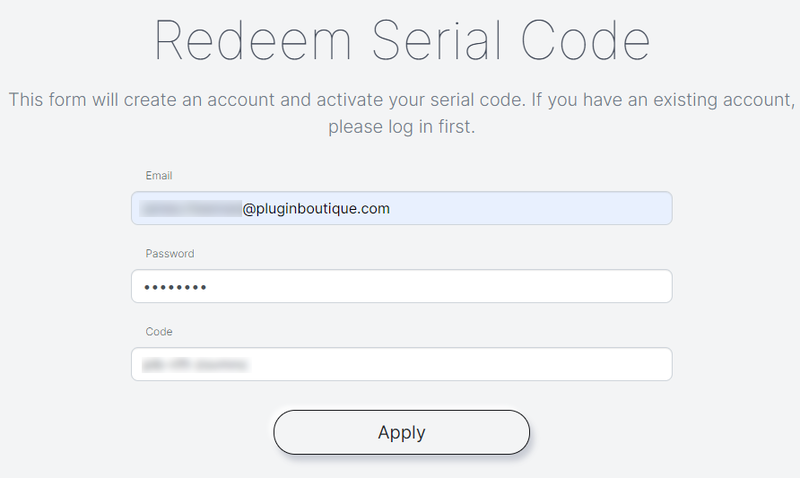
Serial Code Redemption

1. Visit https://www.minimal.audio/activations/new

2. Enter email address & password into the corresponding areas.

N.B if you do not already have a Minimal Audio account then you can still use this form to create one.

3. Enter redemption code, which is available within your Plugin Boutique User Account > Click the 'Apply' Button.

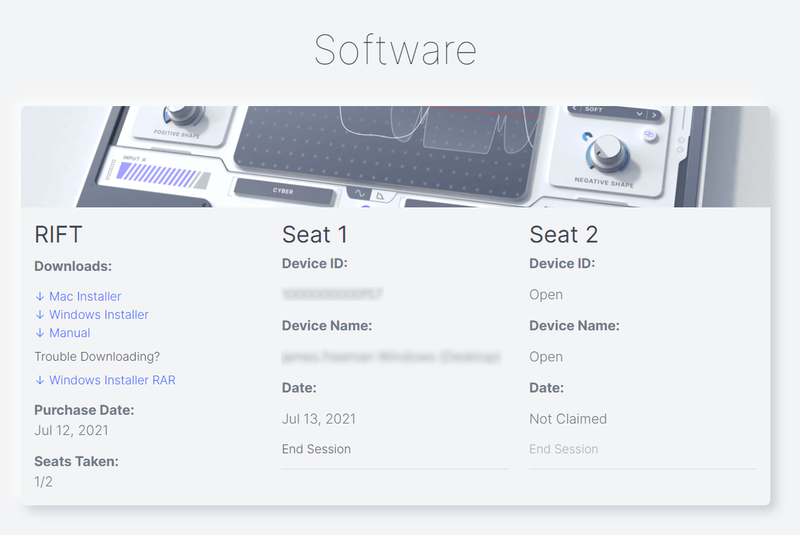
4. Scroll down to 'Software' and locate the 'Downloads' section > Click to download the correct installer file.

Windows Installation & Activation

1. Open the installer .exe file and allow the app to make changes to your device.

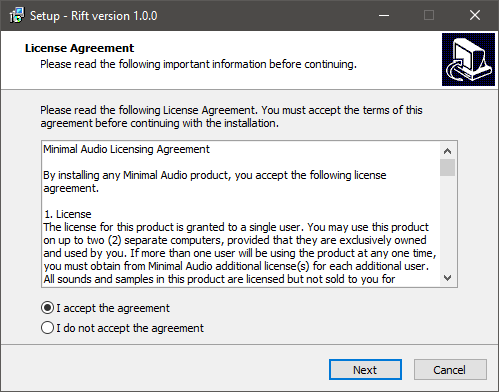
2. Select 'I accept the agreement' > Click 'Next'.

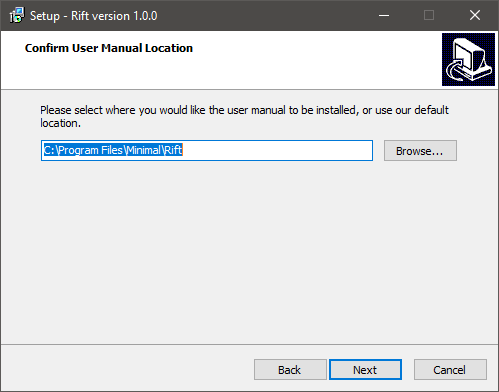
3. Confirm the location of the User Manual > Click 'Next'.

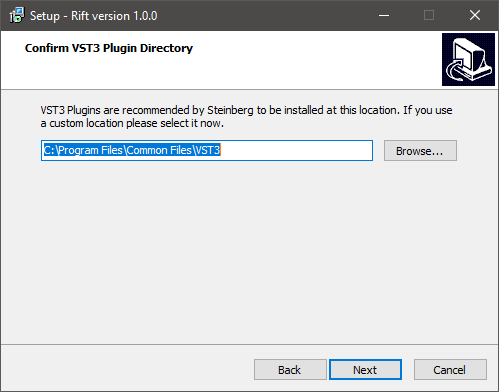
4. Confirm the location of your VST3 Plugin Directory > Click 'Next'.

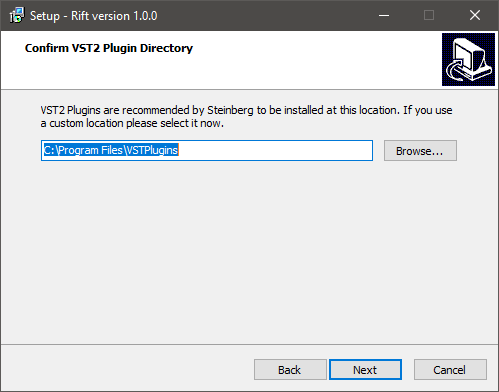
5. Confirm the location of your VST2 Plugin Directory > Click 'Next'.

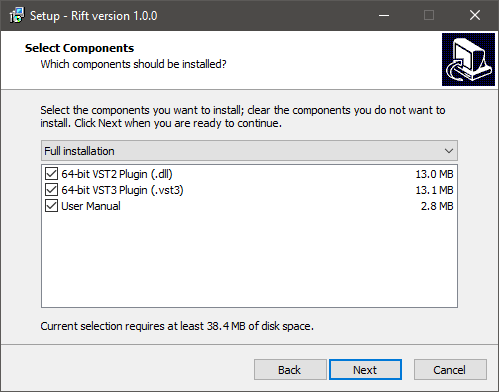
6. Select components to be installed > Click 'Next'.

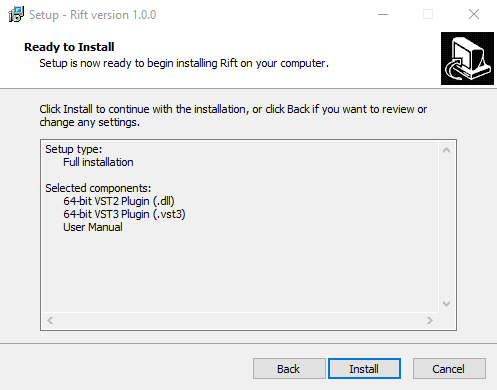
7. Click 'Install'.

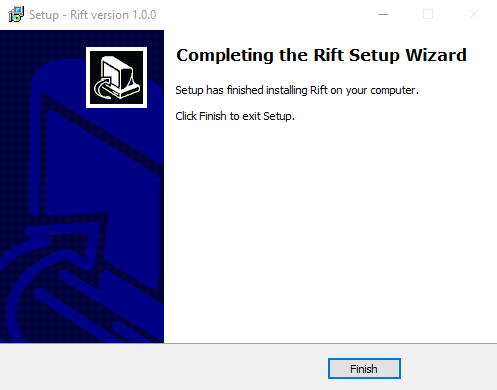
8. Click 'Finish'.

9. Open the plugin inside of your DAW. If the is not showing, rescan your list of plugins in your DAW.

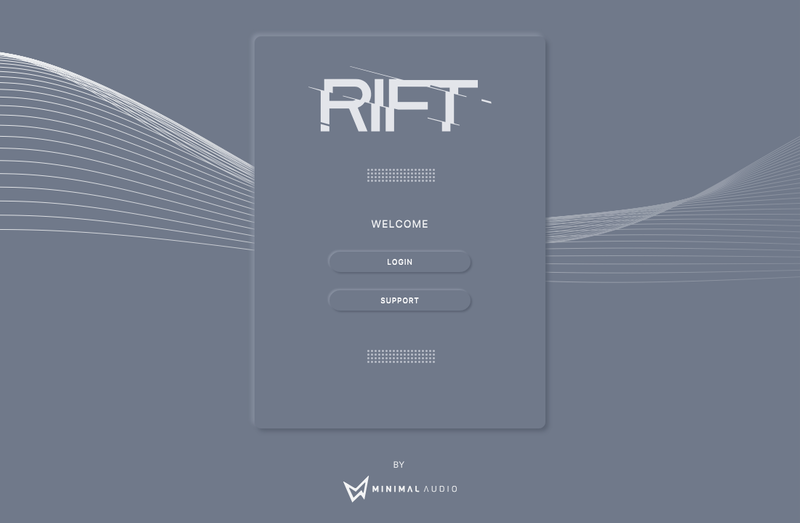
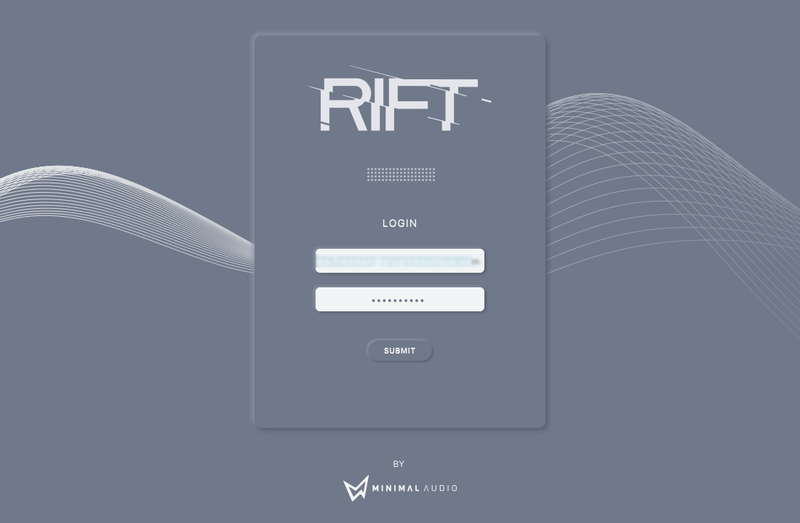
10. Click 'Login' > Enter the details of your Minimal Audio account > Click 'Submit'.

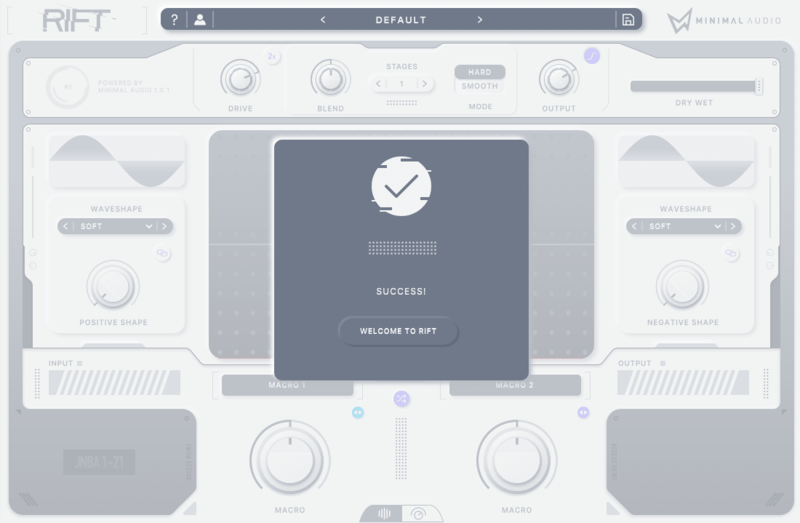
Your software is now activated and ready to use inside of your DAW!

Mac Installation & Activation

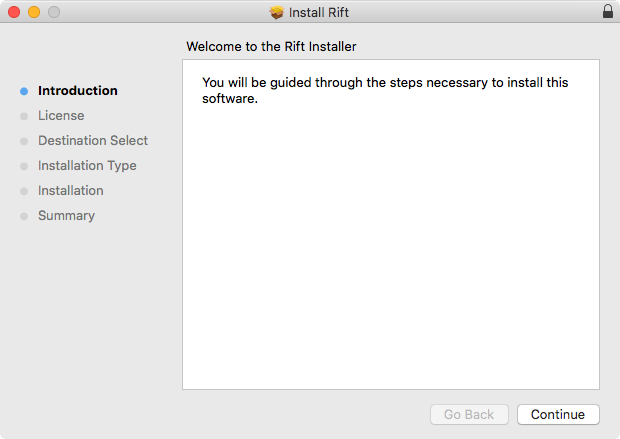
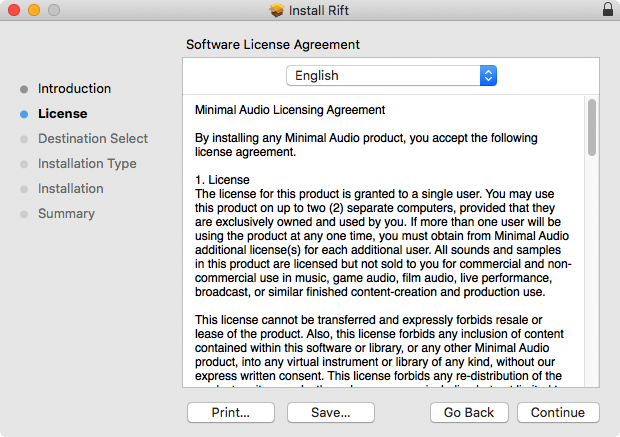
1. Open the installer .pkg file > Click 'Continue'.

2. Read the software Licence Agreement > Click 'Continue'.

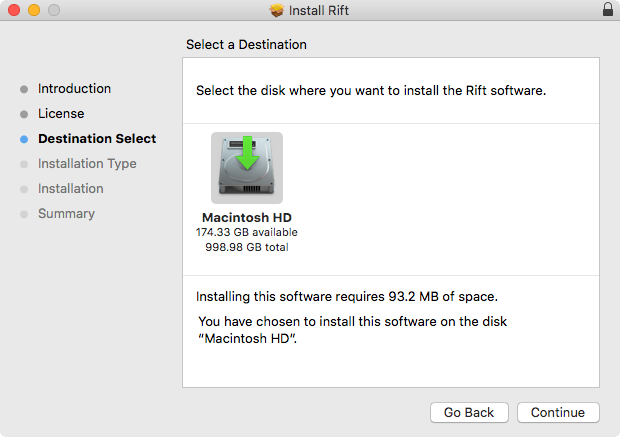
3. Select the disk location you wish to install software on > Click 'Continue'.

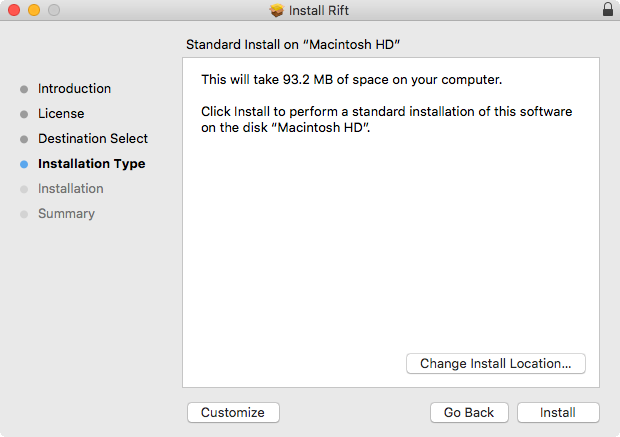
4. Click 'Install' > Enter system password.

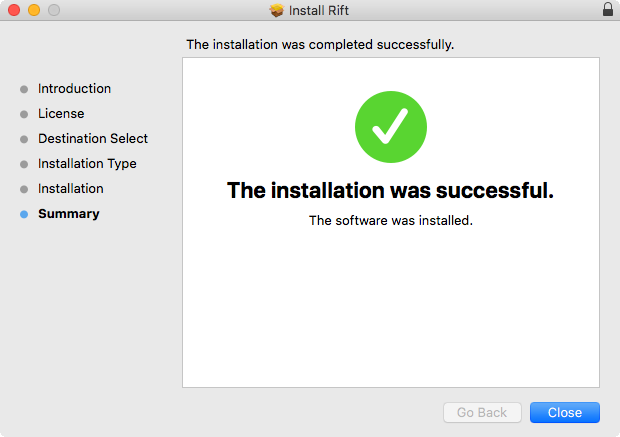
5. The software has now been installed > Click 'Close'.

6. Open the plugin inside of your DAW. If it is not showing, rescan your list of plugins in your DAW.

7. Click 'Login' > Enter the details of your Minimal Audio account > Click 'Submit'.

Your software is now activated and ready to use inside of your DAW!

Plugin Boutique Rewards

Discover the most rewarding loyalty programme among all plugin retailers.

  • Free Loopmasters Samplepacks
  • Discounts on products and courses
  • Extra Virtual Cash claimed immediately at checkout
Find out more

Follow us:

X (Twitter) Facebook YouTube Instagram
Logo Logo

Plugin Boutique Limited, Part of the Beatport Group LLC.

Copyright © 2011-2025 Plugin Boutique. All rights reserved