/ Saturation / MIA Thin
MIA Laboratories

MIA Thin

4.4 (90 Reviews)
FREE
MIA Laboratories MIA Thin
MIA Laboratories MIA Thin - Box Image
MIA Laboratories - Fat, Thin, Muscle gallery thumbnail
Product information

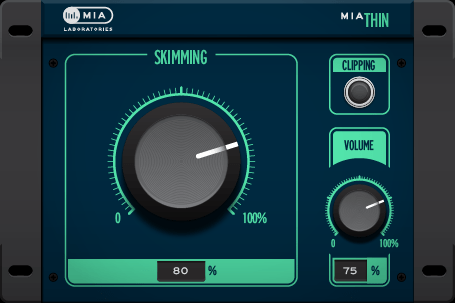
One knob away from your desired outcome!

Add to taste - You can’t go wrong!

The most delicate member of the group, adds brilliance without harshness.

Recommended for dull sounds, will make them louder on smaller systems such as laptops, phones etc.

Dull sounding material becomes eloquently more defined especially on smaller systems such as laptops, smartphones, headphones etc.

Lift up that track and give it some ethereal essence.

Features

  • Lift up that track and give it some ethereal essence.
  • Recommended for material that may sound dull.

System Requirements

Mac

  • macOS 10.7 - 11.6 (Intel only) (64-bit only)
  • AAX, AudioUnit, VST 2
  • No iLok required

Windows

  • Windows 7, 8, 10 (64-bit only)
  • AAX, VST 2
  • No iLok required

Supported Plugin Hosts:

  • Ableton Live 9+
  • Cubase 5+
  • FL Studio
  • Logic Pro X
  • Pro Tools 11+
  • REAPER 5+
  • Studio One
Installation Instructions
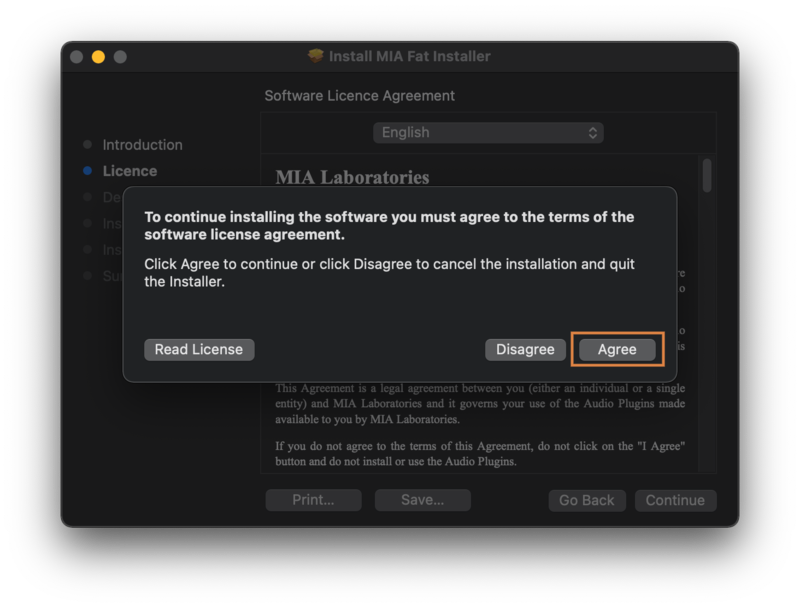
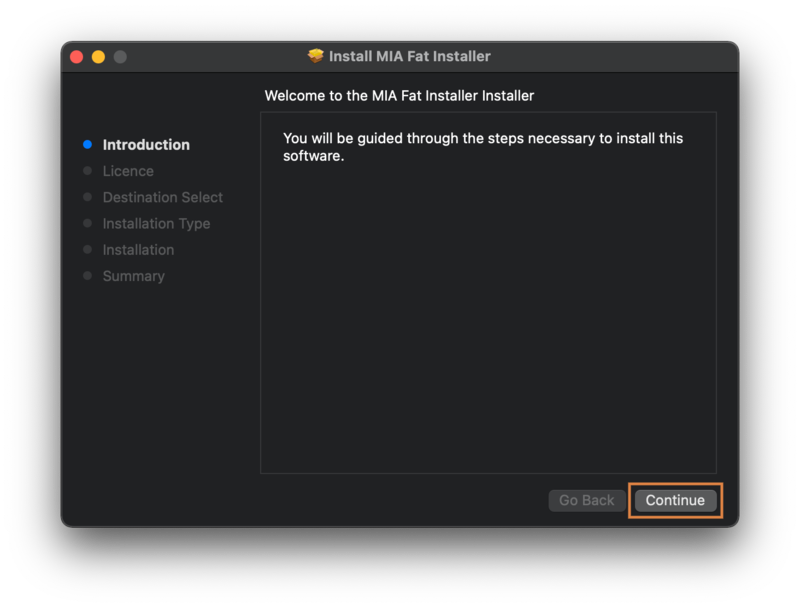
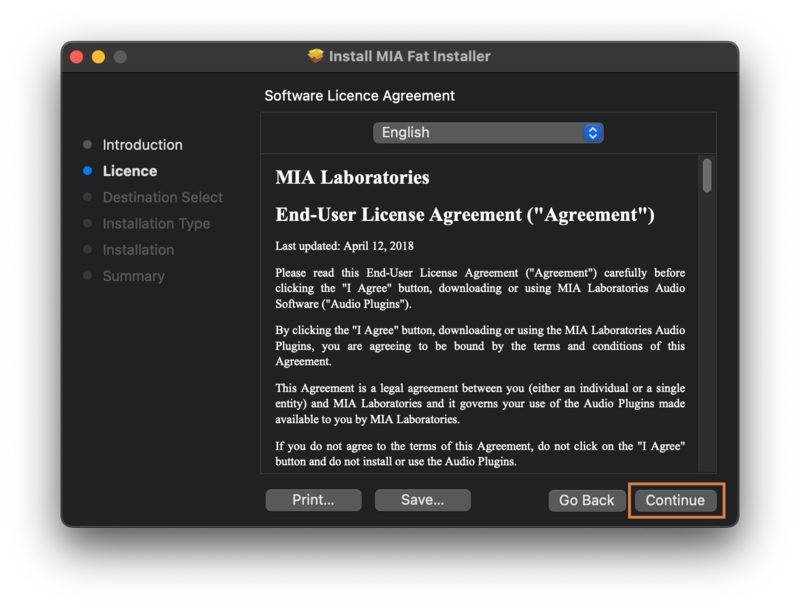
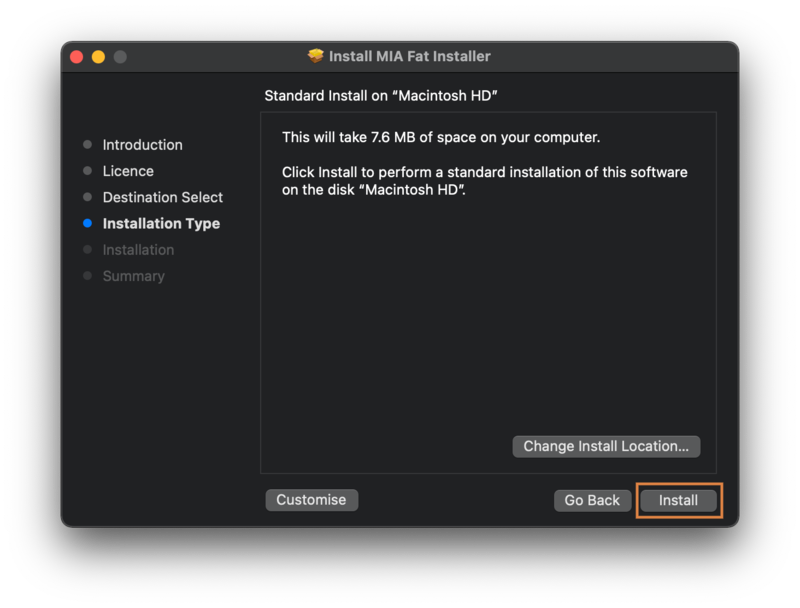
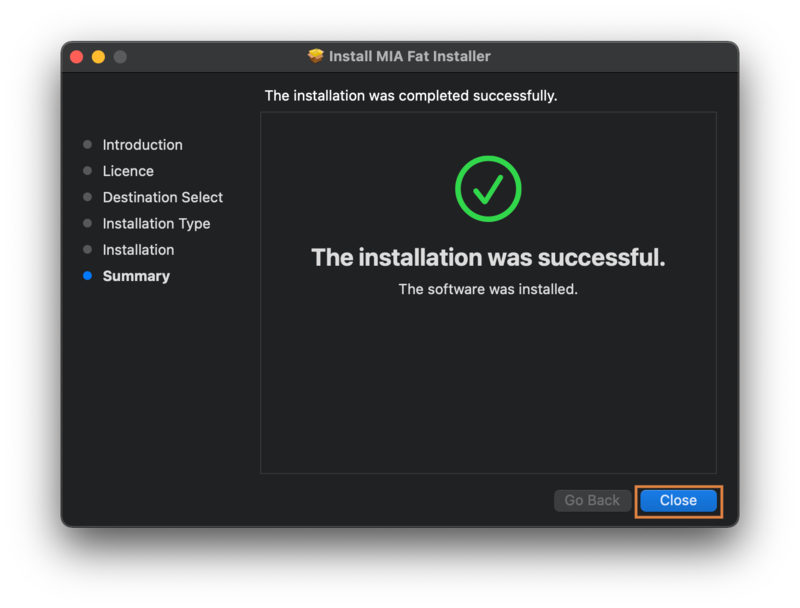
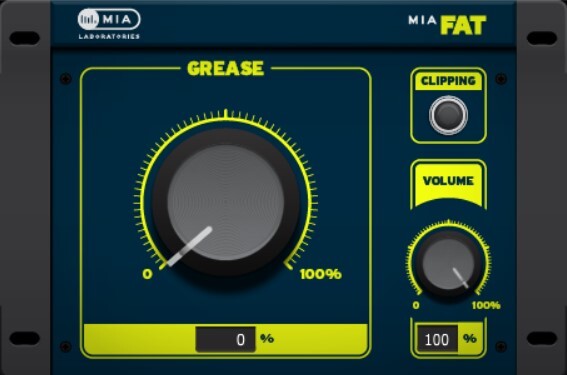
Please Note: MIA Fat is used as an example.

Mac Installation

1. Download the product installer from the FREE PRODUCTS of your Plugin Boutique Account.

2. Double-click the .pkg file to begin the installation > click 'Continue'.

3. Read through the license agreement > click 'Continue' > click 'Agree'.

4. Select your preferred installation location > click 'Install'.

5. Click 'Close' to finish the installation process.

Your software is now ready to use within your DAW!

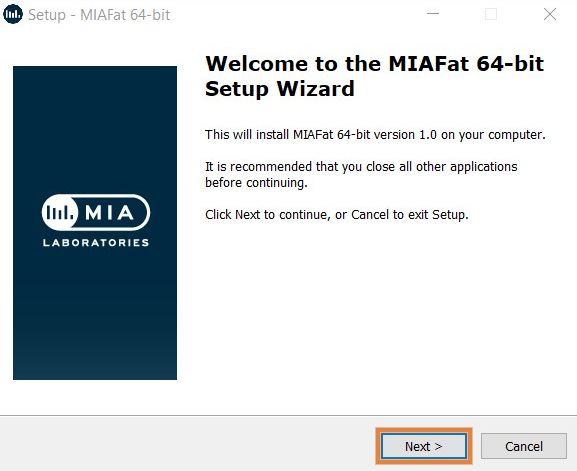
Windows Installation

1. Download the product installer from the FREE PRODUCTS of your Plugin Boutique Account.

2. Double-click the .exe file to begin the installation > click 'Next'.

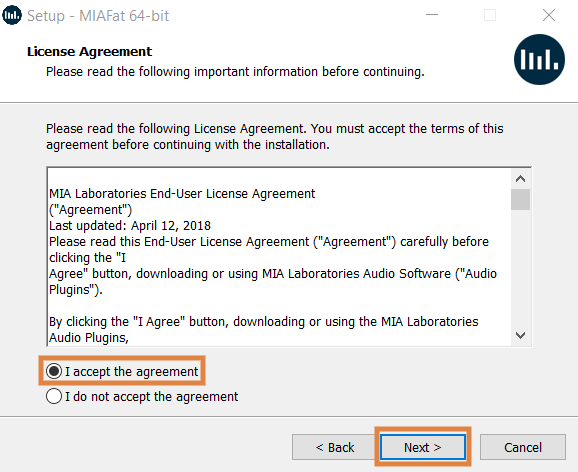
3. Read through the license agreement > click 'I accept the agreement' > click 'Next'.

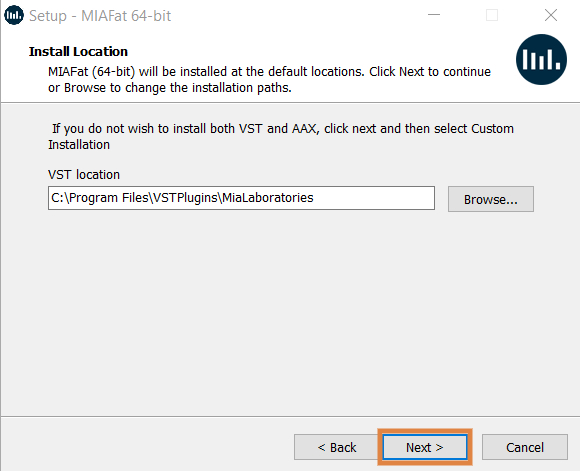
4. Select your preferred VST installation location > click 'Next'.

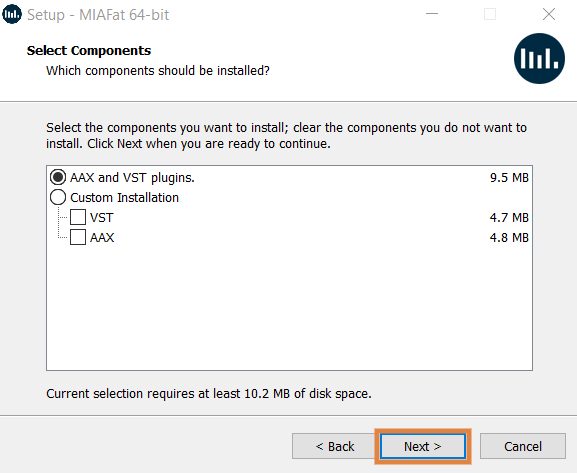
5. Select the components you would like to install > click 'Next'.

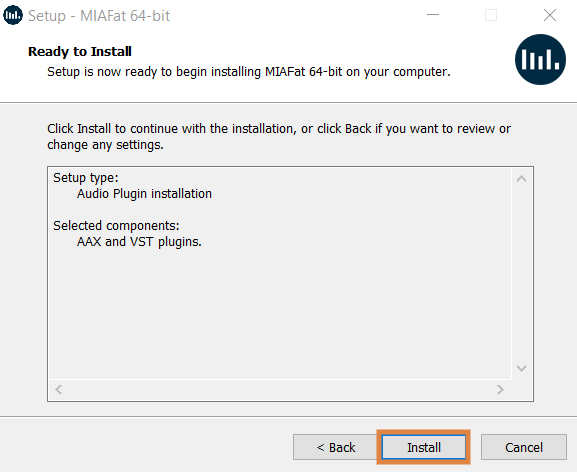
6. Check the details and click 'Install'.

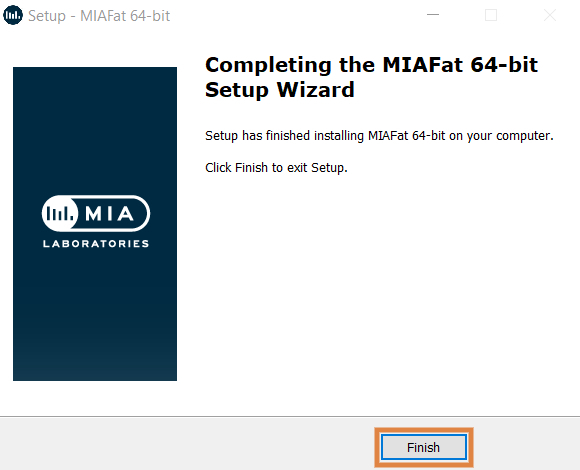
7. Click 'Finish' to close the installation window.

Your software is now ready to use within your DAW!

Plugin Boutique Rewards

Discover the most rewarding loyalty programme among all plugin retailers.

  • Free Loopmasters Samplepacks
  • Discounts on products and courses
  • Extra Virtual Cash claimed immediately at checkout
Find out more

Follow us:

X (Twitter) Facebook YouTube Instagram
Logo Logo

Plugin Boutique Limited, Part of the Beatport Group LLC.

Copyright © 2011-2025 Plugin Boutique. All rights reserved