


 Log In

Free gifts available with your purchase
A Mighty Collection of Guitar Amps and Distortion Pedals
The coolest collection of guitar amps and distortion pedals. It's a dream come true for every guitar tone tweak-freak. Use MeldaProduction's amps, tweak them the way you want or create amps even the manufacturers wouldn't dare to make. There are absolutely no limits.
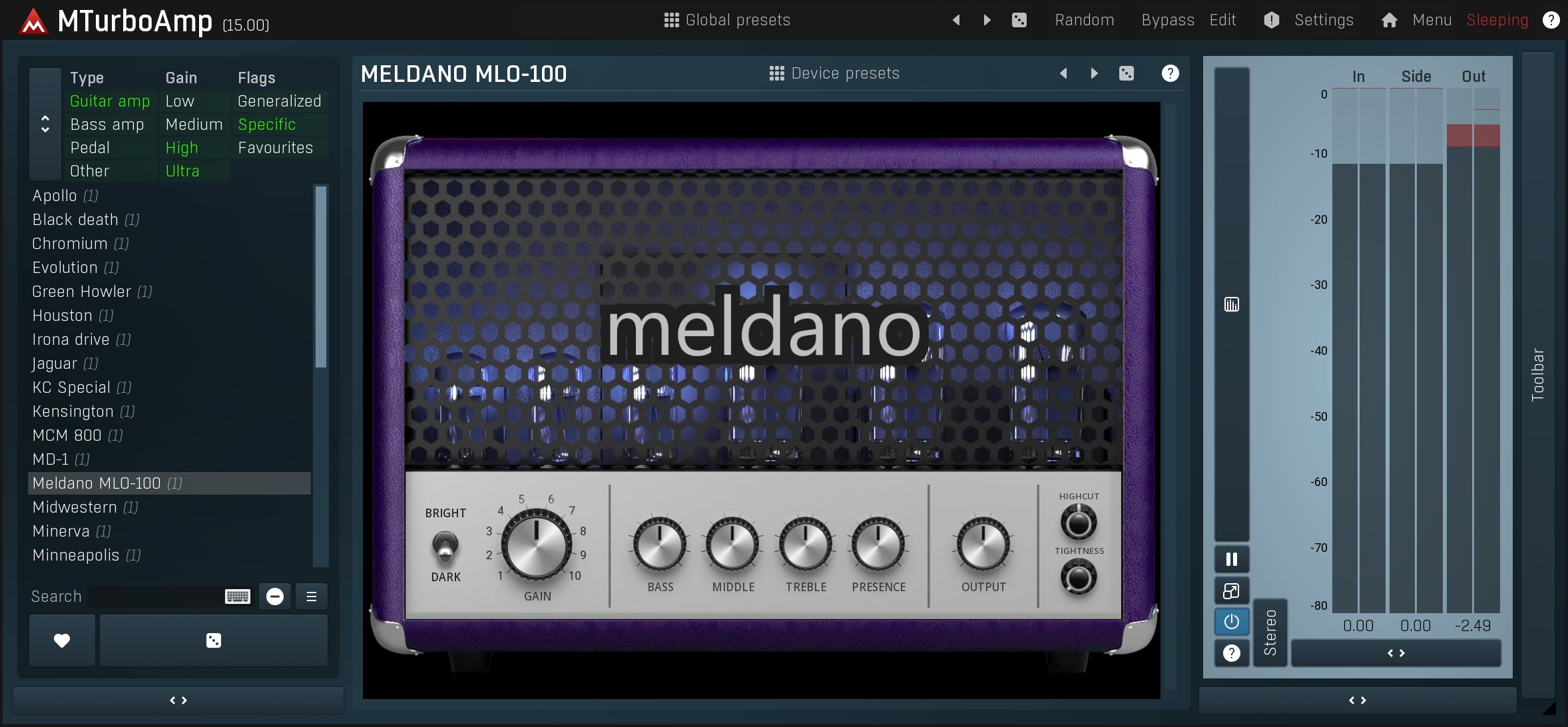
30+ Devices
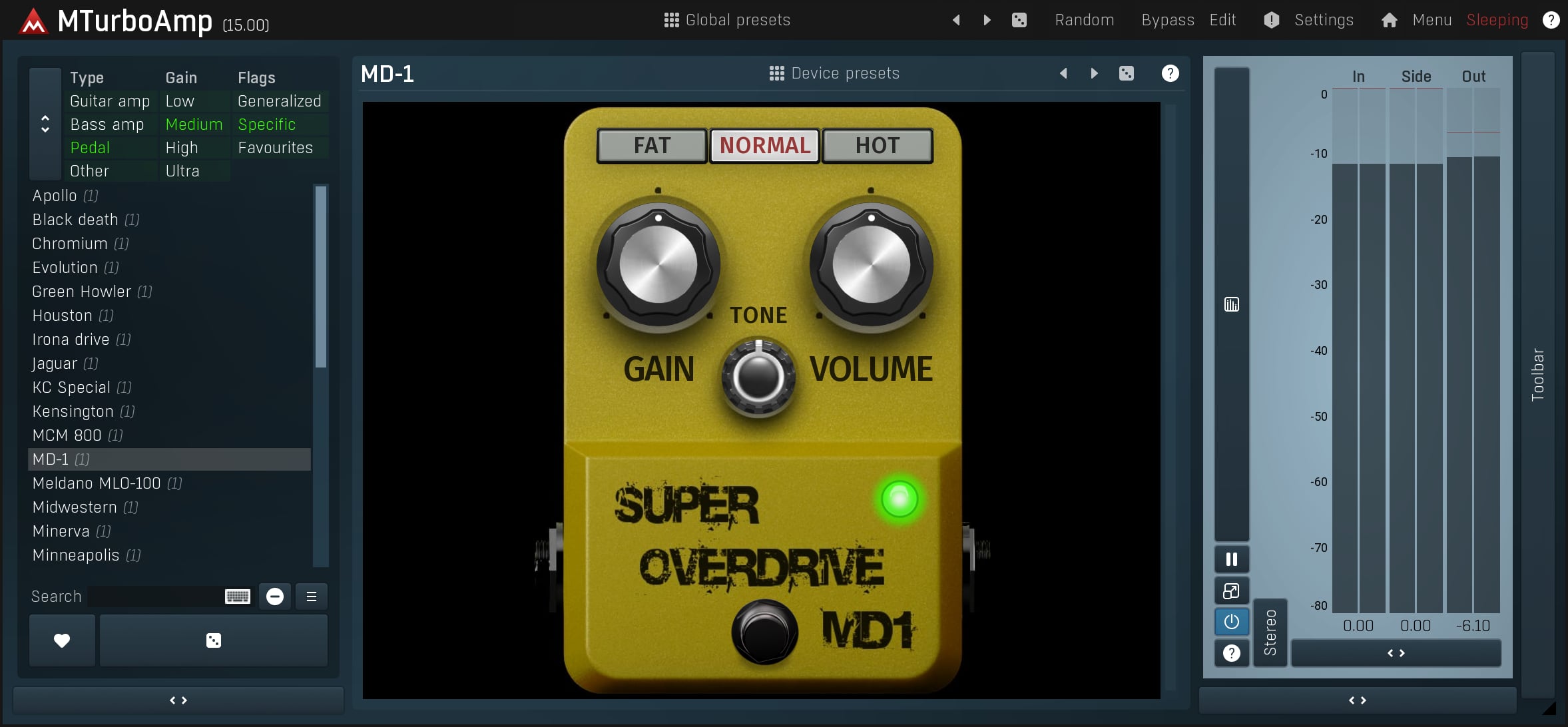
MTurboAmp comes with almost 30 amp heads and a dozen distortion pedals. But this number will constantly change - with every release - because MeldaProduction don't stop working on new devices.
Detailed Editing
MTurboAmp doesn't stop at simple amp-knob turning. You can access any model's insides and change the settings of any parameter. Your mouse is a virtual soldering iron. Change the EQs' base frequencies, ranges, and gains. Small tweaks may create big differences.
Design Your Own Amps
And you can also create your own amps and distortion pedals from a scratch. Think about the classic designs and what you would do differently than the manufacturers. Use your imagination to create original amps like no others. There's nothing that can stop your imagination.
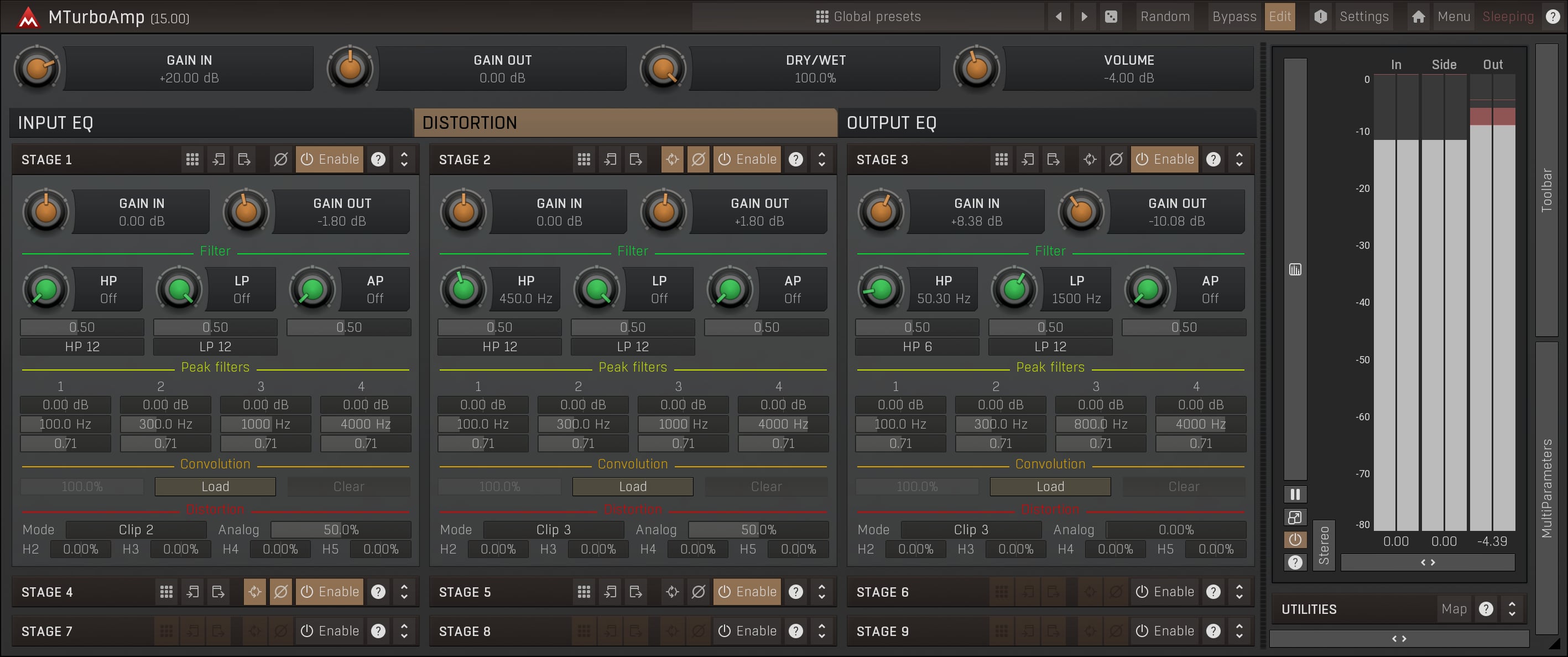
The Components
To create your virtual amps you may use two advanced ten-band dynamic EQs (for in and out) with hi-pass and low pass filters. But the core of the amp module creation is up to a nine-stage distortion creator.
Custom GUI Designer
Your amp creations need a decent look. No matter if you are fond of traditional looks or experimental ones. The Custom GUI Designer lets you create a device of your choice - including any types of knobs, switches, LEDs, sliders, or buttons. Predesigned or imported. Your choice.
System Requirements
Windows
- Windows 8 / 10 / 11 (64-bit)
- VST / VST3 / AAX compatible host (64-bit)
- Intel/AMD processor with SSE2 support
macOS
- macOS 10.14 and newer (64-bit)
- VST / VST3 / AU / AAX compatible host
- Intel/AMD/M1 processor with SSE2 support
- Native Apple Silicon ARM CPU support
Note: Please check your product PDF documentation for more information and installation instructions.
Mark Wingfield
Guitarist and composer based in the UK.
"As a connoisseur of guitar tones I've been very impressed by MTurboAmp. The flexibility is head and shoulders above anything else I've seen."
Scott Yahney
New York-based producer, writer and keyboard player.
"A super versatile "all-in-one" killer amp plugin!!!"
Eddie Grey
Composer and Producer in the Los Angeles area.
"The realism of this is INSANE and unparalleled. Combine MTurboAmp with MCabinetMB and you will get a legitimate guitar sound for all genres."









