/ Reverb / Esmeralda
Ear Candy Technologies

Esmeralda

4.1 (89 Reviews)
FREE
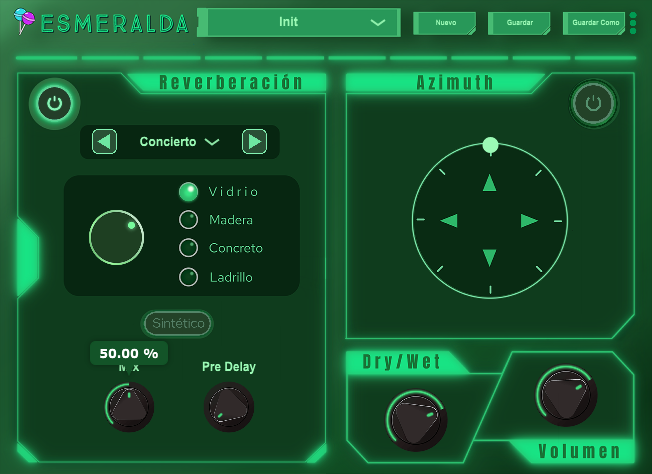
Ear Candy Technologies Esmeralda - GUI
Ear Candy Technologies Esmeralda - Introduction Video gallery thumbnail
Product information

The Place Your Sound Deserves

Spatialize Your Sound, Define Presence and Add that Distinctive Touch

Reverb
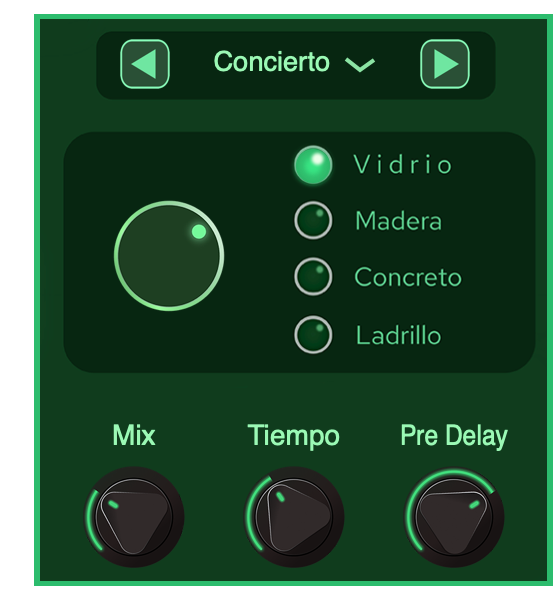
A classic reverb that allows you to choose between 4 possible spaces to position your sound and give it a characterization that you can customize, choosing between 4 different materials.

Synthetic Mode

Synthetic mode adds one more reverb option. A combination between the famous Schroeder algorithm and convolution.

Binaural

A new pan through the binaural module is incorporated with a 360° azimuth slider for better spatiality.

System Requirements

Mac

  • macOS 10.10 or later (Intel / M1 Apple Silicon supported) (64-bit only)
  • AU / VST3 / VST / AAX
  • 4 GB RAM required (8 GB recommended)
  • 2.5 GHz CPU (Intel, AMD or M1 Apple Silicon)
  • 30 MB Free Disk Space

Windows

  • Windows 7 or later (64-bit only)
  • VST3 / VST / AAX
  • 4 GB RAM required (8 GB recommended)
  • 2.5 GHz CPU (Intel or AMD)
  • 30 MB Free Disk Space

Please Note: Esmeralda is not supported on 32-bit platforms.

Testimonials

Estudio Sin Nombre

"In general I loved everything, the interface is very simple, I loved the presets, my favourite is Una pesadilla."

Ethan Muller

"I love the possibilities that can be given with Esmeralda when mixing a song."

Installation Instructions

Mac

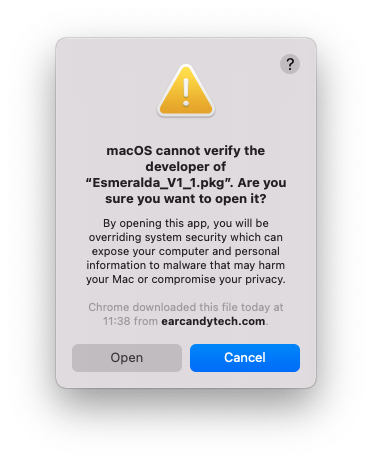
1. Download the .zip folder from your Plugin Boutique User Account > Double-click it to open and extract the installer file > Right-click the correct .pkg installer file corresponding to your Intel OR Apple M1 System > Click 'Open'.

2. If you are shown this message, click 'Open'.

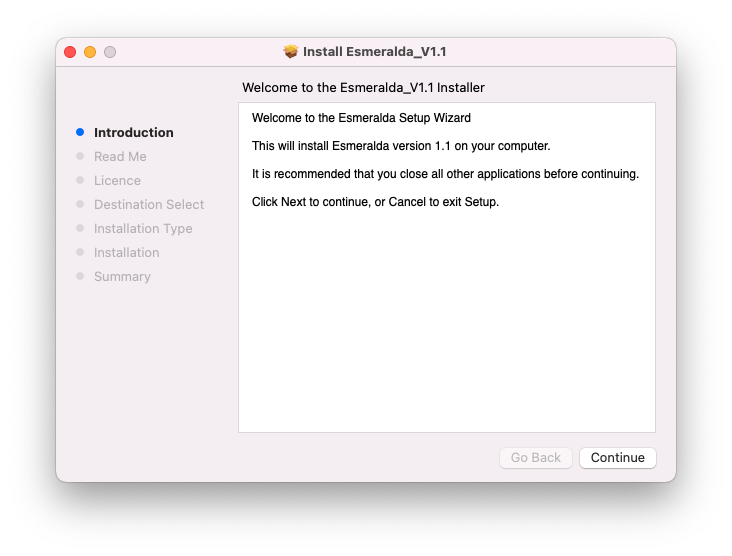
3. Click 'Continue'.

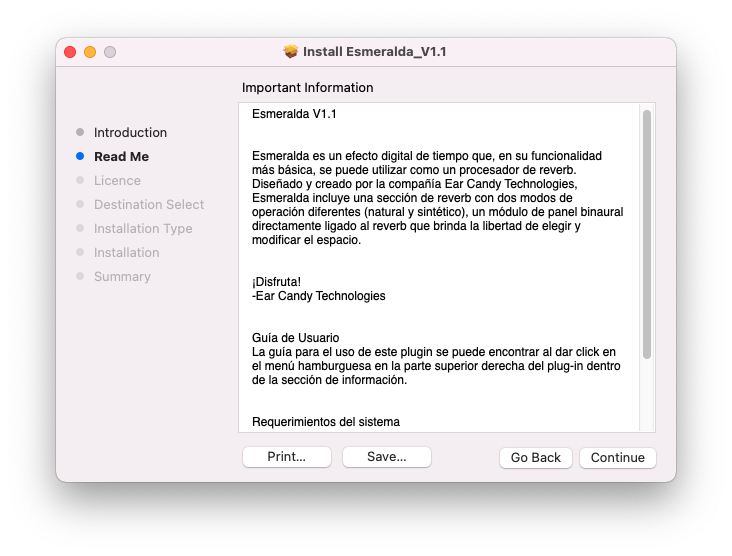
4. Click 'Continue'.

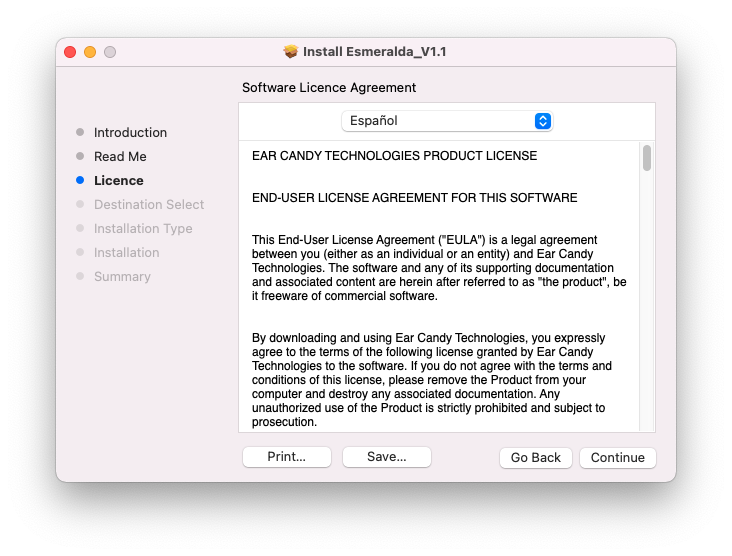
5. Click 'Continue' > Accept the license agreement.

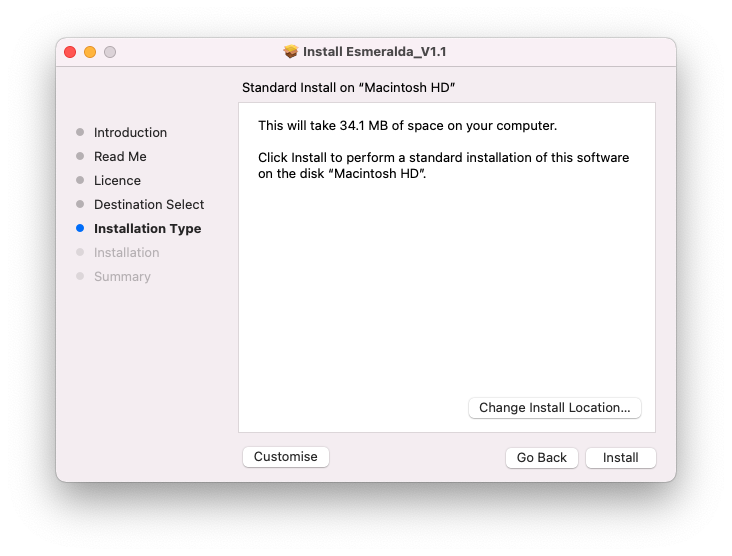
6. Click 'Install'.

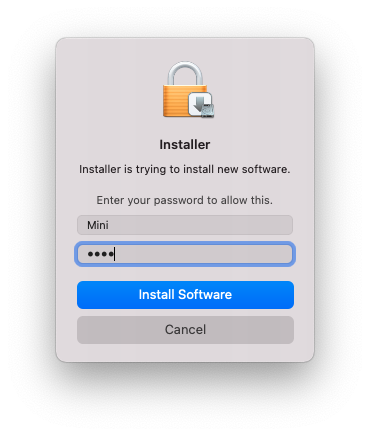
7. Enter your system password > Click 'Install Software'.

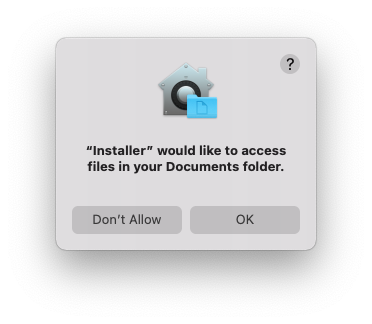
8. Click 'OK'.

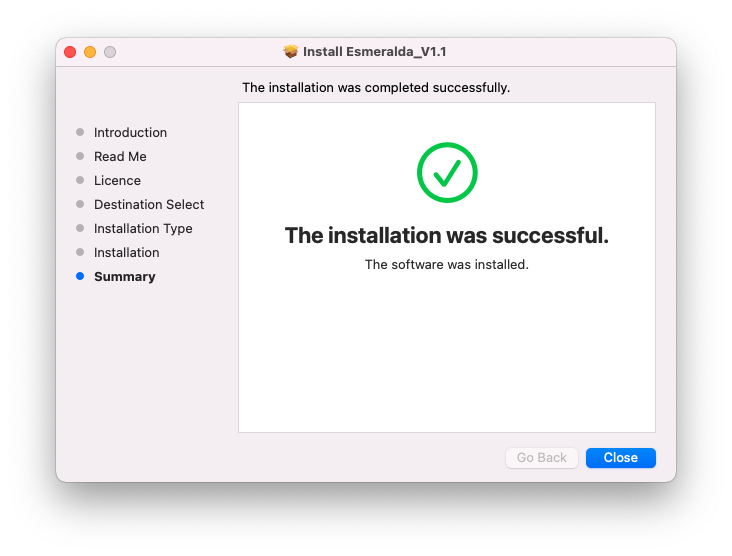
9. Click 'Close'.

10. Launch your DAW > Insert Esmeralda on a new audio track.

Esmeralda is now installed and ready to use.

Windows

1. Download the .zip folder from your Plugin Boutique User Account > Double-click it to open and extract the installer file > Launch the .exe installer file.

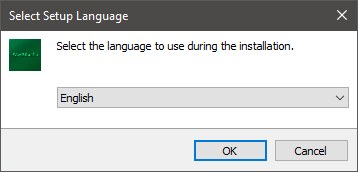
2. Select your setup language > Click 'OK'.

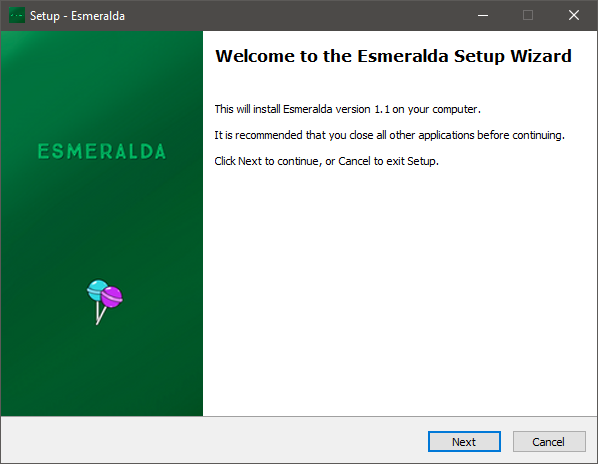
3. Click 'Next'.

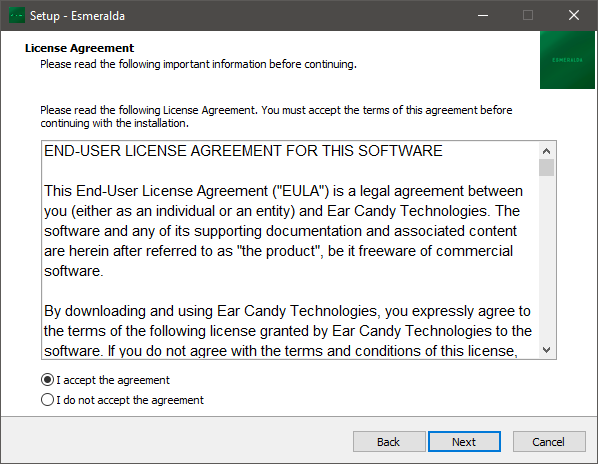
4. Select 'I accept the agreement' > Click 'Next'.

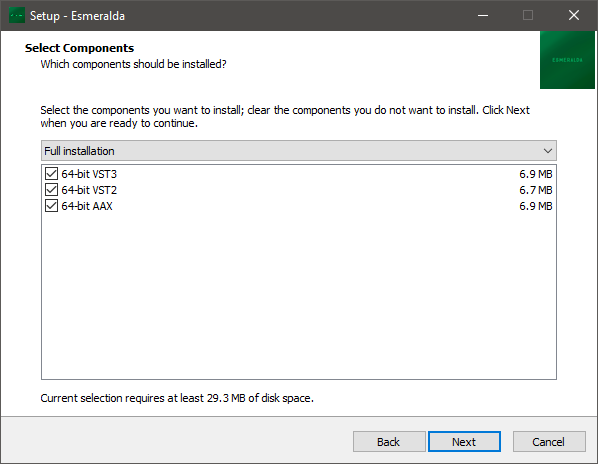
5. Select components for installation > Click 'Next'.

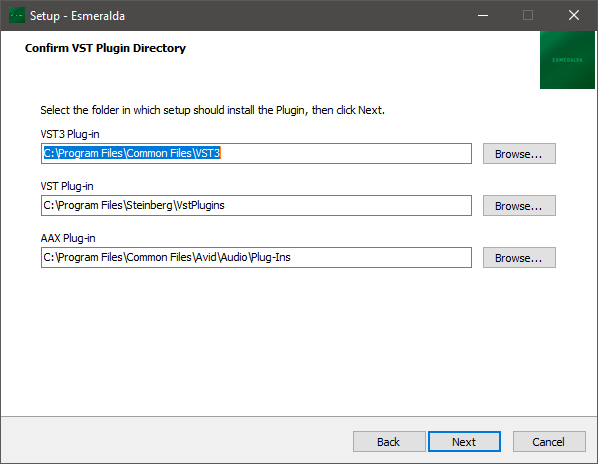
6. Confirm the correct directory for installation > Click 'Next'.

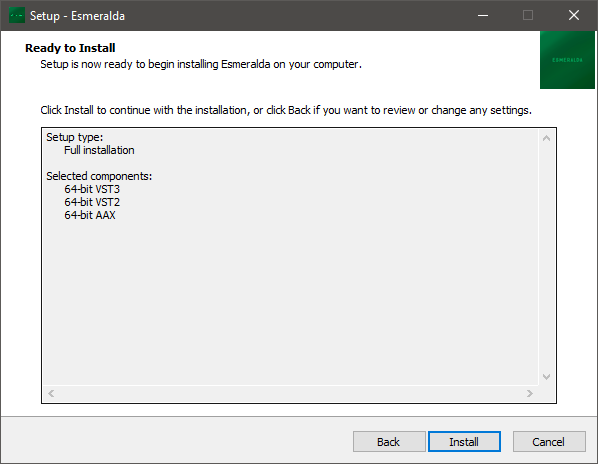
7. Click 'Install'.

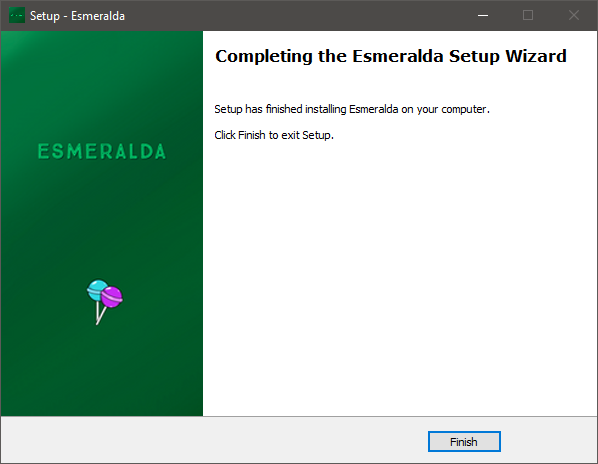
8. Click 'Finish'.

9. Launch your DAW > Insert Esmeralda on a new audio track.

Esmeralda is now installed and ready to use.

Plugin Boutique Rewards

Discover the most rewarding loyalty programme among all plugin retailers.

  • Free Loopmasters Samplepacks
  • Discounts on products and courses
  • Extra Virtual Cash claimed immediately at checkout
Find out more

Follow us:

X (Twitter) Facebook YouTube Instagram
Logo Logo

Plugin Boutique Limited, Part of the Beatport Group LLC.

Copyright © 2011-2025 Plugin Boutique. All rights reserved