


 Log In

Free gifts available with your purchase


Revolutionise Your Plugin Chain
KSHMR Chain is an innovative utility that instantly copies your plugin chain from one track to countless others, allowing you to spend your time and effort where it matters most while producing. Say goodbye to Copy & Paste.
With KSHMR Chain you can fine-tune the settings of plugins across multiple tracks with a single twist, and hear the accumulative effect of those changes in real-time – great for working with vocal stacks or groups of instruments.

Adding/removing a plugin in the Chain, rearranging and parallel processing
No more copy and pasting instances of the same plugin, and switching between them to adjust their individual parameters.
The plugin has been developed in collaboration with KSHMR, whose philosophy is that “an efficient workflow helps you to stay creative”. With this in mind, the plugin also doubles up as an intuitive organizational tool, scanning and stocking all your plugins in easy-to-reach categories that make sense for producers.
Revolutionary Leader/Follower Technology
KSHMR Chain is powered by a forward-thinking concept that will make a considerable improvement to your mixing and production workflows.
The plugin comes in two parts: a “Leader” and a “Follower”. Add the Leader on one track to load plugins, then add a Follower on a different track and link them with a simple click. Once linked, the Follower will automatically copy all plugins and their settings from the Leader.
Any adjustments made to your plugin settings on the Leader will be instantly carried out on all of the Followers linked to it, meaning you get immediate, unison feedback from your mixing decisions.
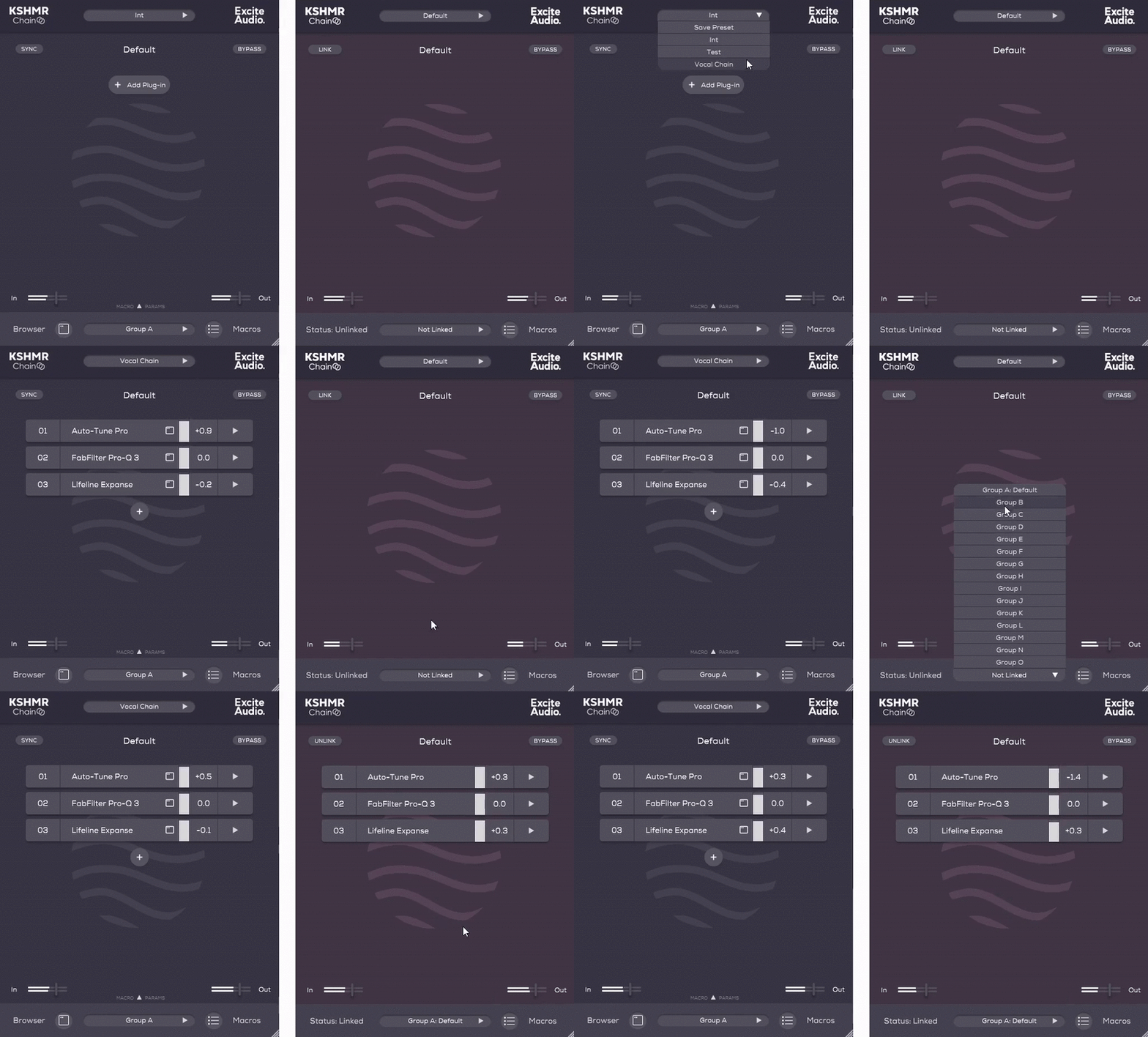
Loading a preset into a Leader then the Follower absorbing plugins from the Chain
KSHMR Chain vs. Bussed or Group FX
Effects like auto-tune need to be used on individual tracks instead of on a bus or group, as each vocal requires specific corrections at different times. When you want to make adjustments to multiple auto-tune settings you would usually end up being forced to jump between instances to make changes to pitch or re-tune speed.
In the same way, if you use an effect like compression in a bus or group, that results in applying it as a whole, and not to the individual tracks. This isn’t always ideal, because the compressor can’t account for the differences between each track and instead works on the combined signal
With KSHMR Chain, you get the ease and simplicity of applying effects to a group – only now they are applied to each track individually. This simple but powerful development means you can fine-tune both individual and collective elements of your mix at the same time. It’s also a big advantage when exporting stems, as you can bounce out separate stems with effects and automation intact – a process that is not possible with all DAWs.
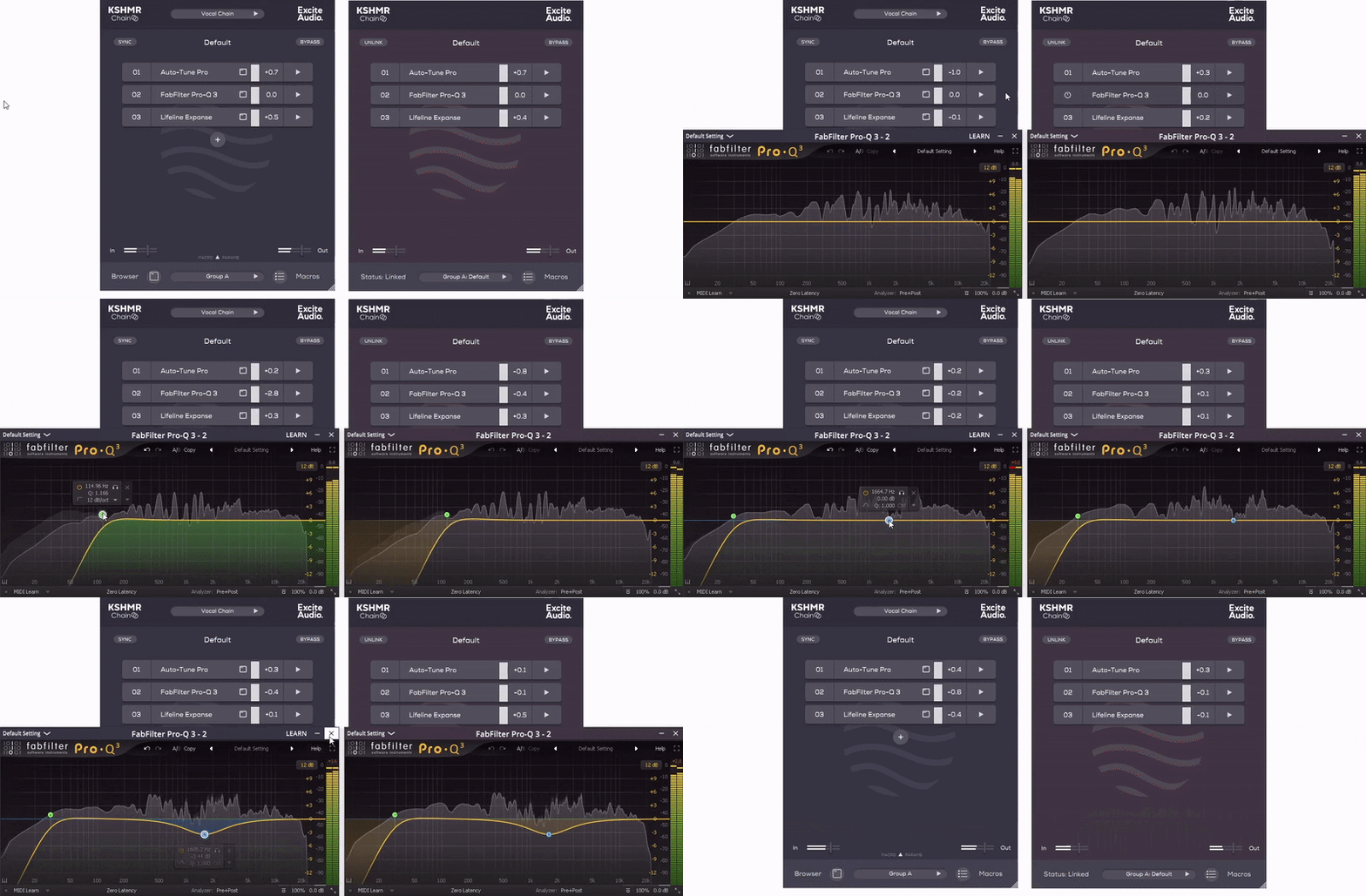
Changes made to a plugin in the Leader happening to the Follower in real-time
Streamlined Plugin Organisation
It’s all too easy to waste time looking for the right plugin, which is why KSHMR Chain has also been built to be a plugin hub that puts every tool in your collection right where you need it.
Thousands of plugins have been manually indexed to appear in Categories like Dynamics, Modulation and Reverb. Once installed, KSHMR Chain's browser will scan all the plugins you own and group them in a clear and logical order, making it easier than ever to find your favourites.
You can also create your own Categories, as well as store Chain Presets that can include multiple plugins along with their predefined settings. KSHMR Chain’s fluid UI can pull up your go-to vocal chain or bass preset in seconds, and skip the fiddly steps that slow you down. And, if something isn’t quite working, simply swap out a plugin in the chain and try out a different flavour of compression, reverb, or whatever you think it needs.

Swapping a plugin in the Chain by using the Browser
Powerful Macro Control
Macros make automating effects easy, and KSHMR Chain goes a step further by giving you centralised control over up to ten macro channels.
Within KSHMR Chain you can assign any plugin parameter to a Macro knob. All you need to do then is automate that single macro control within your DAW, and see the automation applied to the parameters of all your linked Follower tracks.
The possibilities are endless, too. Create a macro using any number of plugin parameters, from any number of plugins sent to any number of tracks!
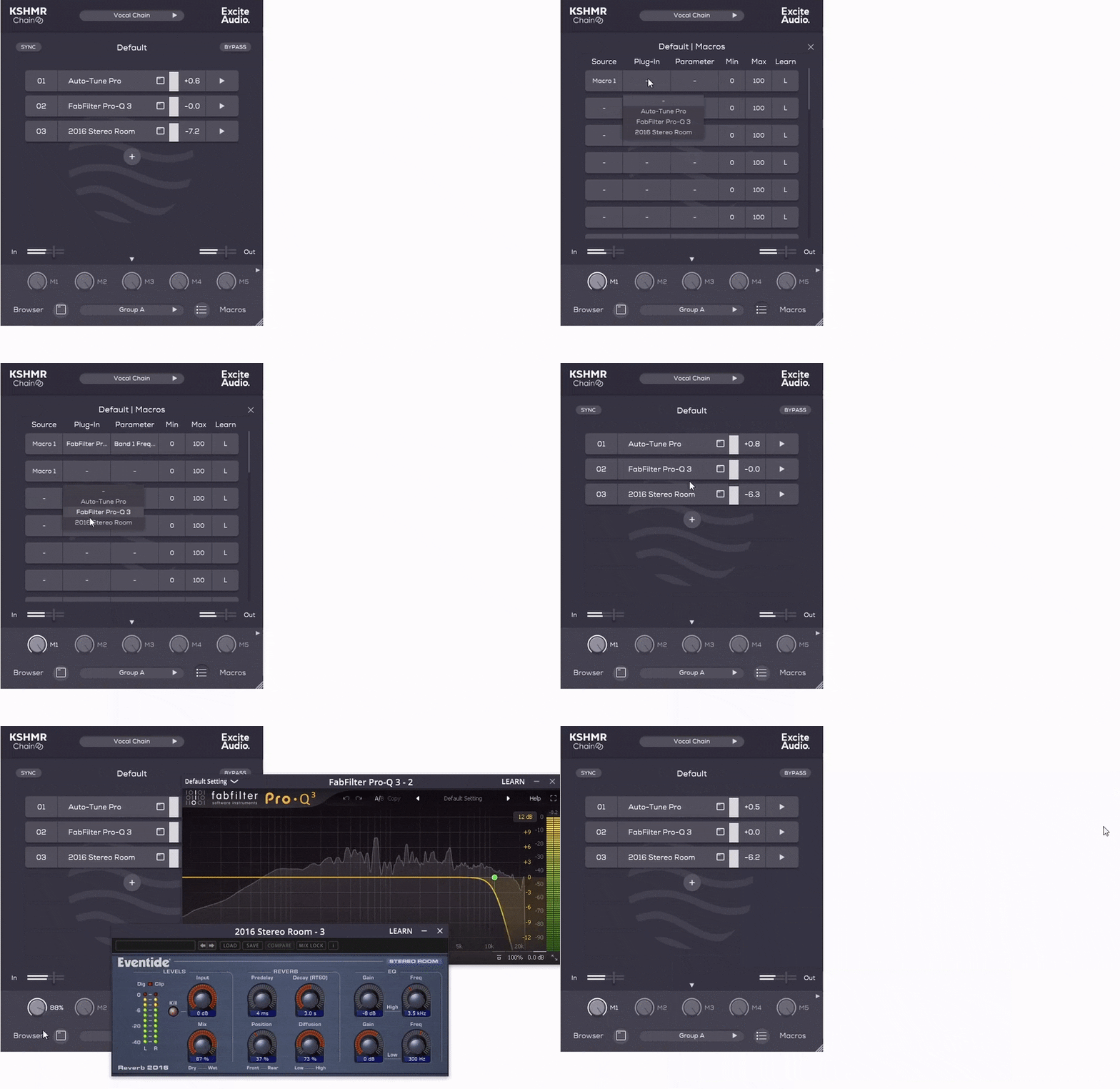
Setting up a Macro (M1) that uses parameters from an EQ and Reverb
Features
- Revolutionary Leader Follower Technology
- Customisable Effects Chains
- Automatic Plugin Categorisation
- Powerful Macro Control
- Parallel Processing and Gain staging
- Individual Plugin Automatic Makeup Gain Toggle
- Individual Plugin Oversampling up to 16x
- Individual Plugin Bypass
- Leader and Follower Bypass Modes
- Sidechain functionality
- Plugin RMS Metering
- Apple Silicon Native

System Requirements
macOS
- macOS 10.15 or higher (Intel / Native Apple Silicon supported).
- Plugin Formats: VST, VST3, AU, AAX, Standalone
- DAW's Supported: Ableton Live, Pro Tools, Logic Pro, FL Studio, Cubase, Nuendo, Reaper, Reason + more.
- Compatibility: 64-bit compatible only.
Windows
- Windows 7 or higher
- Plugin formats: VST, VST3, AAX, Standalone
- DAWs supported: Ableton Live, Pro Tools, FL Studio, Cubase, Nuendo, Reaper, Reason + more.
- Compatibility: 64-bit compatible only.
Important Notes
- An internet connection is required to authorise this software.
- The AAX version of KSHMR Chain will only load VST, VST3 & AU plugins but not AAX.
- When accessing this software via a Rent to Own plan or the Beatport Studio membership, it's installed and run through the Beatport Access portal. An internet connection is required every 30 days to validate your license.
KSHMR
Musician, songwriter, record producer, DJ and creator of KSHMR Chain.
"I created KSHMR Chain to make large vocal projects a breeze, allowing you to make an effect chain and send it instantly to countless other tracks. It began with vocals in mind, but the possibilities are endless."
7 Skies
Musical Artist
“Revolutionary idea, and a game changer if you value saving time and keeping your most used chains organised.”
Sanjay C
Trusted music production gear reviews and tutorials on YouTube with over 30,000,000 views.
"One of my favourite plugins this year... game changer!"
Reviews Summary
While it aims to provide a helpful overview, it may not capture every perspective or detail. We encourage you to read individual reviews to make an informed decision.
Overall, users praise KSHMR Chain as an innovative workflow utility that streamlines audio production by enabling centralized control across multiple plugin chains, simplifying chain saving, and allowing formats like AU/VST to run inside Pro Tools. While valued for its creative routing and added features like wet/dry controls, some users note it may be niche for simpler projects, and severe crashing issues were reported in Ableton Live 12.


