Log In

Free gifts available with your purchase

Daytime Dreams
Lofi Keys VST, AU plugin for Mac & Windows brings the classic lo-fi sound to your music productions with a radically simple user interface. It features legendary electric pianos and synth classics, all resampled on vintage tape players, cassettes, and VHS players. Create smooth, dreamy themes for your lo-fi beats or add lush-sounding hybrid soundscapes to your scores.
Cozy Spaces. Lazy Sounds

The Lofi Keys VST instrument will give you access to 8 iconic electric pianos and analog synths including the award-winning Blüthner acoustic piano (from Midiwood by Richard Vossgatter), all in one place. You can freely combine these to get your own unique blend and process it with a line of creative effects and even noises (VHS, Tape & Vinyl).
Vintage Style. Modern Vibe.
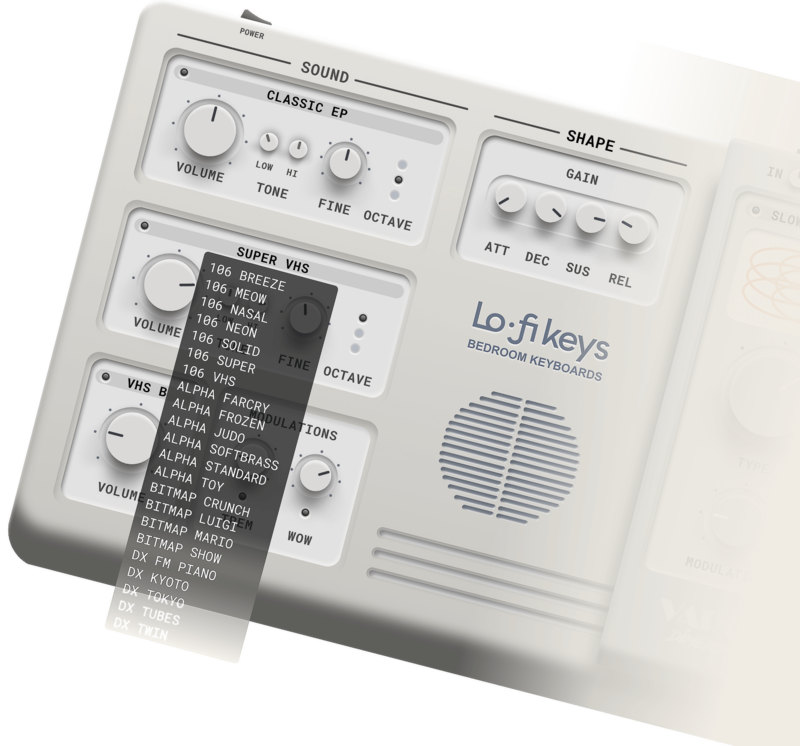
Create some truly inspiring sounds with Lofi Keys! Choose from 40 different sound sources on two sound slots. Add some extra touch with five different tape, VHS and vinyl noise layers, control the tape wow and shape your overall sounds with other super intuitive controls!
Instant Sound Variations
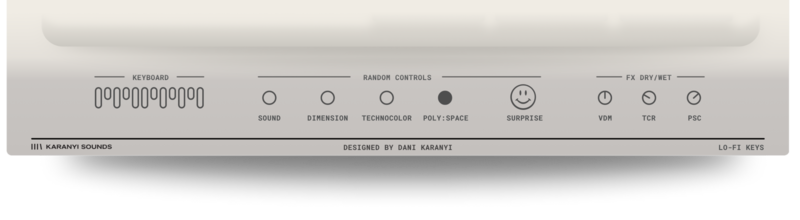
Impressive sounds from a single touch of your finger! With the 'Smart Random' control, you can create exciting fresh new sounds with just one click!
3 Exceptional Effect Units
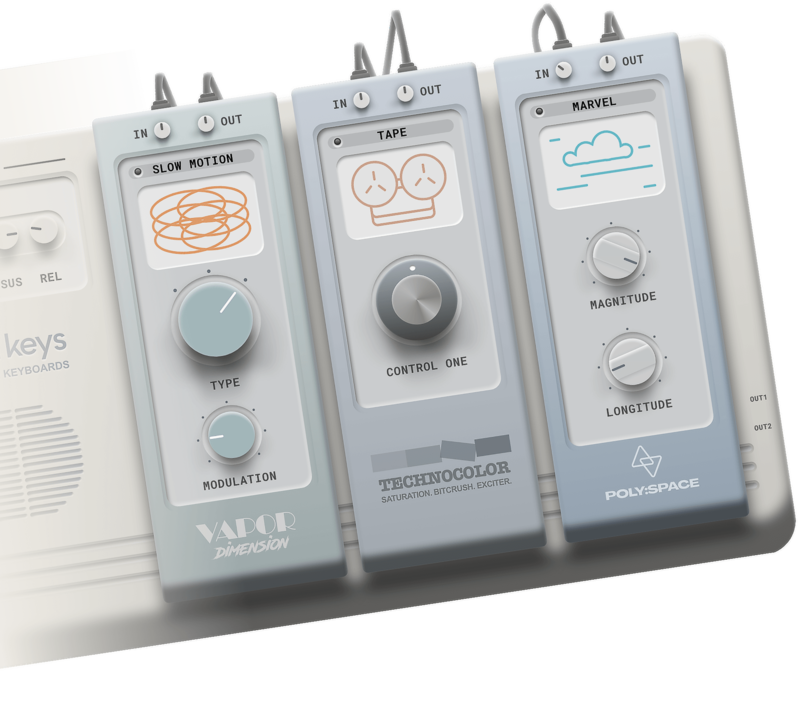
Lofi Keys comes with 3 amazing effect units to bring you the desired lo-fi vibe. Dimension is a vintage chorus module from the famous Vapor Keys series, Technocolor is a newly designed exciter and Poly Space is Karanyi Sounds' best-selling reverb FX module. These modules include over 30 various effect algorithms that will make your sound authentic right away!
Features
- 40+ Factory & Artist presets
- Studio-grade sounds from legendary instruments
- 2 sound layers for blending
- A streamlined set of controls (all MIDI-learnable) including:
- Volume ADSR
- Sound layer controls: volume, fine-tune, octave, tone eq
- Different noises for colouring: VHS, Tape, Vinyl
- Modulators: Tremolo; Wow
- Main Gain
- Effect rack including:
- Vapor Dimension – Chorus effect variations from Vapor Keys
- Technocolor – Exciter FX custom made for this instrument for advanced character shaping
- Poly Space – A much-loved reverb fx for lush, unreal spaces
- Effect presets for easy dial-in
- Dry/Wet knobs for a smoother mix
- In/Out Gain for each effect
- Smart Randomizer technology, including:
- Random instrument sources (Modules)
- Random Sound controls (ADSR, modulators, etc.)
- Random effects (All the 3 FX modules separately)
- Surprise (Smart Random All)
System Requirements
Mac
- macOS 10.11 or higher (Intel / M1 Apple Silicon supported) (64-bit only)
- 4 GB of RAM (8 GB recommended)
- 2 GHz CPU with at least 4 cores
- 2 GB Free Disk Space
- AU, VST3
Windows
- Windows 7 or higher (64-bit only)
- 4 GB of RAM (8 GB recommended)
- 2 GHz CPU with at least 4 cores
- 2 GB Free Disk Space
- VST3
Please Note: Pro Tools and Maschine are NOT supported.