


 Log In

Free gifts available with your purchase
Product information
IR-Live Convolution Reverb
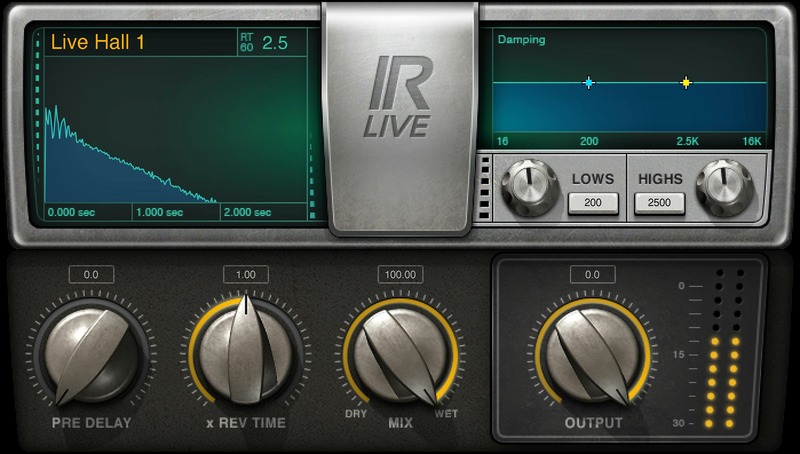
Bring the Realism of Convolution Reverb to Live Sound
Convolution reverb has become a favorite in the studio for its ability to produce super-realistic acoustic spaces. Now, IR-Live brings convolution reverb to the stage, with low-latency performance, a streamlined interface, multipoint touch sensitivity, and a huge impulse library.
With the same acclaimed sound quality as Waves’ IR1 engine, your venue can now take on the characteristics of over 2,000 acoustic spaces—from fine opera houses to punk rock clubs.
Features
- 4.8 GB library of meticulously recorded impulses
- Control damping with high and low shelving EQ
- Pre-delay variable from 0 to 500 milliseconds
- Multiply reverb time from 0.25% to 400%
- Import WAV or other custom impulse responses
- Equally useful as a time-saving convolution reverb for the studio
- Compatible with MultiRack Native and leading digital consoles
- Use in conjunction with SoundGrid® DSP servers
System Requirements
Mac
- macOS Monterey 12, Ventura 13, Sonoma 14, Sequoia 15
- VST / AU / AAX
PC
- Windows 10+
- VST / AAX
Installation Instructions














