


 Log In

Free gifts available with your purchase
Product information
GTR Solo
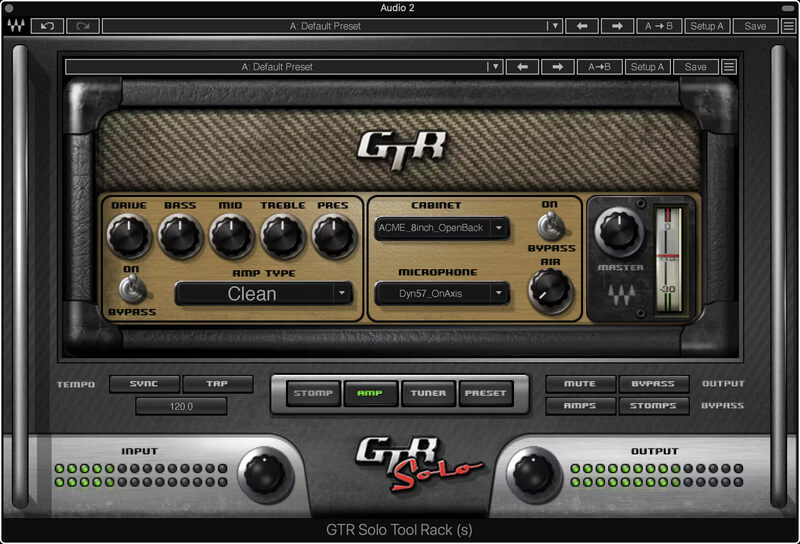
Superb Sim Sounds, with Stellar Simplicity
GTR Solo is a “greatest hits” version of Waves’ acclaimed GTR3 suite of amps and effects, with the same meticulous modeling and detail. Clean, overdrive, and high-gain amps (including two custom amps by Paul Reed Smith) provide all the power you need for studio sessions or live performance.
To complete your pedalboard, choose from a dozen popular stompbox guitar effects. Then, use the ToolRack module to create a complete guitar setup with virtual cabs and miking options.
Features
- 2 clean, 3 overdrive, and 4 high-gain amps for guitar
- 9 guitar cabs, 1 bass cab, and 12 miking options (with 3 mic types)
- Insert up to 4 pedal effects, and choose pre- or post-amp position
- Chorus, overdrive, distortion, delay, 2 reverbs, 6 more effects
- Drag-and-drop effect positions in the effects chain
- Tap tempo, tempo sync, and many more extras
- The ToolRack paradigm is ideal for real-time live performance
- Compatible with multipoint touch-sensitive screens
- Tuner for guitar and bass, with alternate and user-defined tunings
- 68 factory presets start you off in style
System Requirements
Mac
- macOS Monterey 12, Ventura 13, Sonoma 14, Sequoia 15
- VST / AU / AAX
PC
- Windows 10+
- VST / AAX
Installation Instructions














