Log In

Free gifts available with your purchase

A Revolutionary Way To Design Your Own Drums
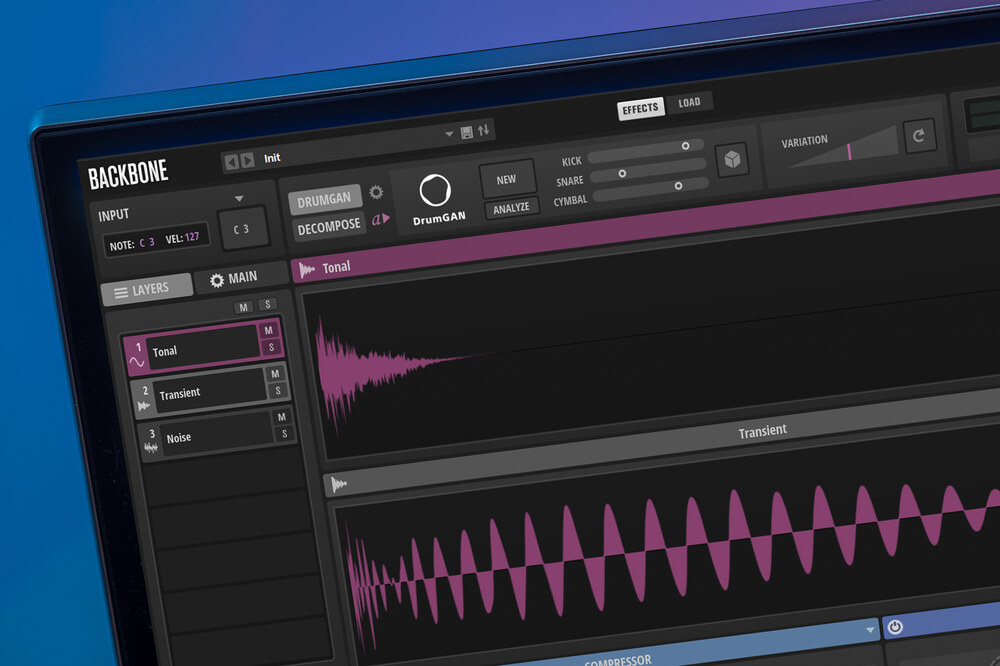
Backbone is your new, innovative drum designer for single kicks, snares, hi-hats, percussion, rises, hits and more. Layer up to eight samples and shape them with classic subtractive synthesis, decompose samples into tonal and noise elements, re-synthesize samples to manipulate them in unheard ways and apply up to eight effects with two fully routable buses — all with a slick, extremely fast interface. Backbone takes your drums into a whole new era of sound design — the era of drum re-synthesis!
Artificial drum intelligence by Sony CSL
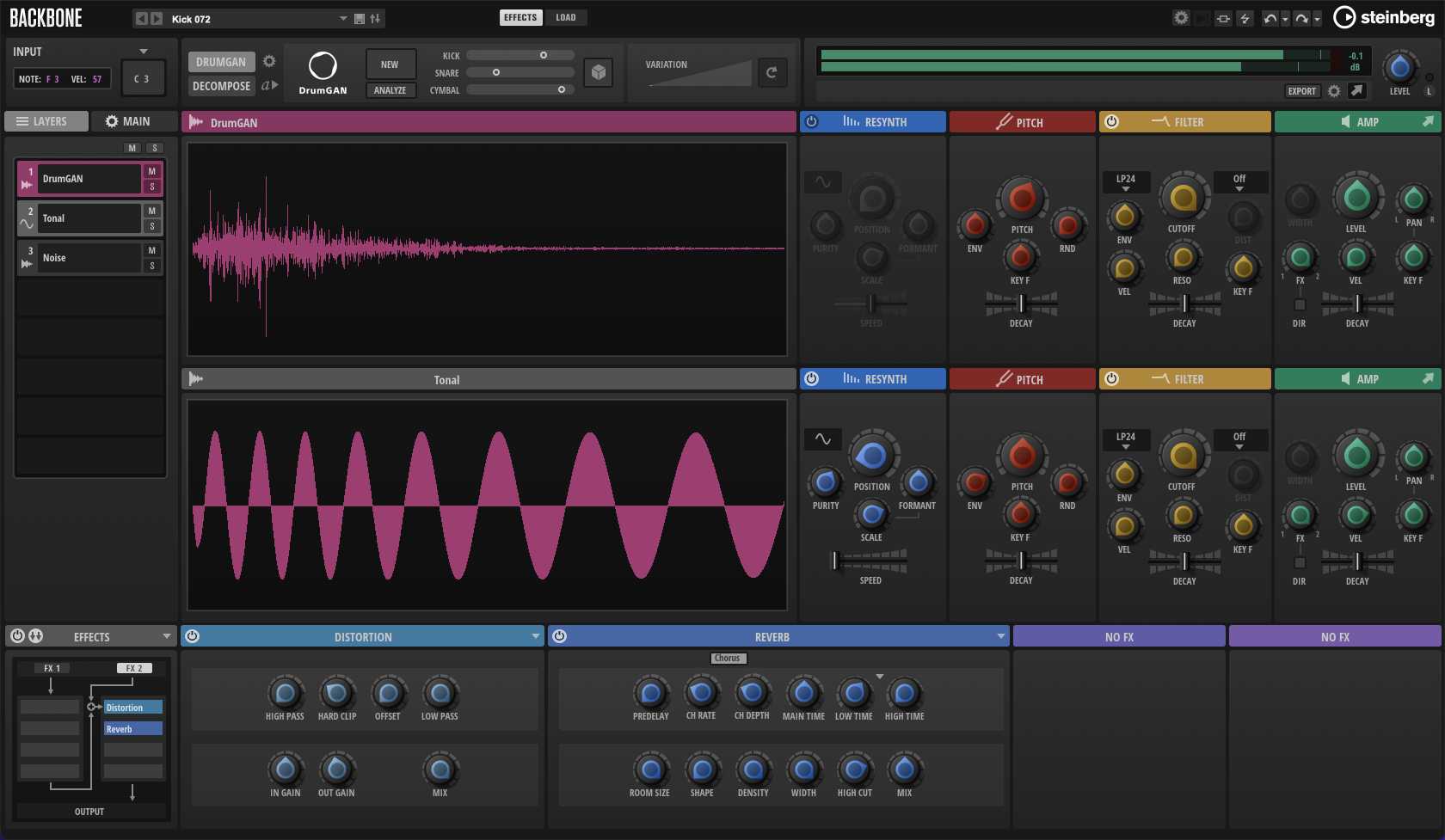
Backbone 1.5 now comes with DrumGAN, an innovative drum generator developed by Sony Computer Science Laboratories, Inc. (Sony CSL). Powered by artificial intelligence (AI), it creates new kick drum, snare drum and cymbal samples in a very fast, intuitive way. It also analyzes samples, can replicate them and create countless variations. DrumGAN is the perfect addition to Backbone for crafting new drum sounds entirely from scratch, while staying in your favorite sample editing environment.
AI creates. You design.
The AI generates fresh kick drums, snare drums and cymbals, which can be further adjusted with all the tools that you have come to love in Backbone. Use newly-created drum samples as a starting point, you can decompose, layer, re–synthesize or create any other kind of transformation in Backbone to craft your own, unique sound. If you like a specific sound, but are not completely satisfied with it, DrumGAN will quickly generate more variations in the same style.
DrumGAN: a development by Sony Computer Science Laboratories, Inc.
The research team at Sony CSL comprises Javier Nistal and Stefan Lattner. They have developed a new system to generate drum sounds with Generative Adversarial Networks (GAN). DrumGAN analyzed a large collection of kick drums, snare drums and cymbals to develop a new way of generating drums. The result is an outstanding system, which offers a new source of expressive and musical drum sounds. Together with Steinberg, Sony CSL has worked on implementing this impressive technology within Backbone, helping musicians across the world to create new and unique, sample-based signature drums sounds.
What you can do with Backbone:
- Re-synthesize drum samples
- Design cinematic hits, rises and swooshes
- s and swooshes Make 808s fatter than ever
- Warp drum sample libraries into the future
- Warp drum sample libraries into the future Modify tonal and noise parts separately
- Craft your own signature drum sound
Features:
- Innovative Drum Design – Layer up to eight samples, decompose, and re-synthesize sounds.
- AI-Powered Drum Generation – Sony CSL’s DrumGAN creates and analyses kick, snare, and cymbal samples.
- Advanced Sound Manipulation – Modify tonal and noise elements separately for unique drum textures.
- Cinematic Sound Design – Create hits, rises, swooshes, and powerful 808s.
- Intuitive Workflow – Fast, easy-to-use interface with seamless sample editing.
- Enhanced Export Options – Drag-and-drop individual layers or auto-export last played notes.
- 250 New Presets – Includes avant-garde snares, claps, hi-hats, toms, and more.
- Improved Re-Synthesis – Better stereo correlation handling and reduced artefacts.
- Multi-Format Support – Compatible with VST 3, AU, and AAX.
- Optimised for Windows Scaling – Now supports display scaling in 25% steps.
System Requirements
PC
- Operating System: Windows 10 (64-bit), Windows 11 (64-bit) Version 21H2 or higher
- Plugin Formats: VST3, AAX
- Display Resolution: Minimum 1920 x 1080 at 100% UI scaling
- Storage: 2 GB of free hard disk space
-
Internet Connection Required For:
- License activation
- Installer download
- Account sign-up and product registration
Mac
- Operating System: macOS Big Sur, Monterey, Ventura, Sonoma, Sequoia
- Apple Silicon Compatibility: Rosetta 2 App, Native App
- Plugin Formats: VST3, AU, AAX
- Display Resolution: Minimum 1920 x 1080 at 100% UI scaling
- Storage: 2 GB of free hard disk space
-
Internet Connection Required For:
- License activation
- Installer download
- Account sign-up and product registration

Sorcery
Drummer and Producer
"Other than its unprecedented sound design capabilities, Backbone's musicality is really what strikes me. I can give my sounds a unique attitude and personality like never before."

MusicTech
Music Mag
"What Backbone brings to the table is an entirely new way of going about drum sound design."
Paul Haslinger
Composer - Underworld, Resident Evil
“Backbone has become one of my favorite sonic playgrounds. It allows a new level of sample modifications, perfectly suited for cinematic sound design."