


 Log In

Free gifts available with your purchase
ACE Studio Artist Pro Lifetime License is also available. Scroll down to see a version comparison chart.
Your All-In-One AI Music Studio
AI vocals, AI instruments, voice cloning, stem splitter, music generator, and more
— all in one place. Keep musicians ahead in the AI era.
ACE Studio is more than a
Vocal Synth
- 160+ Voices
- 8 Languages
- Royalty-Free
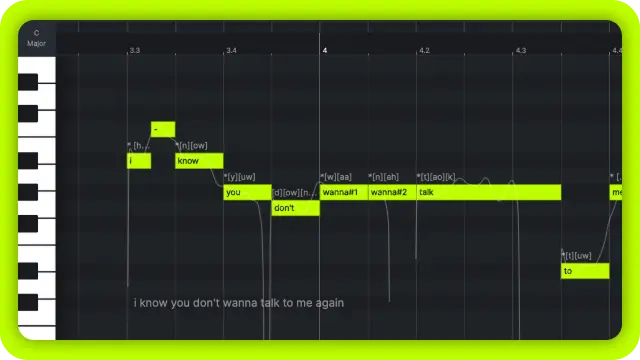
AI Singing Voice Generator
Input MIDI and lyrics to generate professional-level, studio-quality singing vocals in a variety of genres and timbres.
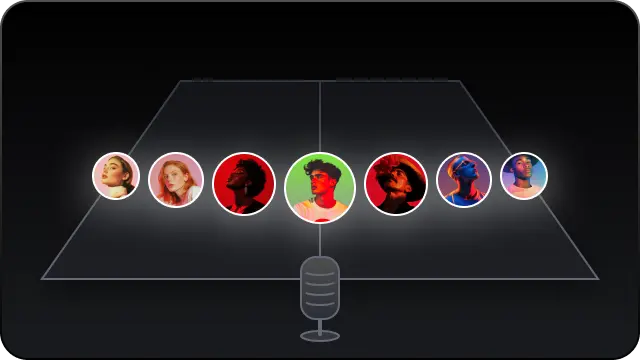
Choir Mode
Just by drag and drop, assemble your choir members from various choices of AI voices inside ACE Studio. Get your pop choir, gospel choir, kids choir, opera choir in seconds.
Clone Your OWN VOICE
Upload your vocal samples and train your own AI singing voice models with just a few clicks.
Next-Generation
AI Instruments
- Natural-Play
- Auto-Expressive
- Royalty-Free
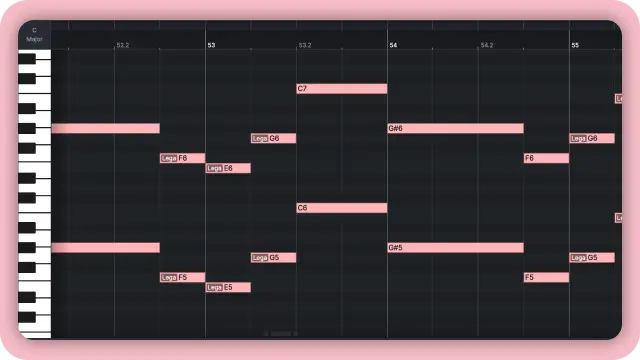
AI Virtual Instrument
Say goodbye to massive and complex sample-based libraries. Generate natural-sounding instrument performances with only MIDI, while retaining full control.
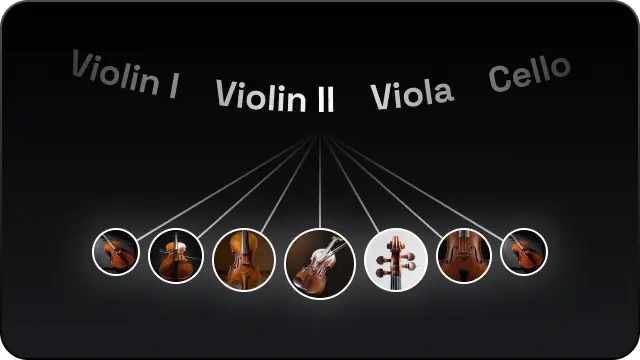
Ensemble Mode
Create rich, layered performances by combining multiple AI instruments on a single track. Not just for strings, but for any kind of ensemble you need.
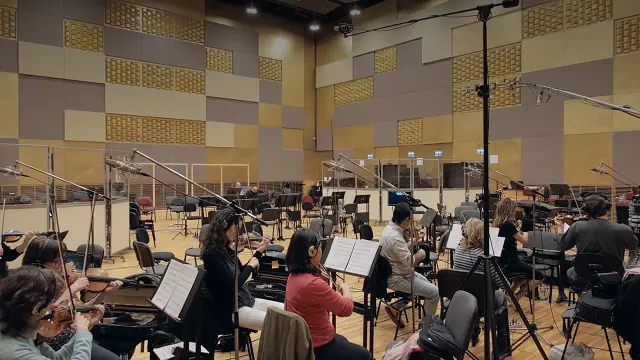
String Section (Coming Soon)
The world's first AI string sections, recorded with Budapest Art Orchestra to capture the Hollywood sound of real strings. Each section performs expressively and naturally — straight from your MIDI input.
New Way to Produce
Generative Kits
Inspire Me
Spark your ideas with limitless generated tracks that follow your thoughts.
Add a Layer
Create layer by layer, sample by sample, just by descriptions.
Music Enhancer
Enhance any track or stem from a rough idea to expressive work.
Video Composer
ACE Studio's built-in AI Agent creates royalty-free soundtracks & sound effects that match your video.

Make your video scoring 10x faster and easier with the powerful AI agent. The AI doesn't just follow the story — it understands the structure of your edit. It can shape the soundtrack to match the emotional flow of the scene, while often aligning musical beats with your edit points for natural, cinematic timing.
Music Video Generator
Build the Video You Imagine. An AI agent that works with you — from script to screen, step by step.

Direct the Creative Process Through Conversation
ACE Studio gives you more than a finished video. It gives you an AI agent you can work with throughout the process. Refine the concept, rewrite scenes, adjust characters, and change the visual direction using natural language.

Built by Music Technology Experts
Dance breaks land on the drop. Vocal close-ups hit at the right moment. The atmosphere builds where it should. This is what happens when an AI music video generator is created by a team that lives and breathes music production.

Review Every Stage Before Generation
See the script, characters, and storyboard before the final scenes are rendered. Make changes early, keep control of the direction, and avoid spending credits on footage that does not match your vision.

Music to Video in One Workspace
Produce your track and turn it into a complete music video without leaving ACE Studio. Your music, script, storyboard, scenes, and final video all come together in one connected creative workspace.

One Track, Multiple Video Formats
Full Music Videos
Turn a complete track into a multi-scene music video with narrative, performance, and atmospheric visuals shaped around the song.
Social Media Clips
Create vertical or square videos for TikTok, Instagram Reels, and YouTube Shorts, with scenes and transitions synced to your music.
Spotify Canvas and Visual Loops
Transform any section of your song into a short, seamless visual loop for Spotify Canvas, Apple Music Motion, or other streaming platforms.
Live Performance Backdrops
Create visuals that can play behind an artist, DJ, or band during concerts, livestreams, and release events.
Album and Single Teasers
Create short promotional clips for upcoming releases, pre-save campaigns, countdown posts, and launch-day content.
Music Video Generator AI Credit Usage Table

ACE Studio Has AI Music Tools You Can't Miss
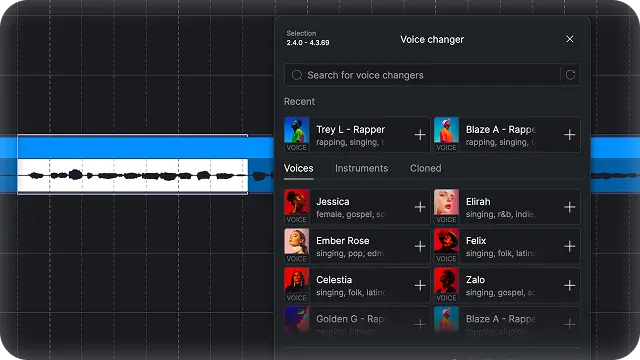
Voice Changer
Transform your voice into different characters or creative instrument sounds.
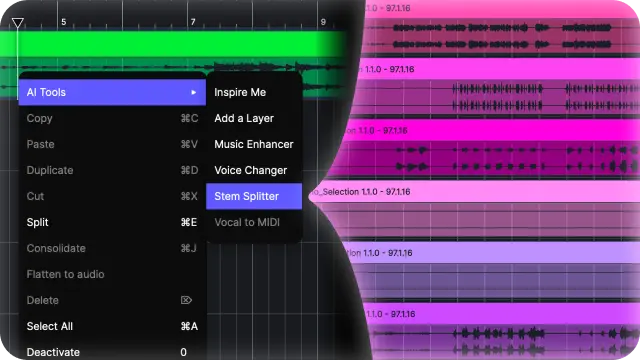
Stem Splitter
Split your track into stems with the most advanced stem separation technology.
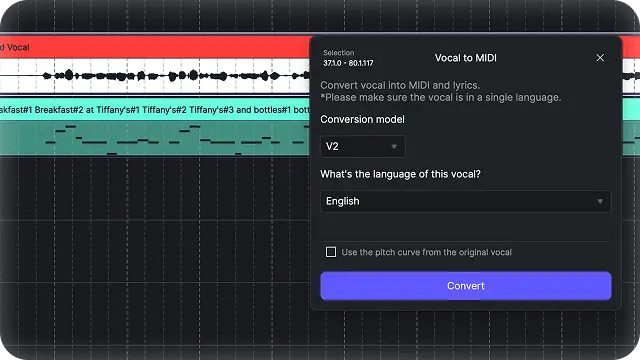
Audio to MIDI
Convert audio to MIDI notes for seamless integration with vocal synth and AI instruments.
ACE Bridge Plugin: Connect With Your DAW
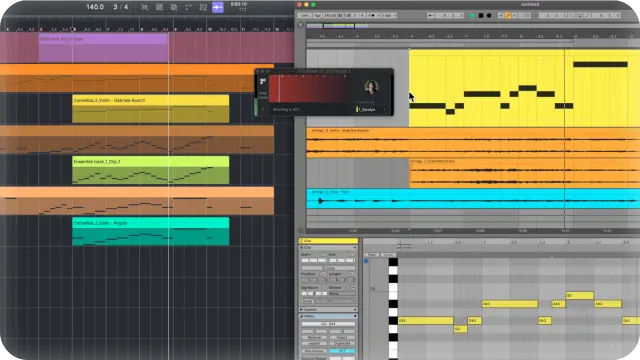
Work Seamlessly with DAWs
With ACE Bridge 2.1, easily integrate ACE Studio into your existing workflow. VST3, AU, AAX supported.
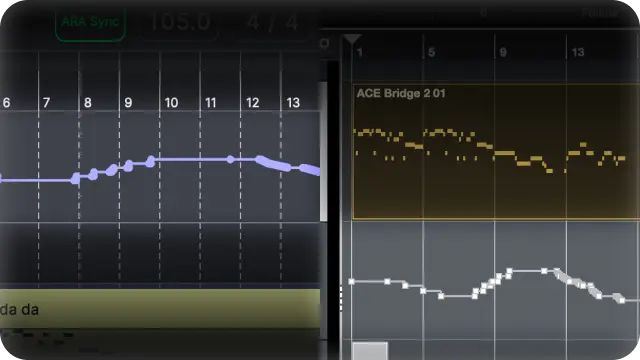
Tempo Sync by ARA
With ARA link mode, you can sync playback and tempo at all times. Make ACE Studio a second window of your DAW.
Real Artists.
Real Partners.
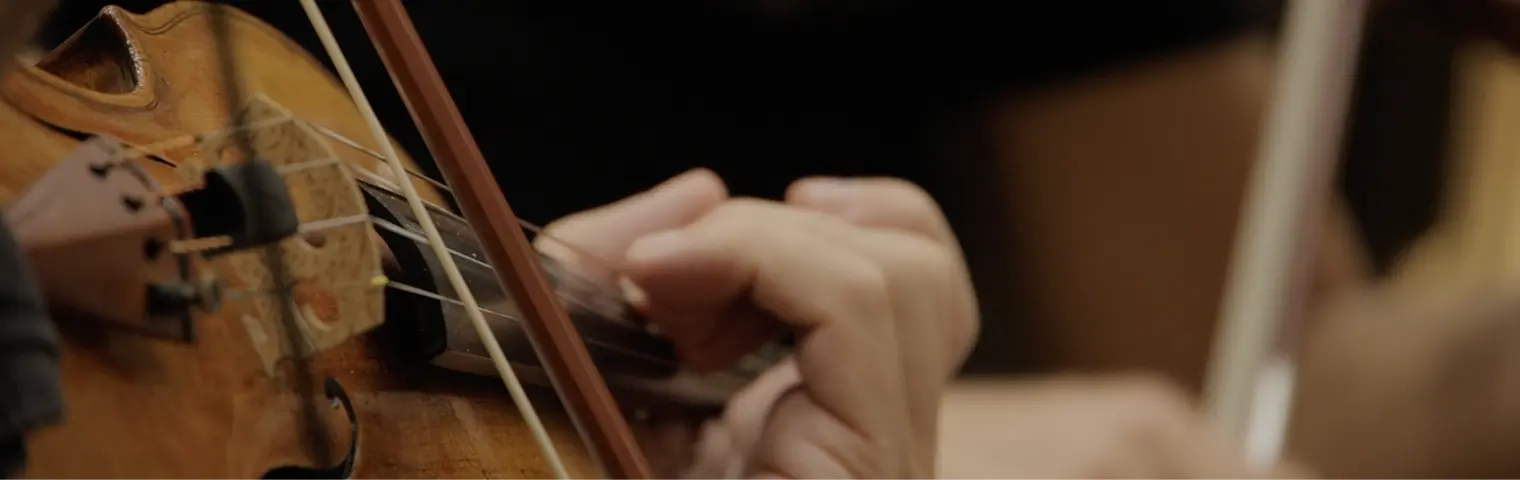
Every AI voice and instrument in ACE Studio is built on real performances - recorded, licensed, and shared with the artists behind them.
Artist Powered.
Artist Paid.
ACE Studio's AI models are trained in partnership with professional instrumentalists and vocalists who receive royalty shares based on actual usage.
Human in the Loop.
Never Replaced.
ACE Studio is built to empower creators, designed to extend your imagination, speed up your process, and give you expressive control - never to replace the human spark that drives music forward.
Features
- AI Vocal Synth – Instantly transform lyrics and MIDI notes into professional-quality vocals in multiple genres and timbres. Includes Choir Mode for rich choral arrangements.
- AI-Driven Instruments – Convert MIDI into human-level instrumental performances; currently supports AI violin, with strings, woodwinds, and brass.
- AI Voice Changer – Morph voices into different vocal styles or even instrument sounds; create lead vocals, harmonies, and choral arrangements with royalty-free AI voice models.
- Voice Cloning – Train a custom AI voice in minutes by uploading vocal samples for personalized vocal tracks.
- ACE Bridge 2 (DAW Plugin) – Integrates ACE Studio into major DAWs (VST3/AU/AAX); stream audio and record MIDI directly into ACE Studio tracks.
- Stem Splitter – Isolate vocals, drums, bass, and instruments from full tracks for remixing or editing.
- Vocal-to-MIDI & Lyrics – Convert recorded vocals into editable MIDI and text; re-sing with AI voices in multiple supported languages.
- Voice Designer / VoiceMix – Create unique AI voices by blending timbres and singing styles from existing models—no training required.
- Advanced AI Vocal Editing – Fine-tune pronunciation, pitch, vibrato, breathing, falsetto, tension, and strength for custom vocal styles.
- Instant Vocal Generation – Type lyrics and MIDI, pick a voice, and produce expressive, mix-ready vocals in seconds—no recording or tuning needed.
- Multi-Language Support – English, Spanish, Chinese, Japanese (Italian, French, Portuguese, Korean coming soon).
ACE Studio 2.0 Version Comparison
Users who purchase a lifetime license directly will receive AI Credits (2,500 Credits per month for the Artist Plan and 5,000 Credits per month for the Artist Pro Plan) for two years after obtaining the license. After this two-year period, if they wish to continue receiving Credits, they will need to activate a subscription.
Jay Ducharme
Composer
"I’m really enjoying ACE Studio. It has the easiest-to-use interface and is both accurate and flexible."
Larry Ohh
Producer & content creator
"If you're a producer and you're looking for vocals for your track, I recommend ACE Studio. This thing is just so natural. There's nothing that feels super crazy like AI about it, even though it is AI. That's insane to me. This is by far the most real, authentic, and human-sounding AI singing generator I've seen yet."
Seids
Singer, songwriter, producer, content creator and educator
"If you want violins that require no massive downloads, no local CPU strain, don't take up half your hard drive, plus was developed in collaboration with acclaimed violinists, then you have to check out the AI strings from ACE Studio."
System Requirements
- Windows 10 (64-bit)
- macOS 11.0 and above - Apple silicon Native App and Rosetta 2 App
- CPU: Intel Core i5, equivalent AMD processor, or Apple Silicon chips
- CPU cores: 4 or more
- RAM: At least 8 GB
- Storage: At least 5 GB of free disk space
- Internet: Internet connection required for authentication, model downloads and real-time processing


.png)


