


 Log In
.jpg)
Free gifts available with your purchase
The Infinite, Larger-Than-Life Synth That Always Sounds Like A Record
Now compatible with any soundcard on Mac and PC
Opal is the epic-sounding flagship synth that's perfect for producers, sound designers, and musicians. This analog-meets-wavetable synth gives you huge-sounding morphing filters and powerful UA effects — yet always keeps you close to album-ready sounds, no matter how deep you explore.
Fire Up a Super Synth
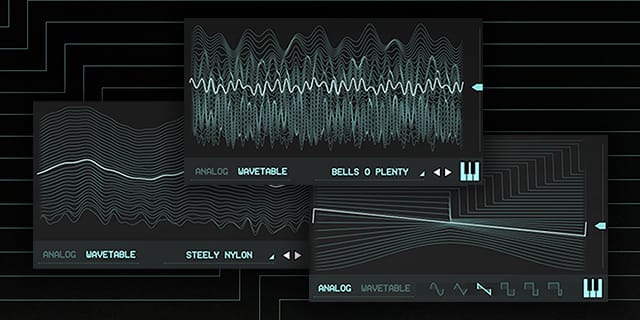
Opal's unique analog-meets-wavetable synth engine lets you create epic sounds and craft songs within minutes. With morphing filters, oscillators, LFOs, and noise, Opal is a modern soundscape maker with deep analog roots.
Create with World-Class UA Effects
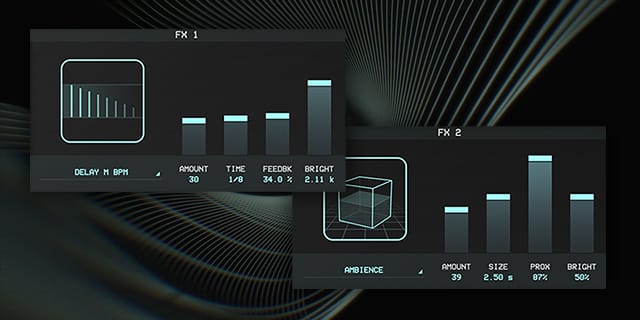
With onboard studio-quality UA effects like ambience and vintage spring reverbs, tape delay, modulation, and authentic 1176 audio compression, Opal makes any production fuller, and more professional sounding.
Find Inspiration Fast with Album‑Ready Presets
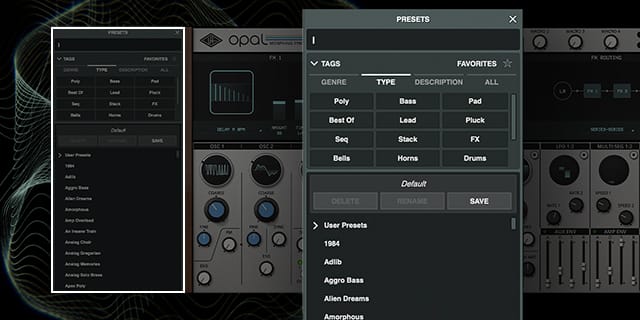
Get just the right sound using Opal's gorgeous presets, lovingly crafted by the synth geeks deep within the halls of UA. Curated for fast use across genres, Opal's presets ensure you'll capture inspiration the moment it strikes.
Features
- Get giant, inspiring sounds from the world's best-sounding analog‑meets‑wavetable super synth
- Use morphing filters, oscillators, LFOs, and noise to unlock new creative paths
- Add studio-quality UA effects like vintage spring reverb, tape delay, modulation, and authentic 1176 compression
- Go deep into synthesis without getting lost, thanks to impeccably crafted presets
Versions Included with your Purchase
- UAD Native: Runs on your Mac or PC without any UA hardware
- macOS Big Sur 11, Monterey 12, Ventura 13, Sonoma 14, Sequoia 15 and Tahoe 26
- Windows 10 or Windows 11 (64-bit editions)
- Intel, AMD, or Apple silicon processor
- Internet connection to download software and authorize UAD Native plug-ins (UADx)
- Free iLok account
- Compatible with iLok USB (2nd generation or higher) but not required
- Free UA Connect application for managing UAD Native plug-ins (UADx)
- A supported DAW compatible with VST3, AU, or AAX plug-in file formats.
Reviews Summary
While it aims to provide a helpful overview, it may not capture every perspective or detail. We encourage you to read individual reviews to make an informed decision.
Users overwhelmingly praise the synth plugin for its exceptional analog-like sound quality, sleek user interface, and precise sound design capabilities right out of the box. While highly regarded as an effective, affordable alternative to hardware, some users noted that it is quite CPU-intensive.


