


 Log In

Free gifts available with your purchase
Polysynth Reimagined
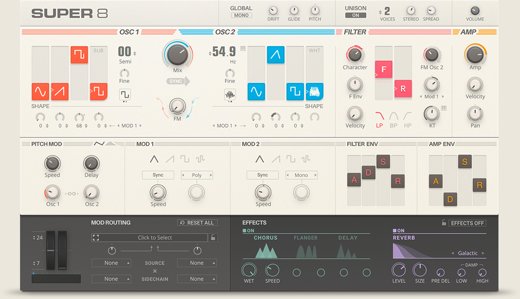
Retro Inspiration for Modern Tracks
Add the classic warm, rich tones of vintage synths to your contemporary productions. Super 8 gives you a fun, easy way to bring the past into your present. Dial in presets ranging from basses and leads to pads and special effects. Tweak your tones all you want with a simple, modern interface that always keeps you in the instrument’s sweet spot.
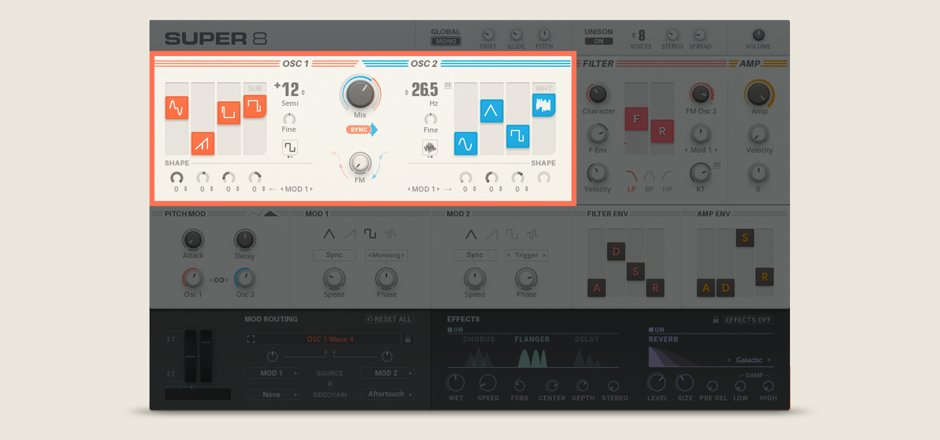
Warm Oscillators: Dual oscillators, each equipped with four independent waveforms, let you generate a wide array of warm, analog tones.
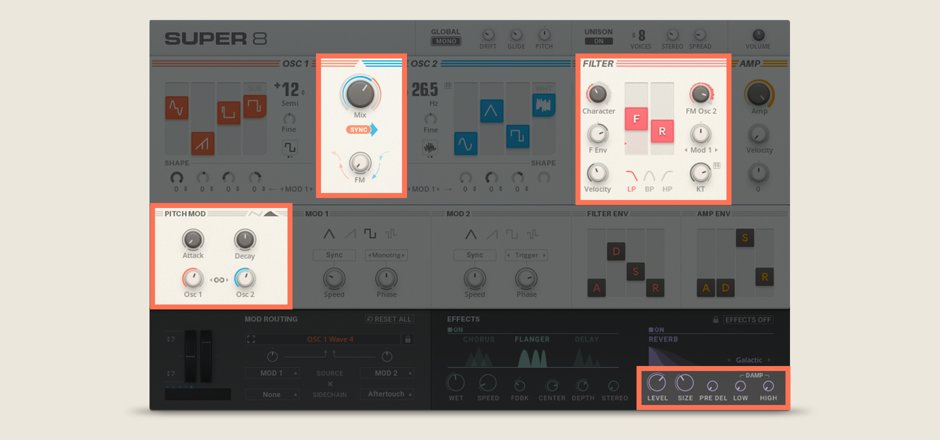
Tweakability: Reach for a dial instead of a manual. Experimentation is as easy as moving faders and turning knobs.
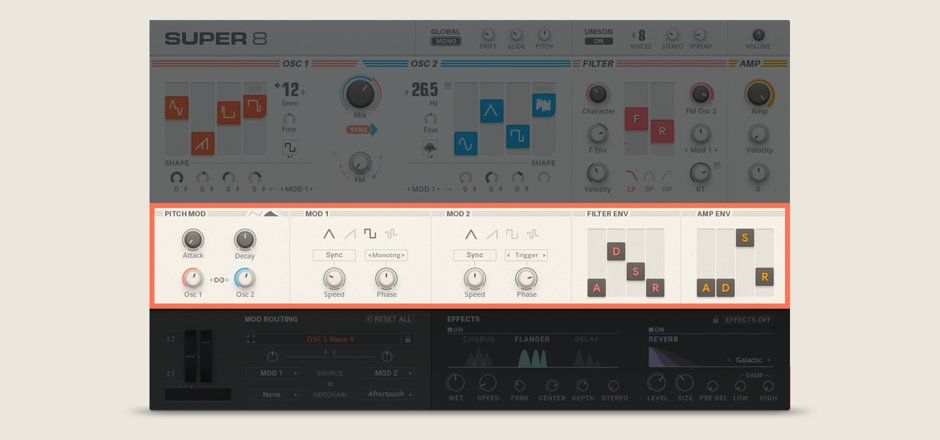
Flexible Modulation: Sprinkle in some pitch modulation, then choose from multiple waveforms for each of the two additional modulators to morph your sound.
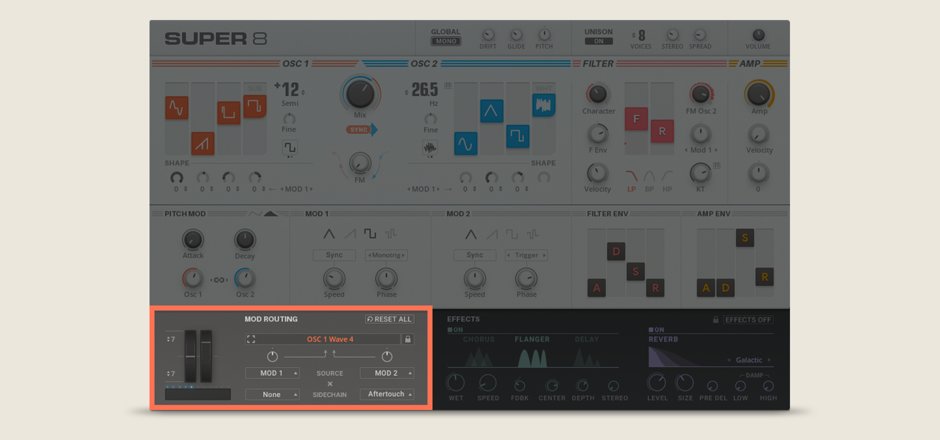
Mod Control: Bring SUPER 8 to life with real-time control of oscillators, filters, and more from your MIDI device.

Classic Effects: Apply a classic synth stereo chorus, flange, or delay, then dial in some reverb to find the perfect place for your synth in the mix.
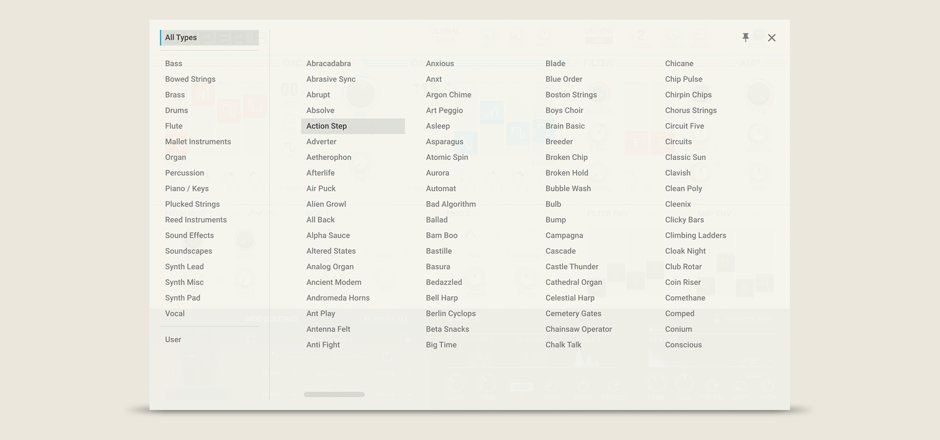
Browser: Find the sounds you need, save your own presets, and choose favorites.
Features
-
Designed for Tweaking
- Super 8 makes it easy to tweak your sound through a clean, next-generation interface. Use simple sliders to blend up to four waveforms for each of the two oscillators. Mix the oscillators, sync them, and fold in FM oscillation for a digital edge. Apply low-pass, band-pass, or high-pass filtering, then use ASDR sliders to make quick changes to filter and amplifier envelopes.
- Add motion to your patches by diving into the interface’s modulation section. Choose one or more mod waveforms, then dial in speed and phase. For maximum creative flexibility, use mod routing to map almost any source to any destination.
-
Extensive Presets
- Need something fast? Get started right away with any of the 550+ presets – from rich analog strings and ethereal pads to deep basses, biting leads, electronic percussion, and unusual effects. Patches were inspired by legendary synths from Roland, Sequential Circuits, and others. But Super 8 has a character all its own. Modern presets give you combinations of oscillators, filters, and modulation settings that wouldn’t have been possible on original hardware.
-
Built to be Played
- Explore the full range of Super 8’s creative possibilities with your MIDI controller. Drive the Super 8 pitch wheel, mod wheel, and touch strip controls from your hardware to produce expressive leads, shifting soundscapes, and evolving textures. You can set parameters directly from the interface’s front page – or take advantage of automatic parameter mapping using a KOMPLETE KONTROL keyboard. With Super 8’s flexible mod routing, you can adjust pitch, modulation, filtering, keytracking, and more – all in real-time.
System Requirements
- macOS 11, 12 or 13 (latest update)
- Windows 10 or 11 (64-bit, latest Service Pack)
- Intel Core i5 or equivalent AMD CPU, 4 GB RAM (6 GB recommended)
- Apple Silicon Mac (native mode or using Rosetta 2)
- An Internet connection and a graphics card that supports OpenGL 2.1 or higher are required to download and activate this product. Once installed and activated, the product can be used offline.
- Windows (64-bit only): VST, AAX
- Mac OS X (64-bit only): VST, AU, AAX
Please note: Reaktor 6 Player (FREE) or Full is required to use Super 8
Reviews Summary
While it aims to provide a helpful overview, it may not capture every perspective or detail. We encourage you to read individual reviews to make an informed decision.
Users generally find the synthesizer fun, nice-sounding, and capable of getting the job done. However, critiques include an unresizable GUI, subpar presets, mediocre sounds, and a lack of popularity.


