


 Log In

Free gifts available with your purchase


No Strings Attached
We’re keeping the love alive with Solina V, our physical model of the classic Arp/Eminent Solina string machine.
Before polyphonic synthesizers, there were the string machines. The Solina, made originally by Eminent and rebranded for Arp, defined a class of sounds that are still as in demand today as ever. The Solina was probably heard on more albums in the 1970's and 80s than any other single keyboard.

Like fresh Oxygen
We began by modeling the original Solina MK1 from Eminent making sure that the Violin, viola, cello, horn and trumpet sounds were as rich and warm as the original. The renowned ENSEMBLE effect was carefully modeled and is a thing of beauty that cannot be found in any of the sample-based string machines.
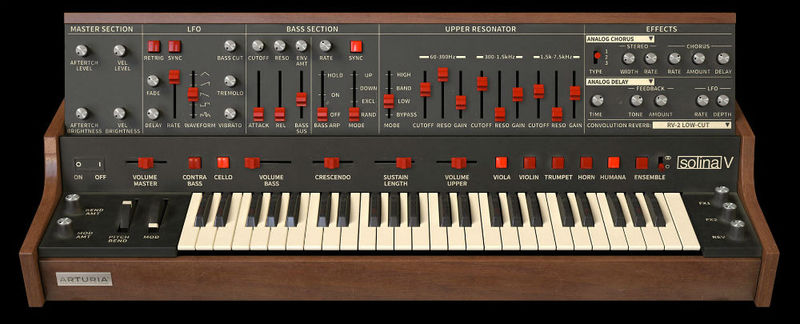
Strings and Things
Solina V is perfect for that string wash in your Nu Disco tracks or as a phase shifted pad in your old school electronic music track.
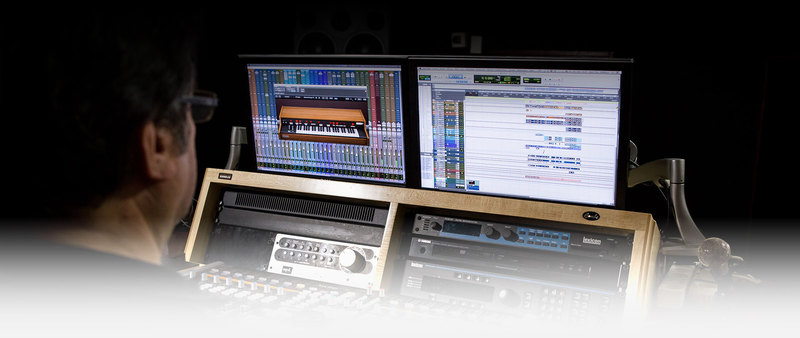
Soaring Beyond the Past
Besides recreating the original features of the Solina, we took a step further and expanded the sonic palette beyond anything the original designers could have imagined.
Additional features like the Vox Humana and Resonators from the 1978 Bob Moog polysynth, original paraphonic and new polyphonic modes of operation, a 24dB per octave filter on the bass section, an LFO, an arpeggiator, and more all add up to creating the biggest and baddest string machine ever.
Main Features
- All of the original parameters of the ARP/Eminent Solina string ensemble
- Vox Humana sound modeled after the original 1978 Bob Moog's Polysynth
- Classic Paraphonic operation as well as selectable Polyphonic mode
- 1978 Bob Moog’s polysynth resonator section on Upper Section
- 24dB per octave resonant filter on Bass Section
- Arpeggiator on Bass Section
- LFO for vibrato, tremolo and filter modulation
- Aftertouch and velocity level controls
- Solina MK1 and MK2 ensemble modes
- 3-mode stereo chorus
- Stereo dual phaser
- Analog delay
- Digital sync delay
- Convolution reverb with 24 modeled reverbs
- 150 presets
Arturia Software Center
ASC is the central software that elegantly manages all your Arturia software licenses. It activates your licenses and synchronizes them across multiple devices (you get five instances with each instrument license). ASC also notifies you of updates and downloads them. You can even easily learn about new products, download demos versions and purchase the full products. Simple.
Included in V Collection
This instrument is also part of the V Collection 5 -your complete dream line-up of the legendary synths, organs, pianos and more that made keyboard history. They’re modeled with the most advanced technologies for authentic realism, and enhanced with new creative options. Whether you use it as DAW plugins in the studio or standalone at gigs, V Collection 5 puts the greatest keys of all time at your fingertips for instant inspiration.
TAE® Powered
TAE® "True Analog Emulation" is Arturia's exclusive technology that accurately reproduces the defining sonic qualities of analog synthesizers. It recreates the characteristics of analog oscillators in amazing detail, transparency and clarity, as well as the exact properties of the analog filters that give each classic instrument its unique sound. Soft clipping adds even more punch and presence. TAE® is primarily what makes our virtual instruments indistinguishable from the originals.
Preset Browser
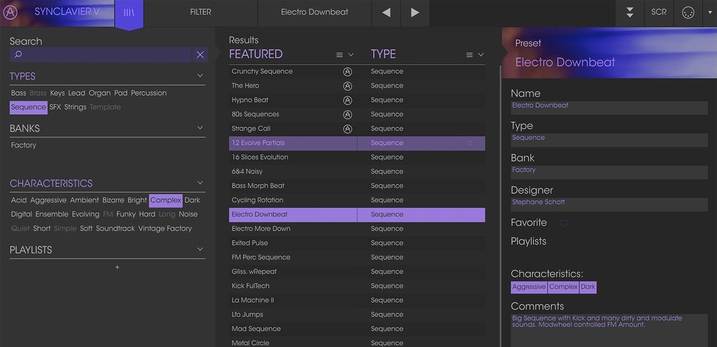
Our redesigned preset browser lets you quickly find just the sound you’re looking for.
Search by name or simply select the appropriate tags to dial in on the exact sonic character you’re looking for. You can mark and recall your own favorites, enter comments, and set up playlists. There’s never been a more intuitive way to manage your library of designer and personal presets.
Resizable GUI
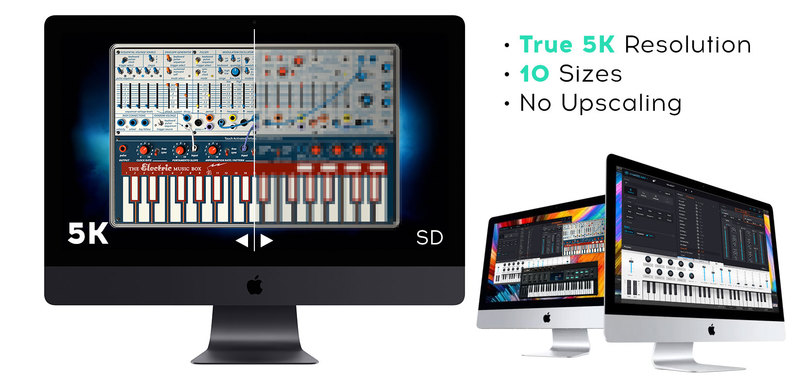
The user interfaces for all your Arturia instruments are now resizable, making it easy to work with any High Resolution screen, UHD or Retina.
You can decide whether you want to fill the screen with awesome graphic reproductions of classic instrument goodness, scale the window down when you’re working in a DAW and screen real estate is at a premium, or even zoom for detailed work.
System Requirements
- Works in Standalone, VST, AAX, Audio Unit, NKS (64-bit DAWs only).
Mac
- Mac OS 10.13+
- 4 GB RAM
- 4 cores CPU, 3.4 GHz (4.0 GHz Turbo-boost) or Apple Silicon CPU
- 3GB free hard disk space
- OpenGL 2.0 compatible GPU
Windows
- Win 10+ (64bit)
- 4 GB RAM
- 4 cores CPU, 3.4 GHz (4.0 GHz Turbo-boost)
- 3GB free hard disk space
- OpenGL 2.0 compatible GPU
- ARM processors not supported on Windows
Protection
All Arturia software is protected by the Arturia Software Center.
Rik Simpson (Coldplay)
Rik Simpson (aka Rikademus) is a British record producer, sound engineer, musician, and songwriter. He is most recently recognised for his production work with Coldplay.
'The Solina V in particular blows my mind. It’s lush and authentic, I’ve used the real thing on numerous records and this is the only emulation that I’d use.'
Kevin Baird (Two Door Cinema Club)
Two Door Cinema Club are an Irish indie rock band from Bangor and Donaghadee in County Down. The band formed in 2007 and is composed of three members: Alex Trimble, Sam Halliday, and Kevin Baird.
'For someone who has spent most of their life playing live with real analogue instruments I've always found it so hard to replicate the warmth and fullness with software. Solina bridges that gap so perfectly I imagine my instruments will be gathering dust in my studio now!'


