/ Synth / X-Stream
Steinberg

X-Stream

4.4 (66 Reviews)
FREE
Main Image
Main Image
Free Spectral Synthesizer X-Stream Walkthrough gallery thumbnail
How to get, install and use free HALion Instruments gallery thumbnail
In-Depth Sound Design with free Spectral Synth X-Stream gallery thumbnail
Image 2
Product information

Unfolding the full spectrum of sounds 

The free X-Stream spectral synthesizer transforms your sample into a colorful spectrum of sounds. Stretch the playback of samples, loops or even whole tracks to extreme lengths and create ethereal dreamy soundscapes and textures. With tools like the new Blur and Stack, X-Stream will act like a prism, revealing shades of sound you have never heard before. 

Features

  • Free monophonic Spectral Synth for sound design and ambient music creation 
  • Drag and drop: Turn any samples into smooth evolving drones and textures
  • Craft abstract drones and effects for scores, games and electronic music
  • Works with free HALion Sonic in Cubase, Nuendo, Ableton, FL Studio, Logic Pro and more

System Requirements

macOS

  • macOS Big Sur, macOS Monterey, macOS Ventura, macOS Sonoma 
  • Apple silicon-based Mac: Native App + Rosetta 2 App 
  • VST 3, AAX or AU compatible host application 
  • 870 MB free HD space 

Windows

  • Windows 10 (64-bit), 64-bit Windows 11 Version 21H2 (or higher) 
  • VST 3 or AAX compatible host application 
  • 870 MB free HD space 

Please note that this library requires the free HALion Sonic 7.1 or the full version of HALion 7.1

Internet connection required for activation, download, account setup and personal / product registration. Additional software is required for the installation. 

Installation Instructions
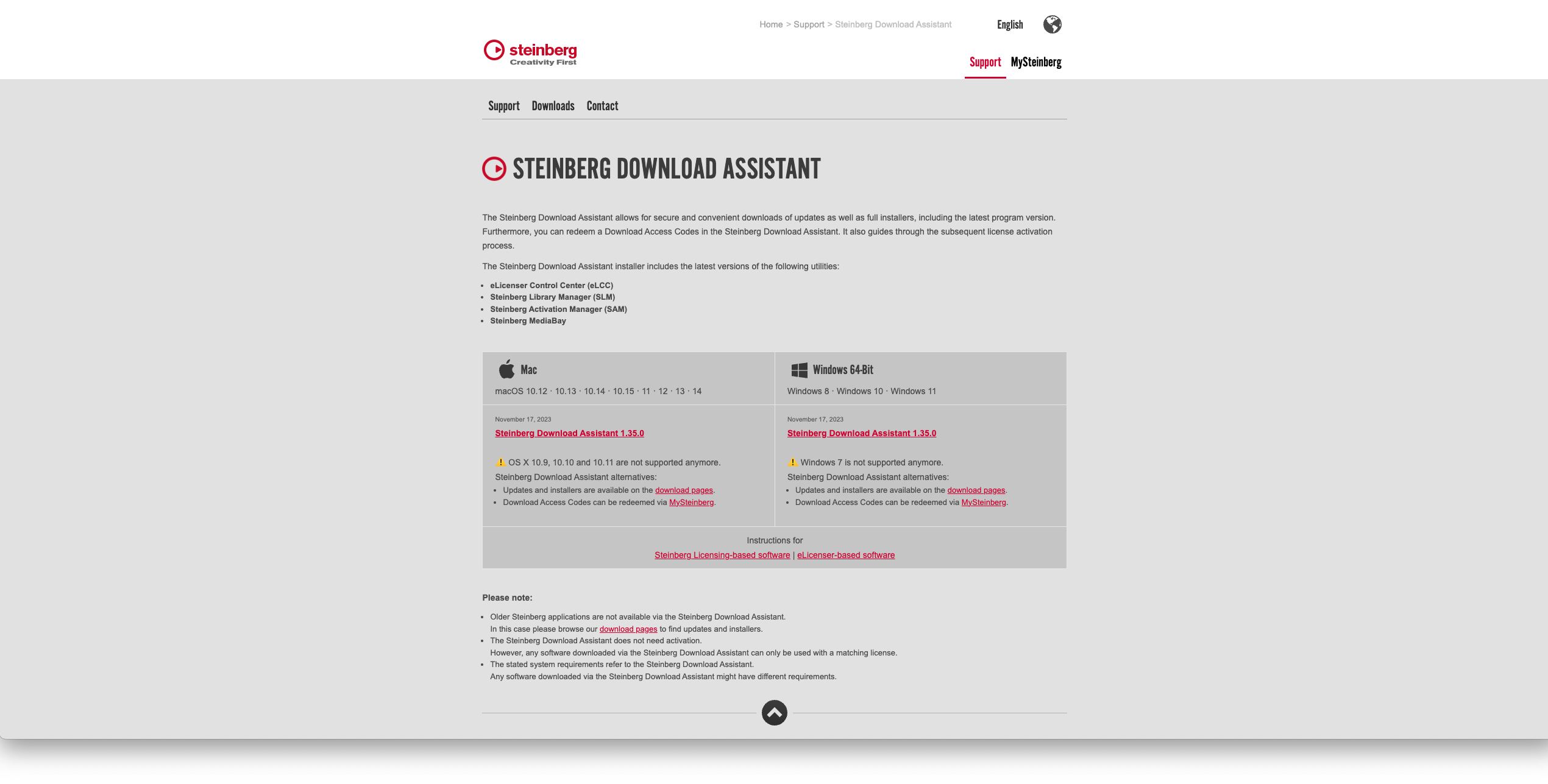
Activation

1. Go to https://www.steinberg.net/go/ or click 'Download' in your Plugin Boutique User Account.

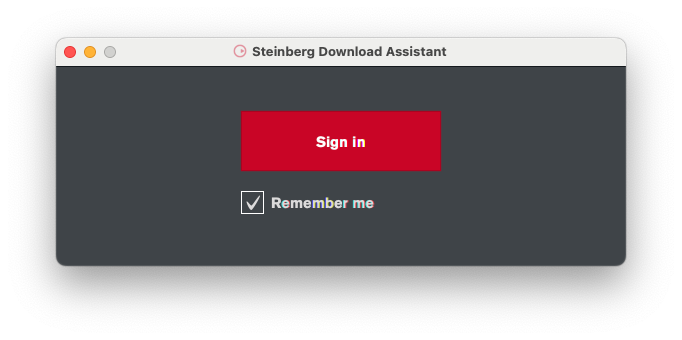
2. Download the relevant installer > Complete the installation of the Steinberg Download Assistant.

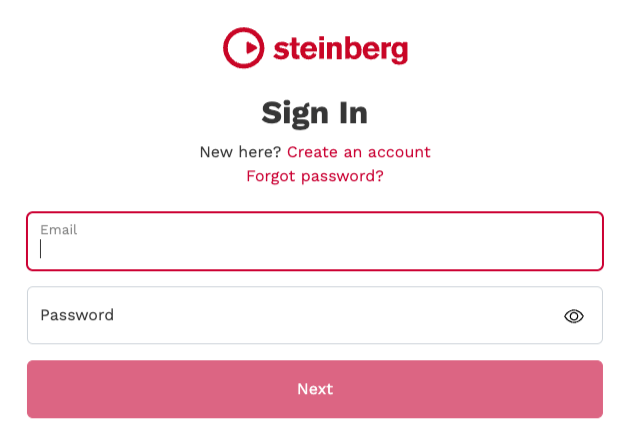
3. Click 'Sign in'.

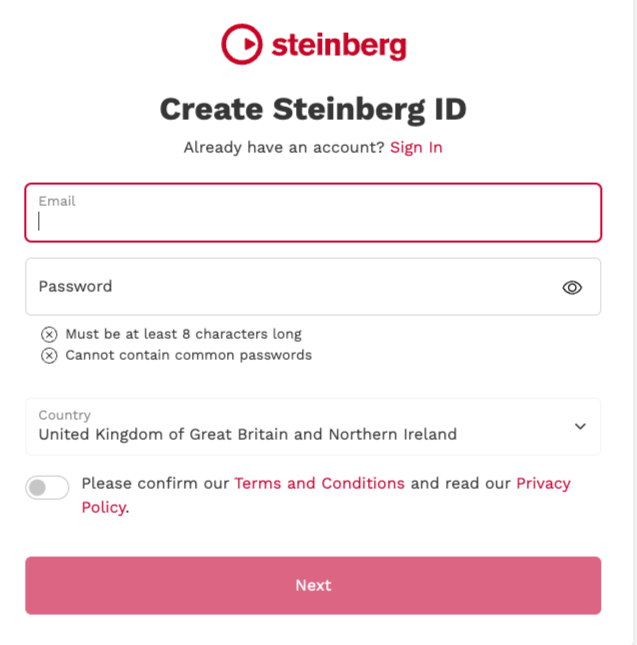
4. Click 'Create an account' > if you already have a Steinberg account, login and skip to step 

5. Enter the requested details > Click 'Next'.

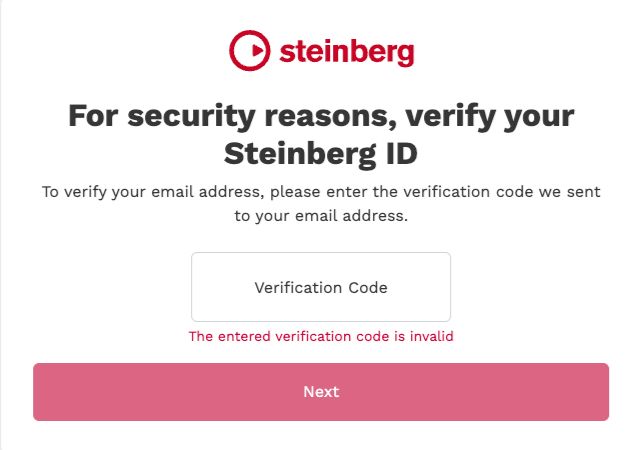
6. Enter the verification code found in your email from Steinberg > Click 'Next'.

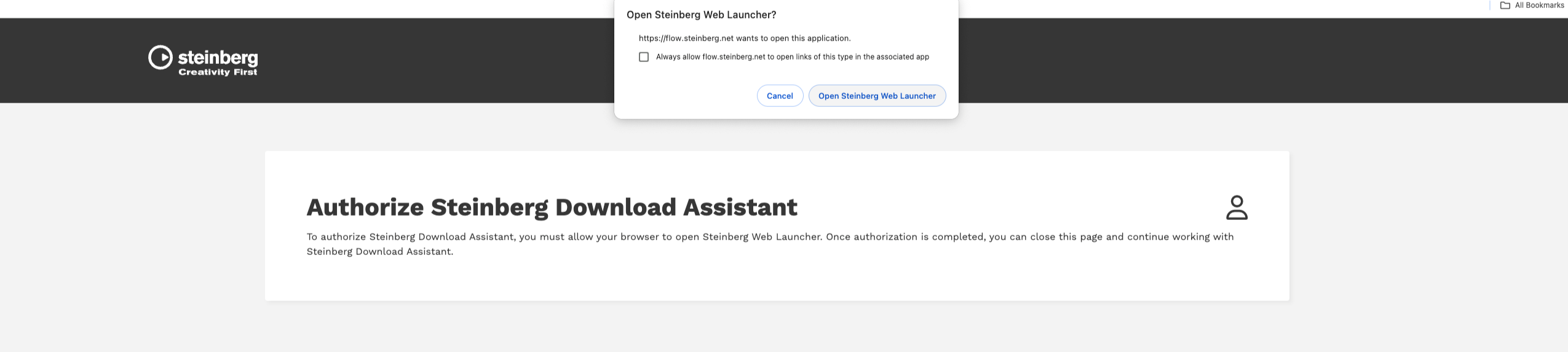
7. Click 'Open Steinberg Web Launcher'.

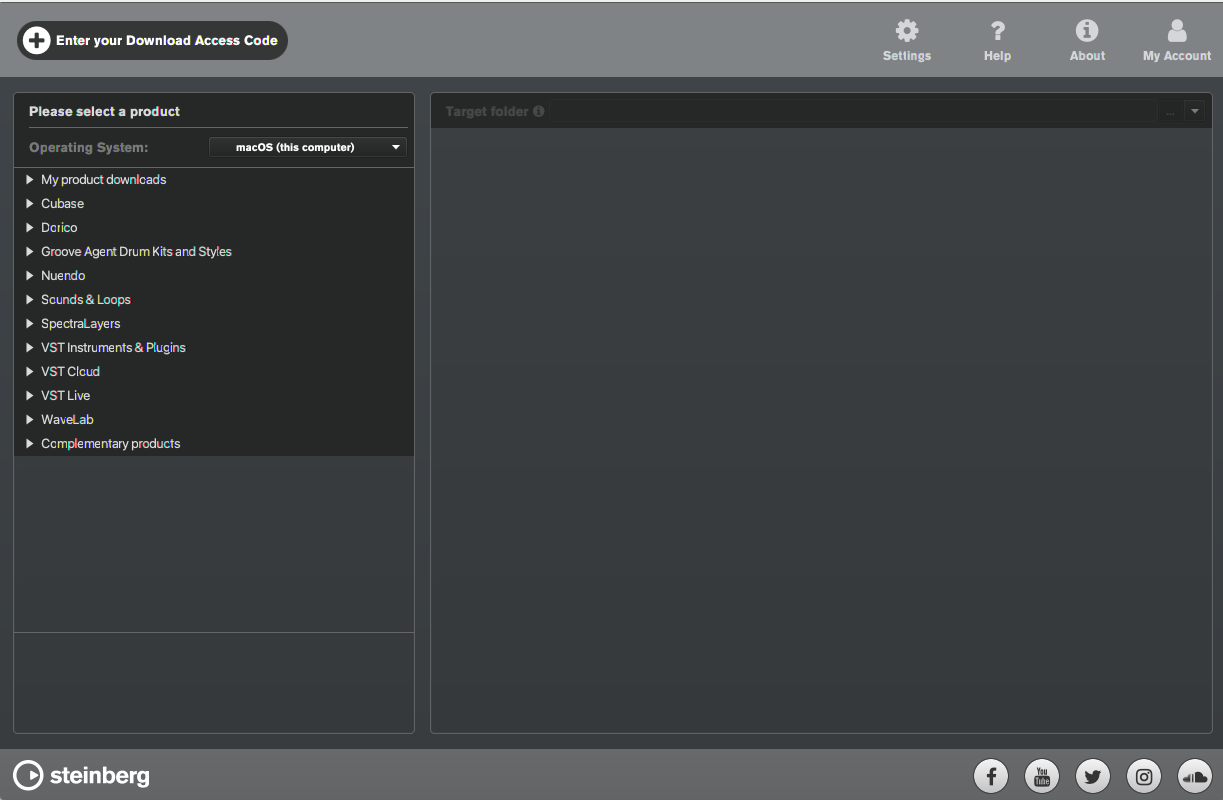
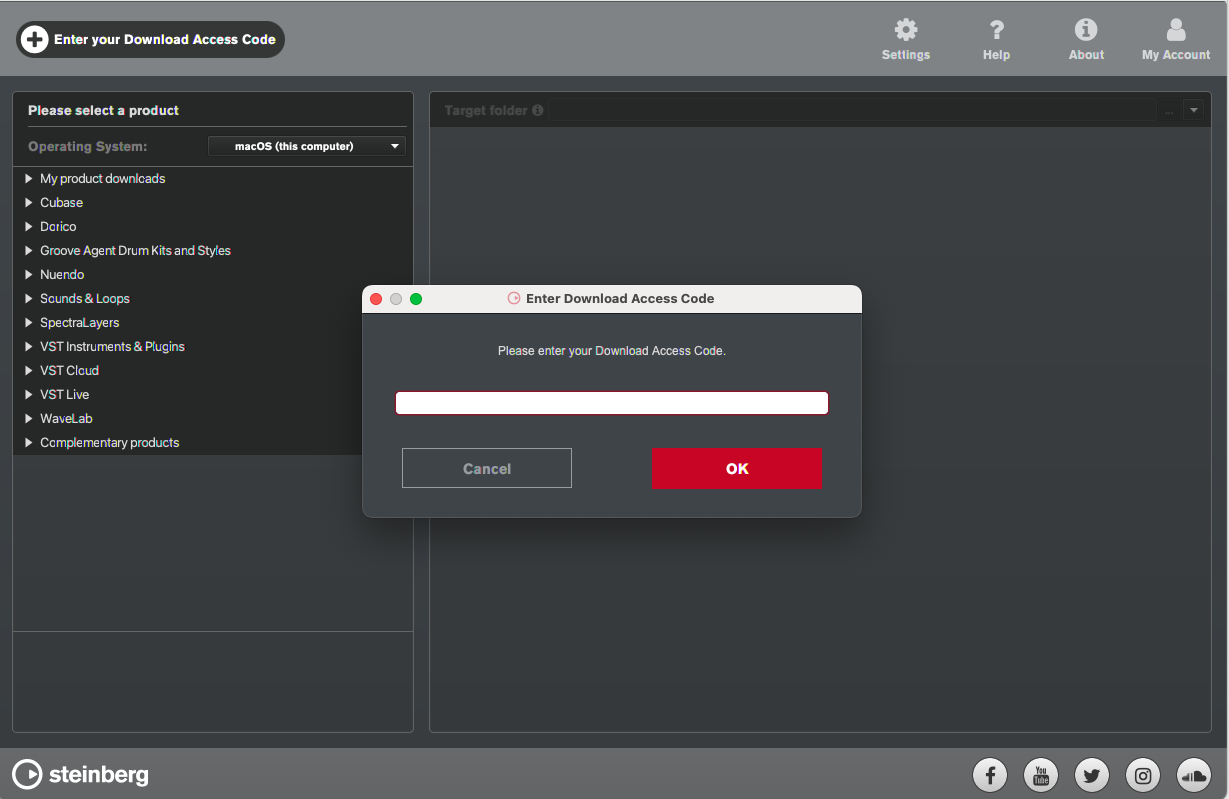
8. Click 'Enter your Download Access Code'.

9. Enter the serial number found in your Plugin Boutique User Account.

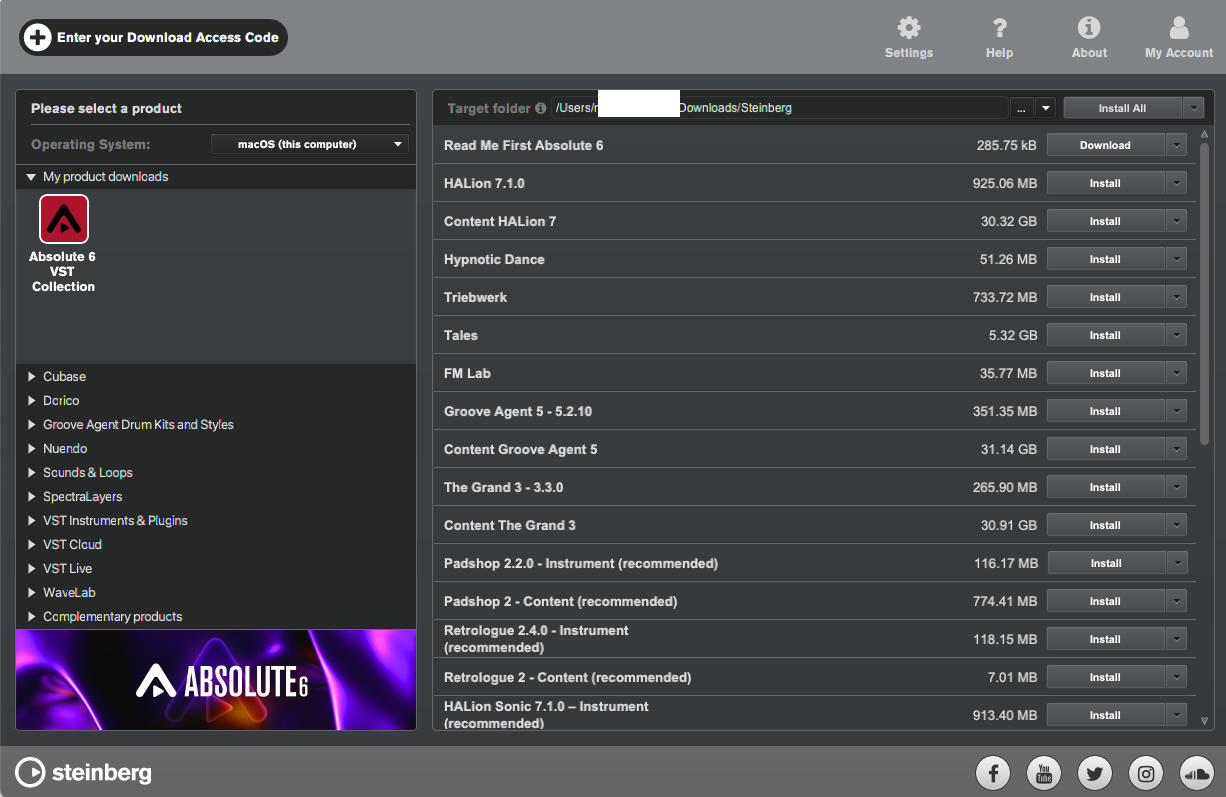
10. Download/Install the relevant products.

Your software is now installed and ready to be used!

Plugin Boutique Rewards

Discover the most rewarding loyalty programme among all plugin retailers.

  • Free Loopmasters Samplepacks
  • Discounts on products and courses
  • Extra Virtual Cash claimed immediately at checkout
Find out more

Follow us:

X (Twitter) Facebook YouTube Instagram
Logo Logo

Plugin Boutique Limited, Part of the Beatport Group LLC.

Copyright © 2011-2025 Plugin Boutique. All rights reserved