


 Log In

Free gifts available with your purchase
The Funkiest Electric Keyboard Ever
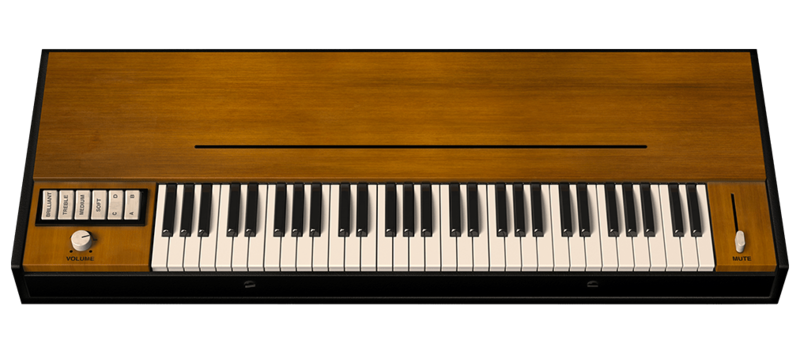
The Clavinet V faithfully models the electric keyboard that put the funk in many ‘70s hits. This vintage instrument’s unmistakable sound will help your music jump right out of the speakers. No keyboard collection is complete without it.
The “Clav” sound is so iconic that most keyboards have a patch that tries to emulate it. Why settle for an approximation?
From the first note you play on the Clavinet V, you know this is no sample or synth. You feel that organic grit that only comes from a physical instrument, reproduced in minute detail by our award-winning modeling technology. We recreated the iconic Clavinet D6—including lightning response, multiple pickups, EQ rockers and variable mute. You can even tech your own customizations to age your instrument to taste. Dial in the rest of that coveted vintage sound you’re looking for with the built-in virtual guitar amp and stompbox rig—or just hit the extensive preset library.
When you want the real deal, you want the Clavinet V.
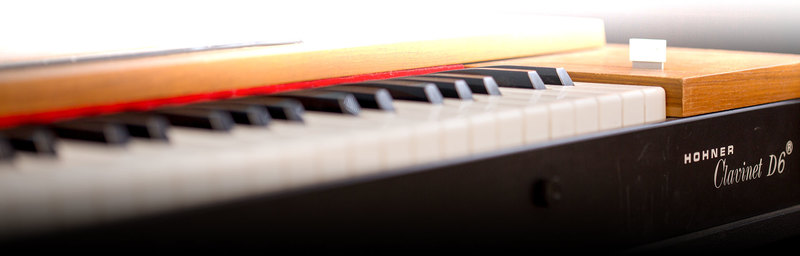
May the funk be with you
Whether you love playing oldies or pioneering new musical territory, there’s nothing like the distinctive sound of the Clavinet’s hammered strings.
The unmistakable bright, punchy sound of this vintage keyboard occupies a unique sonic space somewhere between harpsichord, hammered electric guitar and slapped bass. Top keyboardists of the ‘70s used its signature bark and bite to cut through the mix while delivering some of the most authoritative percussive keyboard lines ever played. Thanks to the ultra-realistic Clavinet V, you can now command the same crisp sound that helped define funk and formed the bedrock of many pop and R&B hits back in the day. If you’re looking to add natural energy and vintage cred to your sound, the Clavinet V is just the ticket.
The Clavinet V inspires with both the sound and feel of the funkiest electric keyboard ever made. Your fingers have never danced like this before.
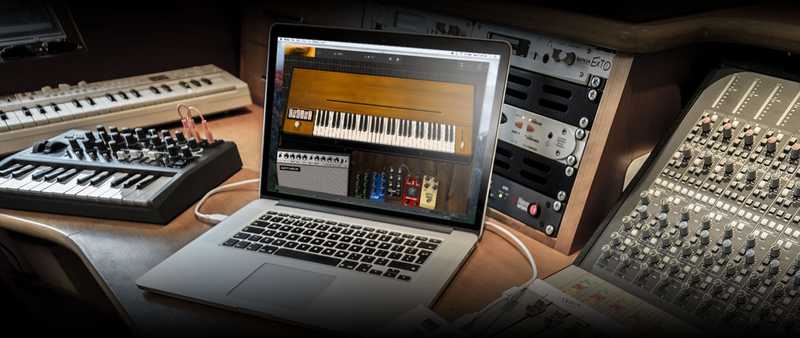
Ain’t nothing like the real thing, baby
Only modeling technology gives you this faithful reproduction of a vintage Clavinet.
Since the Clavinet is an electro-acoustic instrument, complete with multiple settings and a dynamic action, there are countless subtle variations during performance. By comparison, “Clav” synth patches and samples seem one-dimensional. That’s why we’ve applied our award-winning physical modeling and algorithmic emulation to give you a sound and playing experience indistinguishable from the real thing.
The Clavinet V brings all the inspiring nuances and natural goodness of the original instrument to your keyboard collection.
More than a Clavinet
Clavinet V delivers all the original features, plus new additions designed to keep your creative juices flowing.
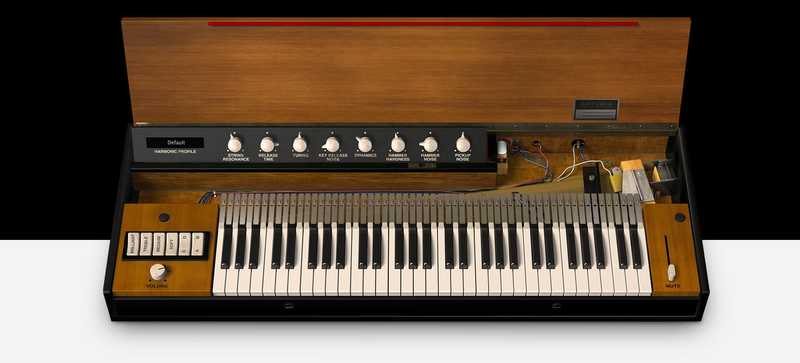
The original Clavinet controls were simple to use, and we’ve kept them authentic. If you want to go deeper, just click the lid open and you can easily tweak exactly how your instrument sounds and behaves. The built-in collection of effects pedals—chorus, flanger, wah and more—let you easily get the rich signature sounds of the keyboardists who popularized the instrument. You’ll also find an integral vintage guitar amp, so you never have to look elsewhere to get just the sound you’re looking for. Of course, everything can be preset for instant recall.
The Clavinet V isn’t just a Clavinet. It’s a complete rig at your fingertips.
Main Features
- Advanced Physical modeling engine (no static samples)
- Hohner™ Clavinet
- Mute bar
- Accurate pickups model with generated pickup noise (4 lower and upper pickup combinations)
- Circuit Modeled tone circuit (4 bands, brillant, trebble, medium, soft)
- Volume control
- Fender Twin amp
- Modeled spring reverb
- On and off axis mic placement
- Tone controls
- Mono vibrato
- Effects are post output circuit
- Output effects where you can change the order
- Wah, auto-wah
- Flanger
- Phaser
- Compressor
- Chorus
- Analog Delay
- Overdrive
- Vocal Filter
- Advanced mode for editing the model itself
- Harmonic profile selections
- Velocity curve editor
- String resonance
- Release time
- Tuning
- Key release noise
- Dynamics
- Hammer hardness
- Hammer noise
- Pickup noise
- 74 factory presets
- Easy to use MIDI mapping
Preset Browser
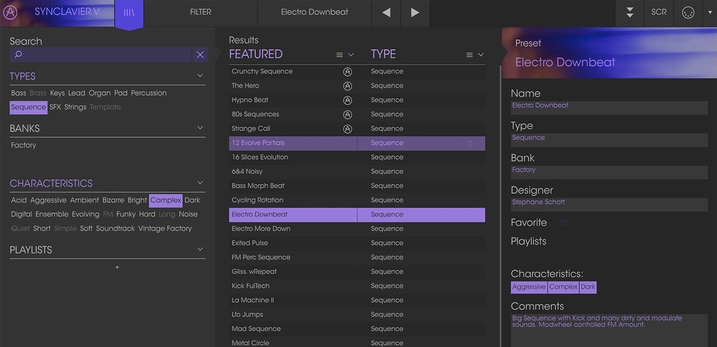
Our redesigned preset browser lets you quickly find just the sound you’re looking for.
Search by name or simply select the appropriate tags to dial in on the exact sonic character you’re looking for. You can mark and recall your own favorites, enter comments, and set up playlists. There’s never been a more intuitive way to manage your library of designer and personal presets.
Resizable GUI
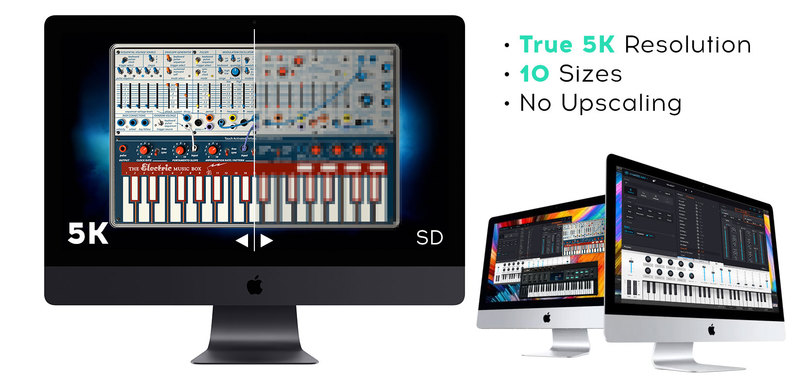
The user interfaces for all your Arturia instruments are now resizable, making it easy to work with any High Resolution screen, UHD or Retina.
You can decide whether you want to fill the screen with awesome graphic reproductions of classic instrument goodness, scale the window down when you’re working in a DAW and screen real estate is at a premium, or even zoom for detailed work.
System Requirements
- Works in Standalone, VST, AAX, Audio Unit, NKS (64-bit DAWs only).
Mac
- Mac OS 10.13+
- 4 GB RAM
- 2.5 GHz CPU
- 2GB free hard disk space
- OpenGL 2.0 compatible GPU
Windows
- Win 10+ (64bit)
- 4 GB RAM
- 4 cores CPU, 3.4 GHz (4.0 GHz Turbo-boost)
- 6GB free hard disk space
- OpenGL 2.0 compatible GPU
- ARM processors not supported on Windows
Protection
All Arturia software is protected by the Arturia Software Center.


