/ Synth / Poly 2106
Synthscience

Poly 2106

4.1 (145 Reviews)
FREE
Poly 2106 Main Image
Poly 2106 Overview Video gallery thumbnail
Product information

The Poly 2106 initially started off as a recreation of a true object of desire from the fashionable 80’s that was once was part of our studio.  That was the initial kick that propelled a more enthusiastic project which culminated into a knob infested creation with a solid vintage backbone. For a long time we did not spare ourselves in the effort of breathing life into a machine that is a breed of everything we would like to see in a true performance synthesizer.

System Requirements

  • This is for PC only.

Runner Up for the KVR Developers Challenge 2012

Installation Instructions
 Installing on Windows

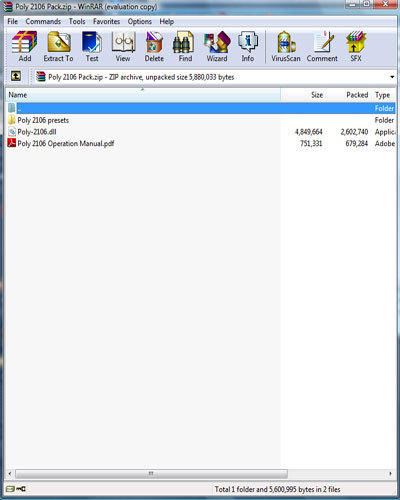
1. To install Synthscience software, first double click the ZIP folder you downloaded from Pluginboutique.com. You will then see this window -

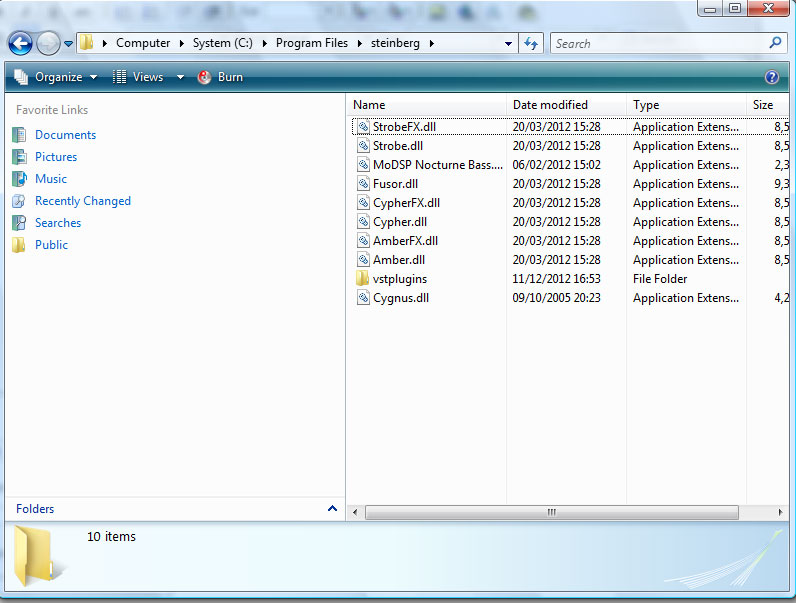
2. Next follow the file directory - Computer / System (C:) / Program Files / Steinberg - and drag the .dll file into the Steinberg folder.

3. You can now open your DAW of choice and use this great free plug-in!

Plugin Boutique Rewards

Discover the most rewarding loyalty programme among all plugin retailers.

  • Free Loopmasters Samplepacks
  • Discounts on products and courses
  • Extra Virtual Cash claimed immediately at checkout
Find out more

Follow us:

X (Twitter) Facebook YouTube Instagram
Logo Logo

Plugin Boutique Limited, Part of the Beatport Group LLC.

Copyright © 2011-2025 Plugin Boutique. All rights reserved