


 Log In

Free gifts available with your purchase

One Page Wonder
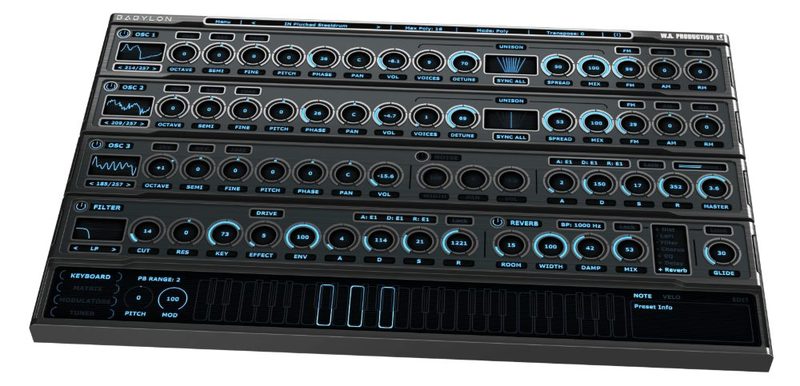
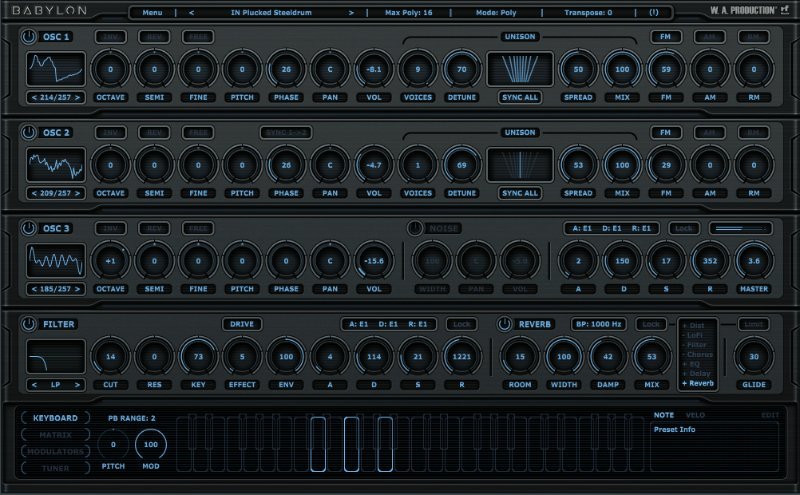
W.A Production have been wanting to create a synth like Babylon for years, after struggling with synths that overcomplicate programming with multiple windows and menus. Babylon keeps things sleek and simple with a one-page design, featuring all major parameters on a single interface page. Of course, a synth is only as good as it sounds and they've included hundreds of waveforms and presets to choose from. Babylon can turn its hand to any kind of instrumentation including different types of leads, basses, pads, organs, keys, FX and more. With powerful multi-voice oscillators, stereo unison & detuning, high quality filters, effects and an internal modulation matrix Babylon can stand with the big boys because it’s powerful, but perfectly formed.
Microtonal Tuning
Very unusual for a soft-synth, with Babylon you can tune every individual note to its own frequency and play quartertone and microtonal scales. These would not normally be able to be played in standard tuning and make for some extremely fun experimental harmonics.

Scale Helper
Babylon comes complete with 23 standard and 34 traditional scales and modes from the Middle East. You can choose a scale, a key and see the notes of the scale highlighted on the virtual keyboard. Microtonal tuning is also set up automatically. Using a modern synthesizer to play scales from all over the world has never been easier.
Presets
With 257 high-resolution waveforms, you’re sure to find the perfect starting point for your own sounds. Alongside many variants of the classic oscillator shapes, W.A Production have included formant, gritty, voice and instrument waveforms for maximum versatility. These can all be inverted and reversed (or both). Over 2300 preset sounds have been expertly programmed and are catalogued into themes within the onboard browser so you can easily find what you need in a hurry.
Effects
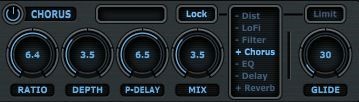
A full range of FX are included: Distortion, Bit rate and Sample Rate Reduction, Filter, Chorus, EQ, Delay and Reverb. These can be reordered by simply clicking and dragging, making for a logical approach to FX routing.
Unique Features
W.A Production could list all of the great features of Babylon, but instead, allow them to point out some aspects which they think are unique in the world of soft-synths. The filter section features not only standard controls but also 5 characterful poly effects: drive, distortion, saturation, crush and LoFi. There’s a dedicated Vibrato LFO with delay & attack settings for smooth vibrato transitions. Babylon has 12 different curve types for ADSR and Filter programming. Visual unison feedback shows the exact width and depth of your voicing and detuning choices. And did they mention the scales and microtuning? Oh yes, so they did.
W. A. Production are real-life producers making creative plugins to help you achieve studio quality processing quickly and easily. Enjoy!
Features
- One-page synth programming
- 257 high-resolution waveforms
- Over 2300 Preset sounds
- Scale & Microtonal features
- Filters & Effects
- Multi-voice Oscillation
- Modulation Matrix
- FM, RM & AM modulation
- Dedicated Vibrato LFO
- Skins and dual-size interface
- Full PDF Manual & Tutorial video
System Requirements
Mac
- macOS 10.13 and later (64-bit only)
- VST, VST3, AU and AAX
Important Note for Mac Apple Silicon users: Before purchasing, please review the current compatibility status of this plugin on your system here.
Windows
- Windows 8 and later (32 / 64-bit)
- VST, VST3 and AAX
Please Note: An internet connection is required to authorise this software.

The Samplecast
The show for sample library geeks, plug-in fans and people who love toys that make noise.
"Babylon is the plugin I wish I had 20 years ago, when I was learning to program synths. Having all the controls on a single page makes navigating a sound so easy to do."

Gloo Audio
Electronic Music Producer.
"I love this synth, it's a really awesome tool. and the microtonal tuning feature is a fantastic idea."


