/ Synth / Concept 2
Krotos

Concept 2

4.7 (129 Reviews)
$45.00 $149.00

69% off until Dec 07

Krotos Concept 2 - User Interface (Main)
Krotos Concept 2 gallery thumbnail
Krotos Concept 2 - Promo Video gallery thumbnail
Krotos Concept 2 - What's New in Version 2 gallery thumbnail
Krotos Concept - Introducing Concept | Synthesis in Motion gallery thumbnail
TMT | Concept by Krotos | External Audio Triggering Automation gallery thumbnail
New Synth NAMM 2020 | Concept by Krotos gallery thumbnail
Krotos Concept - Walkthrough gallery thumbnail
Krotos Concept - Roni Size interview gallery thumbnail
Krotos Concept - User Interface (Mod Section)
Buy Now
Product information

A Simply Powerful, Yet Powerfully Simple Synth.

Concept 2 is everything you want in a modern synth plugin, beautiful sounds without the complexity of operation found in many other synths.

Your time is valuable, so Krotos wanted to give you access to a rich sound design palette without having to spend time learning how to use it. With Concept 2, you can get lost in the music, not the manual.

Create Unique Sounds Fast

Krotos designed Concept 2 for musicians, producers, composers, sound designers, and post-production professionals who want to create sounds fast. Here are just some of the highlights of the benefits of creating sounds with Concept 2.
It’s All About the Sound

Preset Heaven
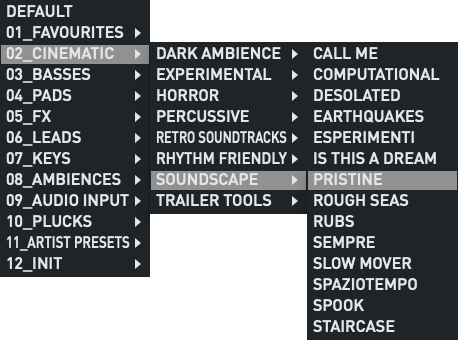
With tons of great-sounding presets from top artists, including Roni Size, Richard Devine, and Kayla Painter, there’s every chance you’ll find a sound that works right out of the box. Cinematic lush pads, organic soundscapes, stirring strings, killer bass synths, screaming leads and more. 

Presets Are Just the Start
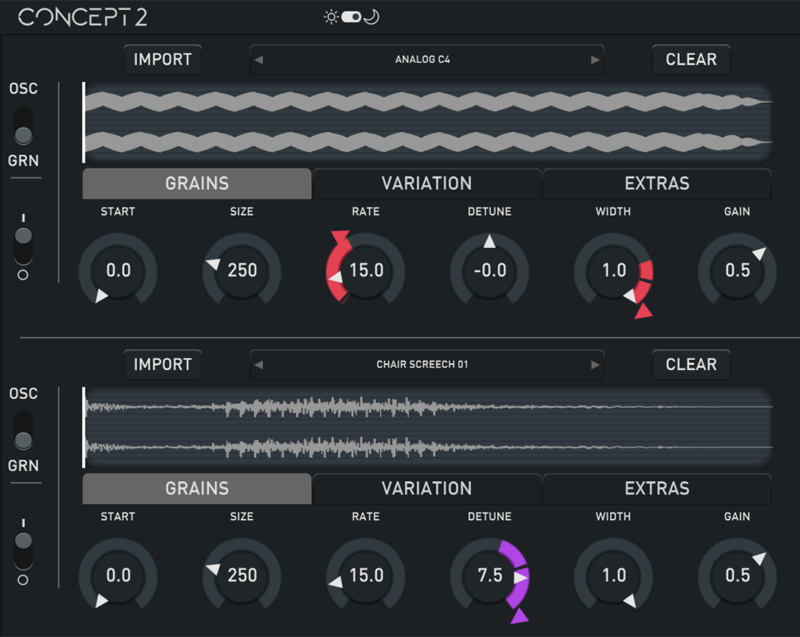
Presets are a great starting point, but Concept 2 gives you access to almost limitless routing parameters to shape the sound. Use multiple sound sources, or load your own samples into the granular engine and combine with conventional oscillators. 

Sound Manipulation Done Right
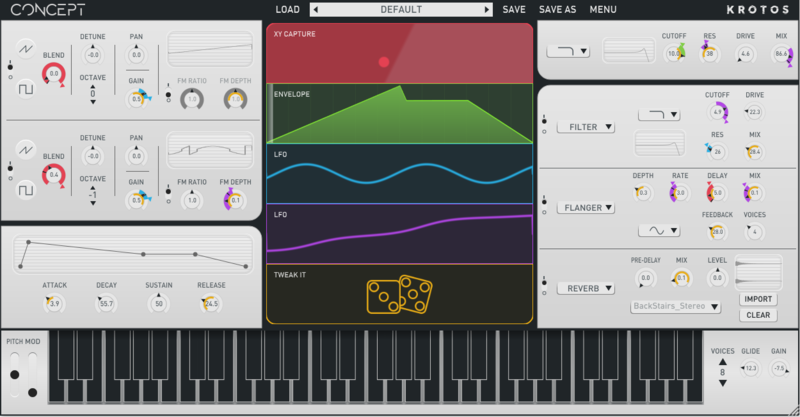
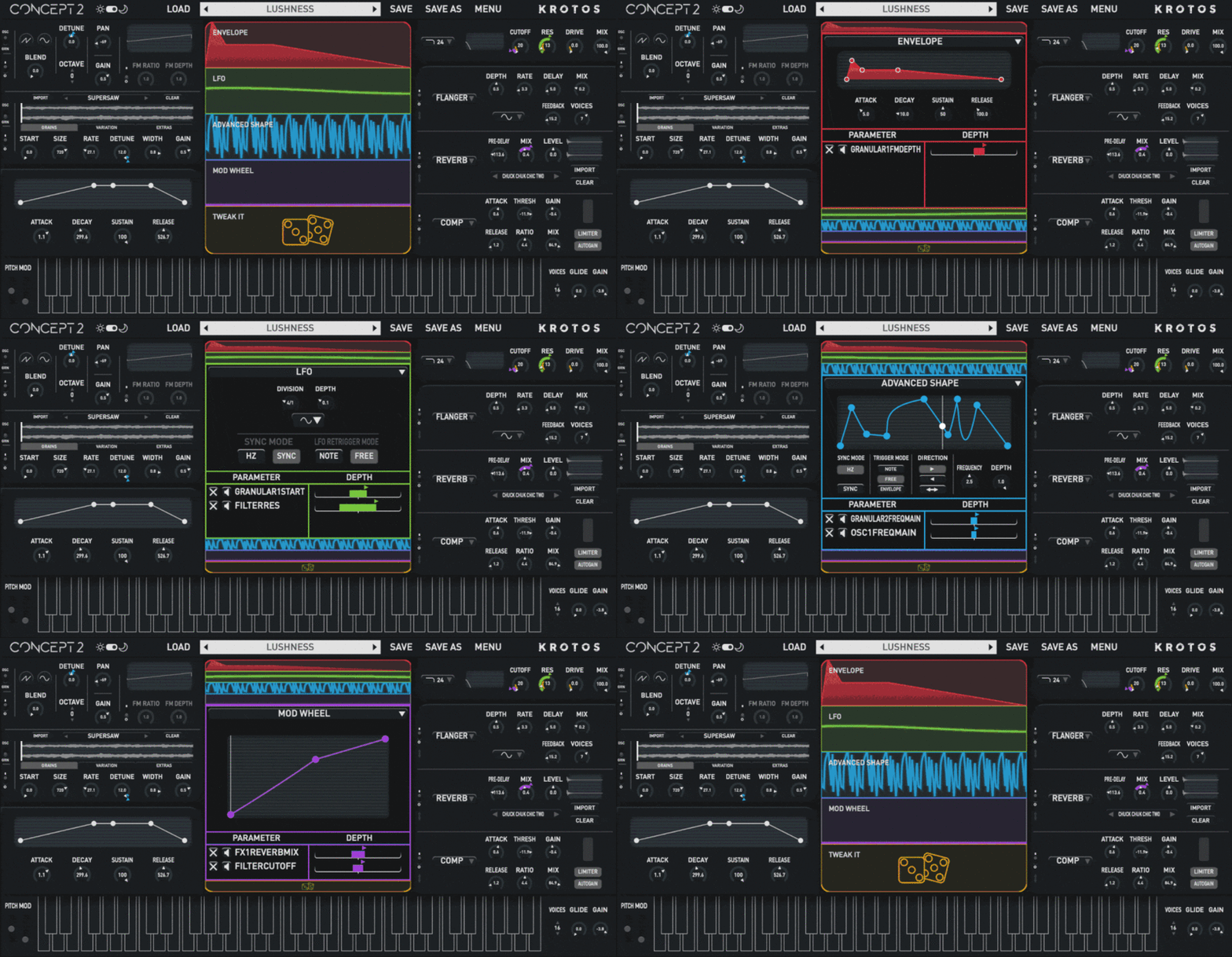
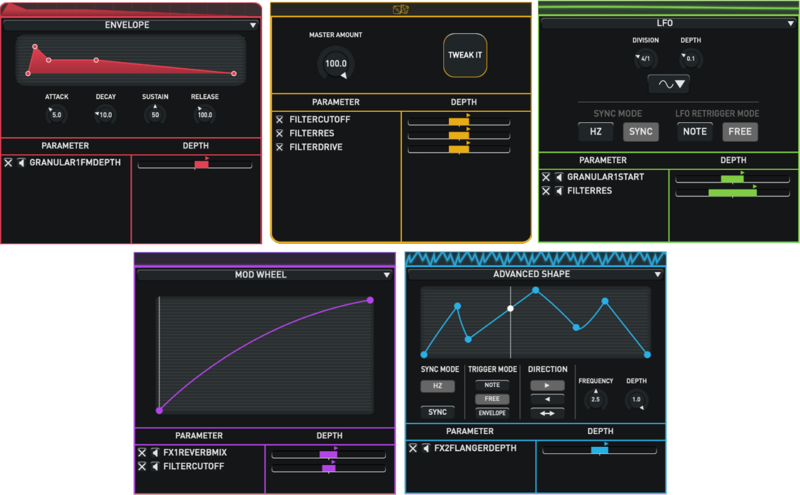
Routing and controlling modulation is a breeze in Concept 2, it’s as easy as dragging and dropping the connections; the creative colour coding means you can see modulation sources at a glance. 

An Effects Powerhouse

When it Comes to Effects, Concept 2 is No Slouch
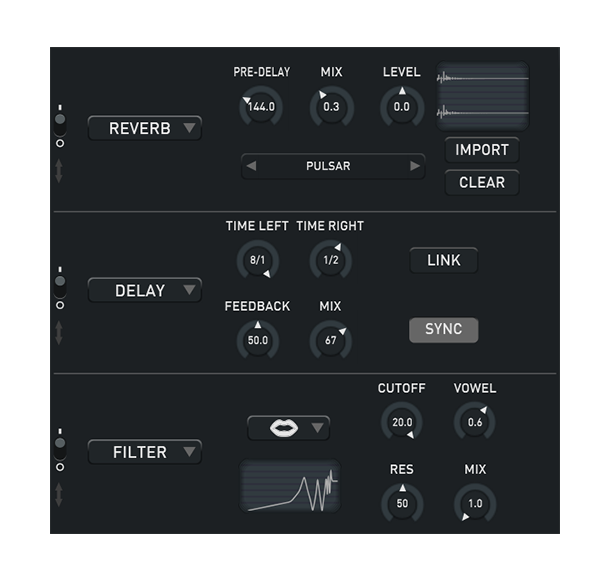
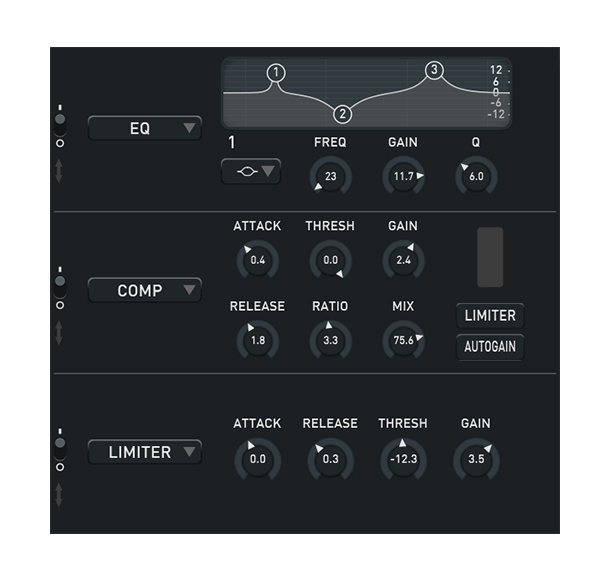
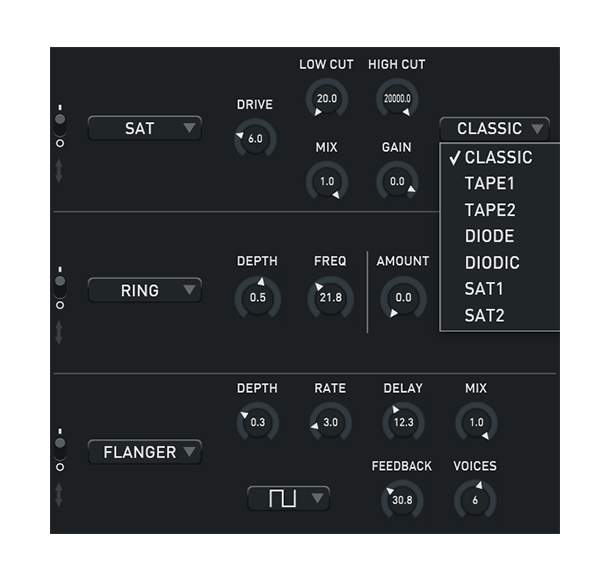
With three slots and multiple effects, including; convolution reverb, delay and compressors, you can add even more dimension to your sound design. You can even filter stack and have multiple filters applied to the sound with multiple modulation sources applied.

Features

  • New granular oscillator
  • New Advanced shape modulator
  • New Over 700 presets. Including artist presets from Roni Size, Richard Devine and Kayla Painter
  • New Added and improved impulse responses
  • New Workflow improvements
  • XY capture
  • Audio Input
  • Drag and drop modulation routing
  • Three effects slots with 10 effects, including; convolution reverb, delay, flanger/chorus, filter, EQ, ring mod, limiter, transient shaper, and compressors
  • Modulation System - Explore a new approach to modulation using drag-and-drop. Instantly identify your mappings with clear colour coding and animated visual feedback.
  • Tweak It - Get inspired quickly using controllable and assignable customisation system. Create variations of your patch with a single click, with results ranging from musical to complex.  
  • X/Y Capture - Draw your modulation movements within an X/Y field. Capture patterns for any combination of parameters and sync the results to your project's tempo. Create unique sounds and melodies in an instant. 
  • FX Rack - Combine a range of ten high-quality effects, and drag-and-drop any parameter into the modulation system. An innovative convolution reverb is included allowing the use of custom impulse responses. 
  • Audio Input - Stimulate new ideas by performing and modulating with any input or instrument. Use elements from your mix to create dynamic rhythmical patches, or use the pitch follower to create exciting interactions with existing melodies.
  • Formant, 12db High Pass, 12db Low Pass, 24db Bandpass and 12db Bandpass Filter Types - Extend your creative palette with filters that mimic the human voice (Formant) or give you more control over shaping your sound. The new additions to the Ladder Filter (for High Pass, Low Pass and Bandpass) are all equipped with Drive, to push those aggressive synth sounds even further. Remember that these new filter types can also be used in the ‘Filter’ in the FX rack, giving you up to 4 filters run in series or parallel!
  • Drag & Drop FX Rack Reordering - Change the routing of your FX on the fly! This is a fantastic way to explore Concept’s in-built FX and can produce some exciting and unexpected results at high speed.
  • MIDI Learn - Simply right-click on any parameter and assign it to your MIDI controller from within Concept. MIDI mappings are saved across presets and in your session, improving speed and flexibility of work.
  • Active / Inactive States in Oscillator and FX Rack UI's for Improved Workflow - Any inactive section of the plugin (including all Oscillators and FX) will ‘grey out’, so you can quickly see at a glance what is affecting your sound.
  • Light & Dark Mode - Choose your preferred user interface option by toggling between both Light and Dark Modes while you work.

Concept 2 also comes loaded with diverse presets by:

  • Roni Size (Reprazent, Universal)
  • Richard Devine (Google, Warp Records)
  • Kayla Painter (Brownswood Recordings)
  • Dom Ruckspin (Submotion Orchestra, Ninja Tune, EMI)
  • Hieroglyphic Being (Mathematics Records)
  • Alex Retsis (Native Instruments, Pro Sound Effects, Glitchmachines)
  • Jim Stout (Roland, Carma Studio, Beatport Sounds)
  • Alessandro Mastroianni (Sonora Cinematic)

System Requirements

Mac

  • macOS 10.13 - macOS 11 Big Sur (64-bit only) (M1 Mac not yet supported)
  • Intel computer with a minimum of 2.4 GHz Intel Dual Core Processor
  • 4 GB of RAM
  • VST, VST3, AU, AAX Native

Windows

  • Windows 10 and later (64-bit only)
  • 2.4 GHz Intel Dual Core Processor
  • 4 GB of RAM
  • VST, VST3, AAX Native

Additional Information:

  • This product DOES NOT use iLok.
  • This product comes with 2 activations.
  • This software is a digital download.
  • An internet connection is required at the time of activation.

Supported Host Applications:

  • Ableton Live 10 or later
  • FL Studio 20.7.1 or later
  • Reason 10 or later
  • Pro Tools 11 or later
  • Logic Pro X
  • Nuendo 8.2.10 or later
  • Cubase 10 or later
  • Reaper
  • Studio One

Please Note: Audio Input is not supported on FL Studio or Studio One.

Awards

Testimonials

Dom Morley

“I’m a hardware lover and known for using it, but if I needed a plugin synth, then I’d use this!”

Richard Devine

"I love the interface and the modulation options they present in the plugin."

Matteo Milani

“Concept is an endless generator of sonic ideas.”
Installation Instructions

Important Notes:

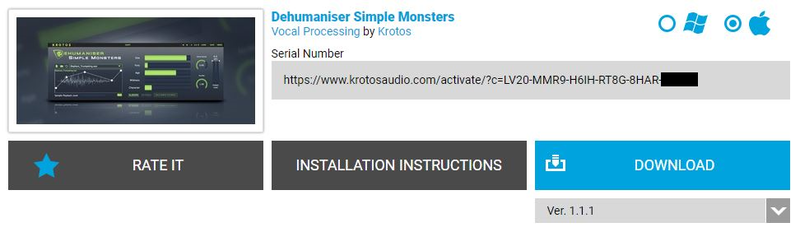
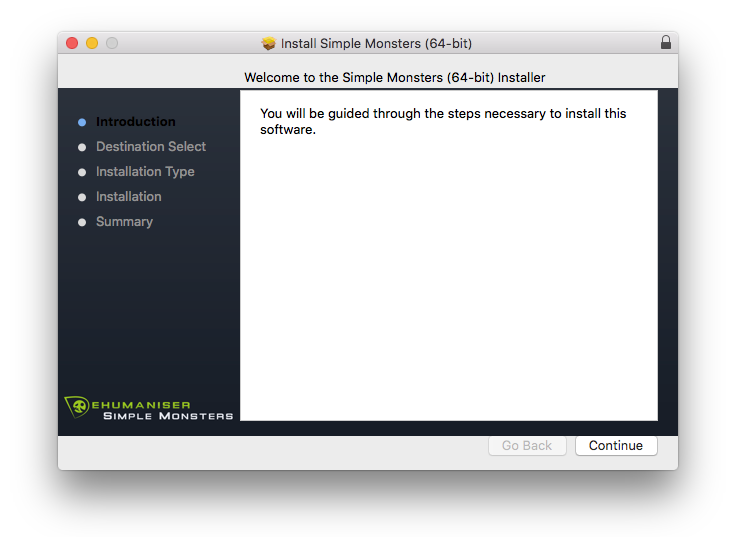
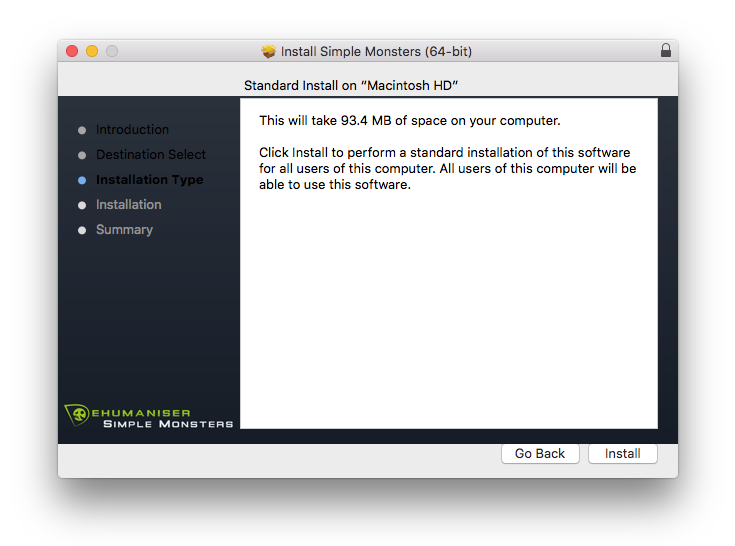
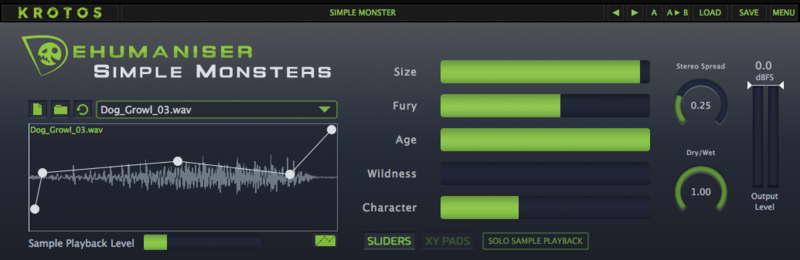
  • Dehumaniser Simple Monsters is used as an example.
  • This product requires a free iLok account and a copy of iLok license manager to be installed on your computer. A physical iLok USB dongle is NOT required.
  • Registering and logging into your Krotos account is required before activating the plugin - please follow the below registration steps before activating.

Registration (Neccessary to complete first)

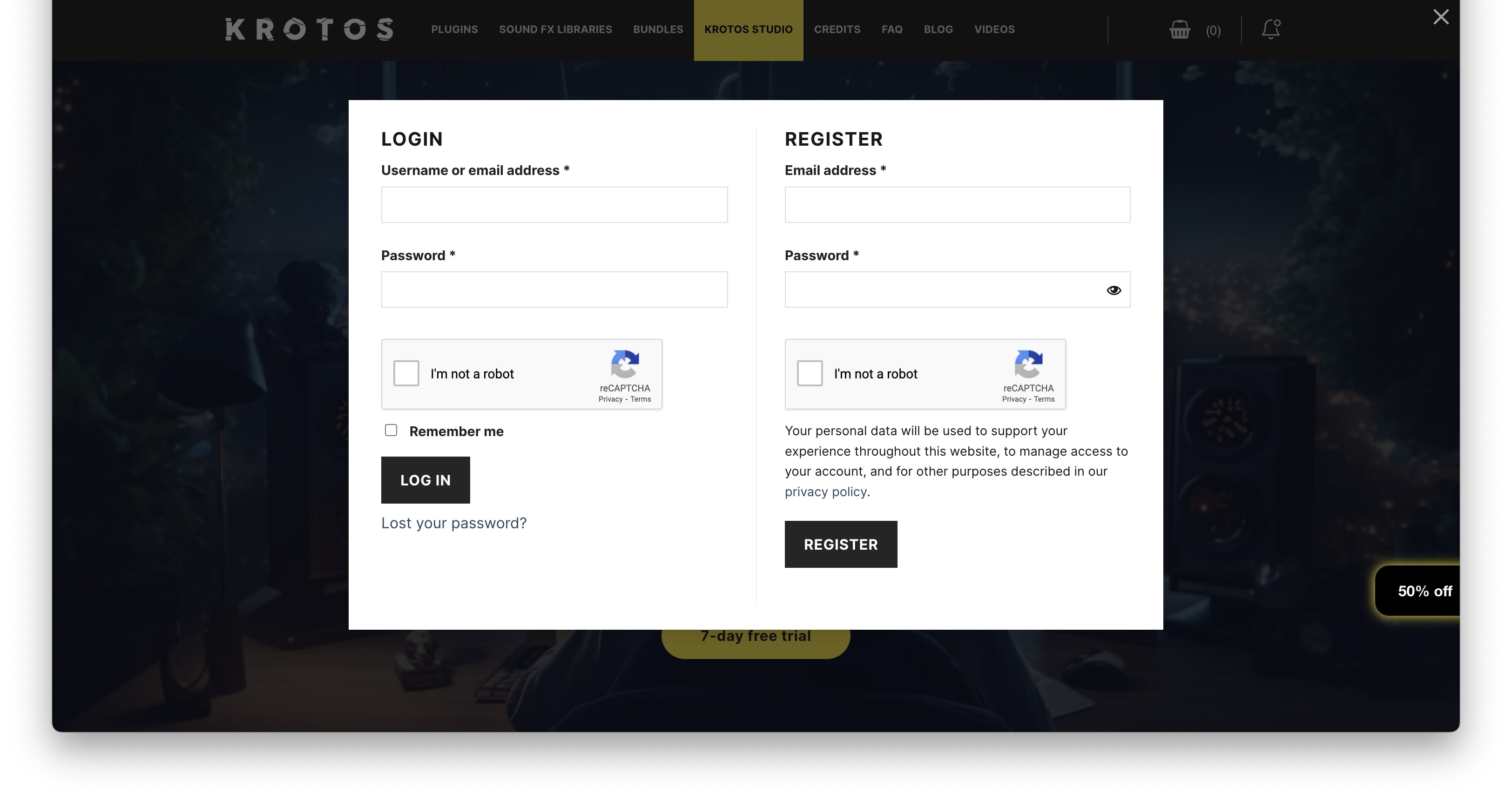
1. Go to https://www.krotosaudio.com/ > Click the 'user' icon in the top right corner.

2. Enter your details and click 'Register' > If you already have a Krotos account, log in as usual.

Activation

Mac

iLok Registration

1. Go to https://www.ilok.com/#!registration > Fill out all of the relevant fields marked with an asterisk (*) and click 'Continue'.

2. Go to https://www.ilok.com/#!license-manager > Download and install the iLok License Manager.

Krotos Registration

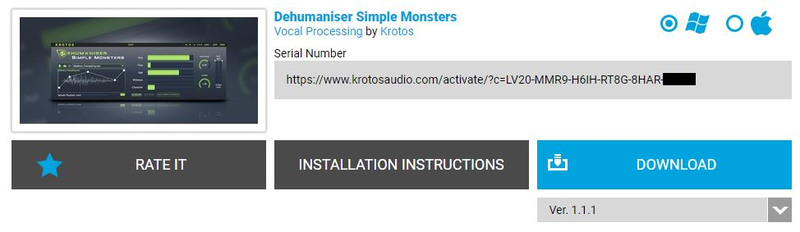
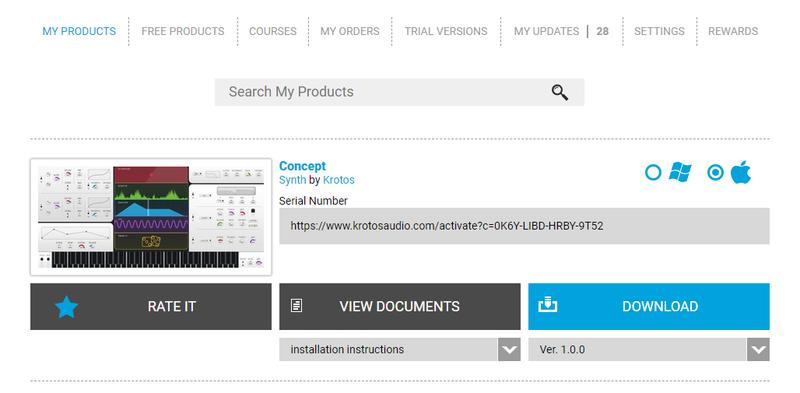
1. Go to your Plugin Boutique User Account and copy the URL found in the serial number section of your purchased product > Paste the URL into your web browser and press enter.

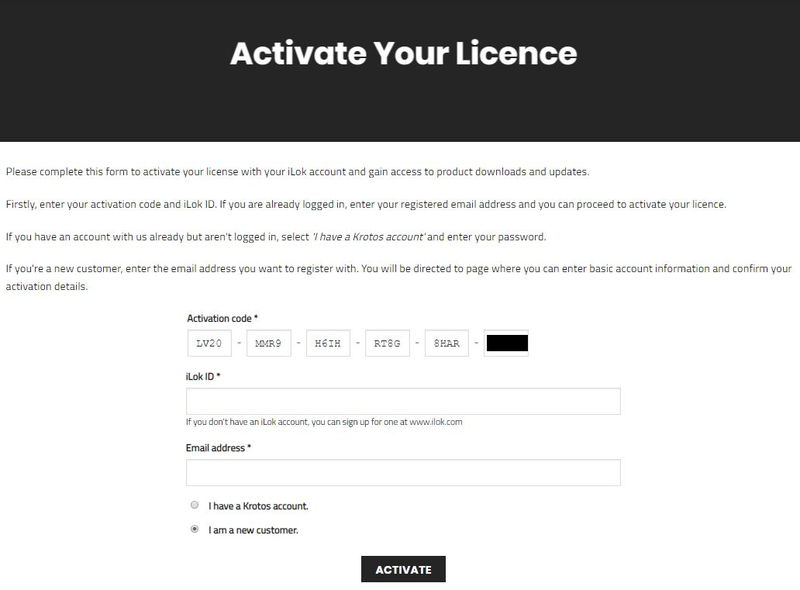
2. Fill out the relevant fields marked with an asterisk (*), including the iLok ID that you chose in step 1 of the iLok Registration instructions > Select 'I am a new customer' and click 'Activate'.

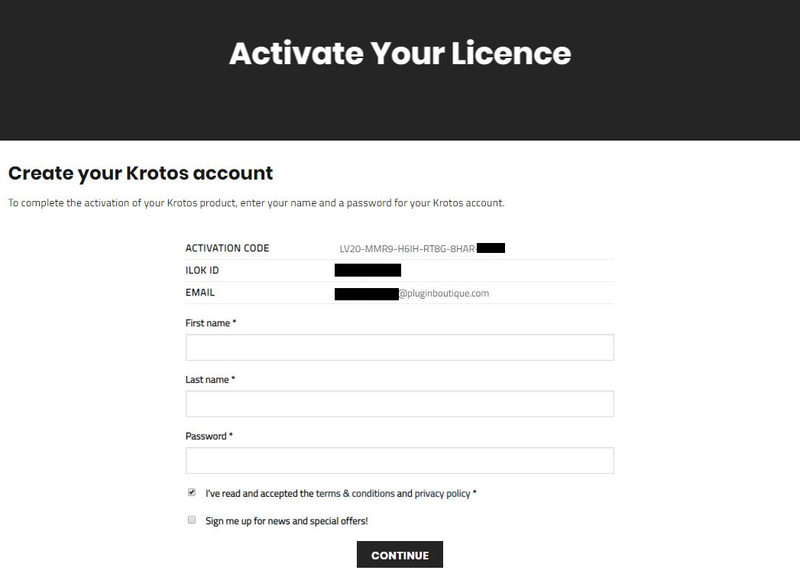
3. Enter your name and password of choice > Select 'I've read and accepted the terms and conditions and privacy policy' and click 'Continue'.

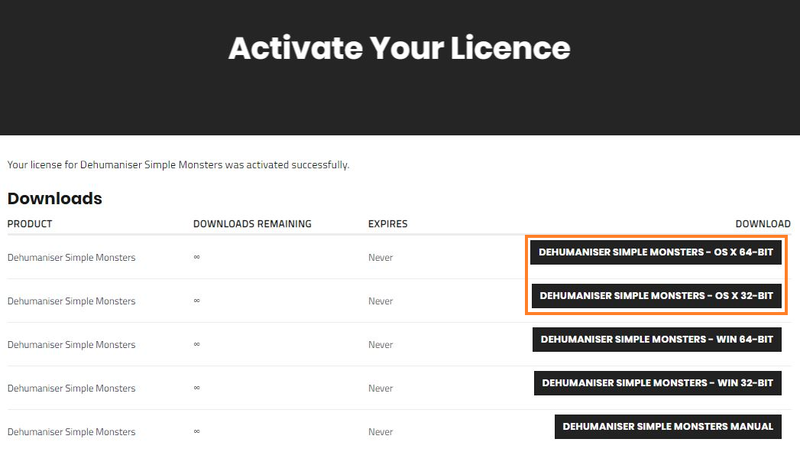
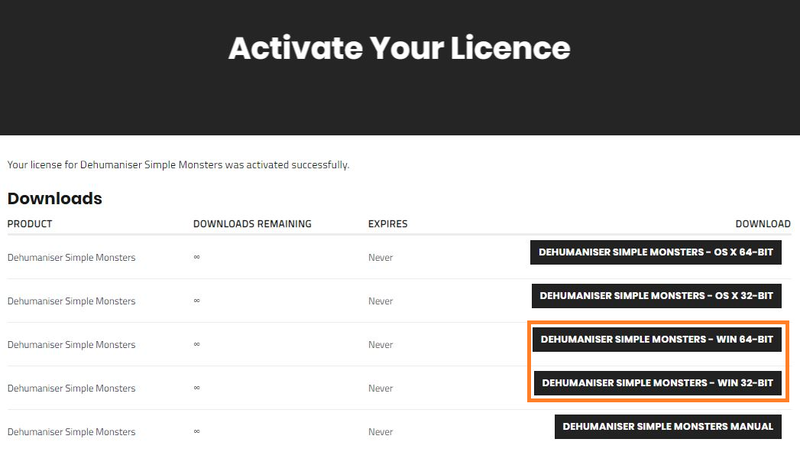
4. Download the Windows installer.

Installation

1. Double-click the downloaded .zip file to extract the contents and open the .pkg file to begin the installation > Click 'Continue'.

2. Click 'Install'.

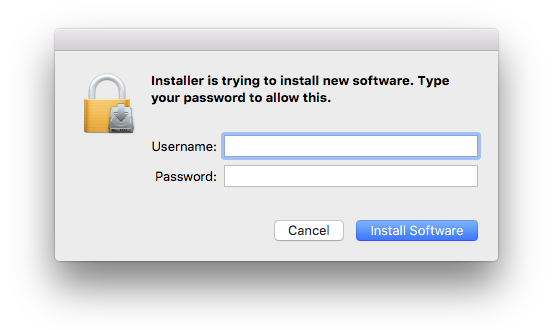
3. Enter your computer Username and Password > Click 'Install Software'.

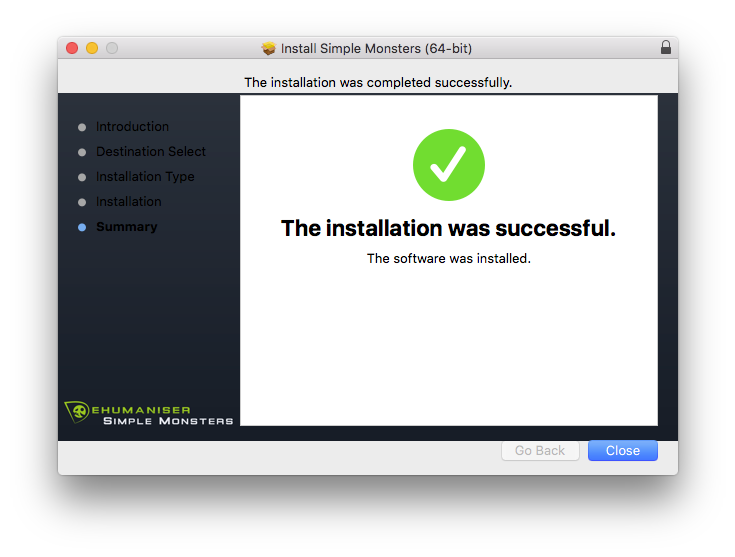
4. Click 'Close'.

Activation

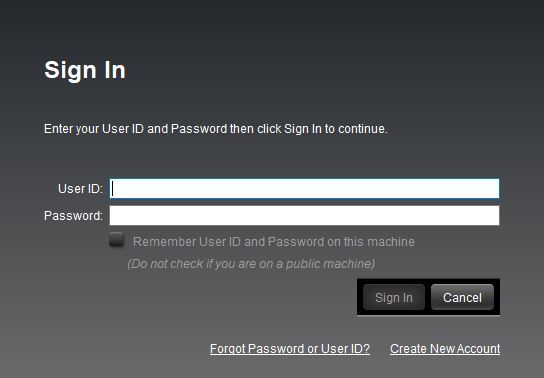
1. Open the iLok License Manager > Click 'Sign In'.

2. Enter your iLok User ID and Password > Click 'Sign In'.

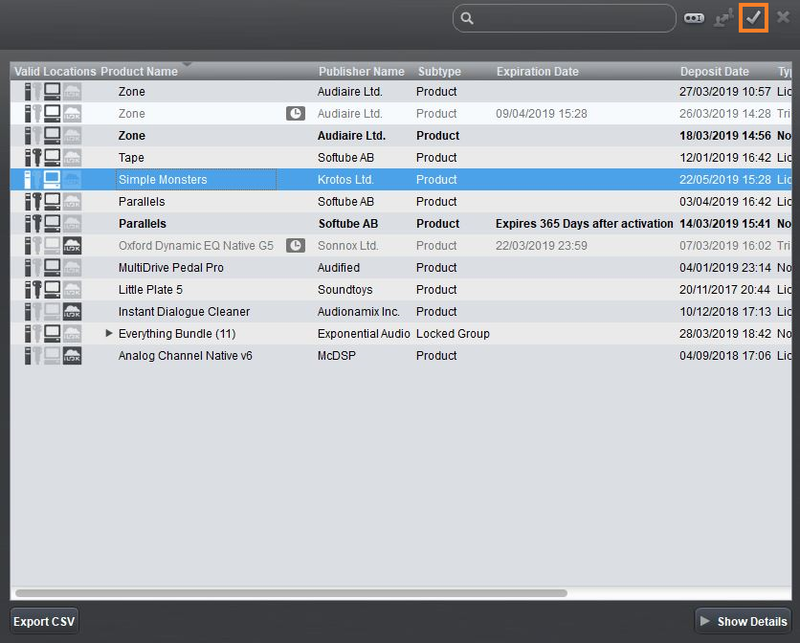
3. Select your recently installed product from the list > Click the tick icon in the top right corner of the application window.

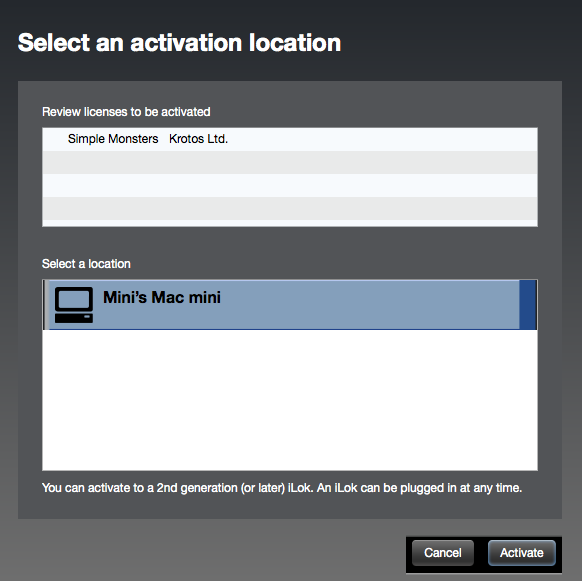
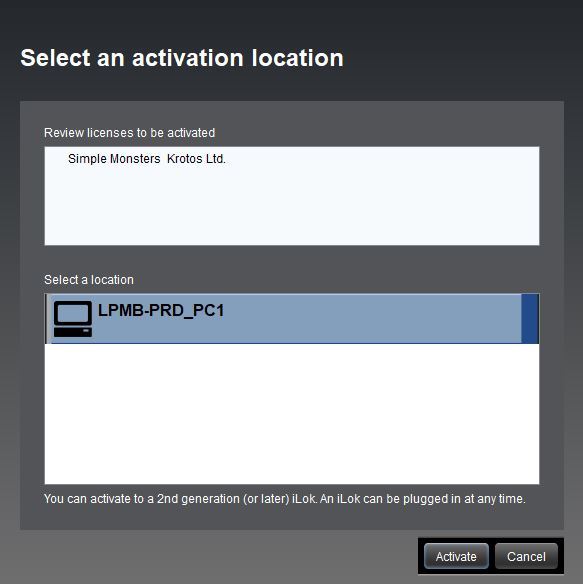
4. Select the location you wish to activate your license - this can be your computer or an iLok USB dongle > Click 'Activate'.

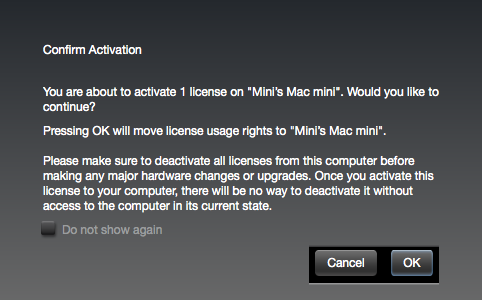
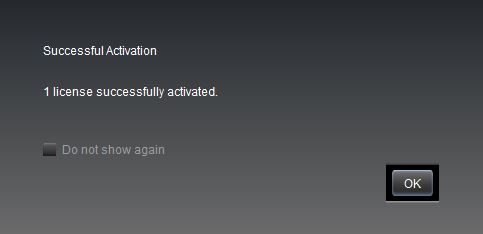
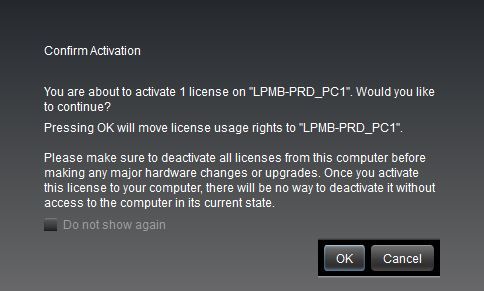
5. Click 'Ok'.

6. Click 'Ok'.

7. Open the recently installed plugin in your DAW.

Note: If your plugin fails to appear, re-scan your plugin selection in your DAW.

Your software is now activated and ready to use.

Windows

iLok Registration

1. Go to https://www.ilok.com/#!registration > Fill out all of the relevant fields marked with an asterisk (*) and click 'Continue'.

2. Go to https://www.ilok.com/#!license-manager > Download and install the iLok License Manager.

Krotos Registration

1. Go to your Plugin Boutique User Account and copy the URL found in the serial number section of your purchased product > Paste the URL into your web browser and press enter.

2. Fill out the relevant fields marked with an asterisk (*), including the iLok ID that you chose in step 1 of the iLok Registration instructions > Select 'I am a new customer' and click 'Activate'.

3. Enter your name and password of choice > Select 'I've read and accepted the terms and conditions and privacy policy' and click 'Continue'.

4. Download the Windows installer.

Installation

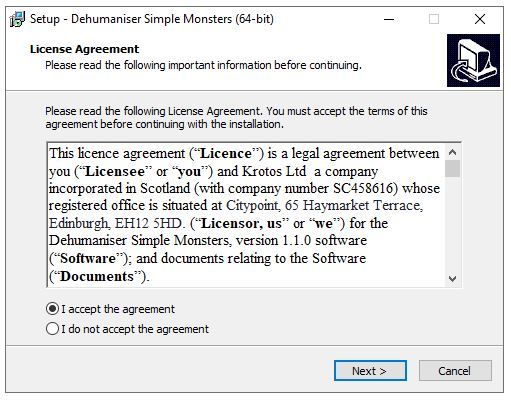
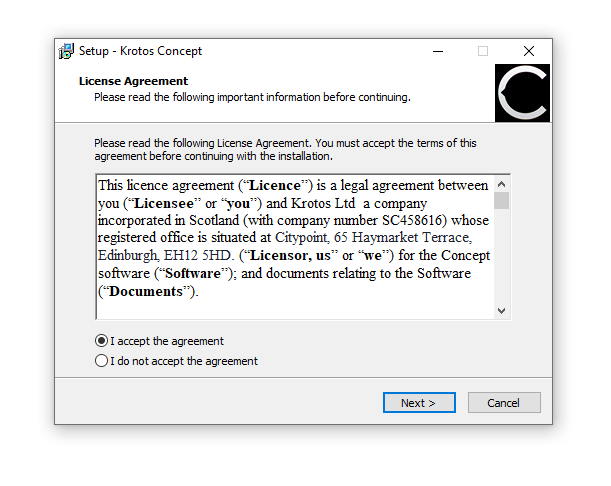
1. Double-click the downloaded .zip file to extract the contents and open the .exe file to begin the installation > Select 'I accept the agreement' and click 'Next'.

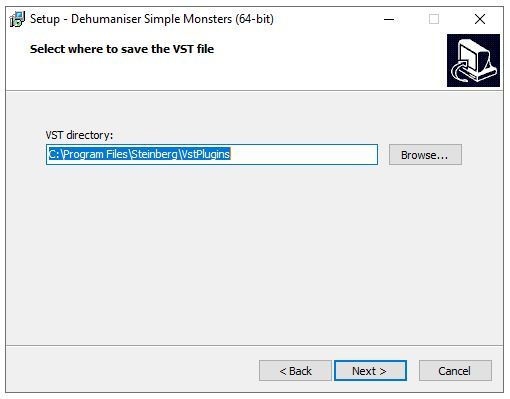
2. Click 'Next'.

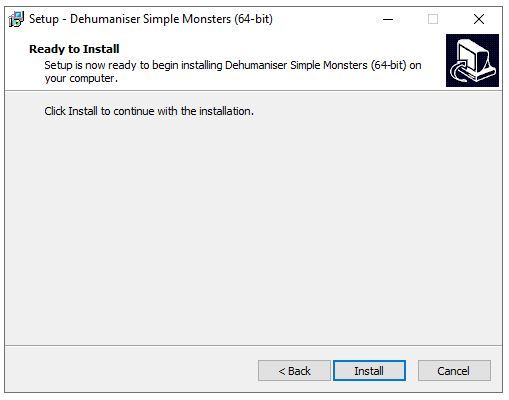
3. Click 'Install'.

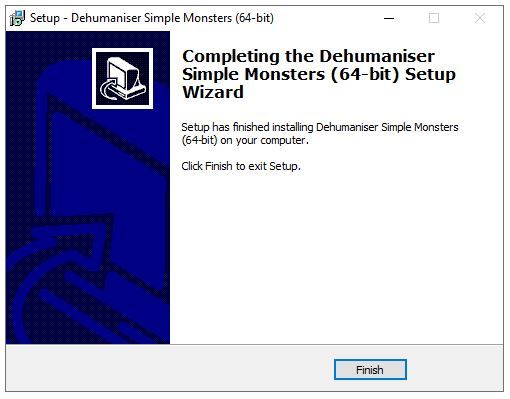
4. Click 'Finish'.

Activation

1. Open the iLok License Manager > Click 'Sign In'.

2. Enter your iLok User ID and Password > Click 'Sign In'.

3. Select your recently installed product from the list > Click the tick icon in the top right corner of the application window.

4. Select the location you wish to activate your license - this can be your computer or an iLok USB dongle > Click 'Activate'.

5. Click 'Ok'.

6. Click 'Ok'.

7. Open the recently installed plugin in your DAW.

Note: If your plugin fails to appear, re-scan your plugin selection in your DAW.

Your software is now activated and ready to use.

Krotos Concept Installation Instructions

Mac

Registration

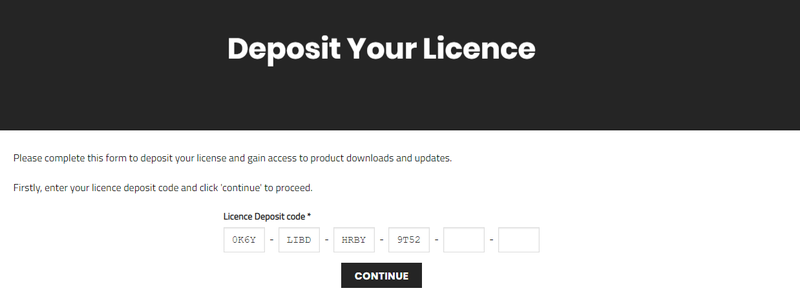
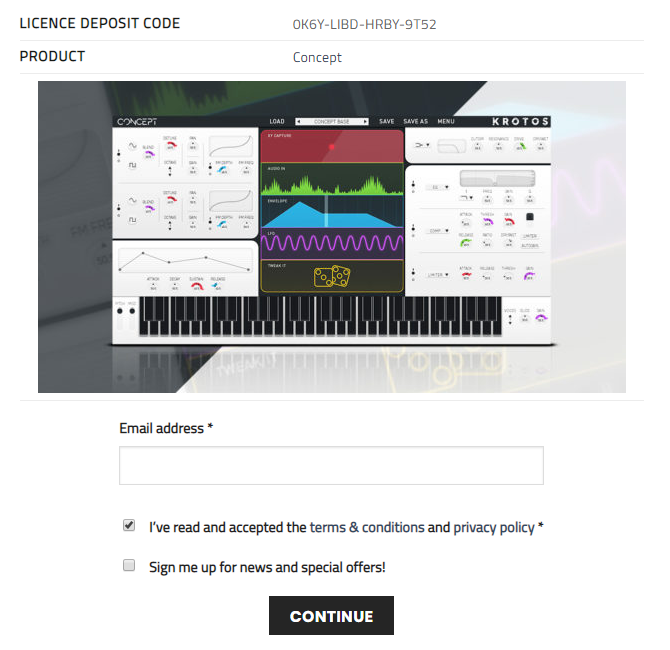
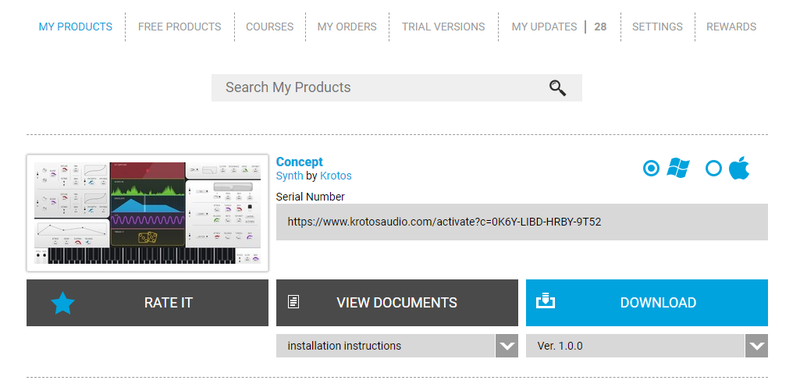
1. Go to your Plugin Boutique User Account > Copy and paste the serial number into your web browser and press enter on your keyboard.

2. Click 'Continue'.

3. Enter your email address and check the box that states 'I've read and accepted the terms & conditions and privacy policy' > Click 'Continue'.

Installation

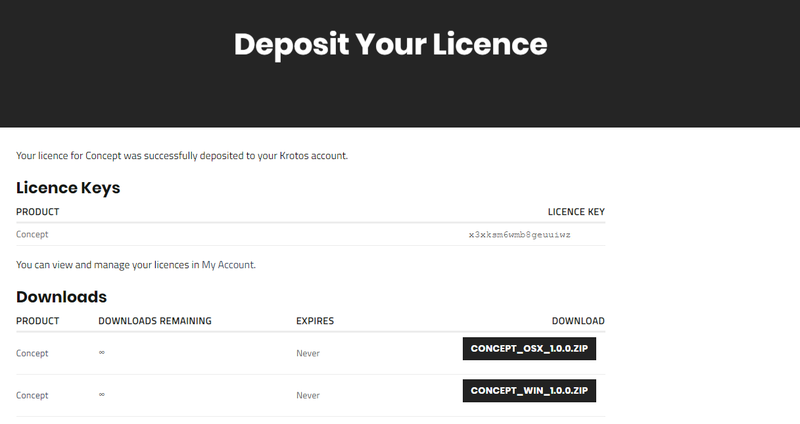
1. Download your Windows installer by clicking the button that reads 'CONCEPT_OSX_1.0.0.ZIP'.

Note: You will need your License Key for step 1 of the activation process.

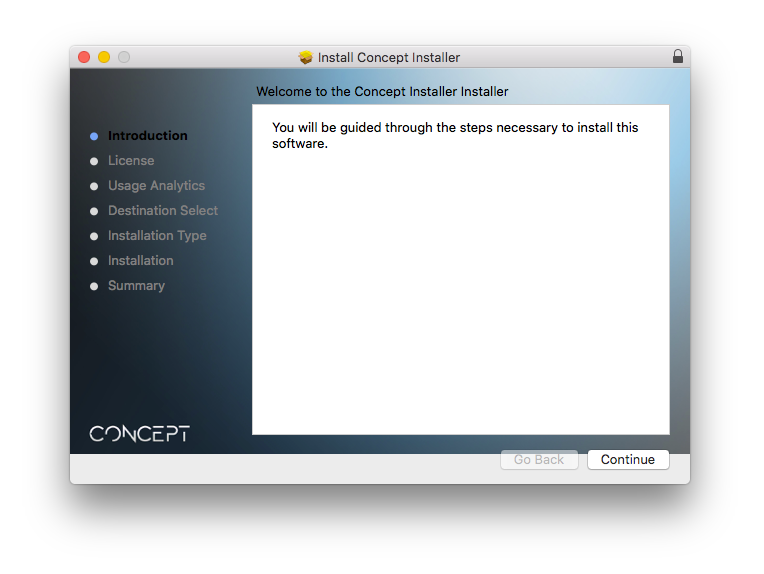
2. Double-click the .zip file to extract the contents > Open the .pkg file to begin the installation and click 'Continue'.

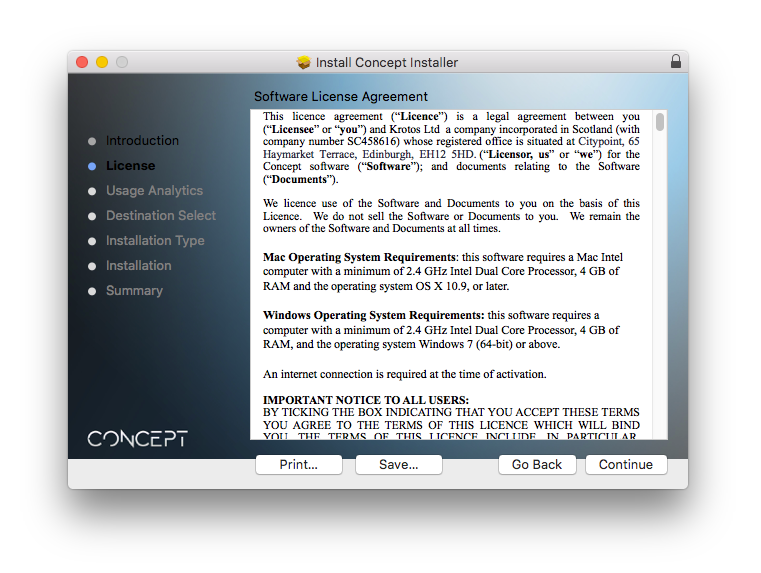
3. Click 'Continue'.

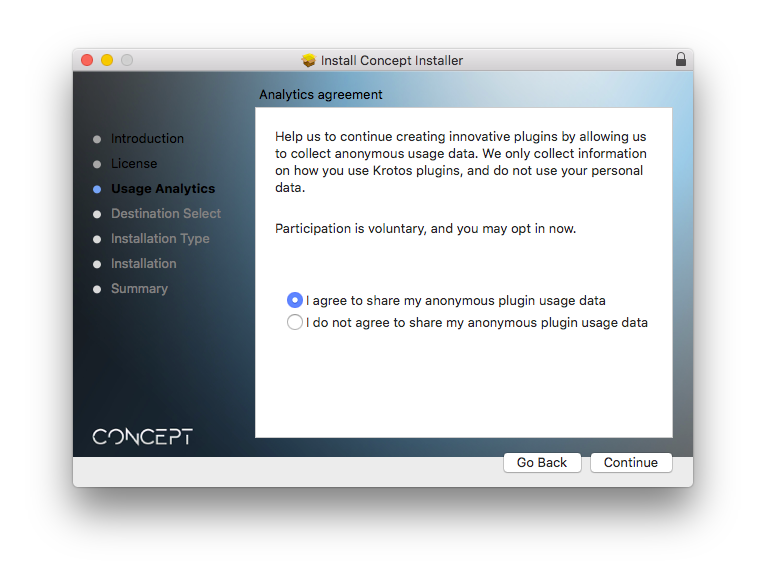
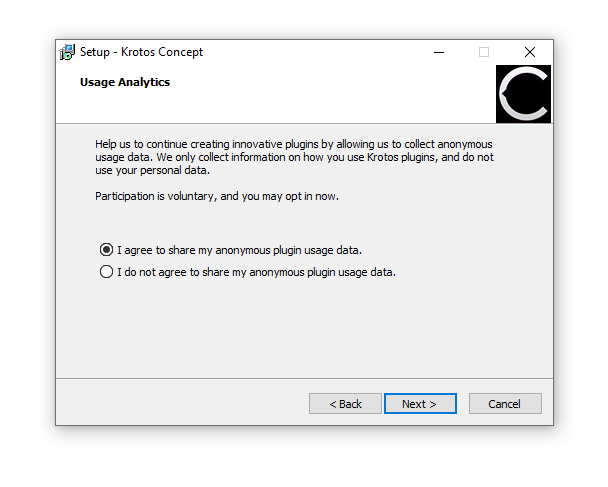
4. Select whether you agree to share your anonymous plugin usage data or not > Click 'Continue'.

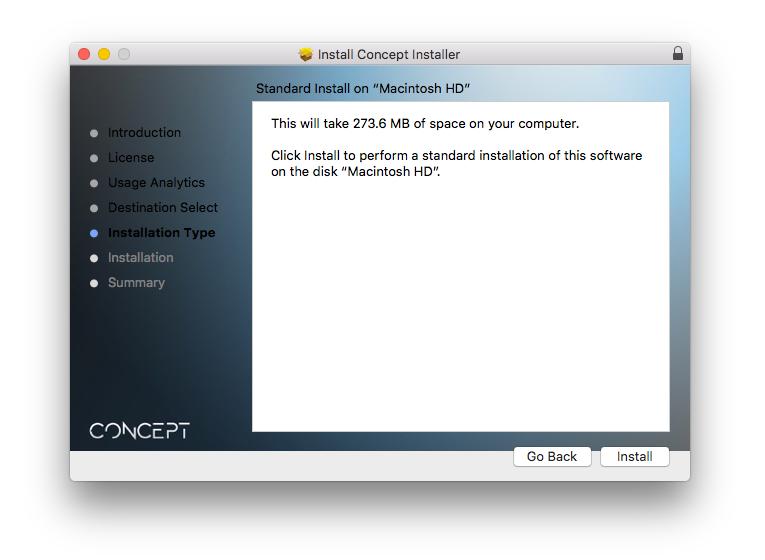
5. Click 'Install'.

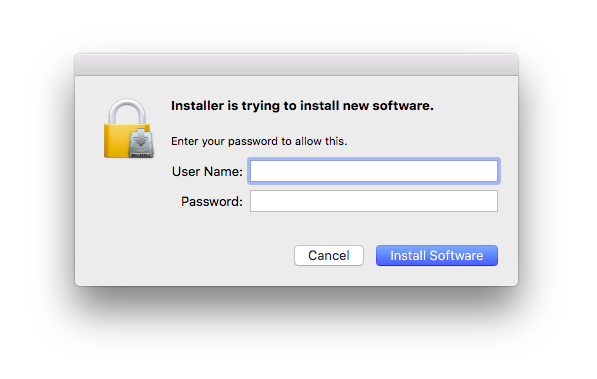
6. Enter your computer User Name and Password > Click 'Install Software'.

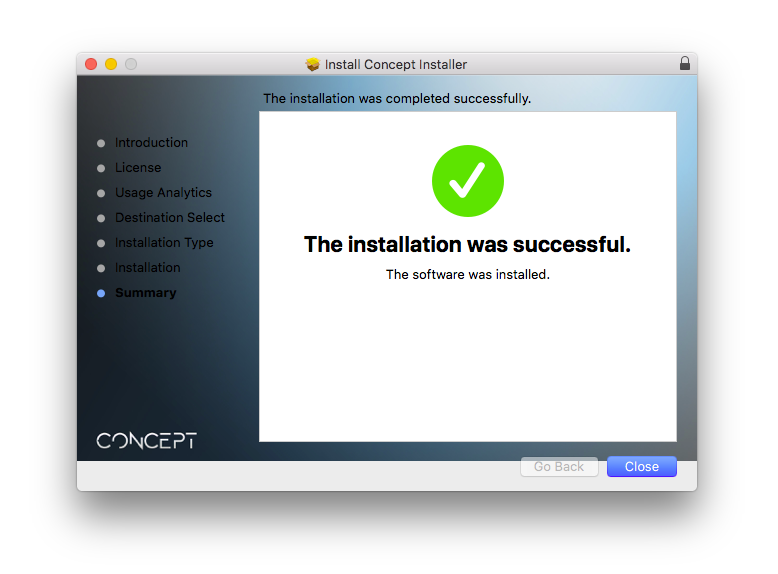
7. Click 'Close'.

Activation

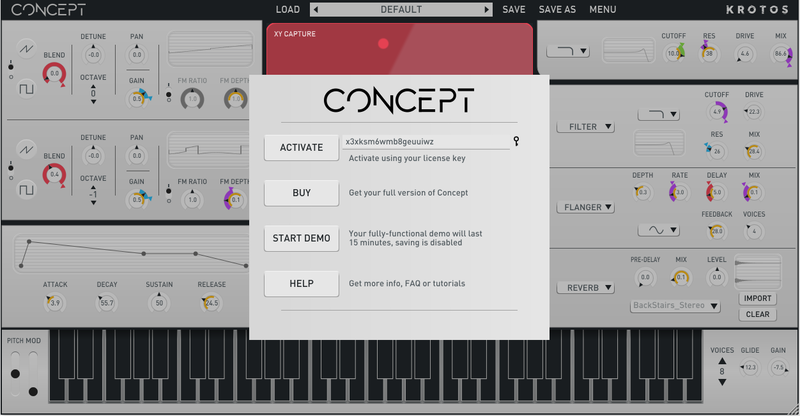
1. Open the newly installed software within your DAW > Copy and paste the License Key from step 1 of the installation process > Click 'Activate'.

Your software is now activated and ready to use within your DAW.

Windows

Registration

1. Go to your Plugin Boutique User Account > Copy and paste the serial number into your web browser and press enter on your keyboard.

2. Click 'Continue'.

3. Enter your email address and check the box that states 'I've read and accepted the terms & conditions and privacy policy' > Click 'Continue'.

Installation

1. Download your Windows installer by clicking the button that reads 'CONCEPT_WIN_1.0.0.ZIP'.

Note: You will need your License Key for step 1 of the activation process.

2. Double-click the .zip file to extract the contents and open the .exe file to begin the installation > Select 'I accept the agreement' and click 'Next >'.

3. Select whether you agree to share your anonymous plugin usage data or not > Click 'Next >'.

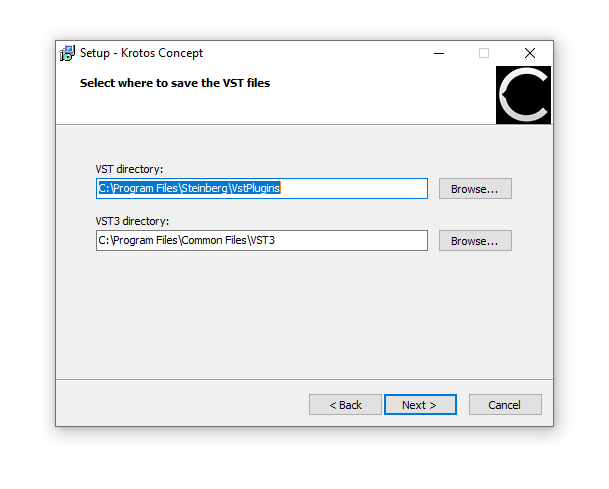
4. Select the installation location for your VST files > Click 'Next >'.

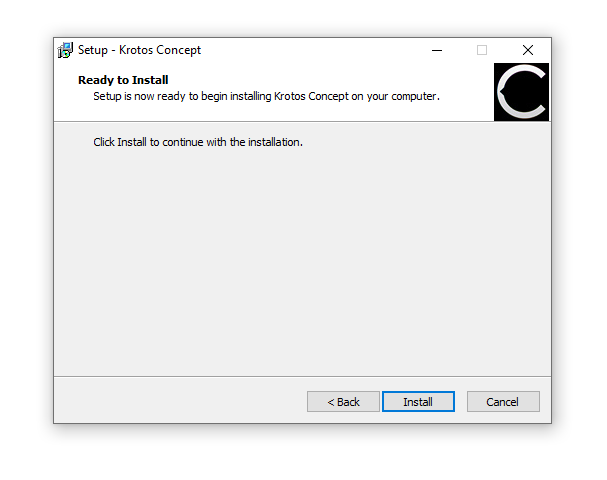
5. Click 'Install'.

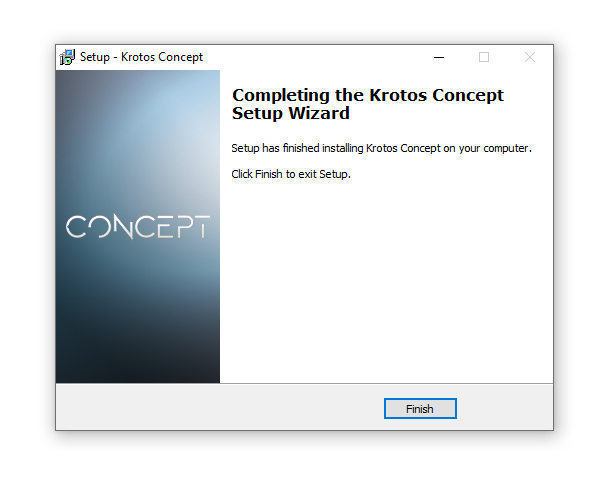
6. Click 'Finish'.

Activation

1. Open the newly installed software within your DAW > Copy and paste the License Key from step 1 of the installation process > Click 'Activate'.

Your software is now activated and ready to use within your DAW.

Plugin Boutique Rewards

Discover the most rewarding loyalty programme among all plugin retailers.

  • Free Loopmasters Samplepacks
  • Discounts on products and courses
  • Extra Virtual Cash claimed immediately at checkout
Find out more

Follow us:

X (Twitter) Facebook YouTube Instagram
Logo Logo

Plugin Boutique Limited, Part of the Beatport Group LLC.

Copyright © 2011-2025 Plugin Boutique. All rights reserved