


 Log In

Free gifts available with your purchase
Legendary Growl Machine
The OP-Xa V takes the immense analogue power of the fat, aggressive sounding OB-Xa from the 80s charts to the modern era. Faithful to the sound of the original and supercharged with new features, OP-Xa V will take you for a wild sonic ride.
Longing to sound like the biggest icons of the 80s? Jump into the dream world of the future by activating the brand new features of the evolved synth.
Immerse yourself in this quirky synth and whip up new songs with the fat, creamy sounds that made it famous. Not only will you feel the original sound of punchy bass, thick analogue pads and drones, and cyclical effects at your fingertips, you’ll also have access to brand new features that will bring out this iconic sound deeper than ever. OP-Xa V is here to let you spin that audio hurricane!
OP-Xa V has been one of Arturia's most requested synths, so they took extra care to make it more satisfying than you’d ever expect. That’s right - they went back to the future!
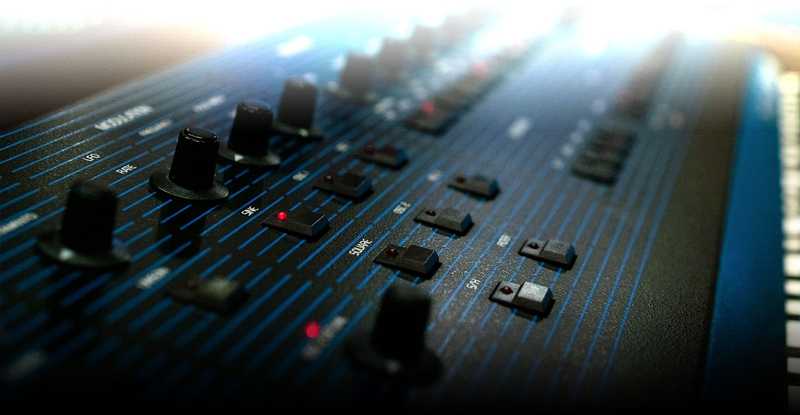
Punchy Synth Icon
Released in December 1980, the OB-Xa made a massive statement in the world of analogue synths. Following the release of accessible digital synthesizers, Oberheim brought in added polyphony, big sound, and impressive power to show the world what synth greatness really means, and it became an instant rival to its main competitor, Sequential Circuits’ Prophet 5.
OB-Xa is a hugely iconic synth behind Van Halen’s hit ‘Jump’ and albums by Prince, Queen, Bon Jovi, Billy Idol, Chaka Khan, The Police, and more. Its dangerous, all-embracing sound is perfect for expressing the epic, heart-crushing drama of life. It’s used today by the likes of Flume, Chrome Sparks, Calvin Harris, and Venetian Snares, entering a new dimension of electronic music. Arturia's faithful reproduction of OB-Xa with extra inspiration taken from the OB-X and OB-8 for the most satisfying result will be perfect for keyboardists and synth programmers.
It’s your turn to break free and let the world hear your rebel yell.
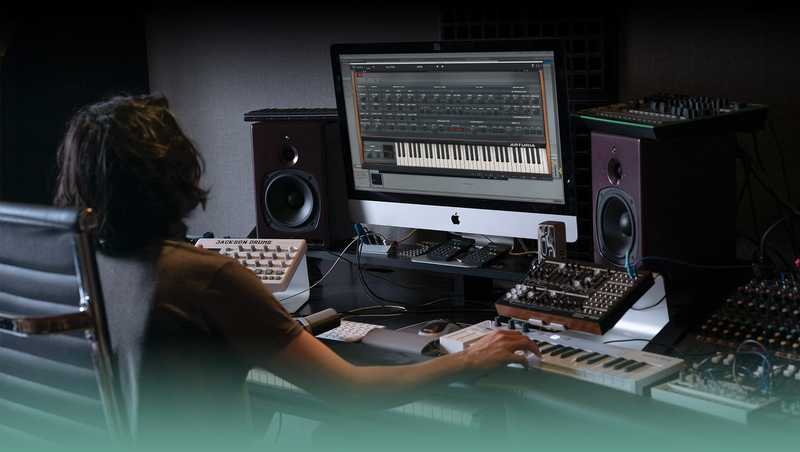
Sonic Alchemy for the 21st Century
OB-Xa was a hugely sought-after synth in its own time. With Arturia's carefully thought out features implemented, Arturia made it even more intelligent, intuitive, and inspiring to use.
- Stereo Spread: The pioneering stereo spread feature lets your ears immerse into sound movement.
- Arpeggiator: The arpeggiator generates expressive patterns and melodies to enhance your musical rhythms.
- LFO: More flexibility of the LFO allows in-depth sound design capabilities and brings movement and excitement to the sound.
- Cross Modulation: The oscillators’ continuous cross-modulation allows one oscillator to modulate the other one. This leads to frequency modulation, resulting in a nice, metallic sound. It’s parallel to the 0 to 1 switch on the original OB-X hardware.
- Oscillator’s Mix: Oscillators’ mix in the filter section lets you take your sound sources and craft them to achieve the end result you desire.
Features
- Stereo spread with left/right offsets on oscillator, filter, and LFO parameters
- Modulation matrix
- Arpeggiator
- More flexibility on the LFO for easy modulation
- Up to 16 voice polyphony
- Innovative voice detuning
- On-board effects: delay, chorus, reverb, phaser, flanger, compressor, overdrive, multimode filter, and bitcrusher
- Oscillators’ continuous X-Mod modulation (cross-modulation)
- Oscillators’ (1, 2, and noise) mix in filter section for rich sound sources
- 4 Function Generators
- Sleek design for a great visual experience of your sound
- Seamless preset selection with the visual browser
- Over 400 presets
- Individual voice panning
- Extension panel includes Mod Matrix, four Function Generators, and 3 busses with 9 effects each
System Requirements
- Works in Standalone, VST, AAX, Audio Unit, NKS (64-bit DAWs only).
Mac
- Mac OS 10.13+
- 4 GB RAM
- 4 cores CPU, 3.4 GHz (4.0 GHz Turbo-boost) or Apple Silicon CPU
- 3GB free hard disk space
- OpenGL 2.0 compatible GPU
Windows
- Win 10+ (64bit)
- 4 GB RAM
- 4 cores CPU, 3.4 GHz (4.0 GHz Turbo-boost)
- 3GB free hard disk space
- OpenGL 2.0 compatible GPU
- ARM processors not supported on Windows
Protection
All Arturia software is protected by the Arturia Software Center.
KOZ
Producer / Writer.
"The OB-Xa is one of my favourite synths ever and this plug-in definitely doesn't disappoint."
Georgi Kay
Musician / Producer.
"Full of vibrant soundscapes, vivid textures and countless variables to play with – the OB-Xa V has quickly become my new favourite Arturia toy and staple synth to use when I create."
RJD2
DJ / Producer.
"This is shockingly good."


