


 Log In
_(1)_(1).png)
Free gifts available with your purchase

The Magic Mix
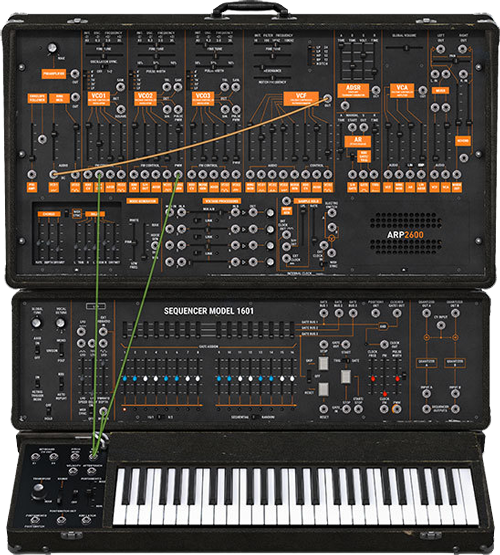
With its sound palette varying from heavy drum n' bass stabs to angular arpeggiated electro bass lines, whatever your chosen genre, the 2600 is a truly versatile sound creation tool which still takes its place at the heart of today's music.
With a unique combination of semi-modular architecture and fixed preset routing, it gave it the place of being one of the most versatile synths of the 1970's.
A Legend is Back
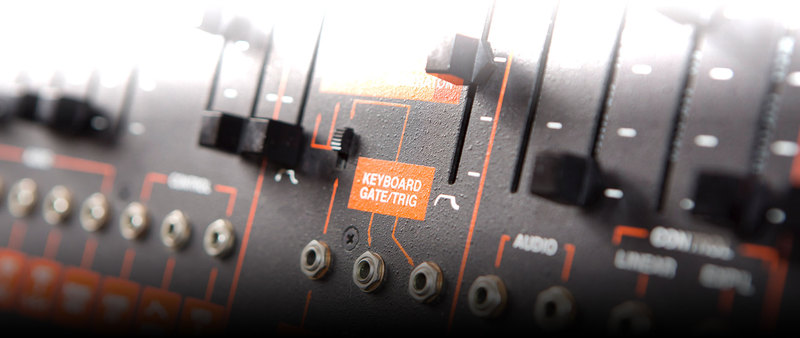
The Arp 2600 was an iconic sound and Arturia has been faithful in recreating this amazing synthesizer. From the sound of the 3 oscillators to the original 'grey face' filter to the vast modulation routing abilities. You get all this and more.
Sonic Explorations
If you’re new to synthesis, no problem: we’ve included hundreds of excellent presets to get you started.
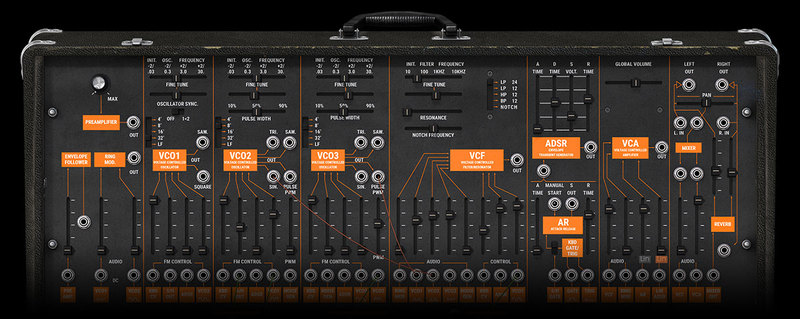
The Arp 2600 is a workhorse that can deliver everything from clean leads and sequences to crazy sound effects. When you need something with that extra special character the Arp 2600 is the one to go for.
Going Beyond and Back
While the original instrument was a wonder to use, we always find ways to innovate and improve.
Four revolutionary modulation generators add sonic flexibility and the step sequencer will allow you to animate your sounds. The multimode filter and output audio effects add new possibilities not found in the original....and did we mention it is fully polyphonic?
Main Features
- All the parameters of the original ARP 2600:
- 3 voltage-controlled oscillators
- Osc2->Osc1 synchronization
- 24 dB/octave low pass resonant filter with self-oscillation
- 1 LFO (can be synchronized to the host sequencer’s tempo)
- 1 sample and hold, 1 ring modulator, 1 noise generator
- 1 ADSR & 1 AR envelope follower
- ARP2500 multimode 12 dB/octave filter with LP, HP, BP and Notch settings
- Original ARP Sequencer model 1601
- 4 exclusive tracking generators with real-time interactive LFO creation ability
- Voltage processors can be used as inverters, mixers or lag processors
- Onboard effects: chorus, MIDI-syncable stereo delay, reverb
- Polyphony from 2 to 32 voices with Unison options
- More than 500 presets from top sound designers
- Absolutely pure, top quality sound from TAE® analog modeling
Arturia Software Center
ASC is the central software that elegantly manages all your Arturia software licenses. It activates your licenses and synchronizes them across multiple devices (you get five instances with each instrument license). ASC also notifies you of updates and downloads them. You can even easily learn about new products, download demos versions and purchase the full products. Simple.
Included in V Collection
This instrument is also part of the V Collection 5 -your complete dream line-up of the legendary synths, organs, pianos and more that made keyboard history. They’re modeled with the most advanced technologies for authentic realism, and enhanced with new creative options. Whether you use it as DAW plugins in the studio or standalone at gigs, V Collection 5 puts the greatest keys of all time at your fingertips for instant inspiration.
TAE® Powered
TAE® "True Analog Emulation" is Arturia's exclusive technology that accurately reproduces the defining sonic qualities of analog synthesizers. It recreates the characteristics of analog oscillators in amazing detail, transparency and clarity, as well as the exact properties of the analog filters that give each classic instrument its unique sound. Soft clipping adds even more punch and presence. TAE® is primarily what makes our virtual instruments indistinguishable from the originals.
Preset Browser
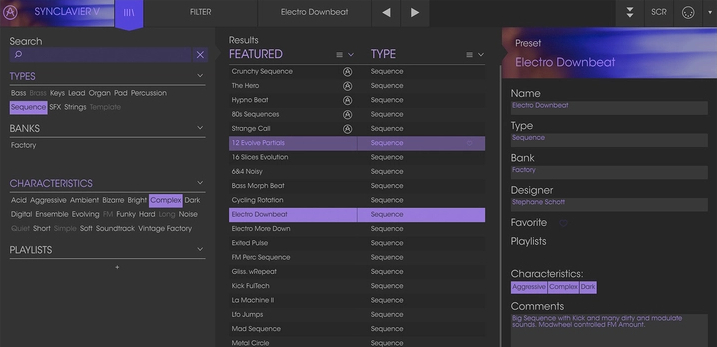
Our redesigned preset browser lets you quickly find just the sound you’re looking for.
Search by name or simply select the appropriate tags to dial in on the exact sonic character you’re looking for. You can mark and recall your own favorites, enter comments, and set up playlists. There’s never been a more intuitive way to manage your library of designer and personal presets.
Resizable GUI
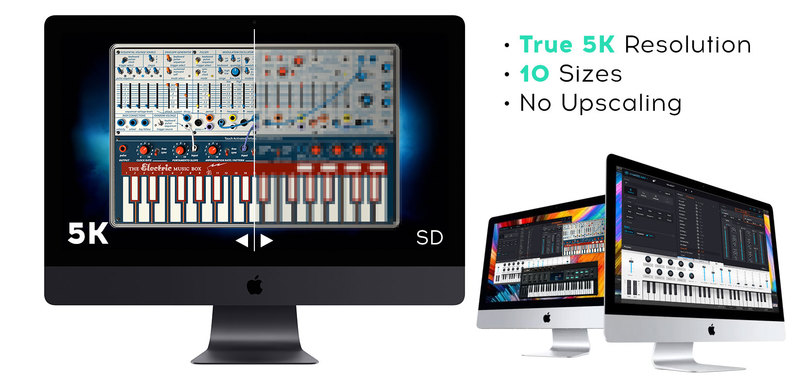
The user interfaces for all your Arturia instruments are now resizable, making it easy to work with any High Resolution screen, UHD or Retina.
You can decide whether you want to fill the screen with awesome graphic reproductions of classic instrument goodness, scale the window down when you’re working in a DAW and screen real estate is at a premium, or even zoom for detailed work.
System Requirements
- Works in Standalone, VST, AAX, Audio Unit, NKS (64-bit DAWs only).
Mac
- Mac OS 10.13+
- 4 GB RAM
- 4 cores CPU, 3.4 GHz (4.0 GHz Turbo-boost) or Apple Silicon CPU
- 3GB free hard disk space
- OpenGL 2.0 compatible GPU
Windows
- Win 10+ (64bit)
- 4 GB RAM
- 4 cores CPU, 3.4 GHz (4.0 GHz Turbo-boost)
- 3GB free hard disk space
- OpenGL 2.0 compatible GPU
- ARM processors not supported on Windows
Protection
All Arturia software is protected by the Arturia Software Center.
Awards

Touter Harvey
Inner Circle
'WOW I am totally blown away by the rich phat sounds that the vintage collection reproduce so well.'
Chad Hugo (Neptunes)
Charles Edward "Chad" Hugo is an American multi-instrumentalist and record producer. He is best known as one half of the music production and writing duo The Neptunes and as a member of N.E.R.D.
'I love the Arturia ARP2600 V because it not only sounds great, but I can instantly recall complex patches anywhere in the world.'
Tim Carmon
Carmon has performed, toured, written, or produced is lengthy: Eric Clapton, Babyface, Stevie Wonder, Paul McCartney, Bob Dylan and more.
'.. And for anyone who knows about the keyboards it will NEVER get closer than this, forget about it'


