


 Log In

Free gifts available with your purchase

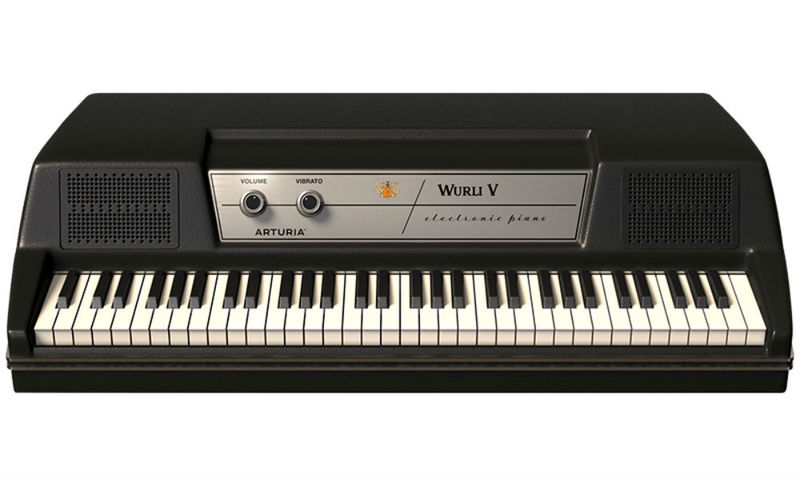
The Return of a Classic
Wurlitzer-V is Arturia’s amazingly accurate physical model of the classic Wurlitzer 200A electric piano.
The Wurli 200A piano had a sound that could go from mellow and soft to hard and brash. This harder sound is what made it so popular in rock music as it could cut through a mix like a knife.

A Soulful Reproduction
Using advanced physical modeling we recreated this complex and dynamic sound.
The output can then be processed and shaped through a host of modeled guitar effects pedals. On the output we give you options like a guitar amp a Leslie rotating speaker or direct for making a vast array of sounds.
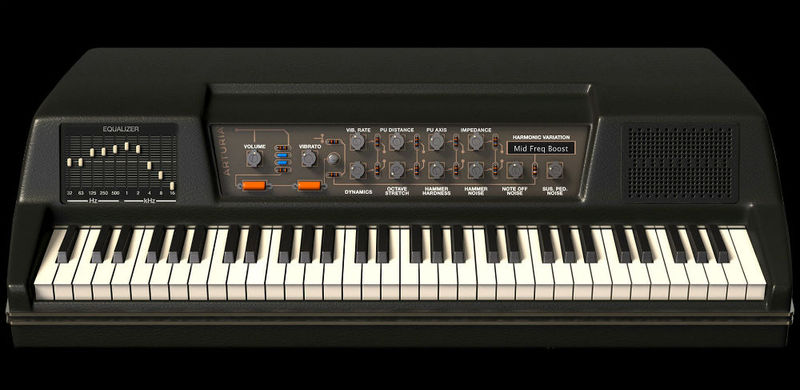
Your New Best Friend
When it comes to a great rock or R&B electric piano, nothing beats the percussive and cutting sound of the Wurli V.Whether you are playing electric rock backing tracks or psycodelic space trance, you will find the right sound for your song.
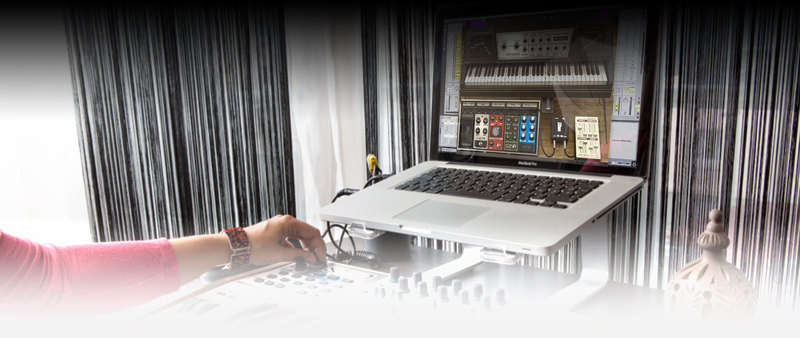
So Logical
Since we used physical modeling and not static samples to create the sound, we opened up parts of the modeling engine that allows you to have in-depth control of how the instrument behaves. You can change things like hammer hardness or the harmonic spectrum or the dynamic range...all these add to the possibilities of this amazing instrument.
Main Features
- Physical Modeling of the classic Wurlitzer 200A Electric Piano
- Advanced parameters to allow in-depth control over your sound design
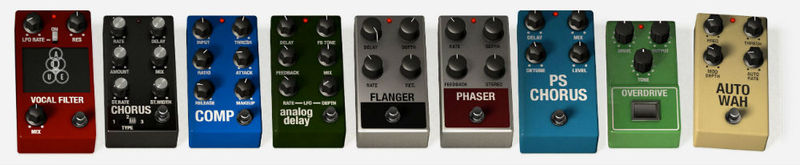
- Includes 11 classic stompbox-type modeled effects*
- 4 Guitar Tube Amps and 1 Rotary Speaker modeling for vintage live sound **
- Extensive MIDI mapping of pedals, effects and sound engine parameters
Modeled Amplifiers
- Fender Deluxe Reverb Blackface, Fender Twin Reverb Blackface, Fender Bassman, Marshall Plexi, Leslie Speaker.
*Modeled Microphones
- Shure SM57, Sennheiser MD 421, Neumann U 87.
**Modeled Effects
- Wah wah pedal, Autowah, Overdrive, Flanger, Compressor, Phaser, Chorus, Delay, Pitch Shifter / Chorus, Vocal Filter, Reverb.
The use of trademarks is only meant as a reference to clarify the instruments whose sound was modeled after and doesn’t imply any endorsement.
Arturia Software Center
ASC is the central software that elegantly manages all your Arturia software licenses. It activates your licenses and synchronizes them across multiple devices (you get five instances with each instrument license). ASC also notifies you of updates and downloads them. You can even easily learn about new products, download demos versions and purchase the full products. Simple.
Included in V Collection
This instrument is also part of the V Collection 5 -your complete dream line-up of the legendary synths, organs, pianos and more that made keyboard history. They’re modeled with the most advanced technologies for authentic realism, and enhanced with new creative options. Whether you use it as DAW plugins in the studio or standalone at gigs, V Collection 5 puts the greatest keys of all time at your fingertips for instant inspiration.
TAE® Powered
TAE® "True Analog Emulation" is Arturia's exclusive technology that accurately reproduces the defining sonic qualities of analog synthesizers. It recreates the characteristics of analog oscillators in amazing detail, transparency and clarity, as well as the exact properties of the analog filters that give each classic instrument its unique sound. Soft clipping adds even more punch and presence. TAE® is primarily what makes our virtual instruments indistinguishable from the originals.
Preset Browser
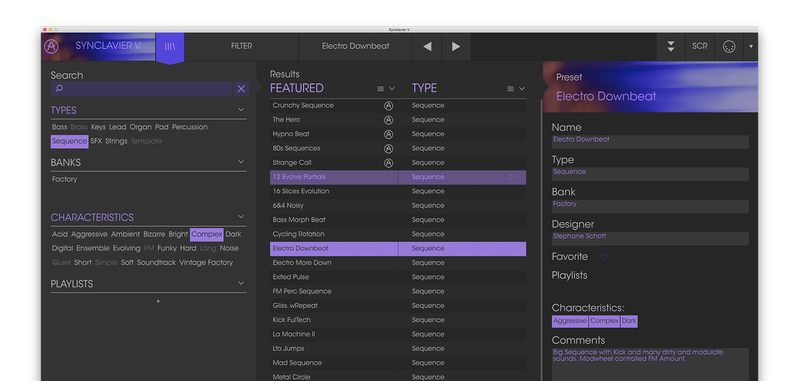
Our redesigned preset browser lets you quickly find just the sound you’re looking for.
Search by name or simply select the appropriate tags to dial in on the exact sonic character you’re looking for. You can mark and recall your own favorites, enter comments, and set up playlists. There’s never been a more intuitive way to manage your library of designer and personal presets.
Resizable GUI
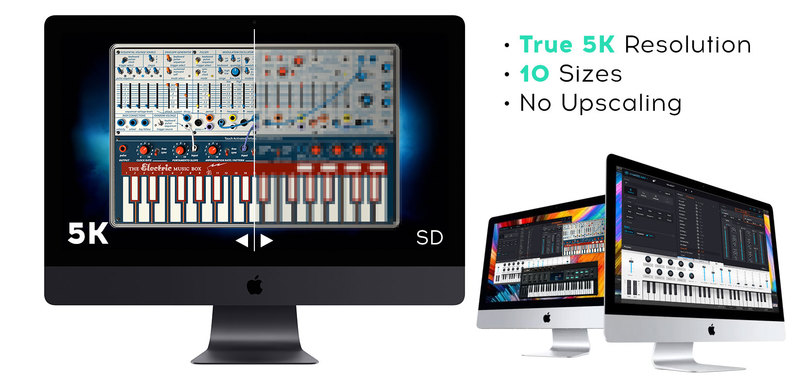
The user interfaces for all your Arturia instruments are now resizable, making it easy to work with any High Resolution screen, UHD or Retina.
You can decide whether you want to fill the screen with awesome graphic reproductions of classic instrument goodness, scale the window down when you’re working in a DAW and screen real estate is at a premium, or even zoom for detailed work.
System Requirements
- Works in Standalone, VST, AAX, Audio Unit, NKS (64-bit DAWs only).
Mac
- Mac OS 10.13+
- 4 GB RAM
- 4 cores CPU, 3.4 GHz (4.0 GHz Turbo-boost) or Apple Silicon CPU
- 3GB free hard disk space
- OpenGL 2.0 compatible GPU
Windows
- Win 10+ (64bit)
- 4 GB RAM
- 4 cores CPU, 3.4 GHz (4.0 GHz Turbo-boost)
- 3GB free hard disk space
- OpenGL 2.0 compatible GPU
- ARM processors not supported on Windows
Protection
All Arturia software is protected by the Arturia Software Center.
Jim McGorman
American musician, songwriter/producer and multi- instrumentalist: guitarist, keyboardist, drummer and vocalist.
‘The Wurlitizer V sounds amazing! Just like the real deal, but with no annoying 60’s hum! The amp choices are a super cool plus’
Jordan Rudess (Dream Theater)
Jordan Rudess is an American keyboardist and composer best known as a member of the progressive metal/rock band Dream Theater and the progressive rock supergroup Liquid Tension Experiment
'The Wurlittzer V is very cool, very intuitive and fun as well. It takes seconds to wrap your head around and the sonic possibilities are vast.'
Scott Kinsey (Tribal Tech)
Keyboardist best known for his work with the jazz fusion group Tribal Tech and for his contributions to soundtracks for major motion pictures, notably Ocean's Eleven and Ocean's Twelve
‘It’s amazing how the Arturia Wulritizer V can take you from a very responsive vintage Wurlie.. to faraway worlds no other Wurlitizer has ever dreamed of going before. Brilliant!’
The Wurlitzer electric piano has proved a tough nut to crack in software. Can Arturia rise to the challenge? I love my Wurlitzer EP200. With Dark Side Of The Moon, Crime Of The Century, and Houses Of The Holy providing the soundtrack to my discovery of synthesizers, the open road, and young ladi...
Read MoreBy now, you probably know I’m a keyboard player and which is more important, I’m a big analog fan, so, imagine my happiness when the V Collection 4 by Arturia came to my hands! We are talking here about some of the finest emulations and modelling of the finest vintage analog synths, but, not j...
Read More


