


 Log In

Free gifts available with your purchase
Important Note: This is an upgrade for customers who already own Chromaphone 1 or 2. The full version of Chromaphone 3 is also available.
Acoustic Object Synthesizer
Chromaphone strikes in full dynamics with acoustic sharpness and precision.
Chromaphone 3 is a two-voice synthesizer based on eight physically modelled acoustic resonators. This versatile instrument provides a delightful mixture of real-life presence and distinctive timbres that can’t be found anywhere else. Chromaphone 3 ships with 1000+ presets taking full advantage of its state-of-the-art acoustic object synthesis.
Features
- Two-part multitimbral, stacked or split
- Top-notch analogue modules and clever synth architecture
- Four performance macros per layer that respond to user-defined MIDI controls
- Factory library comprising more than a 1000 sounds by top sound designers
- Expansion packs
What's New?
AAS have streamlined Chromaphone and brought it to a whole new level.
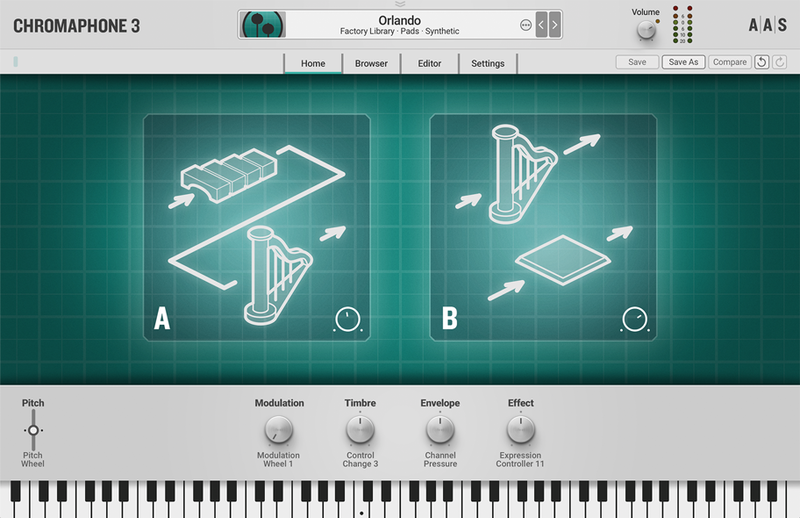
NEW Home View
With macros mapped to key sound characteristics modulation, timbre, envelope, and effect—the Home view presents a distraction-free and laidback browsing and tweaking experience.
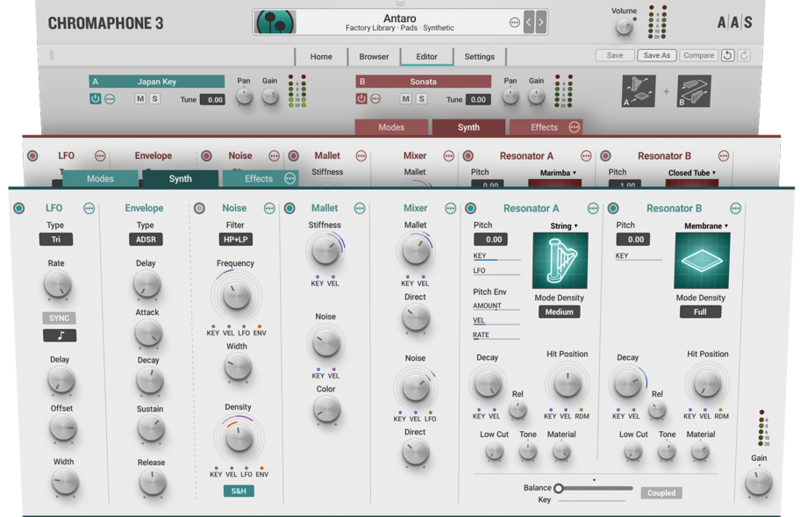
NEW Two-Voice Multitimbral
Chromaphone 3 combines two independent timbres—stacked or split—to create performance-friendly, texture-full, and spacious sounds that are sure to make a good impression.
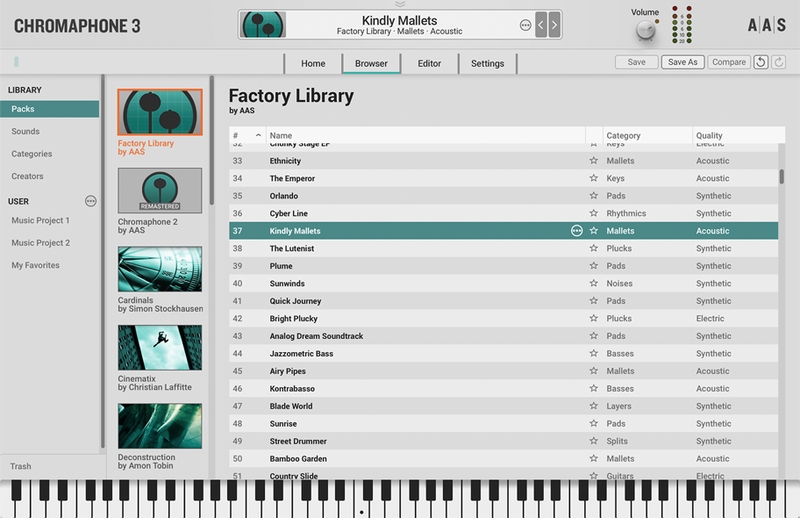
NEW Browser
With Packs, Sounds, Categories, and Creators views, Chromaphone 3’s brand-new browser offers an efficient way to home in on the sounds you’re looking for.
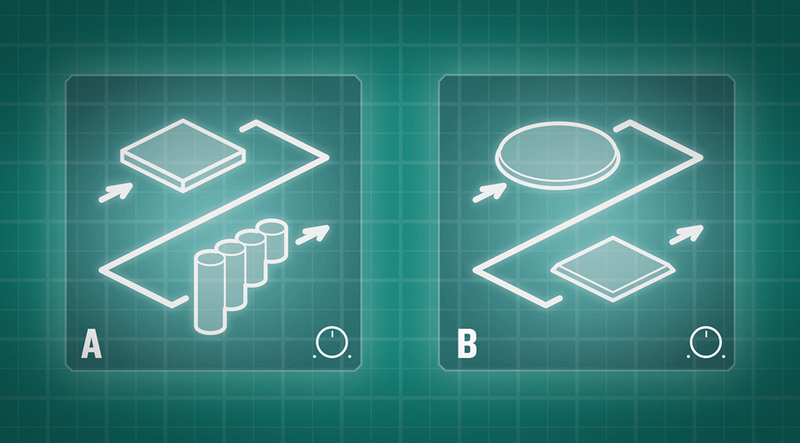
Resonators
Chromaphone 3 proudly showcases eight physically modelled acoustic resonators. Mix and match strings, plates, drumheads, membranes, beams, bars, and tubes to reproduce real-life instruments or create original ones. At the turn of a few knobs, become an instrument maker, shaping metal, carving wood, and stretching skins.
Chromaphone is the first synthesizer to take into account the effect of coupling between resonators. A proprietary technology precisely models the bidirectional nature of the energy flow between the resonators and how they interact thereby capturing key acoustic behaviours of musical instruments.








NEW Macros
Chromaphone 3 now boasts four performance macros per layer that respond to user-defined MIDI controls. Each and every sound features modulation, timbre, envelope, and effect morphing assignments that can be played in real-time for enhanced expressivity and sonic dimension.

NEW Factory Library
Chromaphone 3 ships with a completely new factory library of 420 sounds created by top sound designers. Michel Basque, Christian Halten, Jerry Kovarsky, Christian Laffitte, Niall McCallum, Adam Pietruszko, Daniel Stawczyk, Sean Divine, and Venus Theory form an incredible team that made the most of the latest Chromaphone 3 features. It’s with great pride that AAS present these new signature sounds.
REMASTERED Chromaphone 2 Library
A long and fastidious process of fine-tuning went down in the AAS quarters. Each and every sound of the legacy Chromaphone 2 library went under the eyes of the AAS team members. They now boast a consistent gain-stage, unity-gain effects, better dynamics, and compelling real-time sound transformation assignments to take advantage of the new features of Chromaphone 3. That’s an extra 676 solid sounds in your hands.
IMPROVED Microtonal tunings via Scala scale files
Chromaphone 3 now supports the Scala scale file format as well as reference note frequency tuning for microtonal music-making.
EXPANDED Multi-Effects Module
Chromaphone 3’s multi-effects module now sports reverb, equalizer, compressor, tremolo, and guitar amplifier processors for even more completeness. Furthermore, the five effect slots can be re-arranged in any order.
Compatible with Chromaphone 2 sounds
Simply copy Chromaphone 2 banks in Chromaphone 3’s packs folder to convert them.
System Requirements
Mac minimum system requirements
- macOS 10.11 (El Capitan) or later
- Intel Core i5 (circa 2015), Apple M1 processor or later
- 64-bit DAW
PC minimum system requirements
- Windows 10 64‑bit or later
- Intel Core i5 (circa 2015) processor or later
- 64-bit DAW
Awards

FutureMusic
Get up to the minute news and reviews for all music makers.
"Extra layers, extra sounds, extra effects and extra modulation truly elevate this 'object synthesiser'... - it's a versatile, top-quality real, instrument"

















