


 Log In

Free gifts available with your purchase
Keyboard Anthology
Create, produce, perform. Analog Lab Pro is a plugin that combines thousands of world-class presets spanning dozens of timeless instruments, instant-access controls, and flawless integration - in one place.
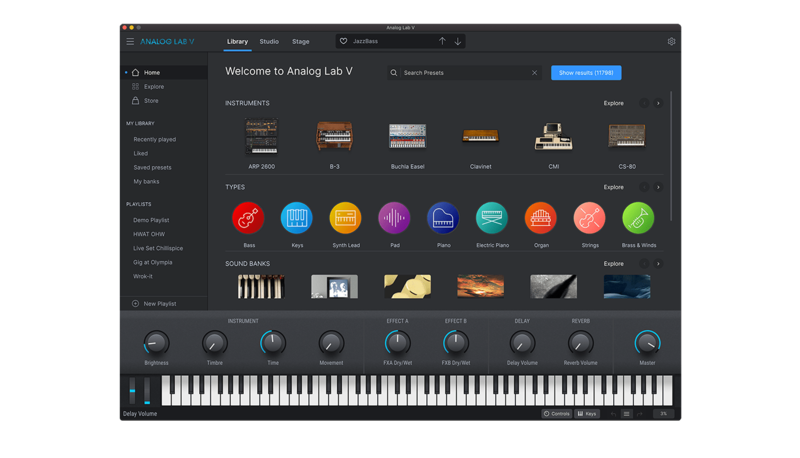
Immediate Creativity
Analog Lab Pro gives you instant access to the most iconic synth and keyboard sounds of all time, fresh from Arturia's award-winning V Collection.
Choose from a massive selection of best vintage & modern presets using intuitive smart-filter browsing, and breathe new life into your mix with the much-loved sounds of faithfully emulated classics. Whether you’re a producer, performer, sound designer, or vintage synth fan, you’ll find inspiration at every turn.
LegendarySound At your fingertips
Soulful organs, razor-sharp synth bass, warm analogue pads - why should you have to choose?
With Analog Lab Pro, and you’ll get all of the above, and more. Open up one this easy-to-use plugin and unlock sounds from every instrument emulation included in V Collection, as well as Arturia's state-of-the-art softsynth Pigments. A synth for every genre, an icon from every era, a solution for every creative style.
Easy to Use
Analog Lab Pro is geared up to inspire, not confuse. Arturia is keen on keeping their plugins simple and intuitive, so you can focus on what really matters. There’s no guesswork - Arturia analyzed the way people actually use software instruments and created Analog Lab V to inspire your creativity, not get in its way.
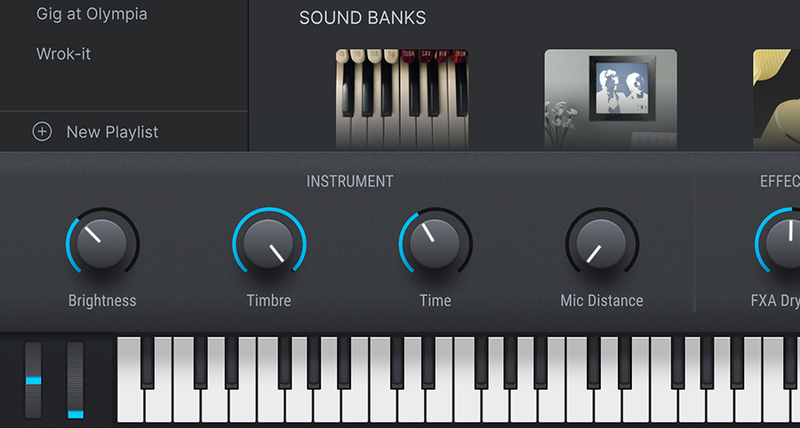
Parameter Mapping
The sound shaping parameters of each instrument are distilled into a simple selection of controls that let you tweak quickly, intelligently, and creatively. The latest presets feature 4 macro controls for when you want to stretch, twist, or taper your sound on the fly.
Intuitive Browsing
Effortlessly navigate through thousands of sounds with an easy-to-use browser interface
Controller Integration
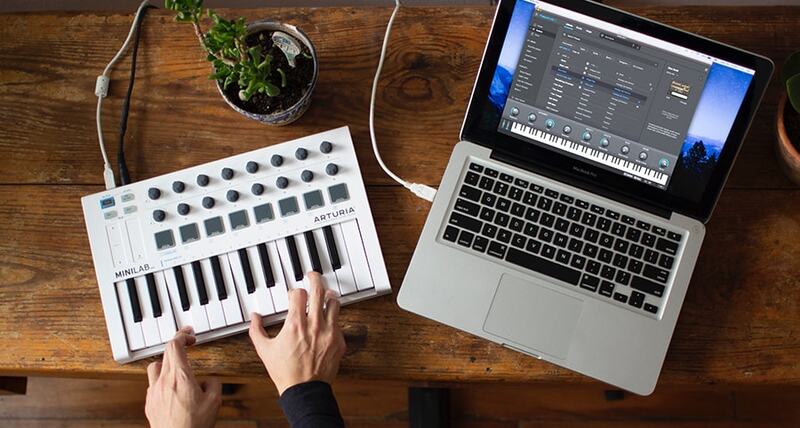
Enjoy seamless integration with Arturia's Lab range of controllers, as well as easy connection with most MIDI controllers - tap into your sound like never before.
Choose Your View
Sometimes a change of perspective is all you need - when you change your creative approach, you change your creative results. Analog Lab Pro has a solution for every situation; choose a workflow and interface to suit your needs, and the musical magic will follow.
- Library View: Your sound-searching platform. Browse your entire library of presets, with smart filtering and search options. Load a preset and immediately try it out, with an array of controls available in the same interface.
- Studio View: Step into the studio and colour your sound. You can continue to tweak the integral controls of your preset, while getting more hands-on with mixing, FX, and the order of your signal chain.
- Stage View: Notes, controls, and setlist features combined to ensure that you’re fully prepped for your performance. Stage View offers an all-in-one interface so that you can enjoy your stage time without a hitch.
Ultimate Preset Selection
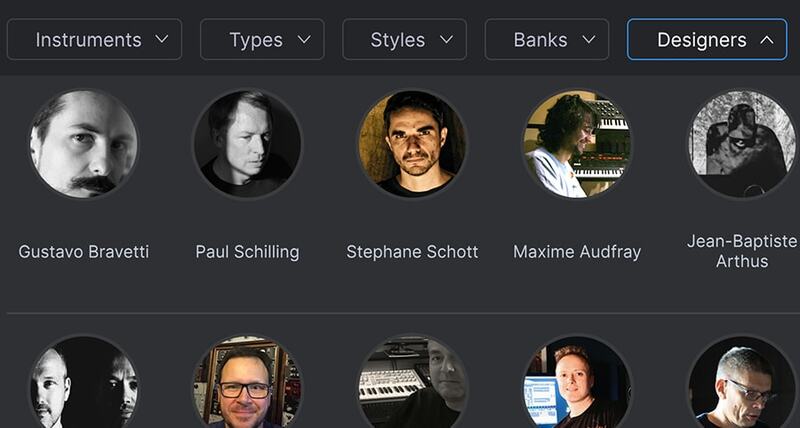
With Analog Lab Pro, you’re spoilt for sonic choice. Its library of 2000 presets and patches has been curated to cover every musical style in the book - and a few that aren’t. Behind this incredible collection are some of the world’s most renowned sound designers, with decades of experience and creative expertise under their collective belt. Your sound is in safe hands.
Whether you’re playing hits from yesteryear or creating tomorrow’s music, Analog Lab Pro brings you all the sounds you need in one elegant package.
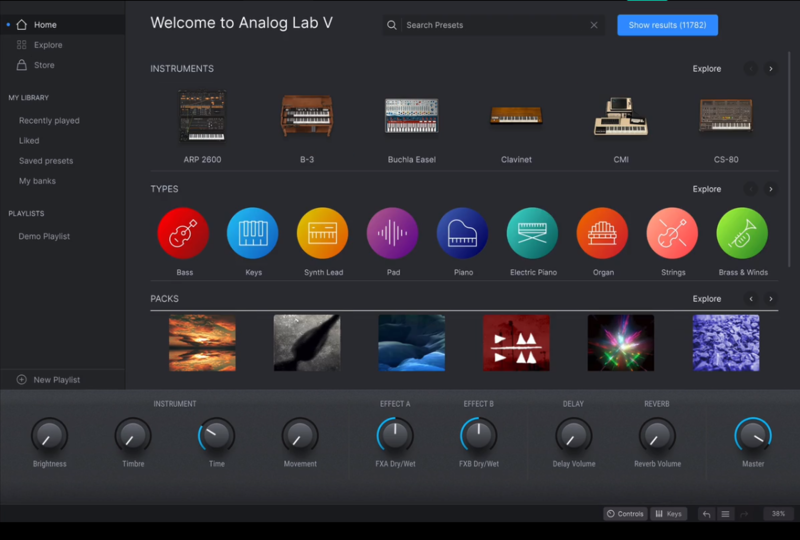
Smart Browsing
Analog Lab Pro has got you covered, whatever angle you’re coming from. Search by instruments, sound banks, sound designers, instrument types, and styles - truly zone in a sound to suit your needs.
Customize your Library
Once you’ve found the perfect preset, tag it as a favourite so you can instantly recall it next time. Visit your Liked presets in the library tab to revisit the sounds that you need in an instant.
Create Playlists
Create personalized playlists so you can get back into the creative zone quicker than ever. Organize your sounds into songs for easy performance or practice recall, and leave notes for quick reference.
Expand Your Collection
Looking for that creative spark? Perhaps you want to give your sound a new edge, or you’re after a new musical springboard. Analog Lab Pro also gives you access to the Sound Store, updated monthly with exclusive sounds and preset expansions, letting you take your sound in whatever direction you feel like.
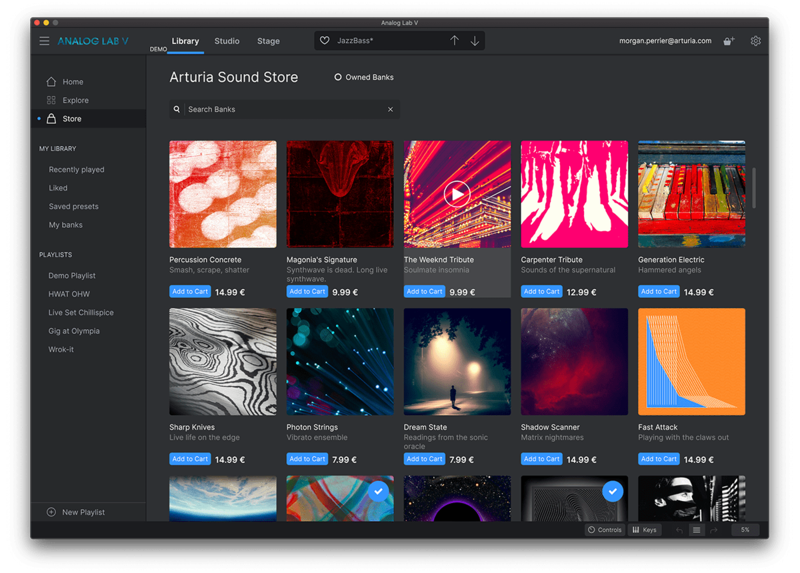
What Else?
TAE® and Phi® Powered
Proprietary technology allows us to model these iconic instruments on a deeper level for new levels of immersive realism. TAE® offers unmatched analogue emulation down to component-level detail, while Phi’s state-of-the-art physical modelling brings material acoustic resonance into the virtual instrument world like never before. Next-level engineering means next-level sound.
In-App Tutorials
Integrated in-app tutorials guide you through every aspect of the instrument, from individual parameters to tips from Arturia's sound designers, so you can focus on the creative stuff. It shouldn't be this easy, but it is!
DAW Ready
Arturia's virtual instruments and plugins are designed to fit right into your setup without hassle. Whatever your style, you can explore sound while enjoying full compatibility with major DAWS, on both Windows and MacOS.
ASC
Arturia Software Center lets you download, organize, and update all of your Arturia software titles in one place, as well as manage all of your licenses across multiple devices. Keep it simple.
Preset Browser
Instantly find the sound that’s in your head with intelligent & streamlined preset browsing. Search with keywords, explore by instrument type, musical style, and more - you can even save your favourites to quickly recall later.
Resizable GUI
Whether you want the full visual immersion of Arturia's classic instrument emulations, or to save precious screen real estate, the interfaces for all of your Arturia virtual instruments can be resized to a scale that suits you.
Perfect Integration
V Collection instruments come seamlessly mapped for the Arturia KeyLab range - but they’ll place nice with other MIDI controllers too. Instant sound tweaking macros, easy DAW integration, and standalone operation - adding V Collection to your setup is effortless.
Features
- Over 2000 curated sounds from all the acclaimed V Collection Instruments.
- Presets are carefully selected from Arturia's V Collection.
- Updated browser to find sounds quickly: by Type (Bass, Pads, Leads…), by Style (bright, dark…), by Genre (Ambient, Disco, Techno, …)
- New Studio view to add effects and combine 2 instruments (Multis).
- Layer Multi sounds or Split 2 Presets across the keyboard.
- 4 new Macro controls on all the sounds for instant sound edition.
- Automatic mapping of parameters for Arturia keyboards.
- Parameters can be mapped easily to other MIDI controllers.
- Stage view allows performing on a prepared Playlist, using an Arturia keyboard or sending Program Changes from any MIDI Controller.
- V Collection and Pigments instruments owners can open the full instrument within Analog Lab.
System Requirements
- Works in Standalone, VST, AAX, Audio Unit.
Mac
- macOS 10.13 or later (64-bit only) (M1 Mac not yet officially supported)
- 4 GB RAM
- 4 cores CPU, 3.4 GHz (4.0 GHz Turbo-boost) or Apple Silicon CPU
- 4GB free hard disk space
- OpenGL 2.0 compatible GPU
Windows
- Win 10+ (64-bit only)
- 4 GB RAM
- 4 cores CPU, 3.4 GHz (4.0 GHz Turbo-boost)
- OpenGL 2.0 compatible GPU
- ARM processors not supported on Windows
Protection
All Arturia software is protected by the Arturia Software Center.
Awards


Laurent Garnier
- Laurent Garnier (born February 1, 1966) is a French techno music producer and DJ.
"If like me you are always looking for new sounds, Analog Factory is the instrument to always use as it is most definitely very inspirational."
Herbie Hancock
Herbie Hancock is a true icon of modern music. Throughout his explorations, he has transcended limitations and genres while maintaining his unmistakable voice. With an illustrious career spanning five decades and 14 Grammy® Awards.
"Analog Lab is a beautiful mixture of the current Arturia products all rolled into one package"
Paul Hartnoll
One half of the English electronic dance duo Orbital.
"Analog Lab is a must."
Reviews Summary
While it aims to provide a helpful overview, it may not capture every perspective or detail. We encourage you to read individual reviews to make an informed decision.
Users widely praise this plugin as an essential, go-to library for high-quality keyboard, synth, and vintage sounds across various genres. While celebrated for its top-tier presets and versatility, some users noted minor drawbacks including long loading times and limited sound tweaking capabilities without purchasing additional sound packs or the full collection.


