


 Log In

Free gifts available with your purchase
Organic Digital Wavemaker
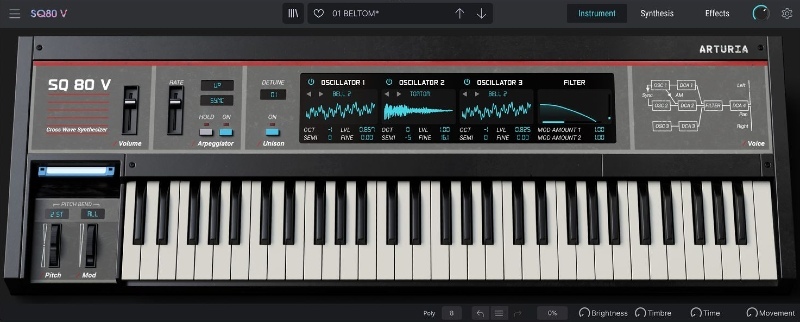
SQ80 V is Ensoniq’s classic ‘80s Cross-Wave synth reborn, weaving hybrid lo-fi character, complex industrial textures, and thousands of unique waveform combinations into a quick-fire softsynth enhanced for modern production. Digital synthesis unravelled.
Where Digital Dreams are Made
Digital synthesizers are often known for sounds that are razor-sharp, crystal-clear, and precise - SQ80 V has other ideas.
Explore a detailed software resurrection of a digital anti-hero that’s out to break the rules.
Capture the grit, character, and charming imperfection favoured by John Carpenter, Adamski, Mr Bungle, and countless others with an instrument that’s simultaneously complex and accessible, focused and intricate, edgy and dream-like - and unlike anything you’ve heard before.
The Digital Edge
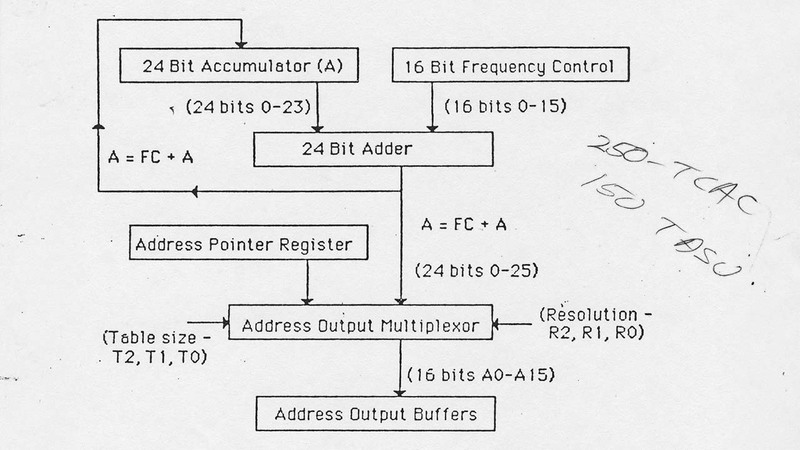
SQ80 V’s perfectly-modelled 8-bit 5503 DOC chip delivers digital sounds that are uniquely full of organic character, ranging from silky smooth to razor-sharp - all ready to customize & play in seconds.
Analog Character
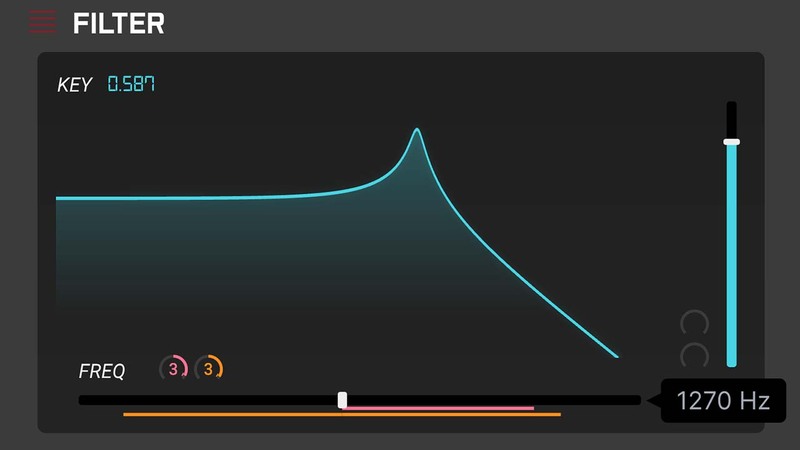
Digital oscillators collide with an emulated analog filter and output circuit for sinewaves that growl, harmonics that sizzle, and warm lo-fi timbres that are perfectly imperfect.
Waveforms Evolved
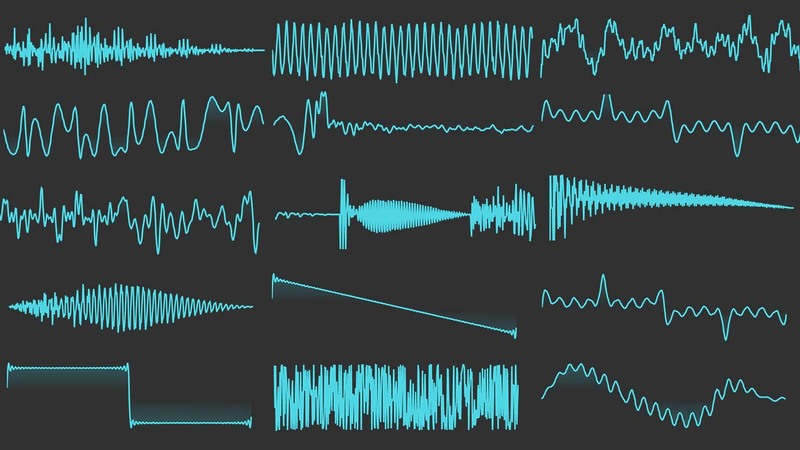
Explore thousands of possible combinations of waves, instrument-style transients, hidden waveforms, and VFX transwaves for sound design potential that surpasses the original hardware.
Digital Made Easy
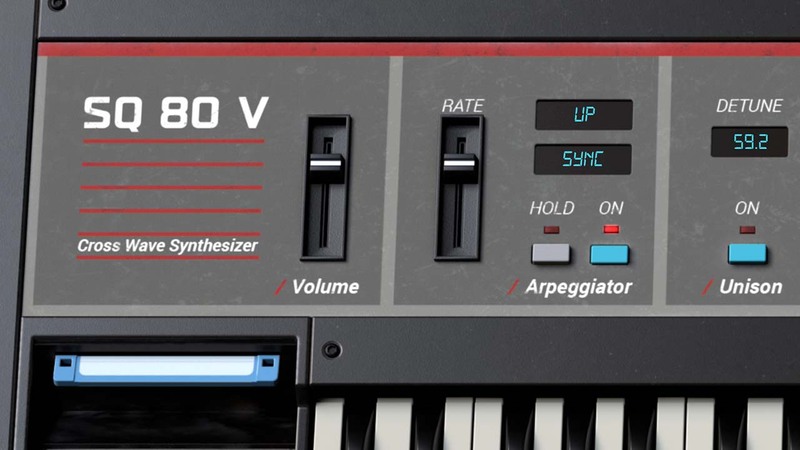
Digital synths have long been notoriously tricky to program, both hardware and software. SQ80 V bucks the trend with an immersive digital architecture that can be tweaked instantly, hassle-free.

Riding a Wave
Created by the same engineers responsible for the Commodore 64 - considered the best-selling computer of all time - Ensoniq’s SQ80 was up against stiff competition.
At the time of its release, the digitization of hardware synthesizers was well underway - but it went on to become a cult classic.
Here was a digital synthesizer that offered a degree of warmth and character usually reserved for its analog peers; flexible voice and modulation controls that didn’t require 10,000 hours of practice to program; a workhorse keyboard that produced an unprecedented array of timbres to suit any style, without the stellar price tag of similarly capable instruments.
Waveforms
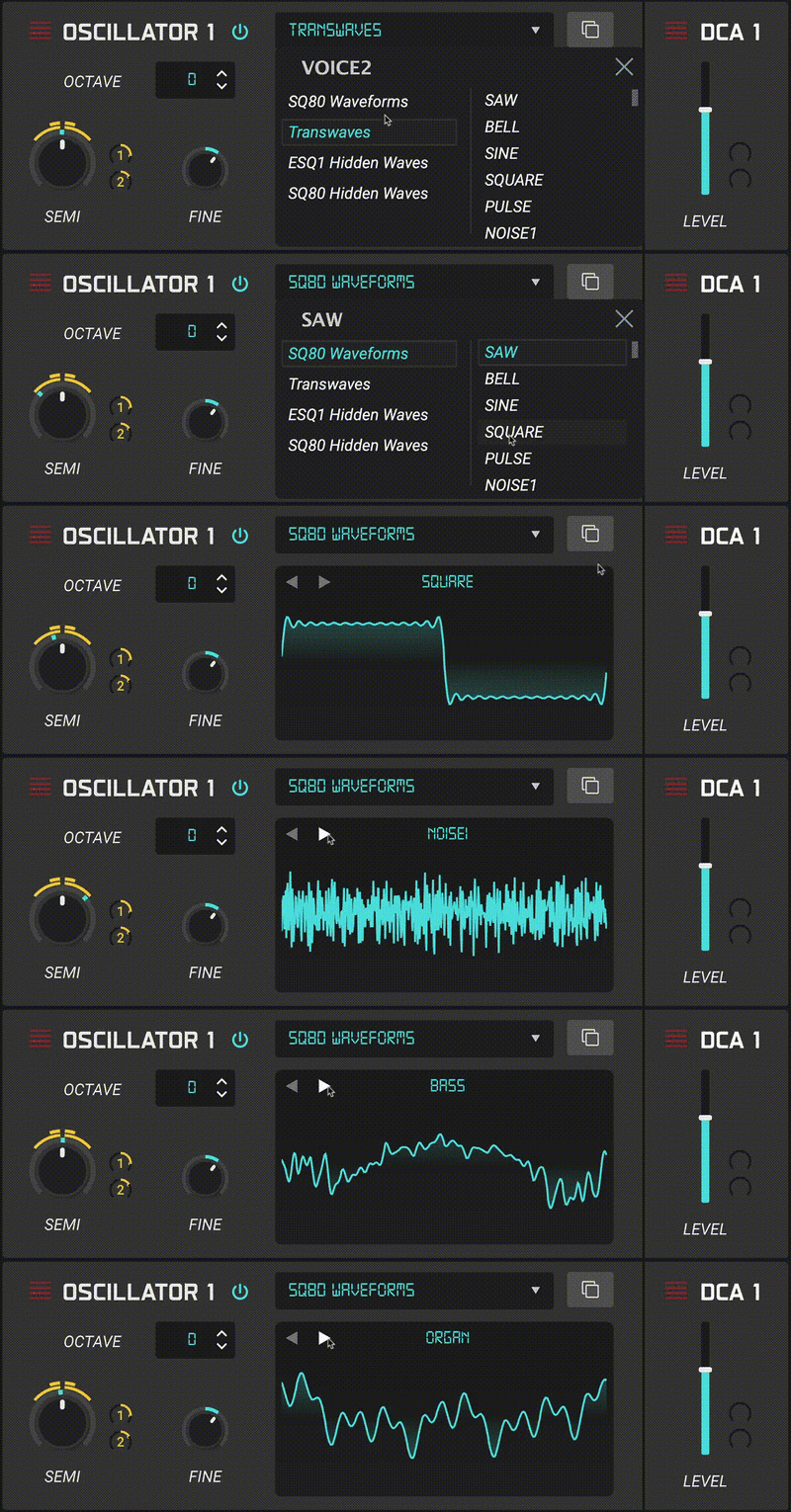
SQ80 V’s unique voice is all about combining and manipulating waveforms.
Each of its 3 oscillators can be assigned a different waveform; SQ80 V unites classic waveforms from the original built-in library with hundreds more that Arturia have added, ranging from the familiar to the abstract. The resulting range of sounds at your disposal is simply enormous; soft moving string pads, plucky pulse width basses, glitchy industrial percussion...
- SQ80 Waveforms - The keyboard’s original factory library, ranging from sinewaves to unique drum transients, all distinctly synthetic in its nature.
- Transwaves - An additional technology taken from Ensoniq’s follow-up generation of synthesizers, including ‘Transwaves’, a pioneering form of wavetable application.
- ESQ-1 Hidden Waveforms - ESQ-1 preceded the SQ80 but had the same software. The same ‘hack’ was applied to produce a new selection of unique waveforms.
- SQ80 Hidden Waveforms - By ‘hacking’ the original SQ80’s software, users unearthed a series of unpredictable waveforms made entirely of manipulated code.
Shades of Analog

SQ80 V’s unique voice begins with its 8-bit oscillators and endless hybrid waveform combinations. It’s when these components collide with its emulated CEM 3379 analog filter that it truly comes into its own. By processing digital sounds through its emulated analog filter and amp, SQ80 V can inject organic imperfections, crunchy harmonics, and tangible lo-fi distortion into your modern mixes.
Using the proprietary TAE® technology, Arturia remodelled it in unparalleled detail to bring you a virtual instrument that sings, barks and growls just like the original hardware.
Layer Upon Layer
From the immediacy of its controls to its games console aesthetic, SQ80 V is as charming, edgy, and accessible as the real deal. Use it in your DAW or as a standalone instrument and, quite literally, make waves.
Hardware View
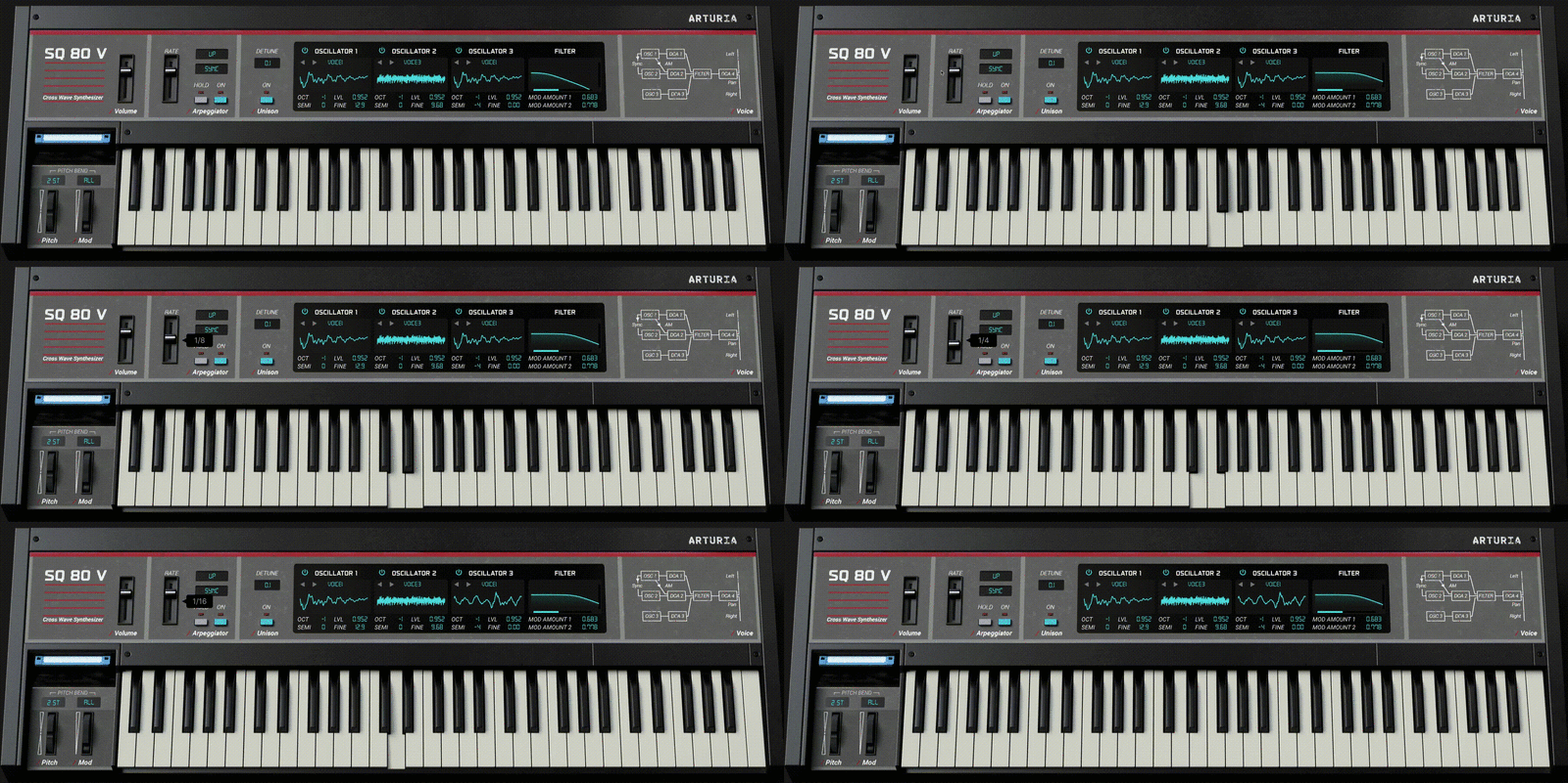
An Authentic Experience
The main interface is stripped down, as with the original, with a mini display menu providing instant access to your main voice controls, including tuning, waveform selection, octave switching, and more.
Synthesis View
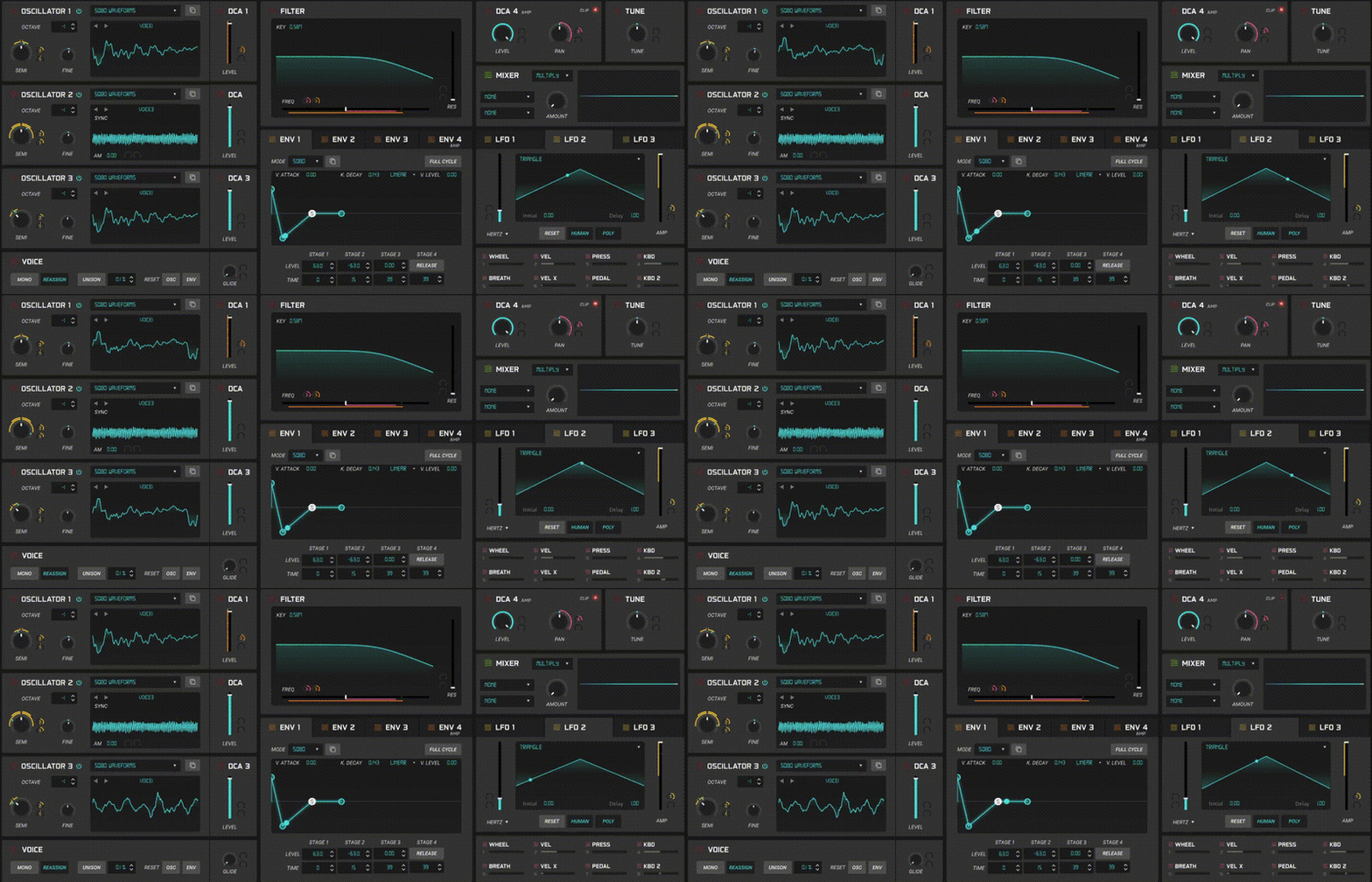
Oscillator Triple Threat
In the Synthesis tab, you’ll find more detailed controls for SQ80 V’s 3 oscillators, each with a dedicated DCA (amplifier) and hundreds of waveforms to choose from. This simple architecture is comparable to classic analog synths, making it ultra-accessible despite its complex sound. And, just like the original, you can explore unique hard sync and AM (amplitude modulation) configurations to unlock more abstract sonic behaviour.
Analogue Output
Where digital meets analog, magic happens. SQ80 V features a meticulously modelled Curtis CEM 3379 chip that provides the beautifully warm resonant analog filter and stereo amplification stage. Better still, Arturia implemented subtle analog dispersion to reproduce the nuanced ever-changing behaviour of analog circuitry for a truly organic sound.
Movement and Modulation
Ensoniq’s instruments were known for providing a more familiar synth architecture than many of their digital peers, closer to that of an analog synth in many ways. SQ80 V replicates and enhances this familiarity in detail so you can craft your own evolving, pulsing, and rhythmic sounds in no time: 4 multimode polyphonic envelope generators, 3 LFOs with 6 waveforms, 8 MIDI sources, and even a dynamic modulation mixer.
What Was Added?
SQ80 V strikes the perfect balance between the ‘80s cult classic and modern production workhorse with character.
To achieve this, Arturia added hundreds more waveforms and retrofitted its architecture with a number of extra creative features - without compromising its distinct retro charm.
The Arpeggiator - Introducing an arpeggiator to SQ80 V’s curious sound equips it for easy performance and melody creation. A classic component with the familiar controls, including arp direction, sync, octave range, and hold. Just turn it on and enjoy free-flowing lo-fi sounds that fit right into your mix.
Unison - SQ80 V offers up to 16-voice polyphony - twice that of the original hardware instrument - but Arturia couldn’t resist adding an 8-voice unison option. Stack up those oscillators for enormous basses, gritty percussion, and ultra-dense lead sounds.
Dispersion - When it comes to classic synths and keyboards, the true charm often lies in the details. Arturia went a step further than emulating the SQ80’s sound and interface by introducing dispersion - meaning subtle variations and inconsistencies in the behaviour of its emulated circuitry. No two notes will ever be exactly the same, bringing a truly unmatched organic sound.
Envelopes Expanded - To further shape the attack, duration, and evolution of your sounds, Arturia upgraded SQ80 V with 2 additional envelope modes: DADSR and MSEG. The former adds a delay stage to the traditional ADSR for staggered strikes and interesting rhythmic patterns. The latter is a fully customizable looping function generator for painting envelopes your own way.
The Mod Mixer - Combine any 2 modulation sources, from envelopes to keyboard controls, to distort, mangle, and refract your patches in interesting and unexpected ways. With 6 different modes of modulation mixing, the combination possibilities are enormous - as are the potential sonic results.
MPE Compatibility - SQ80 V supports MPE-compatible controllers for an advanced expressivity experience. Create dynamic performance patches and textures that can respond in numerous ways to a single keystroke.
Presets
Enjoy perfect tailor-made sounds from the offset with SQ80 V’s expertly designed library of 160 presets, including 40 replicated from the original instrument. From metallic industrial percussion to synthetic keyboard patches, you’ll find a sound that suits you in no time.
Features
- 3 digital oscillators based on the original DOC chip
- Over 400 waveforms across 4 unique banks
- Amplitude Modulation and Hard Sync
- 4 analog DCAs; 1 for each oscillator, 1 master output
- Analog resonant low-pass filter based on the original CEM chip
- 4 polyphonic envelope generators with 3 modes; SQ80, DADSR, MSEG
- 3 LFOs with 6 waveforms
- 8 MIDI sources
- Modulation mixer for combining 2 modulation sources
- Built-in 7-mode arpeggiator
- Up to 16-voice polyphony with Unison mode
- 4 FX slots across 2 busses, configurable in series or parallel
- 15 master effect types
- Advanced Brightness, Timbre, Time and Movement macro controls
- 200+ factory presets, including 40 from the original SQ-80 instrument
- MPE compatibility
System Requirements
- Works in VST, AAX, Audio Unit
Mac
- Mac OS 10.13+
- 4 GB RAM
- 2GB free hard disk space
- OpenGL 2.0 compatible GPU
Windows
- Win 10+ (64bit)
- 4 GB RAM
- 2GB free hard disk space
- OpenGL 2.0 compatible GPU
- ARM processors not supported on Windows
Protection
All Arturia software is protected by the Arturia Software Center.
Joel Little
Producer / Songwriter
"This thing is great! Plenty of inspiring sounds to get things started, and the Synthesis and Effects tabs are laid out In a way that makes it easy to create interesting and unique sounds quickly."
ill Gates
Producer
"The SQ80 V has all the tone and texture I need to get that big vintage sound while I'm out on the road producing in hotel rooms. It's like you can hear the dust on those old 80's chipboards!"
Steve Levine
British Record Producer
"The SQ80 V stays sonically true to the original vibe with those wonderful digital waves coupled with one of the best-sounding analogue filters."


