


Buy Collective , get a free gift with purchase:
A world of instruments at your fingertips
The Collective Synth
Spectacular sample-based diversity intertwined with a powerful synthesis engine.
Samples
When assembling the factory sound library for Collective, we turned to one of the most acclaimed artisans in the field of sample capture and voicing – Klaus Peter Rausch. Over the past 3 decades, Klaus has worked with numerous industry titans including Korg, Alesis, Clavia, Yamaha, and many more. All the while amassing a vast array of instrument samples of the highest quality specifically for use in sample playback engines. Working closely with the Tracktion VI development team, one of the largest assortments of Klaus’s instruments were meticulously reviewed, edited, and voiced to provide a diverse sonic playground for you to explore.
Synthesis Engine
Collective is designed to be much more than just a high-quality sample playback engine. It is also a deeply capable synthesis platform allowing for a wide array of electronic sounds to be generated with ease. It is the combination of these capabilities that allow the sound design team – and indeed yourselves – to create ultra hi-def sounds. Layering subtle synthesis textures under real samples can produce vibrant results that mimic real-world spaces and if desired, enhance. When exploring the electronic capabilities of the synthesis engine, you will discover a comprehensive array of features including virtual analogue, 4 operator FM, filters, LFO’s, envelopes, and a creative selection of FX. Collective packs a world of sounds into a single, easy to use, ever-expanding premium virtual instrument.
Diversity & Evolution
In a world full of VI’s filled with mediocre sounds touting thousands of presets, Collective is designed to be different. Over 600 factory sounds have been meticulously crafted to provide a diverse array of both real-world instruments and electronica. You will find not only the obvious but also the obscure, allowing you to quickly locate the sounds you feel for your compositions and explore new soundscapes from around the world. To keep things exciting, the content is evolving through the expansion packs themed for different musical genres and musical moments to keep you inspired. Collective is a must-have instrument in your sonic arsenal.
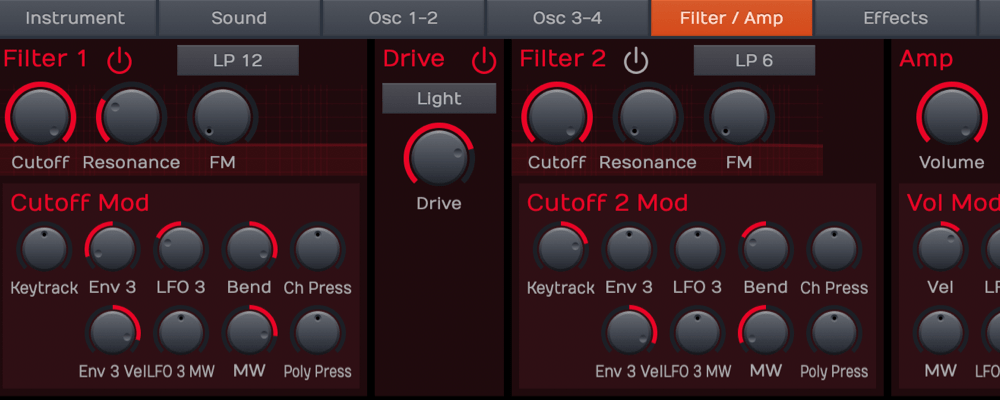
2 Filters
- Filters are in series with an interconnected distortion stage
- Low- and highpass filter types with 6, 12 and 24dB slope
- Bandpass and notch filter types with 12 and 24dB slope
- High-quality tunable comb filter with positive and negative feedback (can be used for polyphonic chorus or flanger or to create physical modelling sounds)
- Various distortion types including soft, medium, hard and tube overdrive and hard clipping
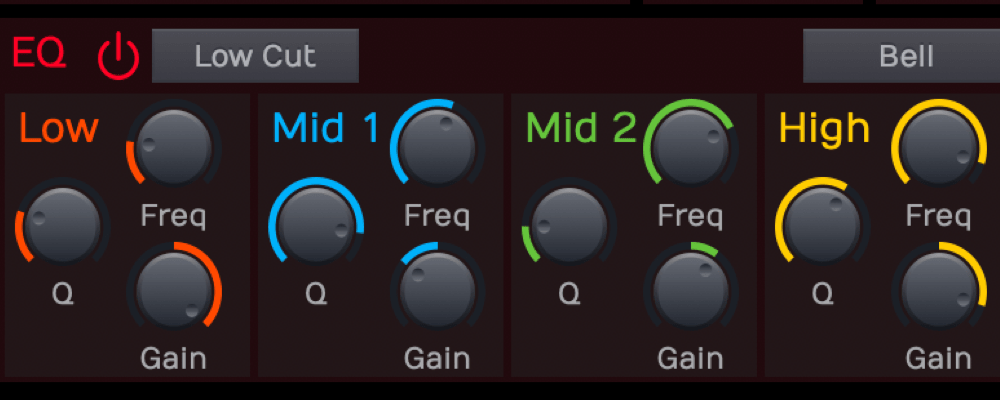
Equalizer
- 4 bands fully parametric
- Low and high band types shelf, bell or cut
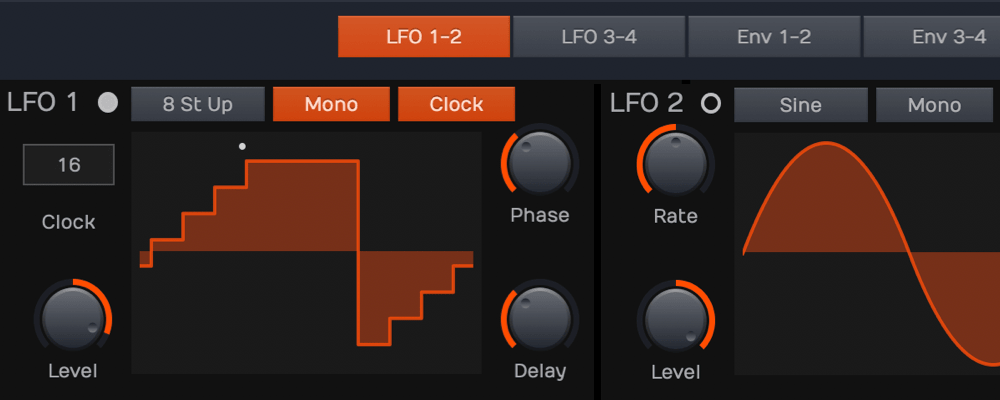
4 LFO's
- Classic LFO waveforms triangle, sine, saw up/down, pulse, sample & hold, random
- Waveform skewing
- Synchronizable to host
- LFOs pre-routed to sound-generating modules, i.e. pitch, pulse width, cutoff, volume and panning
General
- Extensive sound library with over 600 factory sounds
- Up to 256 voices (depends on CPU speed)
- Unlimited sound layers per Instrument (typically between 1 and 12)
- Macro controls for quick and easy instrument editing
- Controller support for pitch bend, modulation wheel, monophonic and polyphonic aftertouch, sustain and sostenuto pedal, expression pedal
- Full host parameter automation
Per Sound
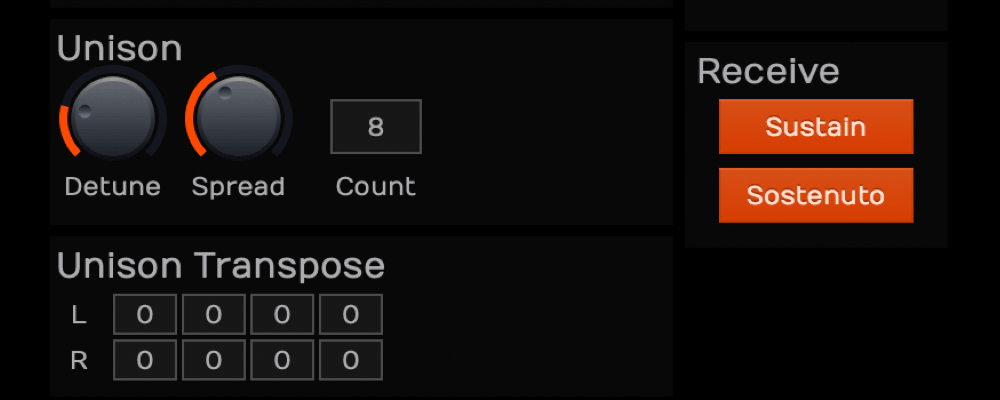
- Unison with up to 16 voices and freely transposable unison notes
- Powerful arpeggiator with MIDI File import
- Internal tempo or synchronization to host
- Powerful note trigger modes for sophisticated layer sounds
Per Voice
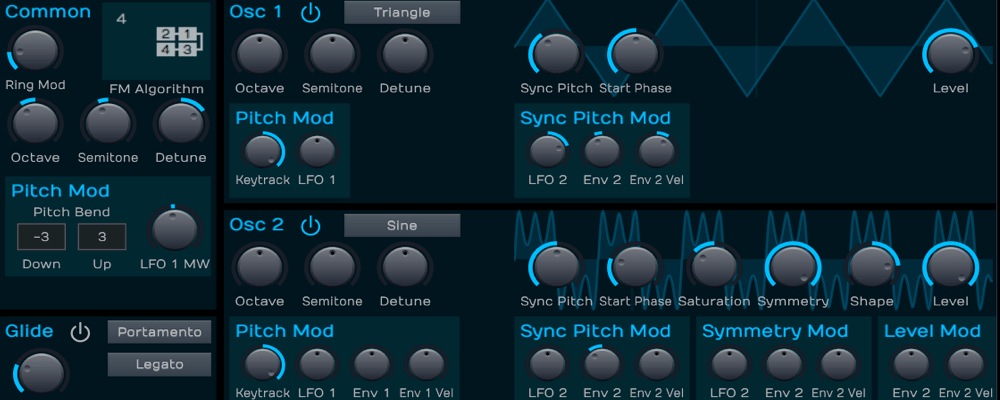
- 4 Oscillators
- High-quality sample playback
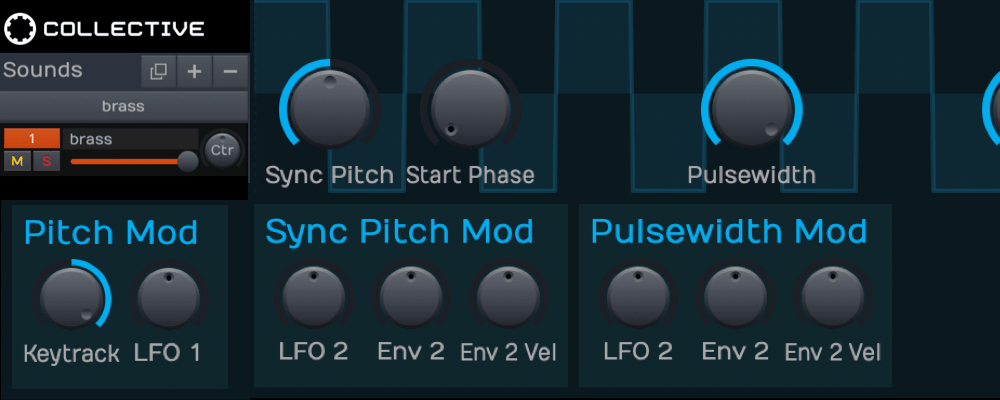
- Classic virtual-analogue waveforms like saw, triangle and pulse with pulse-width modulation
- Sine waveform with continuous waveshaping turning it into square, saw, triangle or other waveforms
- In-oscillator sync
- Ring modulation of oscillator 1 and 2
- 4-Operator FM with all waveforms or samples
4 Envelopes
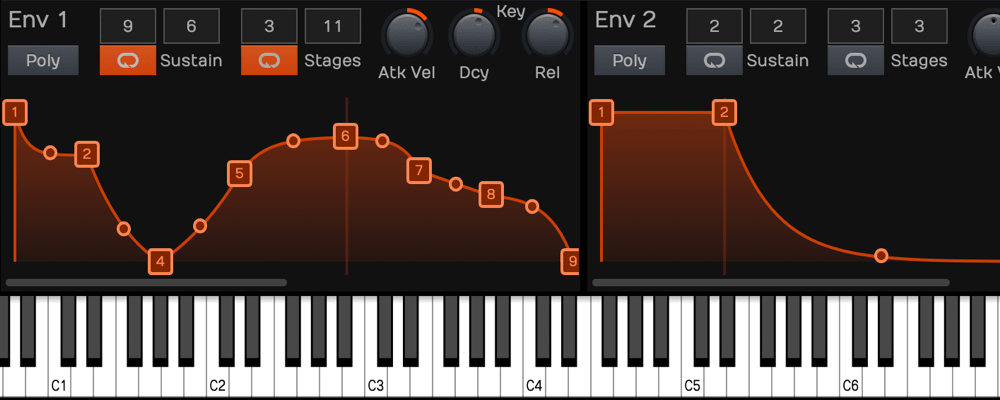
- Up to 32 stages with variable slope
- Sustain and release loop
- Envelopes prerouted to sound-generating modules, i.e. pitch, osc 2 + 4 level, cutoff and volume
4 Effect Busses
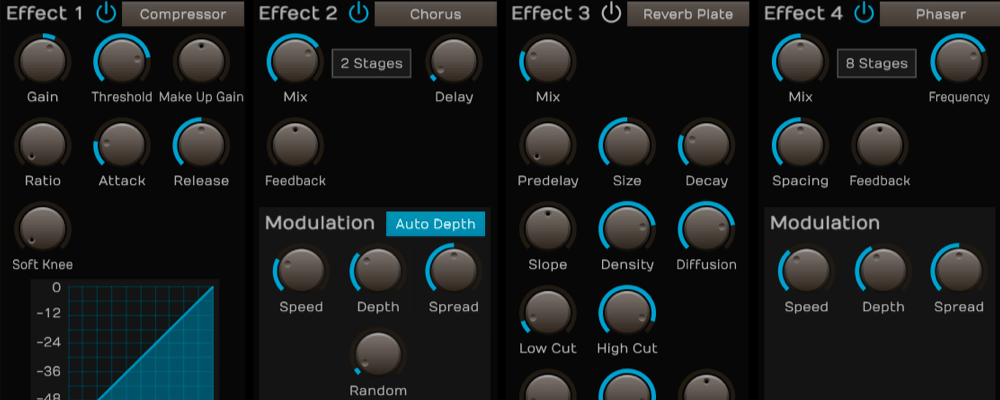
- Each effect bus can be set to any effect type
- Effect types Compressor, Distortion, Filter, Chorus/Flanger, Phaser, Time/Clock Delay, Natural/Plate/Nonlinear Reverb
- Full parameter set for each effect type
System Requirements
Mac
- macOS 10.11 or later (64-bit)
- VST2 / AAX / AU
PC
- Windows 8, 10 and 11 (64-bit)
- VST2 / AAX
*Requires a DAW host software to run and 2.9 GB available disk space.
Note: BioTek2 is used as an example.
Windows
1. Visit https://marketplace.tracktion.com/activate > Enter your Activation Code found in your My Account > Enter your contact information and either register or log in to Tracktion > Click "Submit".

2. Click "My Downloads".

3. Download the Tracktion Download Manager by selecting your operating system and clicking "Download".

4. Double-click the downloaded .exe installer > Select "I accept the agreement" and click "Next >".

5. Decide whether or not you would like a desktop shortcut > Click "Next >".

6. Select your destination > Click "Next >".

7. Click "Install".

8. Click "Finish".

9. Open the Tracktion Download Manager > Click "Install" on both BioTek 2 and BioTek 2 content.

10. Once your files have been downloaded and installed, you can close the download manager. > Then open your DAW.

Your software is now installed and ready for use!

Mac
1. Visit https://marketplace.tracktion.com/activate > Enter your Activation Code found in your My Account > Enter your contact information and either register or log in to Tracktion > Click "Submit".
2. Click "My Downloads".
3. Download the Tracktion Download Manager by selecting your operating system and clicking "Download".
4. Open the.dmg file > Click "Continue".

5. Read the Software License Agreement > Click "Continue".

6. Click "Agree".

7. Click "Install".

8. Click "Close".

9. Open the Tracktion Download Manager > Click "Install" on both BioTek 2 and BioTek 2 content.

10. Once your files have been downloaded and installed, you can close the download manager. > Then open your DAW.
Your software is now installed and ready for use!



