/ Synth / Imagine
Expressive E

Imagine

4.7 (287 Reviews)
$89.40 $149.00

40% off until Dec 31

Expressive E Imagine
Imagine by Expressive E | Making a Unique Sub Bass Instrument Tutorial gallery thumbnail
Expressive E Imagine - Hear Imagine in action gallery thumbnail
Imagine walkthrough gallery thumbnail
Imagine x Touché gallery thumbnail
Imagine by Expressive E in 5 minutes! gallery thumbnail
Expressive E Imagine - Add Macro View
Expressive E Imagine - FX View
Expressive E Imagine - MIDI Learn View
Expressive E Imagine - Promo Image
Expressive E Imagine - Box Shot
Buy Now
Product information

A Playful World of Unknown Acoustic Sounds

Multidimensional Acoustic Tones

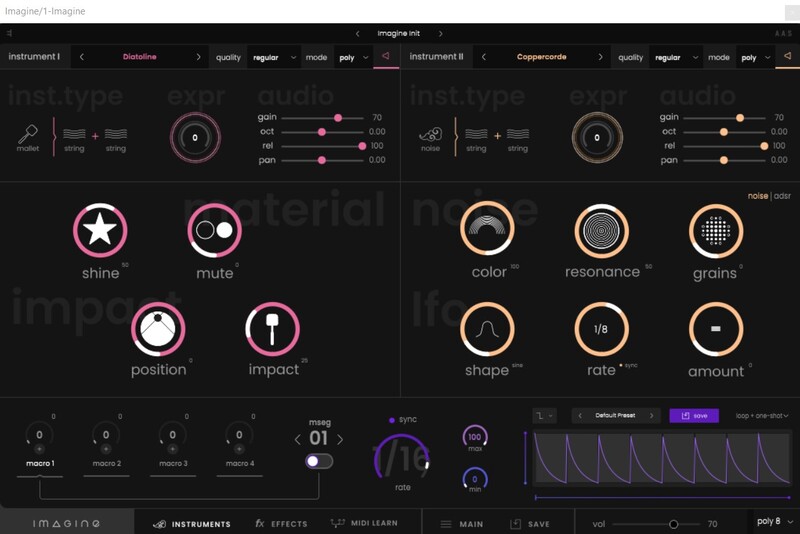
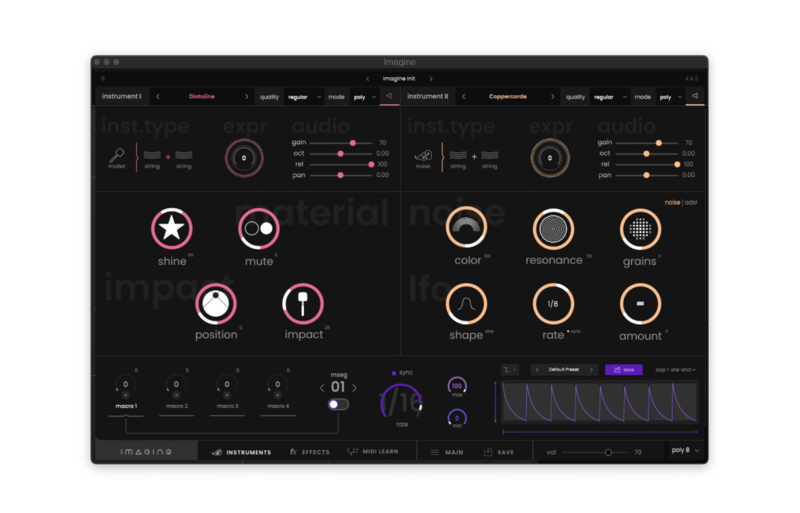
Imagine digs deep inside the body of real-life instruments, modifies and combines their acoustic characteristics to create an imaginary acoustic landscape. Thanks to a playful multidimensional approach, Imagine offers texture manipulations, mysterious unknown sound dimensions that still sound familiar.

Atypical Instruments
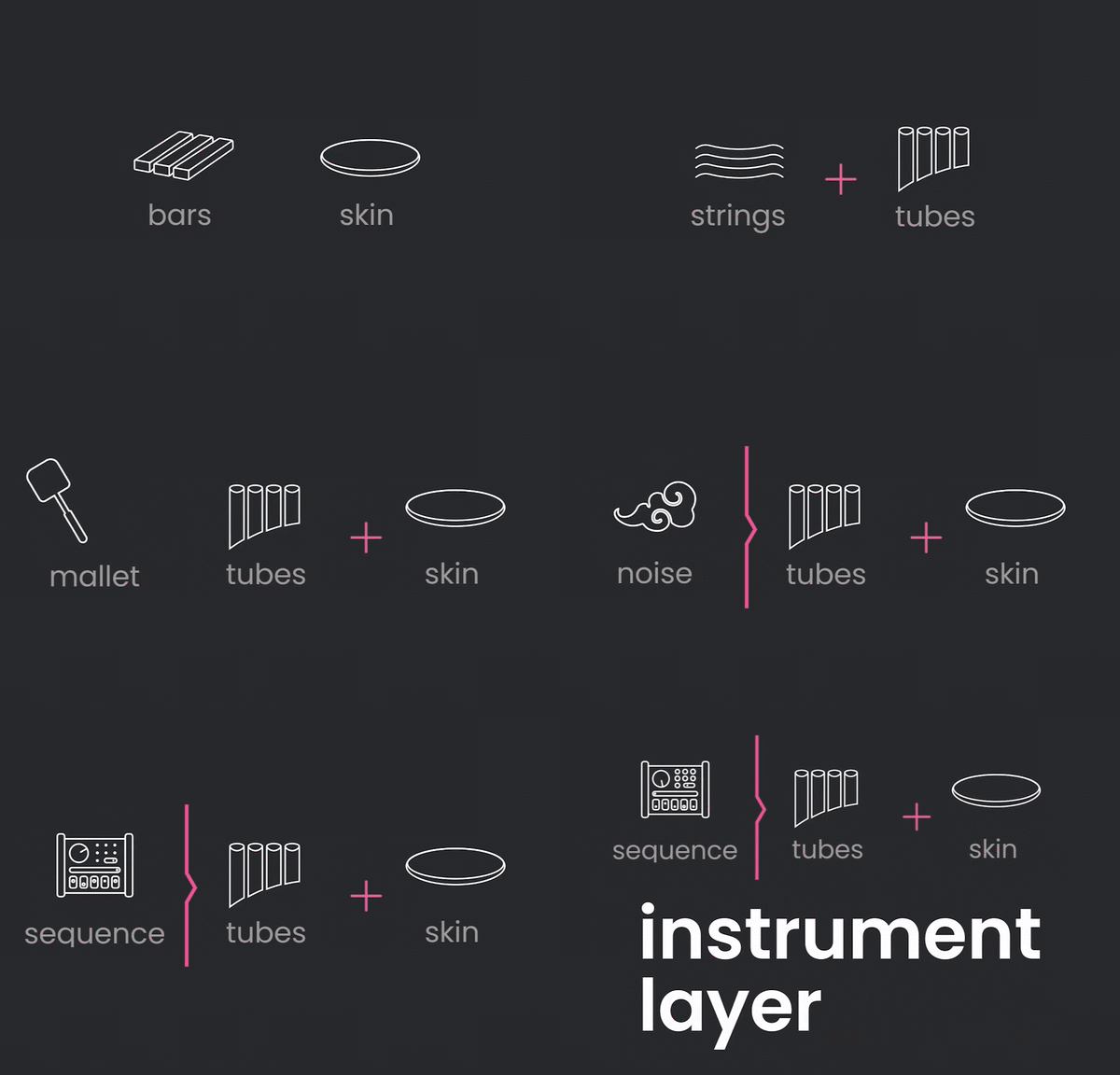
Imagine offers hundreds of instrument layers, meticulously modelled to bring their very own character. Each preset combines two of these instrument layers to offer unprecedented acoustic timbres.

Playful Sound Design
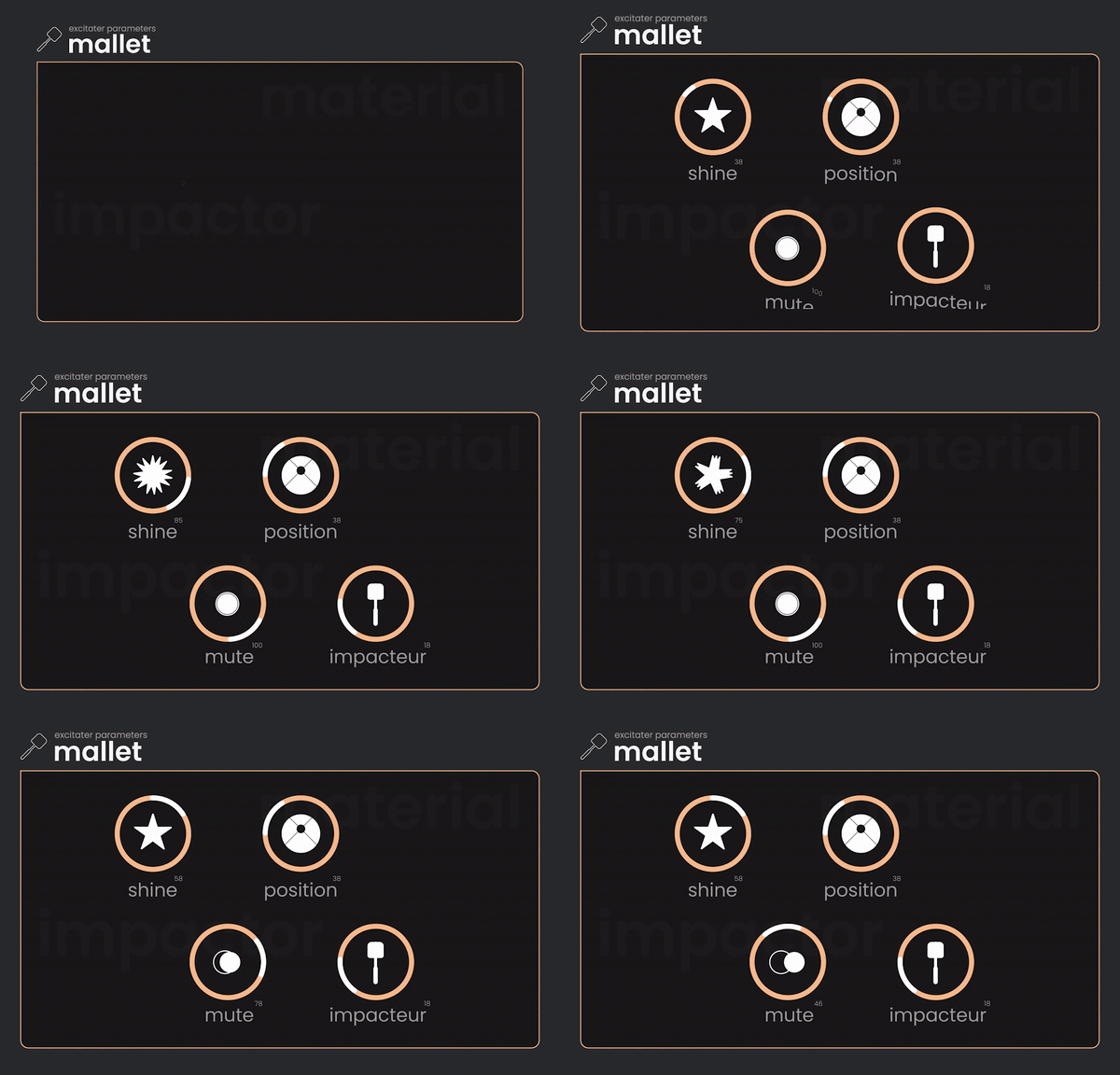
Each instrument has its very own character that can be easily adjusted with great flexibility. Discover a playful sound design experience by combining and tweaking your instruments to your taste.

Vivid Textures, Morphing Acoustic
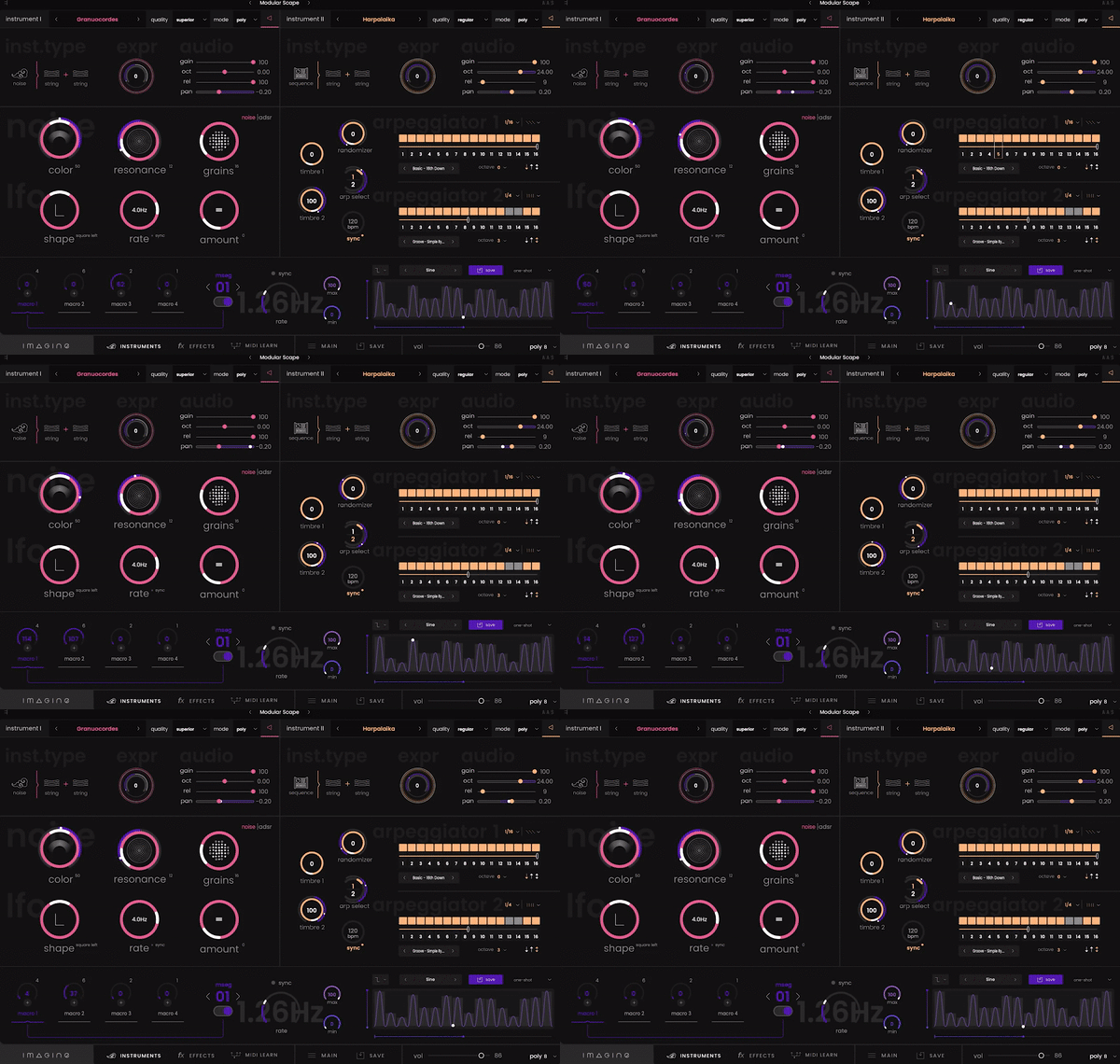
Combine the layers of instruments and modulate their characteristics in real-time, as well as additional textures for an extraordinary expressive experience.

Enhance and Articulate
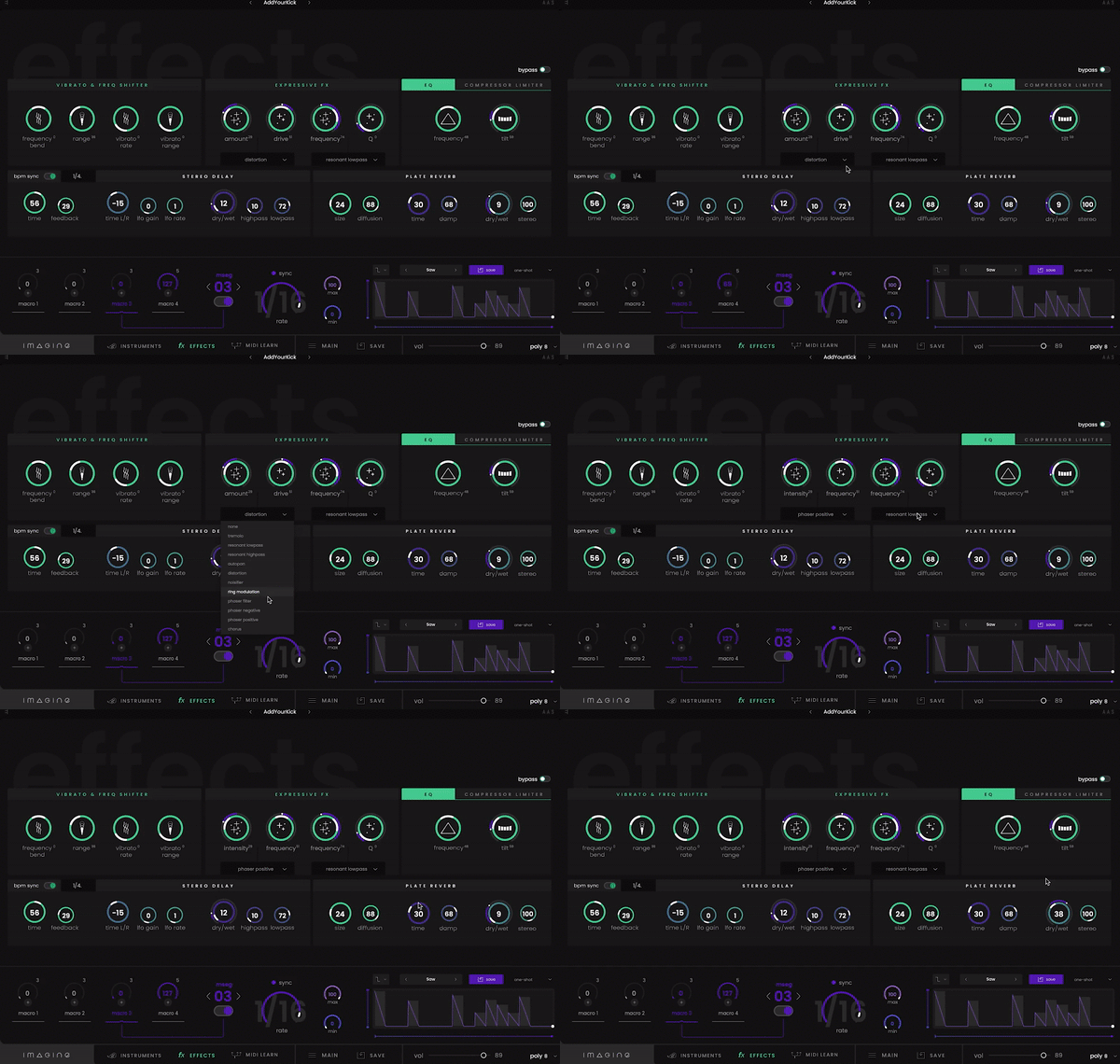
Imagine offers a complete toolset of effects ideal for enhancing your sounds. Everything is designed for real-time manipulation to easily create fluid articulations, breaks drops, or to dynamically modify reverbs and delays.

Built for Real-Time Modulation

Multi-Stage Envelope Generators

For further expressive possibilities, Imagine contains MSEGs that pack a huge collection of modulations for your sounds.

Intelligent Modulation System

Behind the scenes, everything is optimized to provide you with the best expressive experience possible: no dead zones; sensitivity curves and ranges are continuously scaled.

Optimized Macros

Significant optimization work has been carried out to allow you to modulate the sound of your instruments in real-time, resulting in a unique expressive perspective.

System Requirements

Mac

  • macOS 10.13 and higher (64-bit only)
  • AU / VST / VST3 (No Standalone version)
  • Intel Core i5-7400 or Ryzen 5 2600, 4 GB RAM

Windows

  • Windows 10 (64-bit only)
  • VST / VST3 (No Standalone version)
  • Intel Core i5-7400 or Ryzen 5 2600, 4 GB RAM
Testimonials

Cyrille Marchesseau

"Imagine is an inspiring tool, a new way to explore sounds with an intuitive interface."

Olivier Arson

"Another playful and sensitive instrument from Expressive E! It feels extremely responsive and I really like how you can explore completely different timbres and behaviours with just one patch."
Chapelier Fou

"Imagine offers a very unique combination of physical modelling, audio effects and modulation sequencers, which makes it a joy for both movie scores and sound design."

Installation Instructions

Windows

Registration

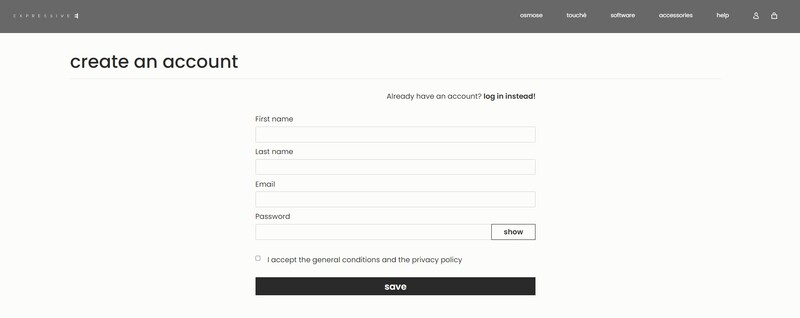
1. Go to the Expressive E registration page > Enter your details > Click Save to create an Expressive E account (or login to your existing account).

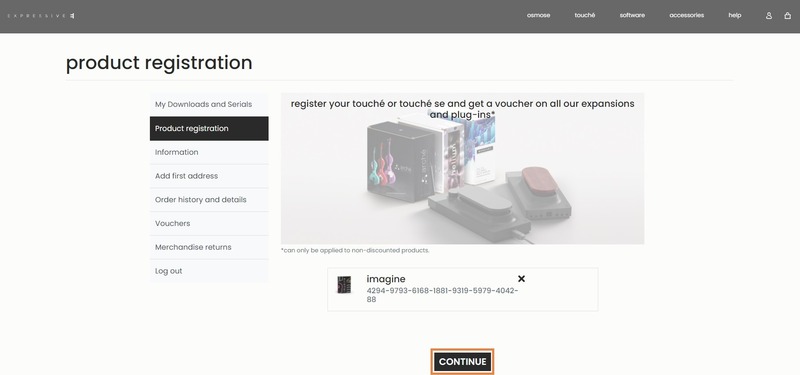
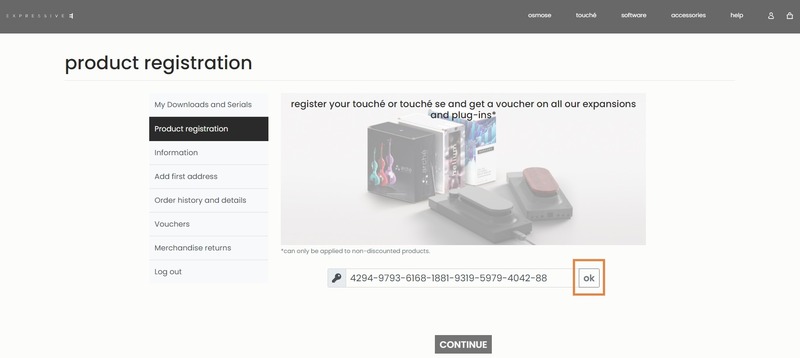
2. Go to 'Product Registration' > enter the activation code found in your Plugin Boutique account > Click 'ok'.

3. Click 'CONTINUE'.

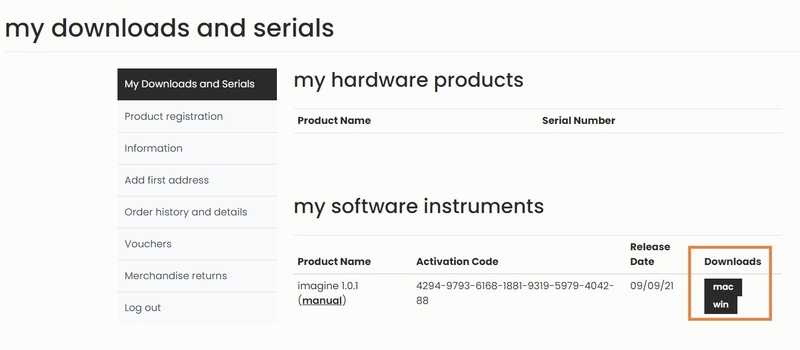
4. Under My Downloads and Serials > Click 'win' to download the Windows installer.

Installation

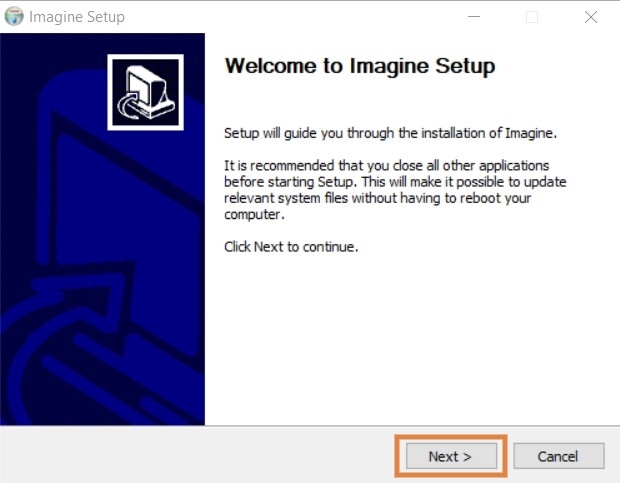
1. Double-click the .zip folder to extract its contents > Double-click the .exe file to start the installation process.

2. Click 'Next'.

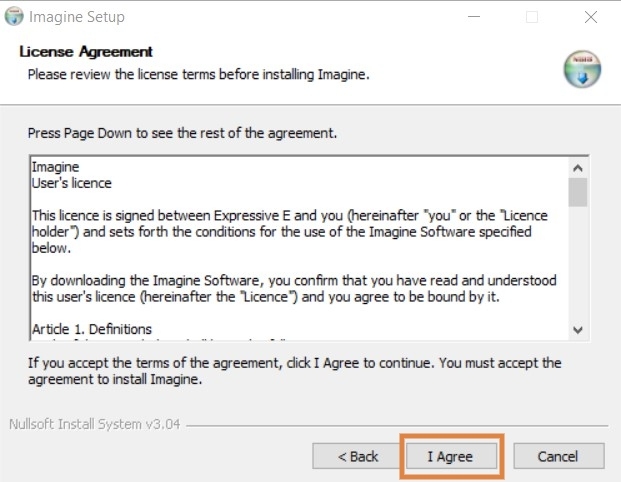
3. Read the License Agreement > Click 'I Agree'.

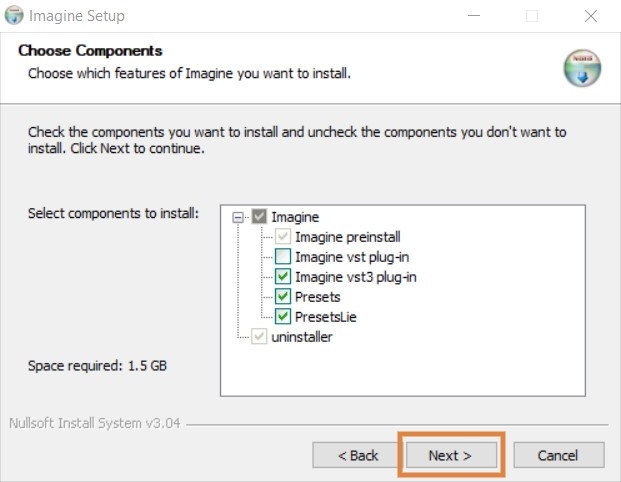
4. Select the components you would like to install > Click 'Next'.

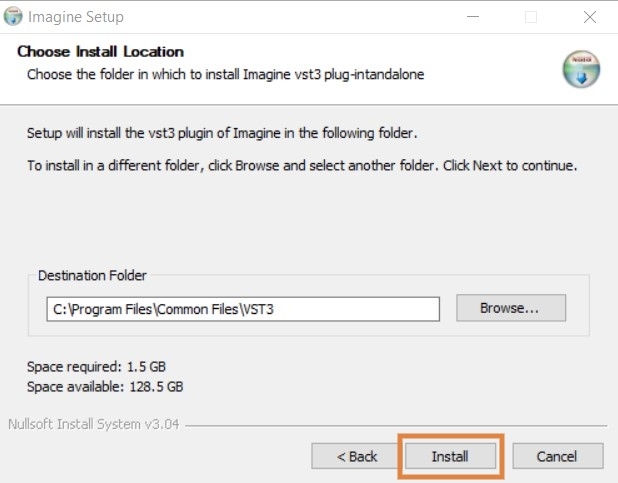
5. Choose your preferred install location > Click 'Install'.

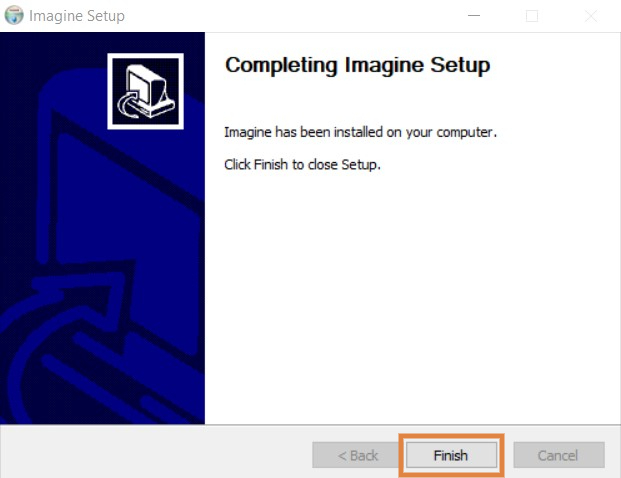
6. Click 'Finish'.

Activation

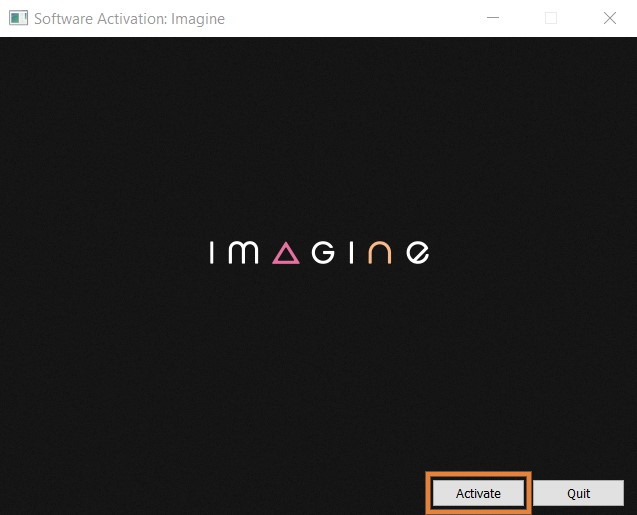
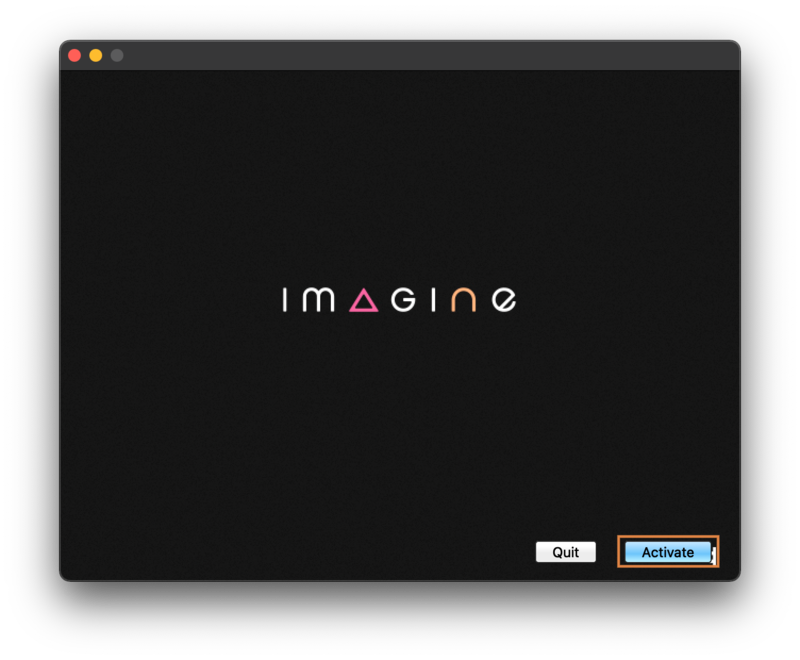
1. Launch your DAW > Open Imagine > Click ‘Activate’.

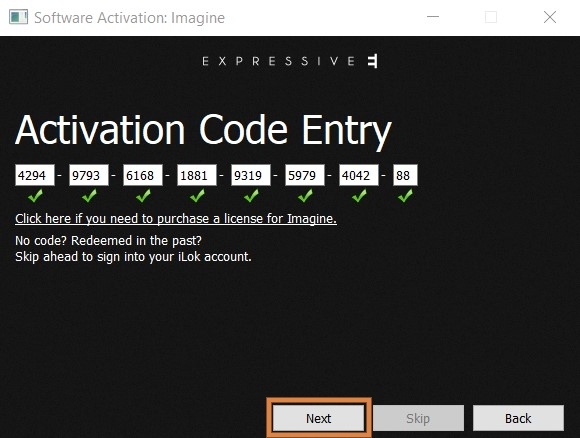
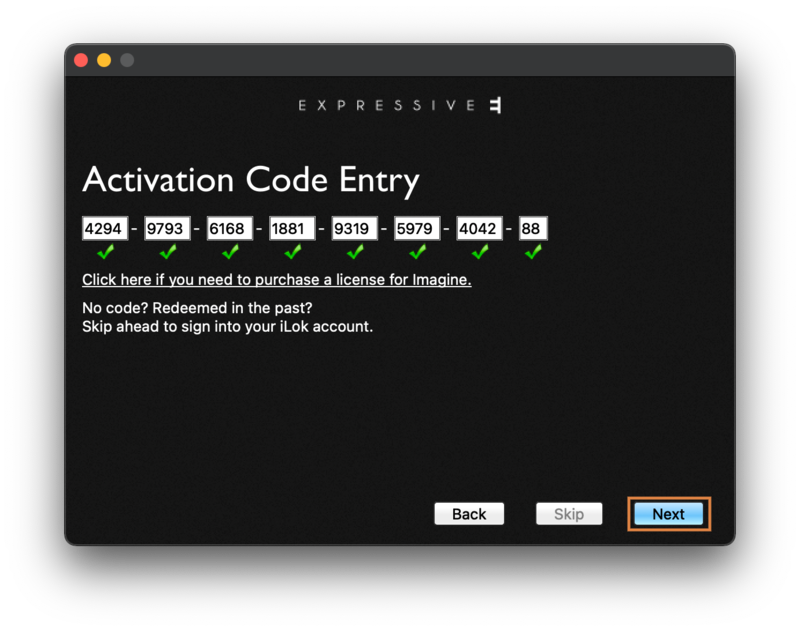
2. Enter the 30-digit activation code found in your Plugin Boutique account > Click 'Next'.

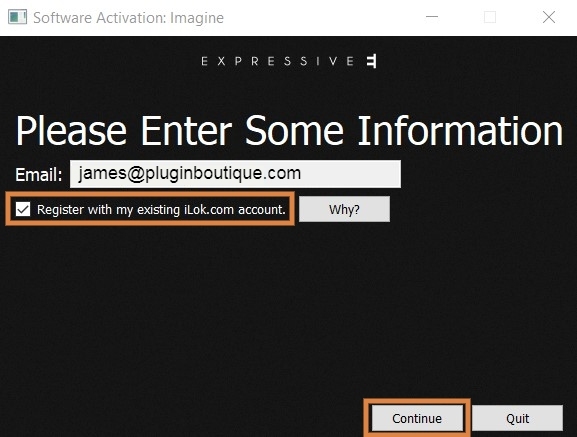
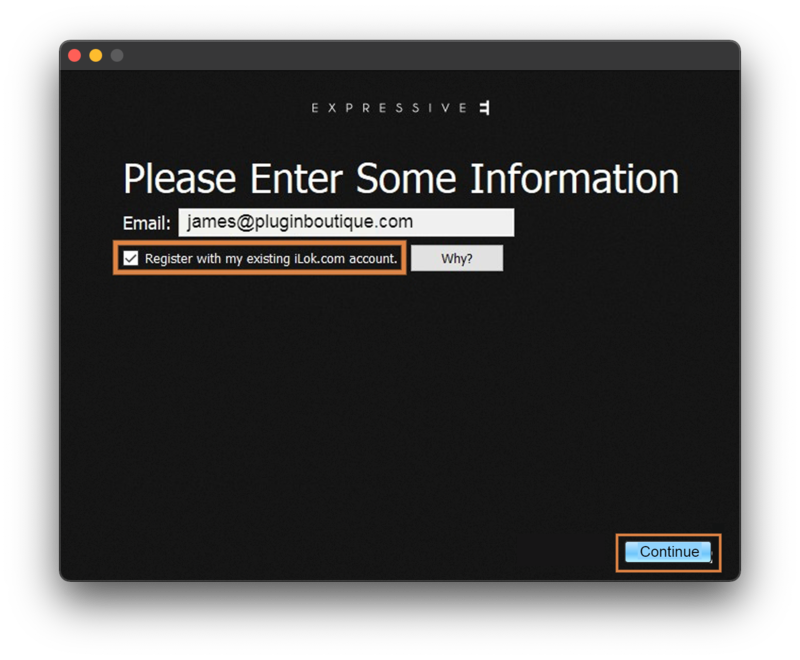
3. Enter your email address > Click 'Register with my existing iLok account' > Click 'Continue'.

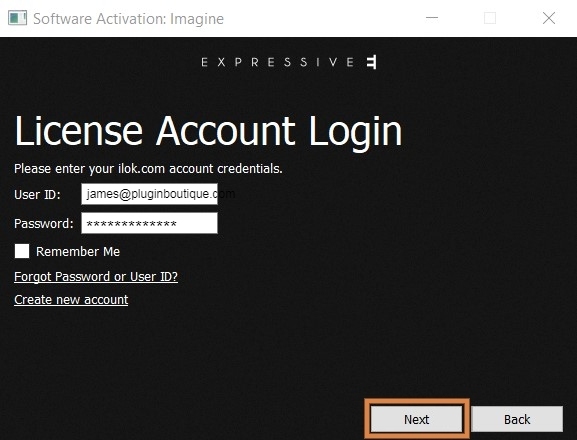
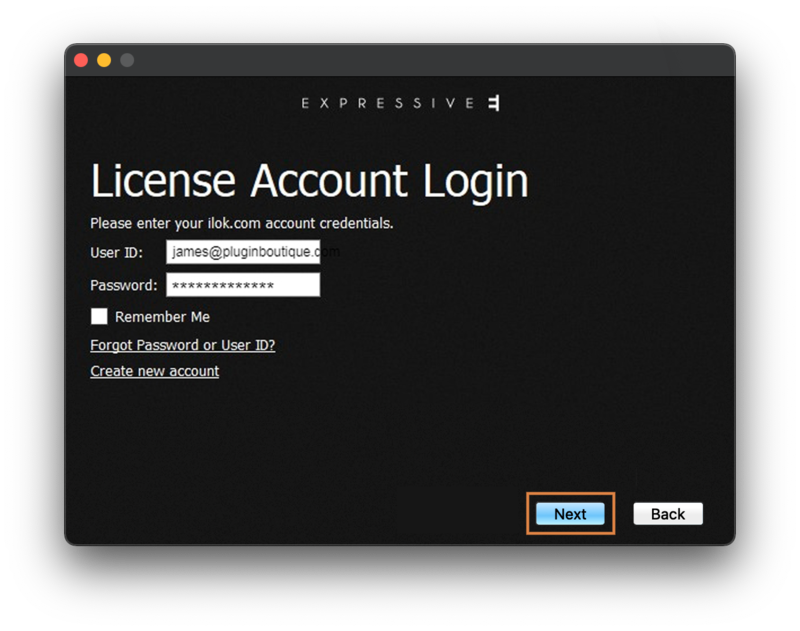
4. Enter your iLok User ID and password > Click 'Next'.

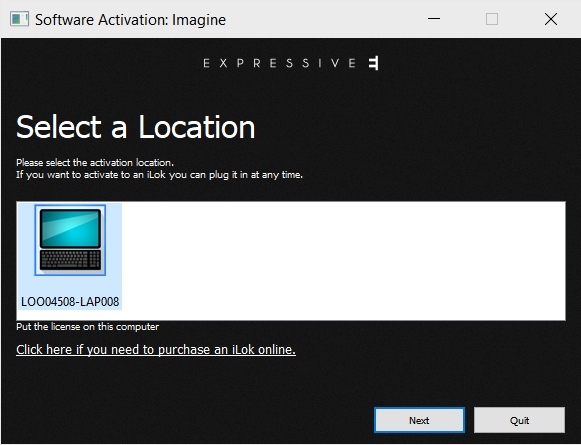
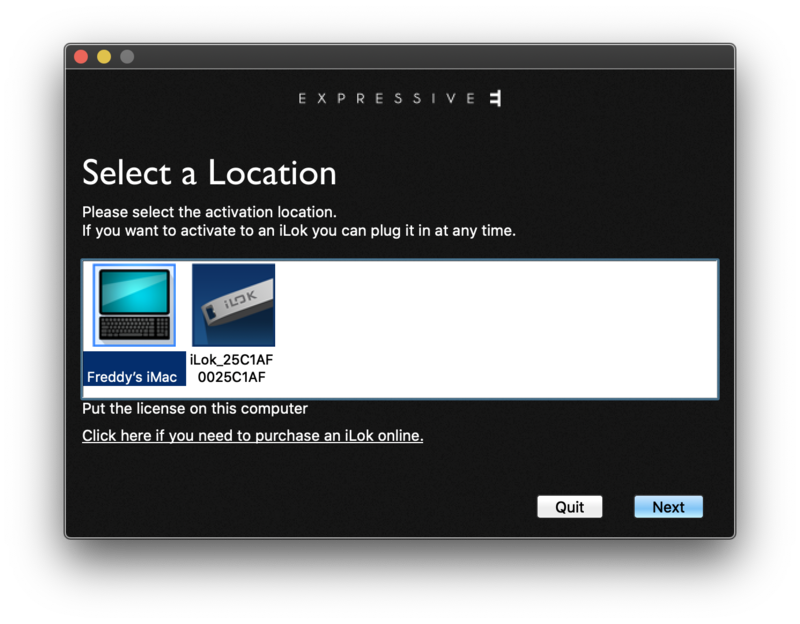
5. Select your activation location > Click 'Next'.

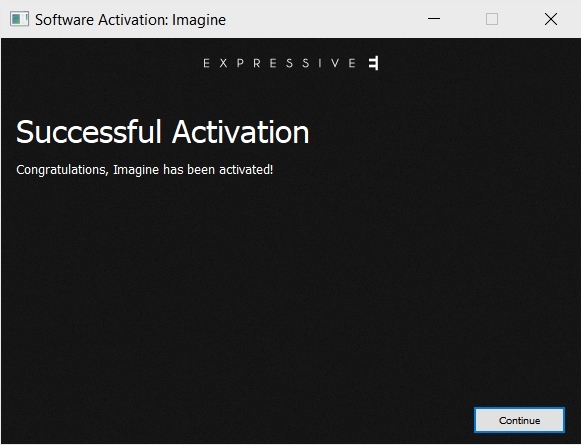
6. Click 'Continue'.

Your software is now activated and ready to use in your DAW!

Mac

Registration

1. Go to the Expressive E registration page > Enter your details > Click Save to create an Expressive E account (or login to your existing account).

2. Go to 'Product Registration' > Enter the activation code found in your Plugin Boutique account > Click 'ok'.

3. Click 'CONTINUE'.

4. Under 'Downloads' > Click 'mac'.

Installation

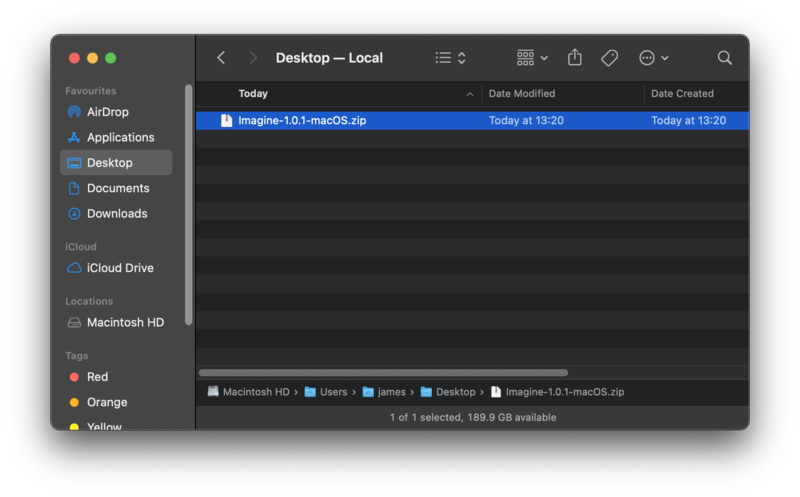
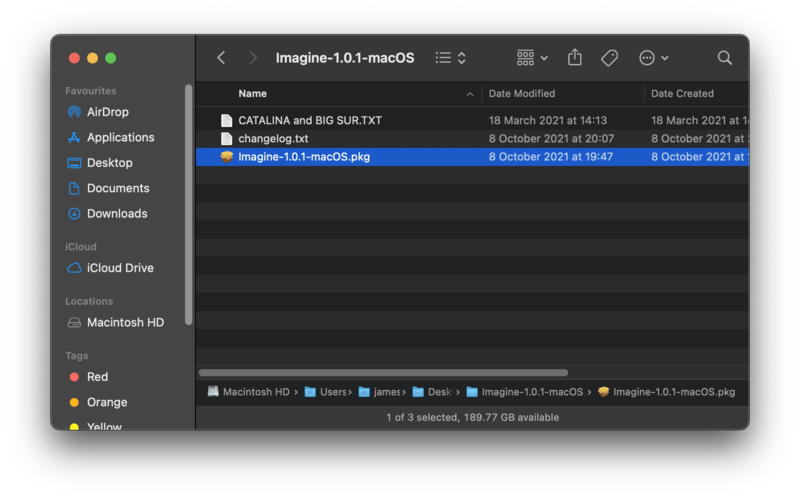
1. Double-click the .zip folder to extract its contents > Double-click the .pkg to start the installation process.

(If you are on macOS 10.15 Catalina / macOS 11 Big Sur > right-click the .pkg file > Select 'Open')

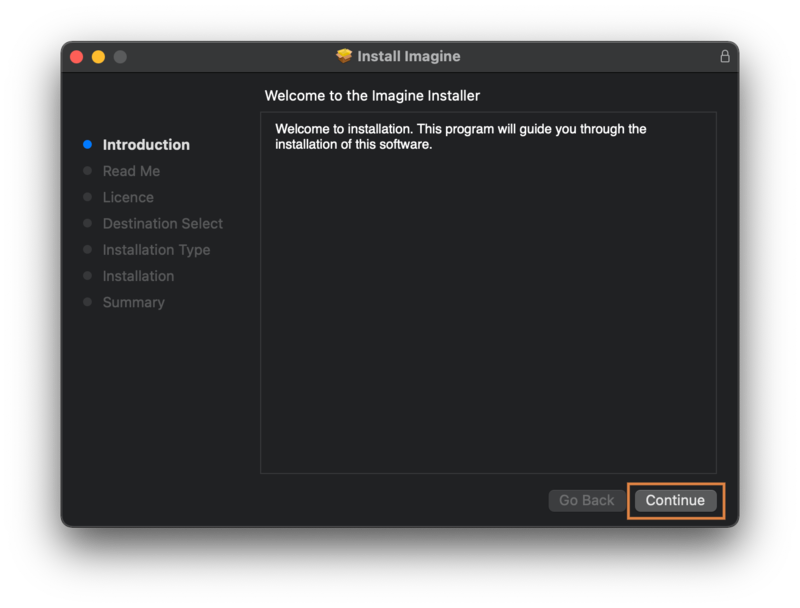
2. Click 'Continue'.

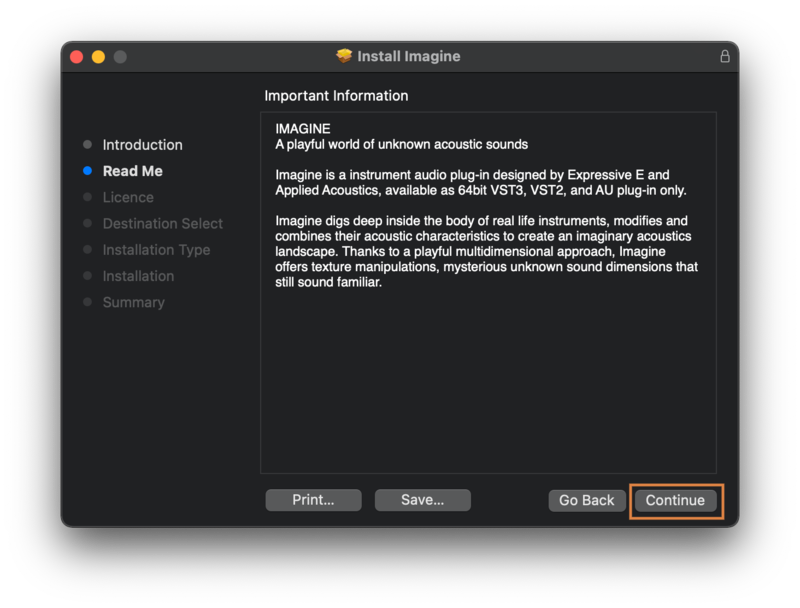
3. Read the Important Information > click 'Continue'.

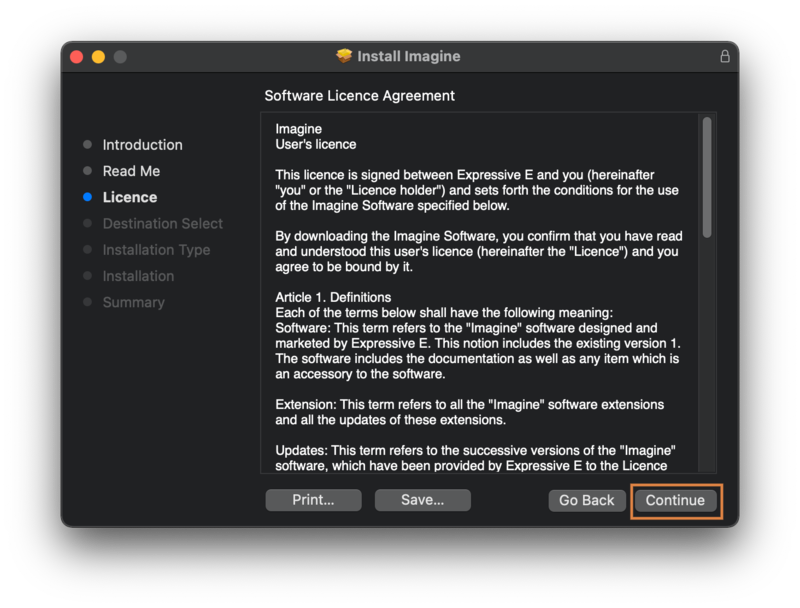
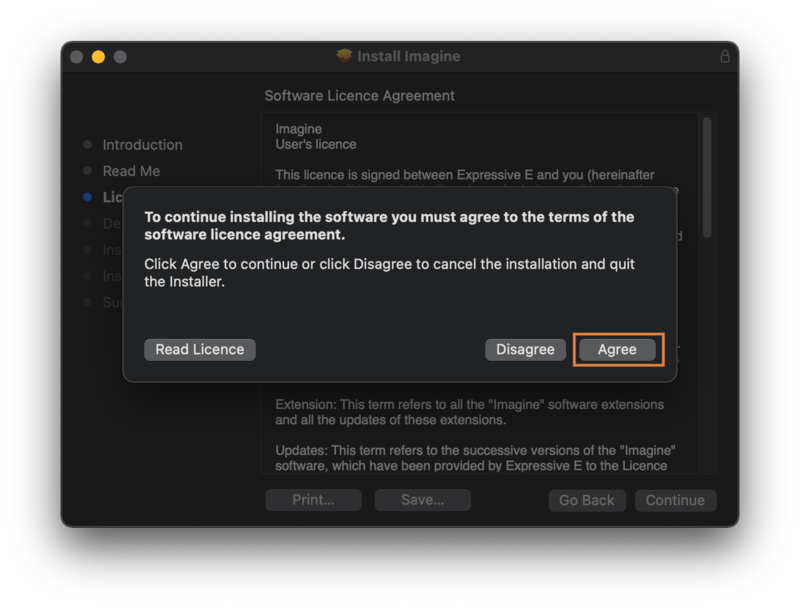
4. Read the Software License Agreement > Click 'Continue' > Click 'Agree'.

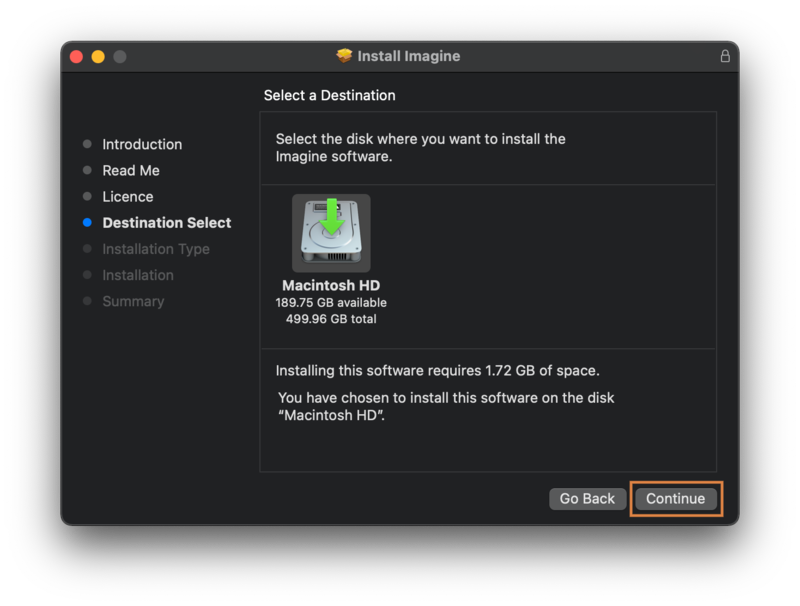
5. Choose the disk install destination > Click 'Continue'.

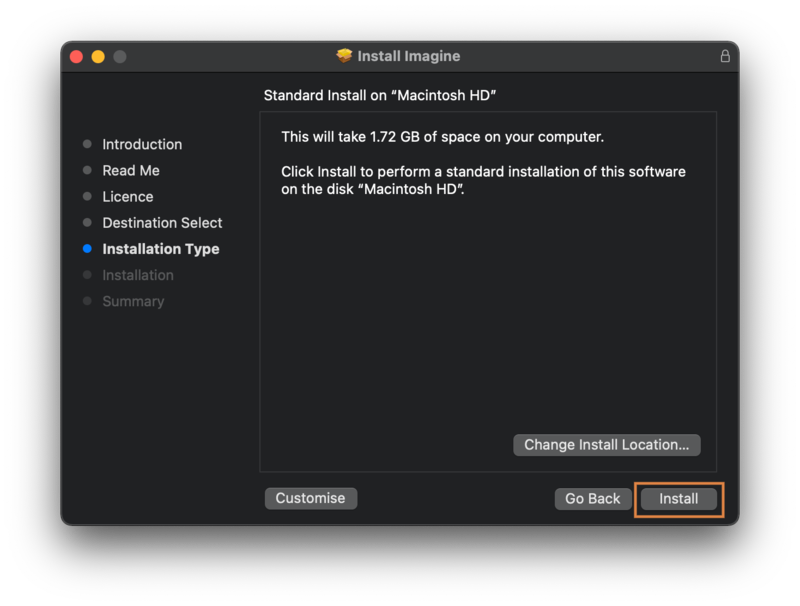
6. Choose your preferred install location > Click 'Install'.

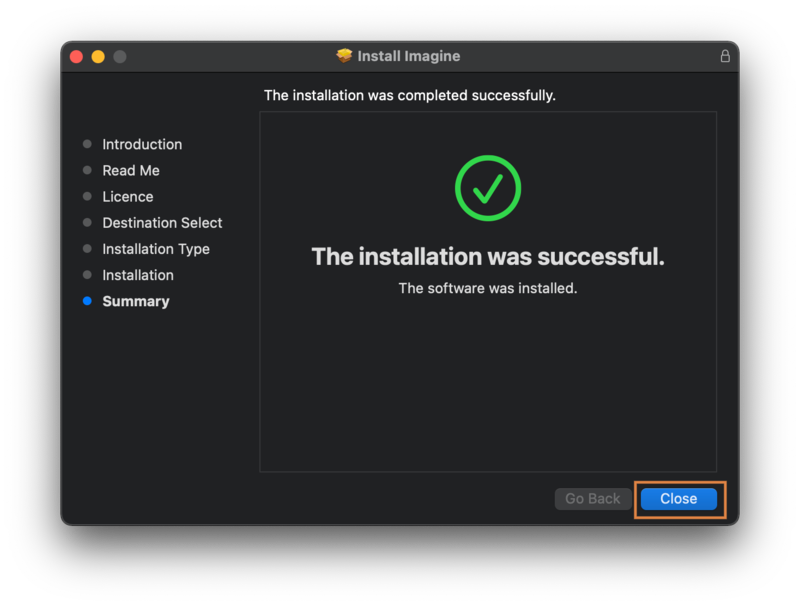
7. Click 'Close'.

Activation

1. Launch your DAW > Click ‘Activate’.

2. Enter the activation found in your Plugin Boutique account > Click 'Next'.

3. Enter your email address > Click 'Register with my existing iLok account' > Click 'Continue'.

4. Enter your iLok User ID and Password > Click 'Next'.

5. Select your activation location > Click 'Next'.

6. Click 'Continue'.

Your software is now activated and ready to use in your DAW!

Plugin Boutique Rewards

Discover the most rewarding loyalty programme among all plugin retailers.

  • Free Loopmasters Samplepacks
  • Discounts on products and courses
  • Extra Virtual Cash claimed immediately at checkout
Find out more

Follow us:

X (Twitter) Facebook YouTube Instagram
Logo Logo

Plugin Boutique Limited, Part of the Beatport Group LLC.

Copyright © 2011-2025 Plugin Boutique. All rights reserved