Please note: Nordisk Kontrabass is used as an example as the installation process is the same for all Have products.
Mac
Installation
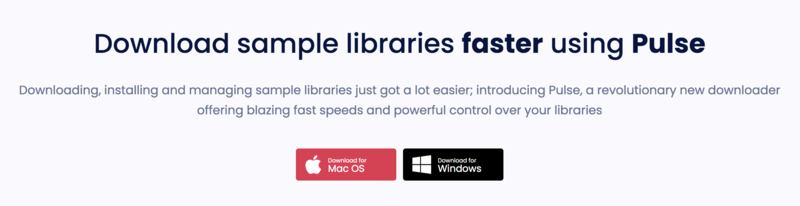
1. Go to https://pulsedownloader.com/ > Click 'Download for Mac OS' to download the Pulse application installer.
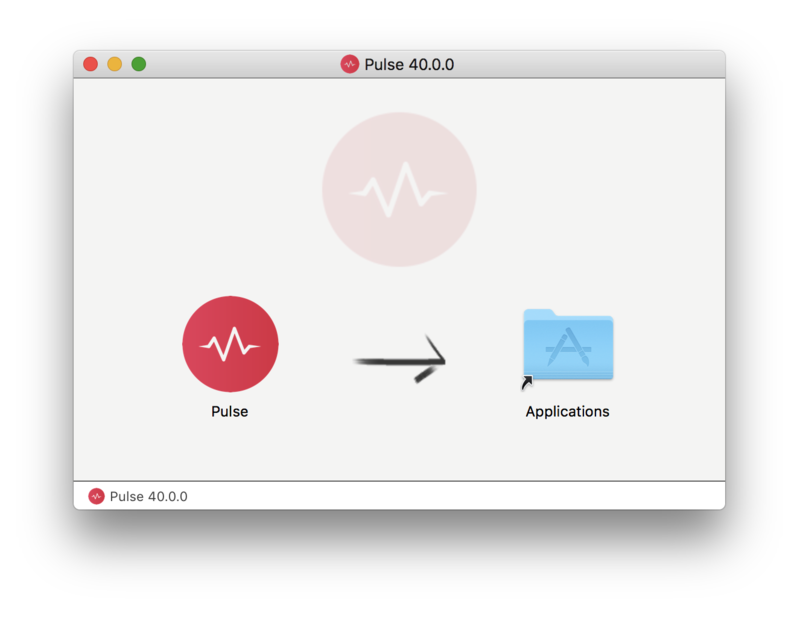
2. Open the .dmg file > Click and drag the application icon into the applications folder.
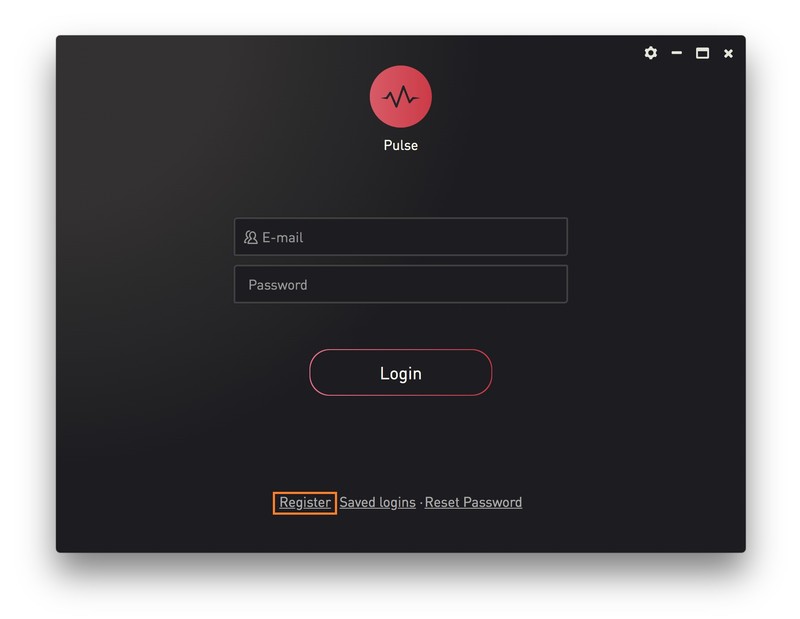
3. Open the Pulse application > Click 'Register'
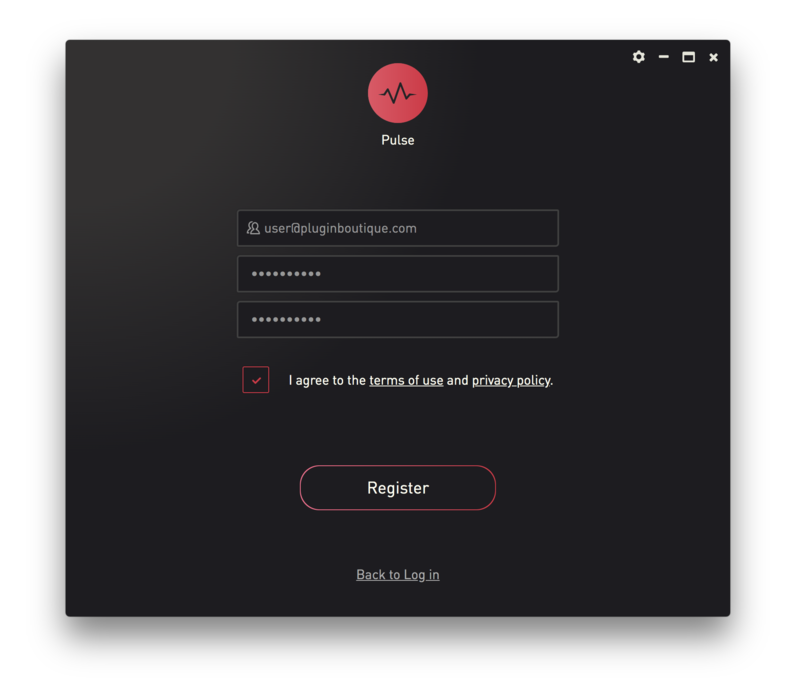
4. Enter your Email Address and Password > Check the box that states 'I agree to the terms of use and privacy policy' > Click 'Register'.
5. Click 'Add a Product'.
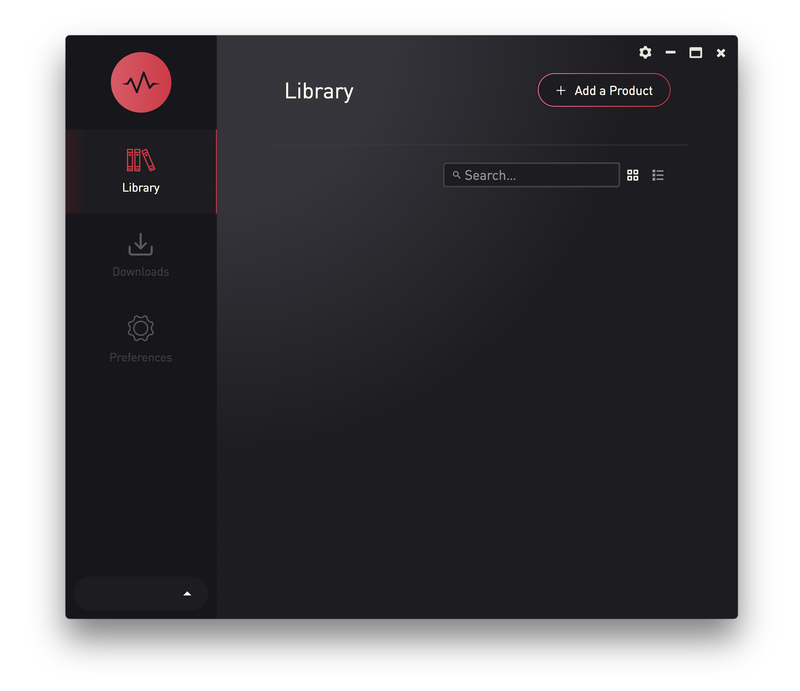
6. Enter your 32-digit serial key, found within the serial number section of your Plugin Boutique User Account > Click 'Redeem'.
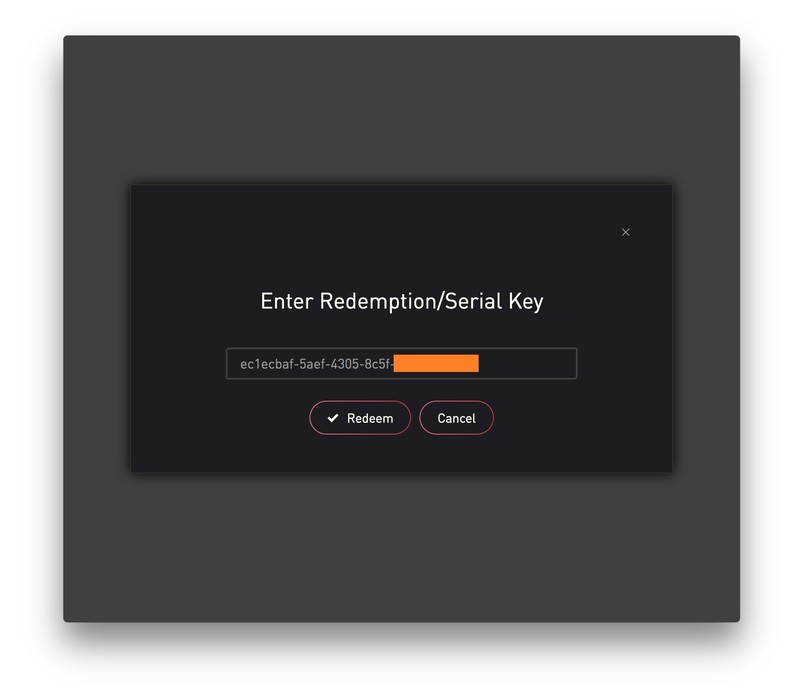
7. Click 'Install'.
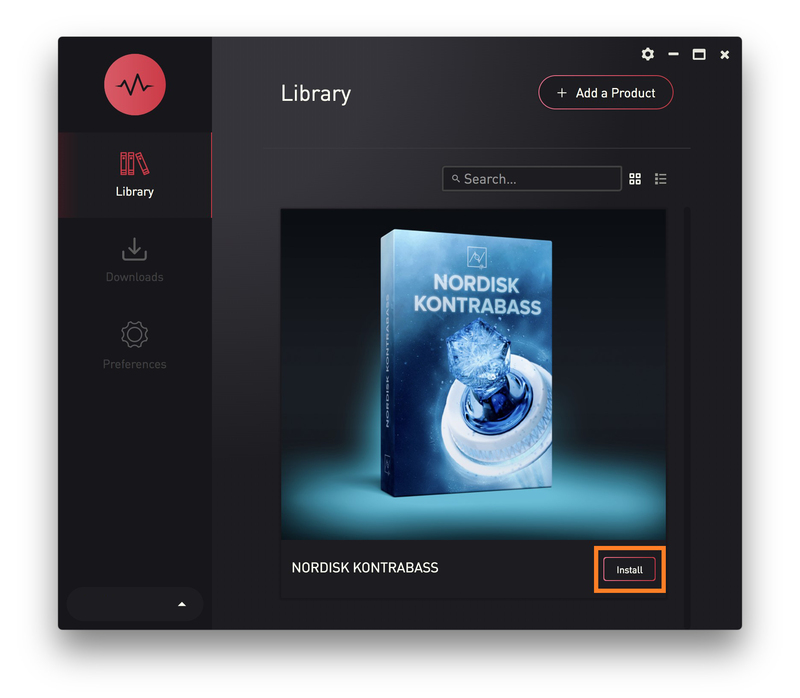
8. Click the folder icon to select the installation location for your library.
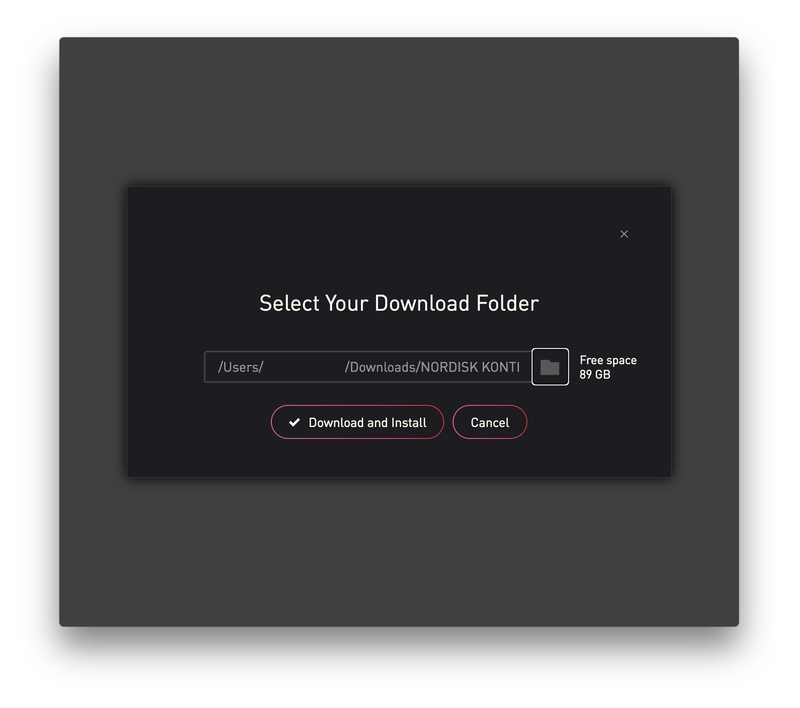
9. Choose your installation location > Click 'Open'.
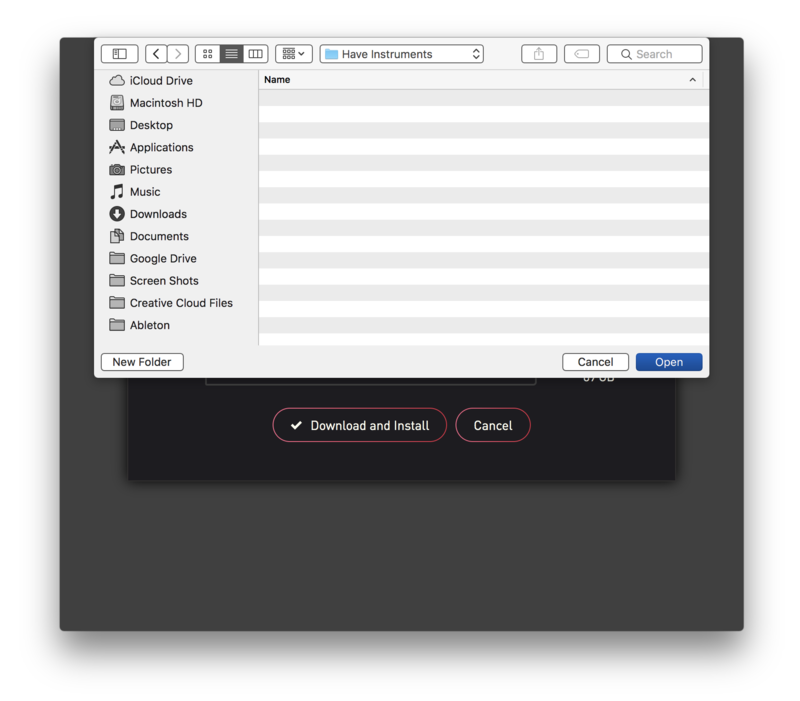
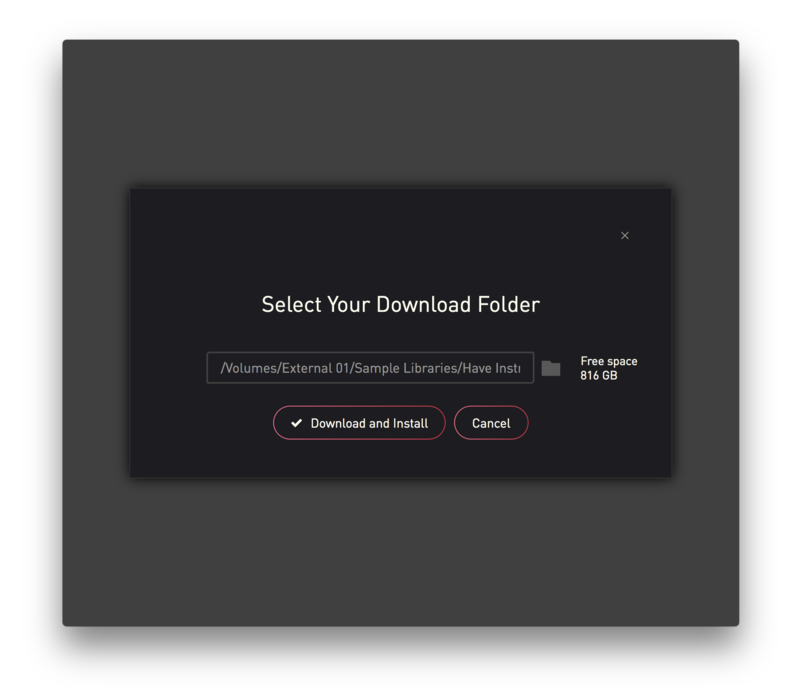
10. Click 'Download and Install'.
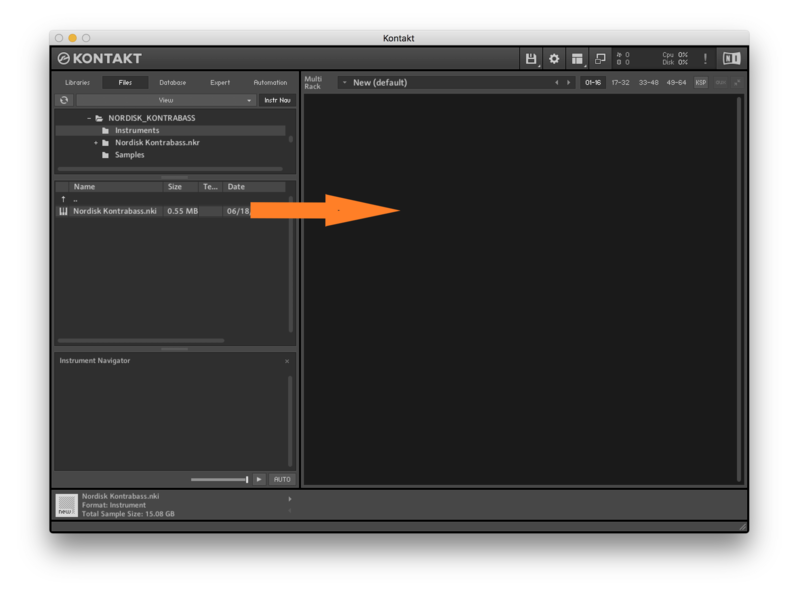
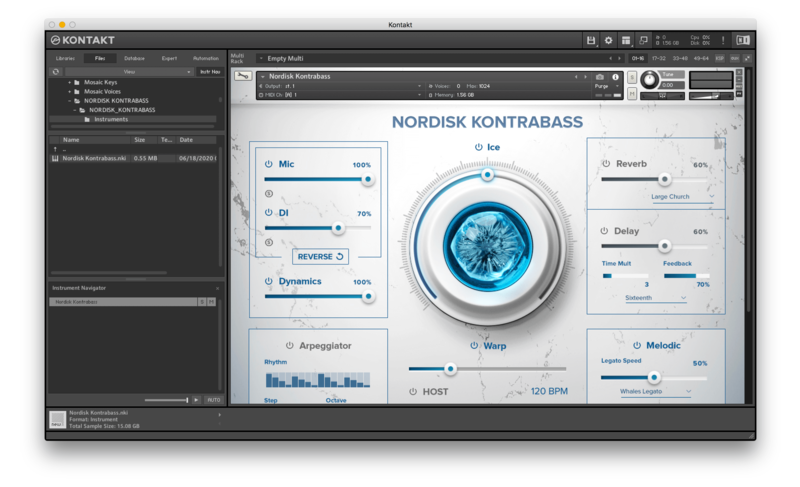
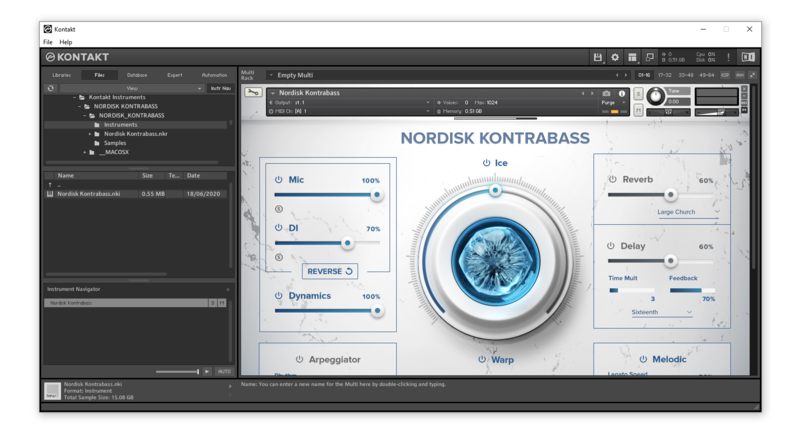
11. Open Kontakt > Select the 'Files' tab and navigate to your installed Kontakt library > Click and drag the .nki file into the empty window.
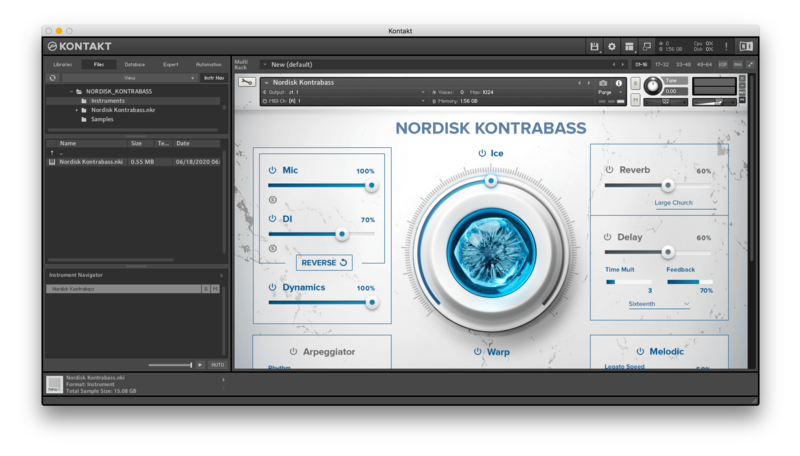
Your Kontakt Instrument is now installed and ready to use.
Batch Re-save Instructions
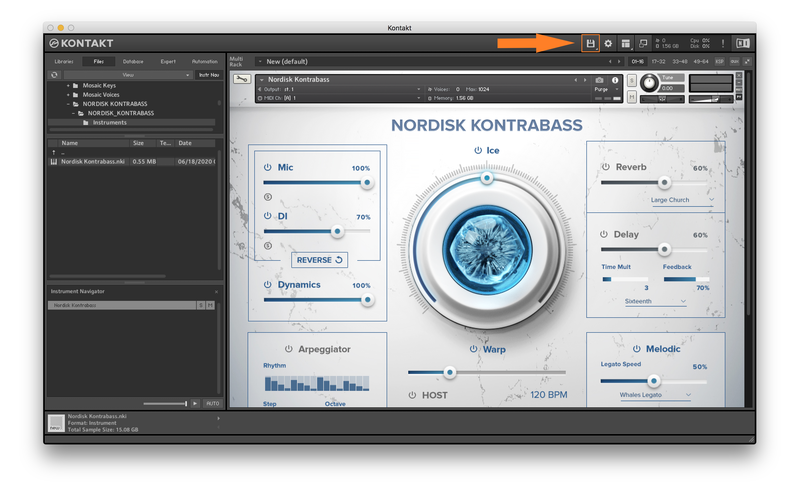
1. Within Kontakt, click the floppy disk icon.
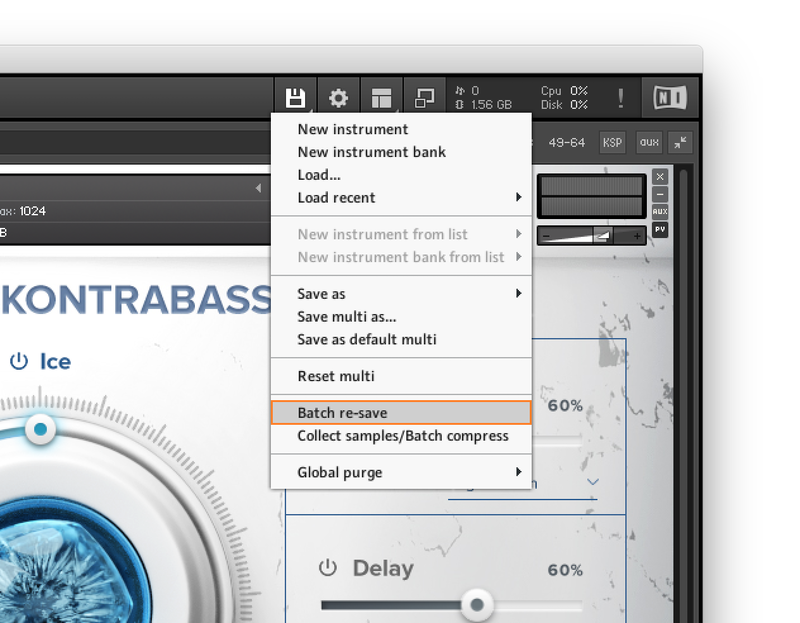
2. From the drop-down menu, click 'Batch re-save'.
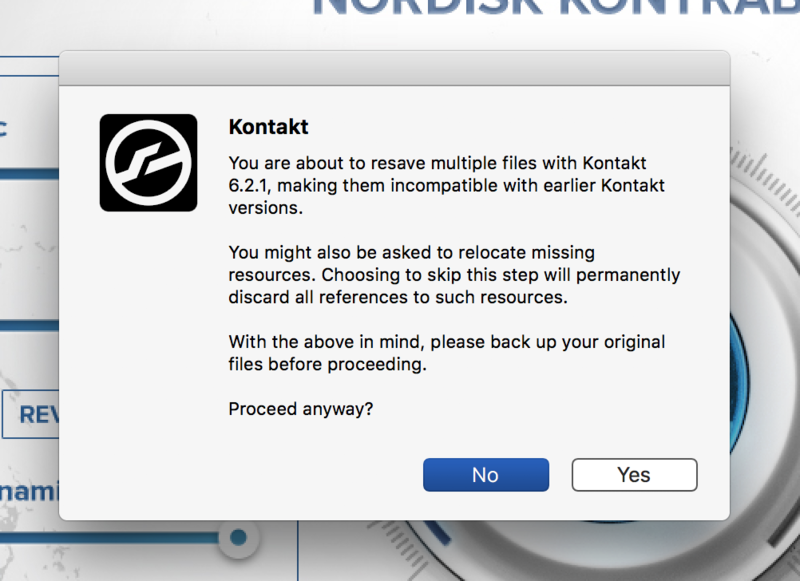
3. Click 'Yes'.
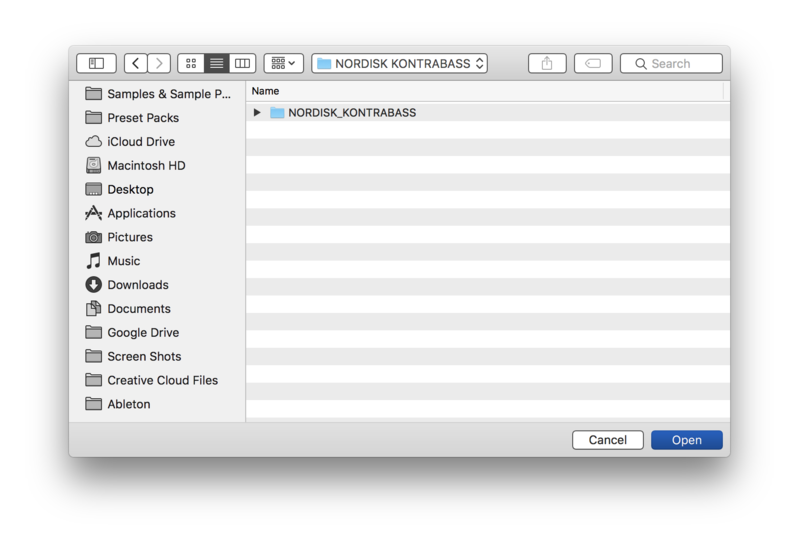
4. Navigate to the installation location for your Kontakt library > Click 'Open'.
Batch re-save is now complete and you can expect to see quicker loading times for your Kontakt Instrument.
Windows
Installation
1. Go to https://pulsedownloader.com/ > Click 'Download for Windows' to download the Pulse application installer.
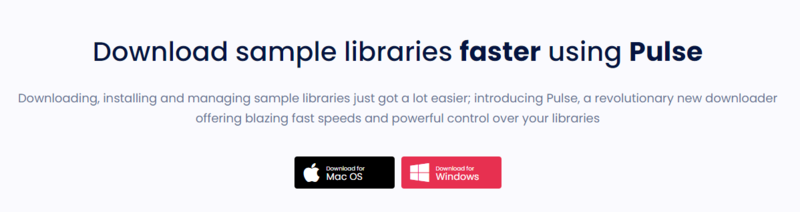
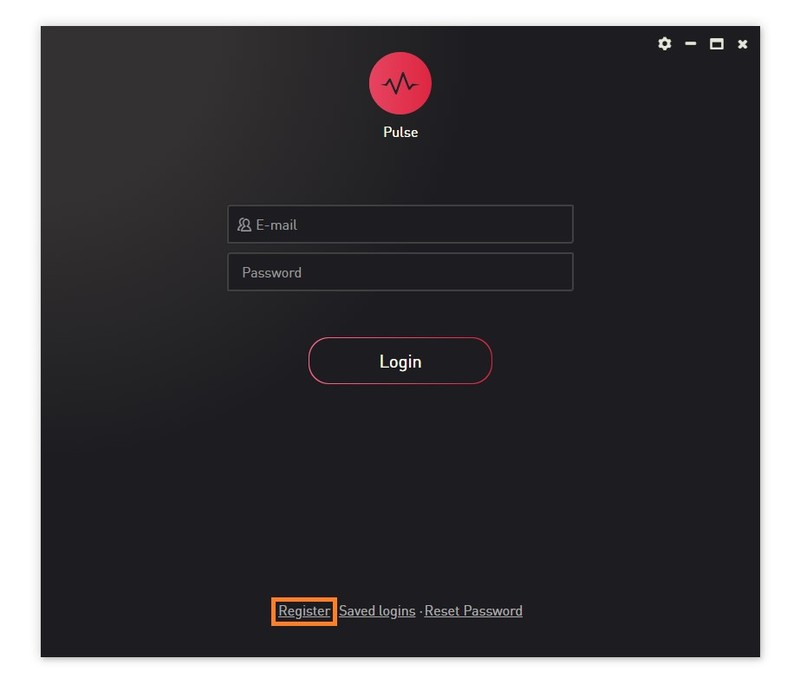
2. Open the .exe file to install the Pulse application > Open Pulse and click 'Register'.
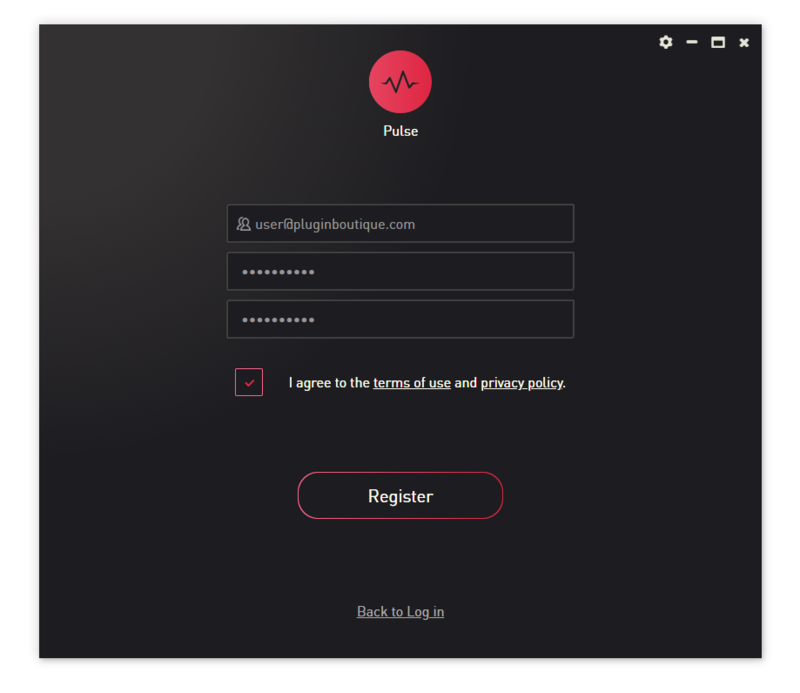
3. Enter your Email Address and Password > Check the box that states 'I agree to the terms of use and privacy policy' > Click 'Register'.
4. Click 'Add a Product'.
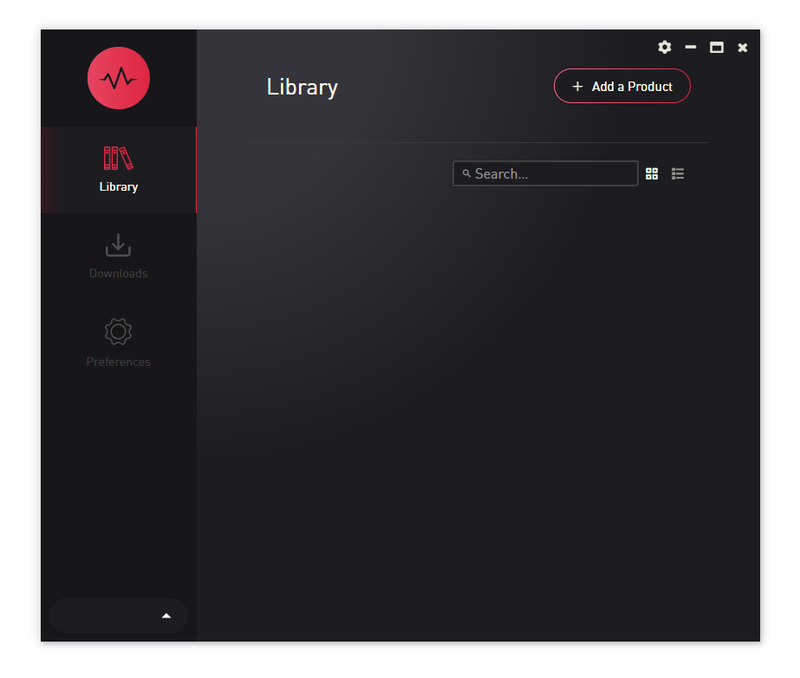
5. Enter your 32-digit serial key, found within the serial number section of your Plugin Boutique User Account > Click 'Redeem'.
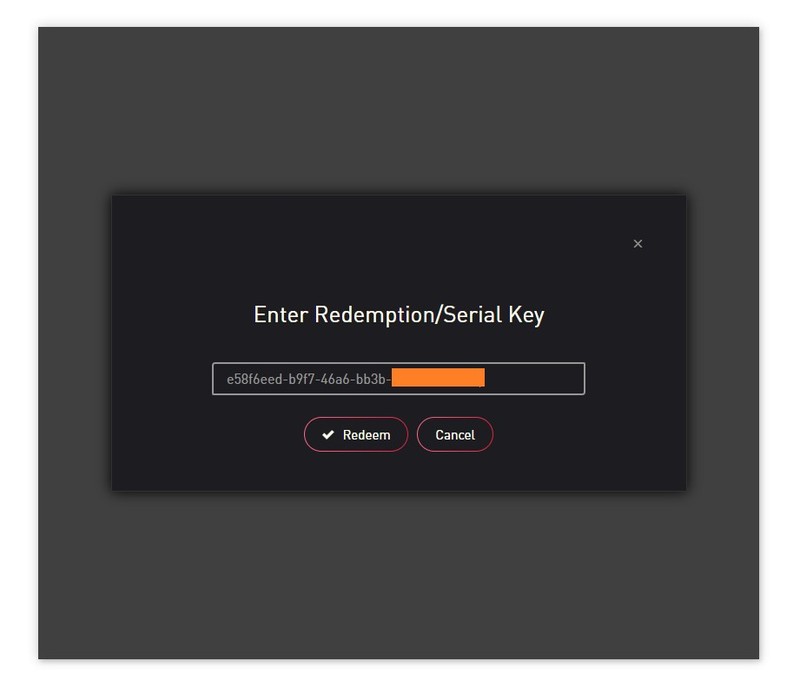
6. Click 'Install'.
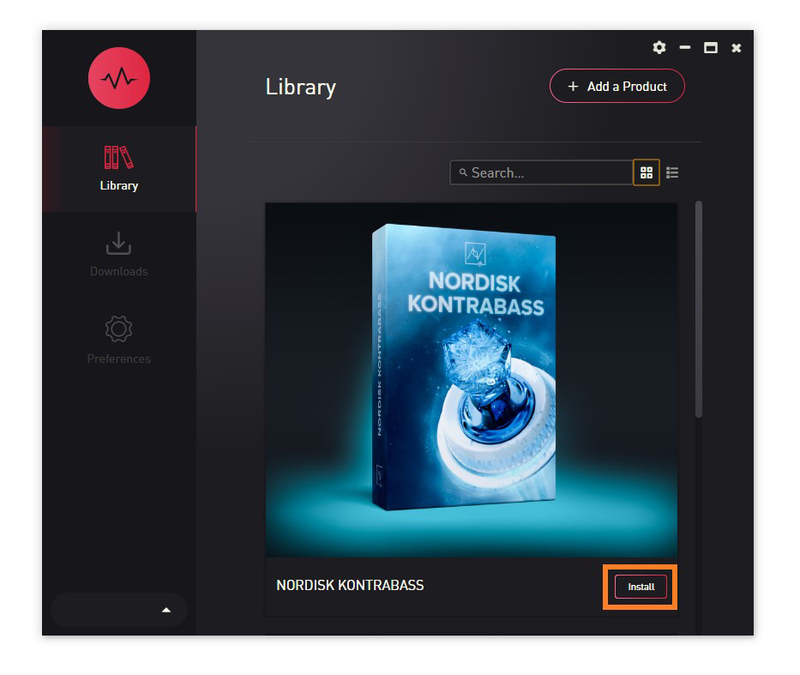
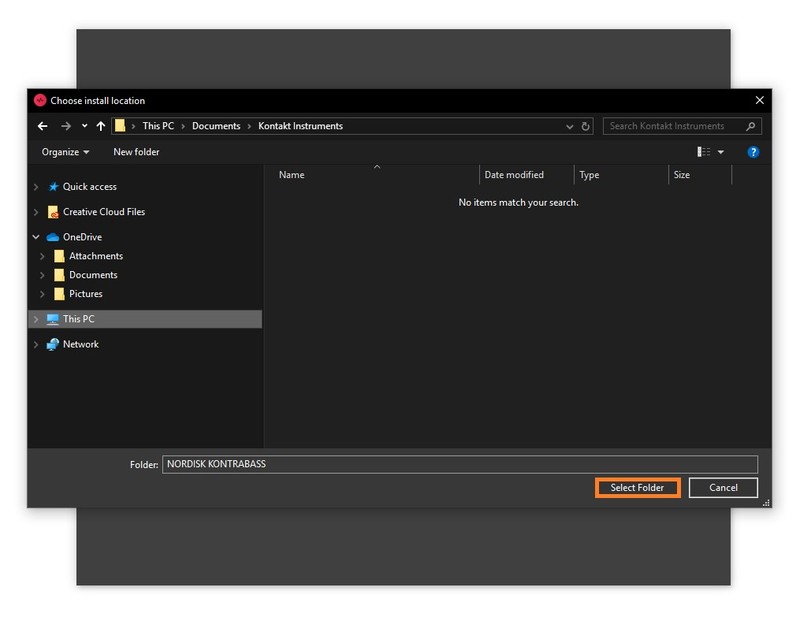
7. Click the folder icon to select the installation location for your library.
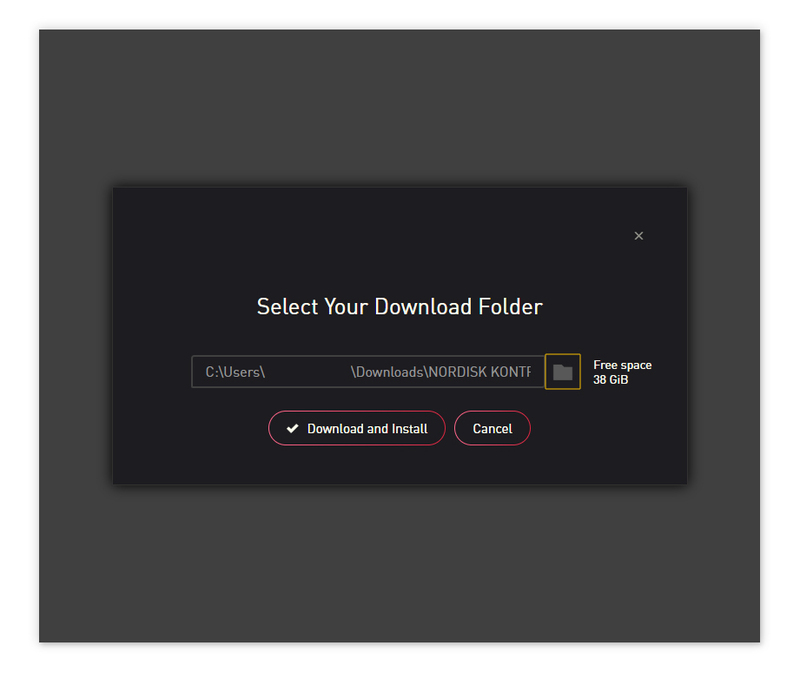
8. Choose your installation location > Click 'Select Folder'.
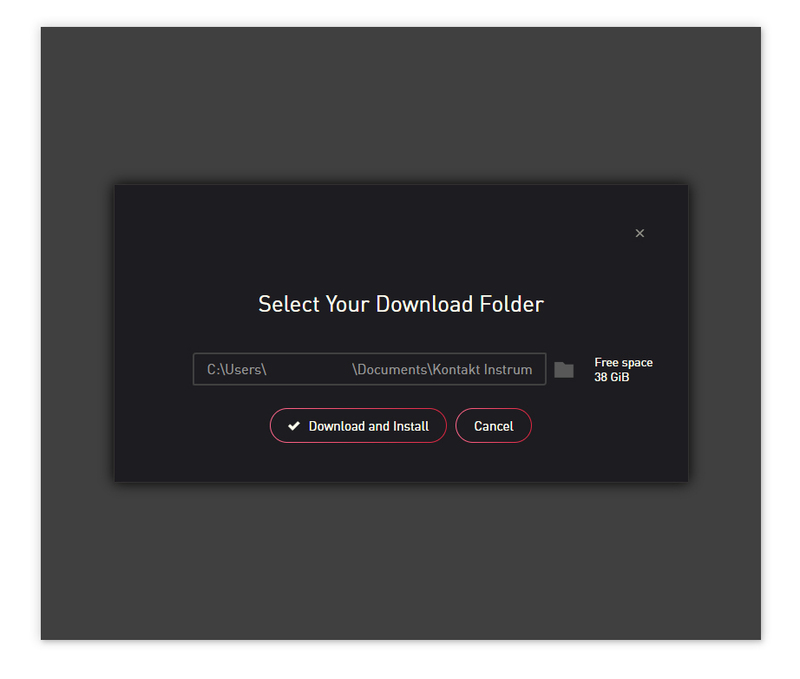
9. Click 'Download and Install'.
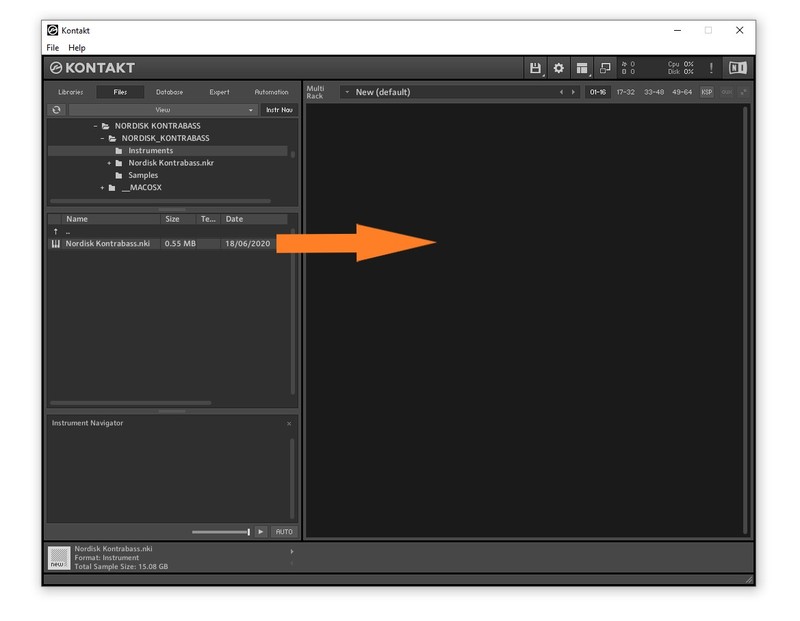
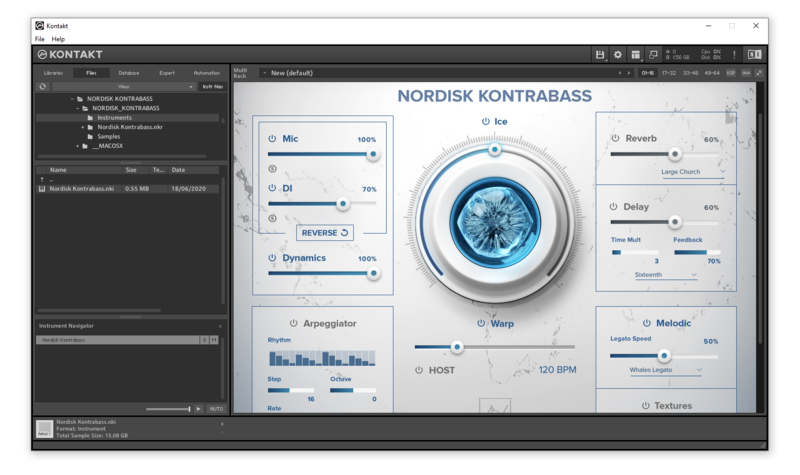
10. Open Kontakt > Select the 'Files' tab and navigate to your installed Kontakt library > Click and drag the .nki file into the empty window.
Your Kontakt Instrument is now installed and ready to use.
Batch Re-save Instructions
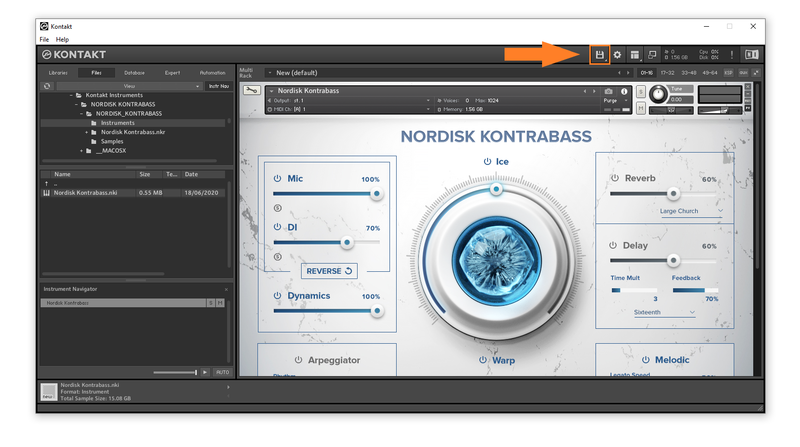
1. Within Kontakt, click the floppy disk icon.
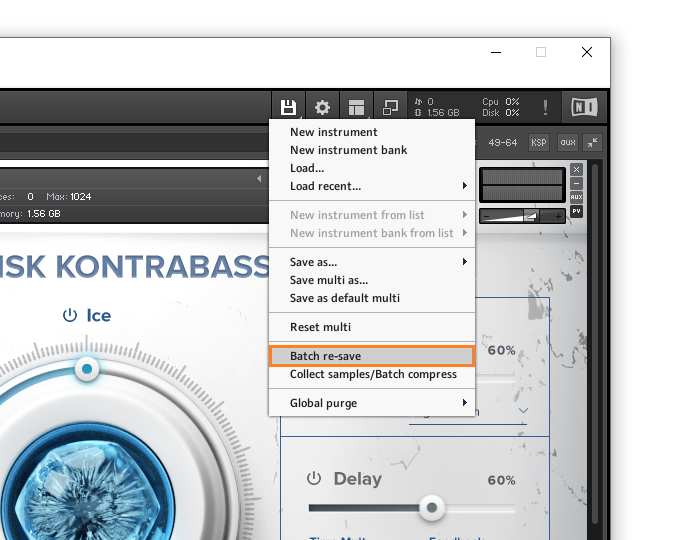
2. From the drop-down menu, click 'Batch re-save'.
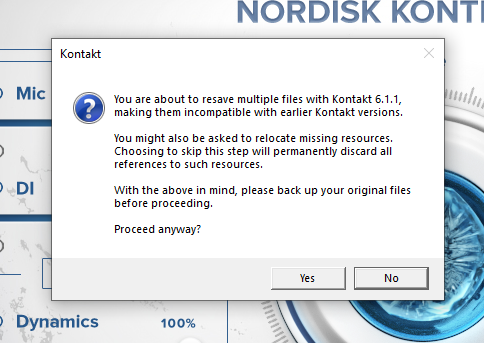
3. Click 'Yes'.
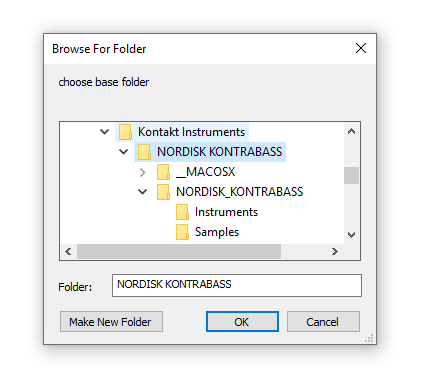
4. Navigate to the installation location for your Kontakt library > Click 'Ok'.
Batch re-save is now complete and you can expect to see quicker loading times for your Kontakt Instrument.


 Log In




