Log In

Free gifts available with your purchase

Ignite Your Beats And Your Creativity
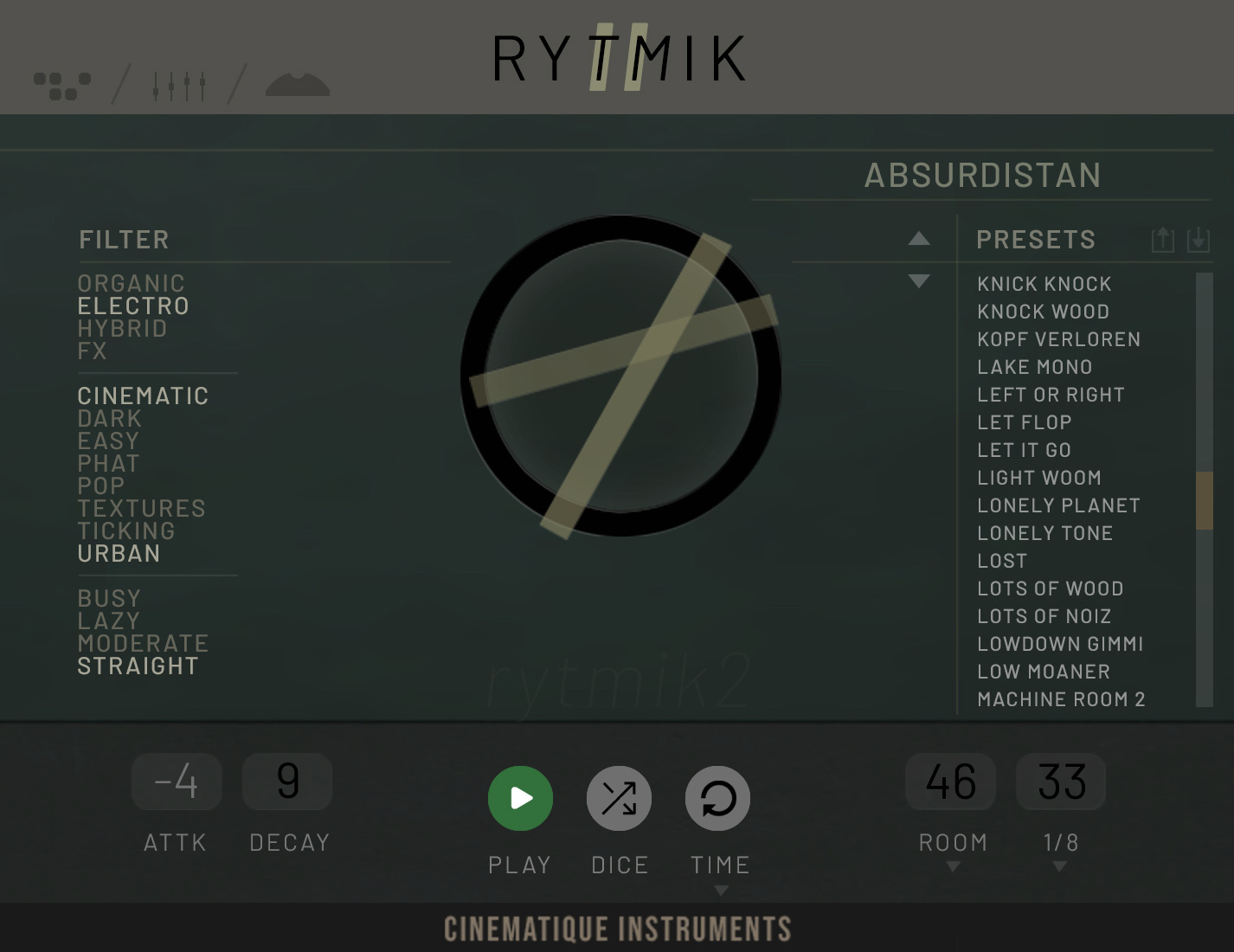
Rytmik 2 is an innovative, modern and cutting-edge beat engine. It offers an extensive collection of rich and unique sounds and beats, perfect for massive cinematic percussion, cue scoring, electro, hip-hop, industrial genres and much more. Building upon the success of its predecessor, Rytmik 2 aims to deliver a timely and captivating musical experience by seamlessly blending organic cinematic power with electronic percussion elements. With over 350 sound sources, including approximately 215 completely new ones, Rytmik 2 offers an extensive palette of sonic possibilities. Rytmik 2 also boasts more than 500 meticulously crafted presets, ensuring instant inspiration and ease of use.
- 528 Beats - Kickstart your inspiration with 528 beats that combine almost all genres of modern music production: urban grooves; phat cinematic booms and overkills; hybrid FX layers, and odd pop beats. And, of course: each beat comes with an individually adjusted "shape" chain.
- 350 Sounds - Rytmik 2 contains a dynamic range from small dings and dongs to massive booms, textures from organic to analogue to heavily processed electronics, collected from field recordings, drum machines, modular systems and every size and shape of real drums and percussion they could find.
- Shape your FX Chain in Real-Time - This is a possibility to change any beat in real-time to create almost inexhaustibly vartiations - completely free programmable. Rytmik 2 offers 13 different FX options you can use to create your own custom chain. It ranges from filters to volume tools, which are assignable to each slot, resulting in a clever variation tool.
- Random Creation - With the Randomization feature, Rytmik 2 empowers you to effortlessly create a track/slot with unique sound, velocity, effect settings, etc. You can customize each element to your liking, ensuring that the result is both suitable for your music and compelling.
- Export Midi to DAW - Drag your self-made beat completely into your DAW to adapt it from there to your arrangement.
- Smart Sequencer - Cinematique Instruments have reduced the number of tracks to 14. This is extensive but not too complex. And each of the 14 tracks is equipped with lots of tools and FX, which are even dynamically programmable across all steps.
- Kontakt Player Ready - Rytmik 2 is available for Kontakt Player. So you don't need to own a full Kontakt version and still can enjoy all the benefits of the NKS capabilities of all NI hardware, for example, Maschine or Komplete Kontrol.
- Super Easy - They've turned over every single stone to perfect the workflow and intuitive operation. In the process, they've managed to keep everything extraordinarily minimal and uncluttered - and it doesn't look bad at all.
- Finding your Beat - You can filter presets and quickly find suitable beats by using category tags. And if you get stuck, just have Rytmik 2 surprise you by suggesting a random beat using the Preset Dice Feature.
- No Audio Loops - Rytmik 2 does not play audio files! All beats are generated in real time by a programmable 14-track sequencer. Change the tempo without losing quality, enjoy the organic variations created by round robins and velocity layers, and change sounds and their rhythms at will.
- Mix Up Tracks - Each individual track has its own button with which it can be triggered. So every beat and countless variations can be played manually.
-
And many little things - Live recording while playing the beat, trigger the instruments or loops individually with the dedicated keys, quickly mute instruments or control FX via the mod wheel, shift individual tracks as well as beats forward or backwards & separate delay and reverb send and master returns.
System Requirements
- The FULL or Player Version of Kontakt 5.6.8 or higher is required.
- This software supports Native Instruments NKS format (compatible with Maschine and Komplete Kontrol S-Series keyboards)
Note: Both the FULL and FREE Player versions of Kontakt are able to run this software.